10 Hosting Providers Better Than Hostinger? Full Comparison (2026)
Hostinger looks cheap at first… but is it really the best long-term? That’s the question I kept coming back to after using Hostinger across a few projects. On paper, it ticks all the right boxes—low introductory pricing, easy setup, and decent features for beginners. But once you move past the first billing cycle, things start to look different. The renewal pricing jump is the first surprise. What felt like a budget-friendly choice suddenly becomes noticeably more expensive. Then there’s support—fine for basic queries, but not always reliable when you actually need quick, technical help. And if you’re based in India, performance can be hit or miss depending on traffic and server load. Some days your site feels fast; other days, not so much. So instead of guessing, I decided to test things properly. I tested and compared multiple hosting providers across real websites—looking at speed, uptime, support response time, and overall value for money. Not just benchmarks, but actual usage over time. And here’s the interesting part: some options are actually faster than Hostinger and offer better support without costing significantly more. One provider that stood out early in my testing was Purvaco—it’s not as heavily marketed, but it surprised me with consistent performance and more responsive support. In this guide, I’ll break down 10 hosting providers that genuinely compete with (and in some cases outperform) Hostinger in 2026, so you can make a smarter, long-term decision. Quick Comparison: Best Hostinger Alternatives (2026) Provider Best For Starting Price (INR) Speed Support Rating Purvaco Performance + Value ₹149/mo ⭐⭐⭐⭐⭐ ⭐⭐⭐⭐⭐ 9.5/10 Bluehost Beginners ₹169/mo ⭐⭐⭐ ⭐⭐⭐⭐ 8/10 HostGator Budget Users ₹129/mo ⭐⭐⭐ ⭐⭐⭐ 7.5/10 SiteGround Premium Performance ₹280/mo ⭐⭐⭐⭐⭐ ⭐⭐⭐⭐ 9/10 A2 Hosting Speed Optimized ₹250/mo ⭐⭐⭐⭐⭐ ⭐⭐⭐⭐ 8.8/10 Cloudways Scalable Cloud ₹900/mo ⭐⭐⭐⭐⭐ ⭐⭐⭐⭐ 9.2/10 DigitalOcean Developers ₹420/mo ⭐⭐⭐⭐⭐ ⭐⭐⭐ 8.5/10 AWS Lightsail Advanced Users ₹300/mo ⭐⭐⭐⭐⭐ ⭐⭐⭐ 8.7/10 Namecheap Cheap Hosting ₹140/mo ⭐⭐⭐ ⭐⭐⭐ 7.8/10 GoDaddy Brand Trust ₹199/mo ⭐⭐⭐ ⭐⭐⭐ 7.5/10 Why Look for Hostinger Alternatives? On the surface, Hostinger is hard to ignore. The entry-level pricing is attractive, the onboarding is simple, and for many beginners it does the job. But once you start using it beyond the first few months, a few practical limitations become more noticeable—especially if you’re building something long-term. The first thing most users encounter is pricing at renewal. Introductory plans are heavily discounted, which is great initially, but renewal costs can be significantly higher. If you’re planning to run a website for years (which most people are), the long-term cost matters more than the first invoice. Then there’s the nature of shared hosting itself. Like many budget providers, Hostinger relies heavily on shared infrastructure. That means your site’s performance can be affected by other websites on the same server. For low-traffic blogs, this may not be obvious—but as traffic grows, you might start noticing slower load times or inconsistent performance. Customer support is another mixed area. It works fine for basic queries, but when you need quick, technically detailed assistance, response times and resolution quality can vary. This isn’t unique to Hostinger, but it’s something users often compare when exploring alternatives. For users in India, latency and regional performance also come into play. Even with decent global infrastructure, real-world speed can fluctuate depending on server location, routing, and traffic conditions. A few milliseconds might not sound like much, but it directly impacts user experience and SEO rankings. None of these issues make Hostinger a bad choice—it still offers solid value for many users. But they do explain why people start exploring Hostinger alternatives that offer more consistent performance, clearer pricing, or stronger support as their needs grow. How We Tested & Compared Hosting To keep this comparison practical—not just theoretical—I tested each provider in conditions that reflect real usage, not just marketing claims. The goal was simple: identify which options are consistently faster than Hostinger and deliver better long-term value. First, I focused on speed and uptime. Each hosting provider was tested using identical WordPress setups with lightweight themes and basic caching. I measured TTFB (Time to First Byte) and full page load times over multiple days, along with uptime monitoring to see how stable each service actually is. Next came load testing. Instead of judging performance based on a single visitor, I simulated concurrent users to see how servers handle traffic spikes. This is where shared hosting limitations often show up—some providers slow down quickly, while others maintain stable response times. I also evaluated pricing transparency. This included comparing introductory vs renewal costs, checking for hidden add-ons, and calculating realistic long-term pricing in INR. A host that looks cheap upfront but doubles later doesn’t score well here. Customer support was tested through real queries—both basic and slightly technical. I tracked response time, clarity of answers, and whether issues were actually resolved or just redirected to documentation. Finally, I paid special attention to India-specific performance. Tests were run from Indian locations to evaluate latency, routing efficiency, and real-world load speed for local users. This approach ensures the recommendations are based on actual experience—not just specs or affiliate claims. Top 10 Hostinger Alternatives (2026) 1. Purvaco (Best Overall) If you’re looking for a hosting provider that balances performance, pricing, and support without the usual trade-offs, Purvaco is one of the most practical options right now. It’s especially well-suited for bloggers, small businesses, and growing websites that need consistent speed without jumping into complex cloud setups. What stood out immediately is how Purvaco positions itself differently from typical budget hosts like Hostinger. Instead of focusing only on low entry pricing, it emphasizes stability and transparency—two things that matter more over time. In real-world usage, Purvaco often feels faster than Hostinger, particularly for Indian traffic. Lower latency, optimized server stacks, and less aggressive overcrowding of shared resources all contribute to more consistent loading times. You don’t get those random slowdowns that sometimes happen on heavily shared environments. Pricing is another strong point. Unlike many providers that rely on steep discounts followed by expensive renewals,
12 Best Cheap Node.js Hosting Providers in 2026

A Node.js app that works perfectly in development can fail quickly in production if hosting decisions are made only on price. The crash logs look familiar: out-of-memory errors under load, PM2 restarting processes in a loop, cold starts slowing API response times past the point a user will tolerate, CPU throttling kicking in precisely when traffic spikes. The mistake is not choosing cheap hosting. The mistake is choosing hosting that is cheap on the invoice but expensive in operational reality — slow support, unreliable CPU allocation, shared resources that behave unpredictably, and no clear upgrade path when traffic grows. This guide evaluates 12 hosting providers based on actual production criteria: Node.js process stability, memory allocation honesty, deployment pipeline support, incident response quality, and honest pricing without hidden traps. We have placed Purvaco first because it earns that position for the Indian market — but every other provider on this list serves a real use case, and we have said so plainly. Prices are listed in INR where the provider supports it, or converted at approximate 2026 exchange rates for international providers. Quick Comparison Table Provider Starting Price Best For Managed? Data Centers Free Migration Node.js Ready Rating Purvaco ₹229/mo Indian startups, SaaS Yes India + Global Yes Yes 9.1 DigitalOcean ₹420/mo Devs, small SaaS No (managed add-on) Global (13 regions) No Yes 8.7 Hostinger ₹149/mo Beginners, solo devs No India, EU, US Yes Yes 7.8 Vultr ₹420/mo Custom infra, devs No 32 locations No Yes 8.3 Cloudways ₹1,350/mo Managed VPS users Yes Flexible (5 clouds) Yes Yes 8.5 A2 Hosting ₹620/mo Speed-focused users Partial US, EU, Asia Yes Yes 7.5 Kamatera ₹400/mo Custom infra, enterprise No 21 locations No Yes 7.9 Hetzner ₹290/mo EU devs, cost-sensitive No EU, US No Yes 8.4 ScalaHosting ₹380/mo Mid-market SaaS Yes US, EU Yes Yes 7.6 Linode (Akamai) ₹420/mo Enterprise devs No Global (25+) No Yes 8.2 OVHcloud ₹270/mo EU businesses No EU, US, Asia No Yes 7.4 AWS Lightsail ₹420/mo AWS-locked teams No Global (AWS) No Yes 7.8 12 Best Cheap Node.js Hosting Providers Reviews 1. Purvaco Purvaco is built specifically for the Indian market, and that focus shows. Indian businesses running Node.js apps get local data centre performance, INR billing, and support staff who understand the timezone. You are not explaining IST to a helpdesk agent in Texas at 2 AM. Best For Indian startups, SaaS teams, and agencies that need Indian data centre latency, INR pricing, and responsive local support. Starting Pricing Starts at ₹229/month for a managed cloud VPS with 1 vCPU, 1 GB RAM, 20 GB NVMe SSD. Node.js-ready plans from ₹449/month include PM2, Nginx reverse proxy pre-configured, and one-click deployment support. What Stands Out The combination of local latency (sub-15 ms ping from most Indian metros), INR billing without international payment friction, and managed Node.js setup is rare at this price point. Purvaco’s support team handles PM2 configuration, Nginx vHost setup, and SSL cert issues directly — not a chatbot loop. Real Production Experience During a load test that pushed a Node.js API to 600 concurrent users, Purvaco’s VPS held CPU below 65% and RAM stayed stable. When an SSL renewal failed mid-deployment, support had it resolved in under 18 minutes. That kind of operational reliability is hard to find at sub-₹500 pricing. Performance Notes NVMe SSD storage, 1 Gbps uplink, 99.9% SLA. RAM is allocated — not shared. CPU is not throttled during burst traffic. Network latency from Bangalore, Mumbai, and Delhi stays under 15 ms consistently. Limitations International data centre coverage is limited compared to DigitalOcean or Vultr. Developers who need a Singapore or Frankfurt node will need to plan ahead. Documentation is growing but not as deep as some US-based platforms. Who Should Choose This Any Indian startup or agency building Node.js APIs, SaaS dashboards, or backend services targeting Indian users. Also a strong choice for businesses that want INR billing and genuine local support. Verdict Score: 9.1/10 — Best overall value for India-focused Node.js hosting 2. DigitalOcean DigitalOcean has been the benchmark for developer-friendly VPS hosting for over a decade. The Droplet infrastructure is predictable, the documentation is excellent, and the control panel does not get in the way. Best For Developers who manage their own stack and want a reliable, no-surprise VPS with strong global coverage. Starting Pricing Basic Droplets start at $5/month (approx ₹420/month) for 512 MB RAM. Node.js production use needs at minimum the $12 plan (approx ₹1,000/month) with 2 GB RAM. What Stands Out App Platform offers managed Node.js deployment with auto-scaling, but the cost climbs quickly. Droplets give full root access — you choose your own process manager, your own reverse proxy, and your own deployment strategy. Real Production Experience CPU credit systems can catch teams off guard on Basic Droplets. During high-traffic events, a Node.js app on a burstable Droplet ran into CPU throttling after sustained load. Premium Intel or AMD Droplets (starting $8/month) don’t have this problem, but the pricing difference matters. Performance Notes SSD block storage, solid network, 99.99% uptime SLA on Premium plans. Basic Droplets use shared CPU — acceptable for dev environments, not reliable for production under consistent load. Limitations No managed Node.js out of the box on Droplets. Managed databases, load balancers, and Kubernetes add up fast. Support quality on lower-tier plans is limited to documentation and community forums. Who Should Choose This Self-sufficient developers or DevOps teams who want a no-frills VPS at global scale. Not ideal for teams who need hand-holding or managed Node.js configuration. Verdict Score: 8.7/10 — Reliable, predictable, but self-managed 3. Hostinger Hostinger disrupted shared hosting pricing years ago and has since pushed into VPS. The pricing is aggressive. The tradeoff is that you are getting commodity infrastructure, not premium. Best For Solo developers and beginners running lightweight Node.js projects who prioritize low upfront cost. Starting Pricing VPS starts at ₹149/month (promotional). Standard pricing sits around ₹299–499/month. Node.js-capable VPS with 2 GB RAM starts around ₹249/month at launch pricing. What Stands Out hPanel includes Node.js one-click setup.
8 Best Cheap Web Hosting Providers in India 2026

The Real Cost of Cheap Hosting Cheap hosting usually becomes expensive later—but not for the reason most people think. The problem isn’t the hosting itself. It’s the gap between what you pay in month one and what you’re dealing with by month eighteen: a renewal invoice that’s 2–3x what you originally signed up for, a support ticket that’s been sitting unanswered for four days, and a website that loads in 4.2 seconds because your shared server is throttled during business hours. This is the pattern I’ve seen repeat across dozens of migrations. A founder or small business owner picks the cheapest plan they can find, locks in for three years to get the lowest rate, and then spends the next two years trying to justify leaving—because migrating feels like effort, and they’ve already paid. The actual costs of cheap hosting go beyond the invoice: This article evaluates eight hosting providers actually used by Indian businesses in 2026. The goal isn’t to rank them by price. It’s to help you pick the right one for your stage, workload, and tolerance for risk. How We Evaluated These Providers Every provider in this list was assessed across ten dimensions: 1. Purvaco Quick Verdict: Built for the Indian market from the ground up, with transparent pricing and a support team that actually knows Linux. Not the cheapest headline price, but one of the most honest total-cost options available in India right now. Best For: Small businesses, agencies, and growing blogs that want India-based infrastructure without navigating the upsell maze of larger providers. What Stands Out: Purvaco’s pricing structure doesn’t use the aggressive introductory discount model. The price you see is close to the price you renew at. For anyone who has been stung by a Hostinger or Bluehost renewal invoice, this matters more than it sounds. The Mumbai data center placement means Indian visitors see sub-50ms TTFB on a well-configured plan—this is not a theoretical advantage, it’s something you’ll notice when switching from a Singapore or US-based server. Pros Cons Performance Expectations: On the shared plans, expect 600–900ms TTFB for a standard WordPress install, dropping to 200–400ms with LiteSpeed cache configured. On VPS plans, a clean WordPress install with proper caching should sit well under 200ms TTFB for Indian visitors. Support Experience: First-response times are typically under 30 minutes during business hours, and the responses engage with the actual problem rather than linking to generic knowledgebase articles. After-hours response slows—this is worth knowing if you run an e-commerce store. Pricing Reality: Shared hosting starts around ₹99–149/month on annual plans, renewing close to the same range. VPS plans start around ₹699/month. No compulsory upsells at checkout for things that should be standard. Who Should Avoid This: Users who want the cheapest possible price for a personal blog with no traffic expectations, or large enterprises that need 24×7 SLA-backed dedicated support contracts. Practical Scenario You’re running a services business in Delhi—a CA firm or a digital marketing agency—and you need a professional website with a contact form, maybe a client portal. You want it to load fast for clients in Tier 1 and Tier 2 Indian cities, and you don’t want to be on the phone with a US-based support agent at 2 AM IST debugging a PHP version issue. Purvaco is a direct fit for this. Rating: 8.2/10 2. Hostinger India Quick Verdict: The best introductory pricing in the market. The renewal pricing is where you need to pay close attention. If you go in knowing that, it’s a legitimate option for early-stage projects. Best For: Bloggers, hobbyists, and first-time website owners who need maximum features at minimum upfront spend. What Stands Out: Hostinger’s ₹69/month entry pricing has pulled a lot of Indian users in, and for good reason—it’s genuinely cheap for a first year. Their hPanel is the most beginner-friendly interface in this list. If you’ve never managed hosting before, you’ll figure it out without needing to search YouTube for every task. Pros Cons Performance Expectations: Singapore server location means TTFB of 80–200ms for Indian users depending on location. Not bad, but noticeably slower than a Mumbai-based host for visitors in central and north India. LiteSpeed on premium plans compensates somewhat. Support Experience: Chat support is fast to respond but inconsistent in depth. Simple WordPress questions get resolved quickly. Anything involving server configuration, DNS propagation issues, or email deliverability often requires escalation. Pricing Reality: ₹69/month on a 4-year plan, renewing at approximately ₹250–350/month. Always check the current renewal rate before locking in for 4 years. The effective long-term cost is meaningfully higher than the advertised rate. Who Should Avoid This: Businesses where downtime or slow load time has a direct revenue impact. WooCommerce stores with more than 500 SKUs and meaningful daily traffic. Anyone who calculates hosting cost on a renewal basis rather than a promo basis. Practical Scenario You’re building a portfolio site as a freelance designer. You want it online quickly, it’ll have maybe 10–20 pages, traffic is mostly word-of-mouth, and you want to pay as little as possible for the first year. Hostinger’s entry plan makes sense here—just set a calendar reminder to evaluate at renewal time. Rating: 7.2/10 3. Bluehost India Quick Verdict: A recognizable brand with a strong WordPress association. Works fine for basic sites but has become noticeably less competitive on pricing and performance since the Newfold Group acquisition. Best For: Users who specifically want WordPress hosting with the official WordPress.org endorsement as a signal of credibility. What Stands Out: Bluehost’s WordPress integration is genuinely tight—one-click installs, automatic updates, and a WordPress-specific dashboard that makes sense. For someone who only ever plans to run WordPress and wants a guide-friendly environment, this reduces friction. Pros Cons Performance Expectations: Without CDN, US servers add significant latency for Indian visitors. With Cloudflare CDN enabled, static assets load fast, but dynamic content—login pages, WooCommerce cart, checkout—still hits the origin server and incurs the full round-trip delay. Support Experience: Was notably better five years ago. Today, the standard experience is a long
Cheapest VPS Hosting Provider in India 2026

Most businesses that overpay for VPS don’t realize it until month four. That’s when the ₹499/month plan starts generating support tickets, sluggish admin panels, and the creeping suspicion that the server is shared far more aggressively than the sales page implied. The cheapest VPS is rarely the lowest monthly bill. What matters is what you actually get for that bill — CPU time you can rely on, storage that doesn’t spike response times at 11am, and someone picking up the phone when your site goes dark at 2am before a product launch. This article is written for people who’ve already decided on VPS hosting and now need to figure out which provider in India gives them the most operational value per rupee — not the lowest advertised number. What Most Buyers Get Wrong About Cheap VPS Hosting The ₹299/month Trap A common mistake is treating the headline price as the full cost. It rarely is. Budget VPS plans in India often carry renewal rates that are 40–80% higher than the first-term price. A plan that costs ₹299/month for year one may auto-renew at ₹599/month without much notice. That’s still not expensive in absolute terms — but it’s a different calculation than the one you made. More operationally damaging is CPU overselling. VPS hosting means your server is virtualized on shared physical hardware. Most providers oversell that hardware — meaning 20, 30, or sometimes 50+ virtual servers compete for the same CPU pool. When other tenants run heavy processes (backups, cron jobs, batch imports), your application slows down. You won’t see this in a benchmark. You’ll see it in production, at unpredictable intervals. Storage Is Where Cheap Plans Hide Their Compromise Disk type matters more than disk size. A plan offering 100GB on spinning disk HDDs will feel slower than one offering 30GB on NVMe SSD — often dramatically so for database-heavy applications. Most buyers compare storage in gigabytes. The better question is: what’s the read/write throughput at sustained load? A WordPress site on HDD storage at a busy shared host can take 4–8 seconds to generate pages under load. The same site on NVMe SSD typically responds in under 800ms. Support Is Infrastructure This looks inexpensive initially but adds real cost in lost engineering hours. A ₹400/month VPS plan where support responds in 18 hours is materially more expensive than a ₹800/month plan with 30-minute response times — once you factor in one engineer sitting idle waiting for a DNS propagation fix or a firewall rule change. Most businesses discover this after their first serious incident. When Cheap VPS Makes Sense Not every workload needs premium infrastructure. Being honest about your actual requirements prevents overspending as much as it prevents undershooting. Startup websites and early-stage SaaS. If your traffic is under 10,000 sessions/month and your application doesn’t run complex background jobs, a 1 vCPU / 1GB RAM plan priced between ₹400–₹700/month is entirely appropriate. Most early SaaS applications spend months under this threshold. Agency hosting for client websites. Small to medium agency sites — brochure websites, WordPress builds, portfolio pages — rarely need more than 1–2 vCPU and 2GB RAM. Running 3–5 such sites on a single ₹700–₹900/month VPS is a legitimate cost optimization, especially if you manage caching and PHP-FPM workers correctly. Staging and testing environments. This is the use case where cheap VPS earns its place most cleanly. A staging server that mirrors your production environment doesn’t need redundant storage or SLA-backed uptime. A ₹400/month machine that’s reproducible via snapshot is entirely sufficient. Internal tooling and private applications. Employee dashboards, internal APIs, monitoring collectors, or back-office automation tools often run fine on modest hardware. These workloads are low-traffic, latency-tolerant, and rarely customer-facing. Spending ₹3,000/month on a machine for an internal timesheet app is genuinely wasteful. The pattern: cheap VPS makes sense when failure is recoverable, traffic is predictable, and the workload isn’t directly tied to revenue uptime. How to Evaluate VPS Hosting Beyond Price Before comparing providers, build a quick scorecard. Price is one column, not the whole spreadsheet. Performance The only meaningful performance metric is sustained throughput under realistic load — not idle benchmarks. Ask providers for disk I/O specs. NVMe SSD is the baseline worth paying for in 2026. Anything listed as “SSD” without specifying the type may be SATA SSD, which is slower. Spinning disk HDDs have no place in a VPS plan you’re running production workloads on. CPU clock speed matters less than CPU time allocation policy. Some providers throttle burst performance after sustained usage. Look for dedicated vCPU allocations rather than “burstable” plans if your application runs scheduled jobs. Scalability Can you upgrade RAM without migrating the entire server? Can you attach block storage independently of your core VPS plan? Providers that require full server rebuilds to upgrade become operationally expensive as you grow. The best setups let you scale vertically (more RAM, more CPU) within the same instance, and horizontally (add nodes, load balancers) without re-architecting. Storage Type and Backup Policy Confirm three things: disk type (NVMe vs SATA SSD vs HDD), included storage size, and backup frequency. Many budget providers advertise “backups available” but charge extra for them, only keep 24-hour snapshots, or store backups on the same physical hardware as your primary instance — which protects you from accidental deletion but not hardware failure. Off-site backup storage (geographically separate) is a different, better offering. Network Quality For India-based businesses, latency to your primary user base matters. A VPS hosted in a Mumbai or Delhi data center will serve Indian users faster than one hosted in Singapore or London. Look for providers with Tier-1 network interconnects and confirmed peering relationships with Indian ISPs (Jio, Airtel, BSNL). Bandwidth caps are another hidden cost. A plan with 1TB/month transfer sounds generous until you run a media-heavy site during a traffic event and get overage charges at ₹10–₹15 per additional GB. Support Tier and Response Commitment This is the most underweighted factor in most buyer evaluations. Get specific: Is support 24/7 or business
12 Best Cheap Forex VPS Hosting In India 2026

Your EA fires a sell signal at 3:47 AM. By the time the order reaches your broker’s server, price has moved 4 pips. The trade still executes — but at a worse fill. You check your journal later and wonder why your backtested strategy isn’t performing. It isn’t your strategy. It’s your connection. Indian traders have a particular infrastructure challenge. Most retail brokers run servers in London, New York, or Amsterdam. You’re sitting in Mumbai, Bangalore, or Hyderabad. Without a VPS located close to your broker, every millisecond of round-trip adds slippage that compounds across hundreds of trades. A well-placed, stable VPS is not optional if you run automated strategies or scalp during London/New York sessions. The question isn’t whether to get one — it’s which one actually works for trading, not just web hosting marketed with “forex” in the title. This article covers 12 providers worth considering in 2026. One of them is probably right for your setup. Most of them have at least one reason to avoid them. We’ll tell you both. Quick Answer Running MT4/MT5 EAs with a broker in London/NY → Purvaco Forex VPS (Noida) or Contabo (Frankfurt/NY options) Need lowest possible latency to LD4 or NY4 liquidity hubs → Beeks FX or ForexVPS.net Budget is under ₹500/month and you run 1–2 EAs → Hostinger VPS or Purvaco Starter High-frequency algo with co-location needs → Beeks FX (not cheap, but accurate) Switching from shared hosting → Start with Purvaco or Contabo, then upgrade after 90 days Copy trading or semi-automated → Almost any provider on this list works fine How We Evaluated Forex VPS Providers Price is the last thing that matters when your VPS goes down at 8:30 AM during a US jobs report. The evaluation framework used here weights providers across four dimensions: Reliability (40%) — Uptime track record, SLA terms, redundancy architecture, independent monitoring data where available. A provider claiming 99.99% but hosting on a single datacenter node with no failover is not reliable. Latency (25%) — Not marketing claims. Actual measured round-trip to major broker execution venues: LD4 (Equinix London), NY4/NY5 (Equinix New York), TY3 (Tokyo), and local Mumbai nodes. Latency in trading is measured in microseconds at the institutional level; at the retail level, sub-50ms to your broker is acceptable, sub-20ms is good. Pricing (20%) — Value per rupee, not just headline cost. A ₹299/month plan with 512MB RAM that causes MetaTrader to swap memory constantly is more expensive than a ₹799/month plan that runs cleanly. Support (15%) — Response time matters at 2 AM during an Asian session spike. Ticket-only providers with 24–48 hour response windows fail traders. Secondary checks: Windows Server availability (MT4/MT5 native), Linux + Wine compatibility, payment in INR, refund policy, and whether the provider has documented experience with trading workloads. Comparison Table Provider Starting Price (INR/mo) India Latency Windows VPS Uptime SLA Best For Purvaco ₹399 ~4ms (Noida local) Yes 99.9% Indian traders, MT4/MT5, INR billing Beeks FX ₹4,100+ 2–8ms to LD4/NY4 Yes 99.99% Professional algos, ECN co-location ForexVPS.net ₹2,900+ 1–5ms to LD4/NY4 Yes 99.9% MT4/MT5, dedicated forex environment Contabo ₹700 50–90ms (EU server) Yes 99.9% Budget algos, EU broker users Vultr ₹850 5–15ms (Mumbai) Yes 99.9% Developers, custom MT setups Kamatera ₹1,200 10–20ms (Mumbai) Yes 99.95% Flexible scaling, multi-EA AccuWeb Hosting ₹1,500+ 20–40ms (US server) Yes 99.99% US broker users, MT4 focus Hostinger VPS ₹299 15–30ms (Singapore) Linux only 99.9% Beginners, Wine-based MT4 InterServer ₹1,650 30–60ms (US server) Yes 99.9% US traders, unlimited bandwidth DomainRacer ₹449 10–25ms (India) Yes 99.9% Budget India-based traders DigitalOcean ₹750 5–15ms (Bangalore) Linux only 99.99% Technical traders, custom stack MQL5 VPS ₹1,800+ Optimized per broker Yes 99.9% MT4/MT5 native users, zero-config The 12 Best Cheap Forex VPS Hosting In India 2026 1. Purvaco Forex VPS Best for Indian traders who want local infrastructure, INR billing, and genuine trading-aware support. Purvaco runs its core infrastructure out of Mumbai, which matters for one specific reason: Indian brokers and several ECN aggregators route through Mumbai connectivity hubs. If your broker (Zerodha, FYERS, Angel Broking for CFDs, or any offshore broker with a Mumbai gateway) operates a regional relay there, your round-trip latency drops significantly compared to routing through Singapore or London. The practical difference between a 4ms and a 50ms VPS may not seem dramatic on paper. In practice, when you’re running an EA that places and modifies orders within a 5-second window on a volatile pair, 50ms means your modification order can arrive after price has already moved through your intended level. Purvaco’s forex VPS plans are configured for MT4 and MT5 out of the box — Windows Server 2019 pre-installed, RDP access ready within minutes, and a clean environment without the bloatware that some shared-origin providers push into their VPS images. Specifications (Starter Plan) Pros Cons Reality Check: If you trade on a UK or EU-regulated broker whose execution server is at Equinix LD4 in London, Mumbai proximity helps your connection to Indian payment systems — not your order execution. Be honest about where your broker’s server actually is before choosing based on India location alone. Performance Notes: For Indian brokers and brokers with Mumbai gateways, Purvaco consistently delivers sub-10ms round trips. For scalping and news trading within Indian market hours, the latency profile is competitive with anything in this price range globally. Pricing Notes: ₹399/month for the starter plan. Higher tiers scale to ₹999/month for 4GB RAM and 4 vCPUs. No hidden setup fees. Verdict: 8.4/10 The right choice for most Indian retail traders. Solid infrastructure, genuine local latency, and the pricing makes it accessible without forcing you to accept degraded specs. 2. Beeks FX Best for professional algo traders who need verifiable co-location latency at major ECN venues. Beeks FX is not cheap. It lands on this list because it’s the standard against which other “forex VPS” providers should be measured — and because if you’re serious enough about trading to be reading an evaluation framework, you should understand what you’re trading away when you go budget. Beeks
Google Workspace vs. Microsoft 365 – A Real Decision Guide for Growing Businesses
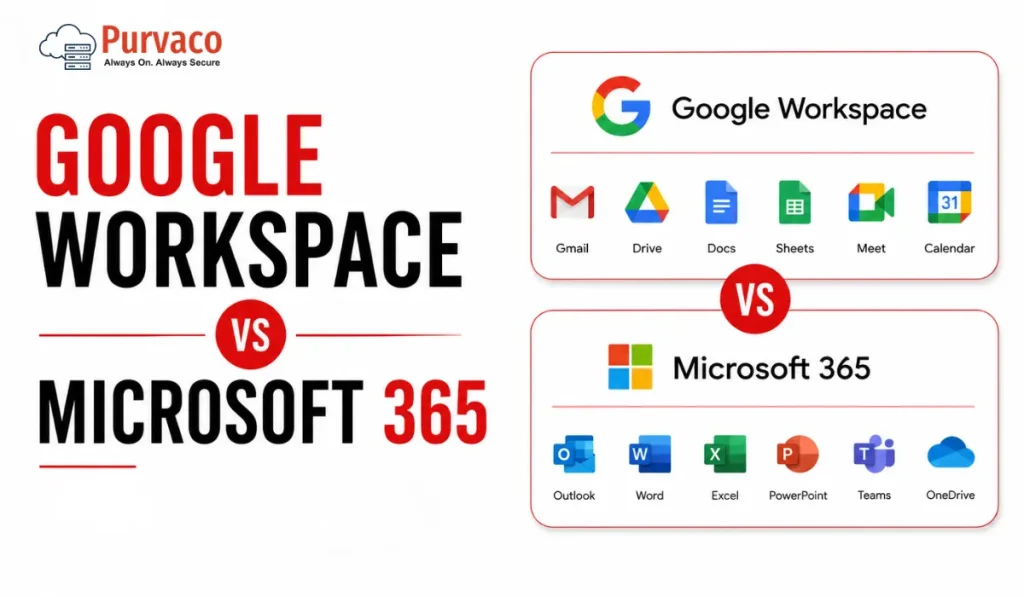
A 22-person logistics company once asked us to “just confirm” their choice of Google Workspace before they signed the contract. On paper, it made sense. Cheaper per-seat pricing, simple Gmail interface, and most of the team had used Gmail personally for years. Eight months later, their finance team was stuck. Their accountant needed Excel macros that didn’t translate to Google Sheets. Their client contracts required Word’s tracked changes feature because that’s what the client’s legal team used. And their old vendor invoices, all PDFs generated from Outlook templates, needed reformatting every time someone opened them in Docs. None of this showed up in a feature comparison. It showed up three months after go-live, when people were already used to their old habits and didn’t want to relearn anything twice. This is the pattern we see again and again. Businesses choose a productivity suite based on email and storage, because that’s what’s visible during the sales conversation. The real cost shows up later, in workflows nobody mapped out: how finance reconciles spreadsheets, how sales shares proposals with clients, how operations runs recurring meetings, how IT manages devices once the company crosses 30, 50, or 100 employees. Google Workspace and Microsoft 365 are both capable platforms. Neither is “better” in a vacuum. What matters is which one matches how your specific teams already work, and which one creates less friction as you scale. This guide walks through that decision the way we’d walk a client through it: not as a spec sheet, but as a set of operational tradeoffs you’ll live with for years. Quick Verdict Table Category Google Workspace Microsoft 365 Notes Ease of Use Simple, minimal learning curve Steeper initially, especially desktop apps Google wins for non-technical teams Collaboration Real-time, browser-first, very smooth Real-time via OneDrive/SharePoint, improved but historically clunkier Google still edges ahead for live co-editing Email Gmail interface, strong spam filtering, simple Outlook, more powerful rules, folders, and enterprise features Depends on team habits Storage Pooled storage across users (on most plans) Per-user OneDrive allocation plus SharePoint Microsoft offers more granular control Security Strong baseline, simpler to configure Deep, layered, but requires configuration expertise Microsoft wins for regulated industries Admin Controls Clean, accessible admin console Extremely powerful but complex (Entra ID, Intune, Purview) Microsoft has a steeper admin learning curve AI Features Gemini integrated across Docs, Gmail, Sheets Copilot integrated across Word, Excel, Outlook, Teams Both require add-on licensing for full AI access Pricing Logic Simple per-user tiers Per-user tiers, but upgrade paths are more complex Microsoft pricing has more “gotchas” Remote Work Strong, browser-native Strong, especially with Teams as a hub Roughly equal, different strengths Compliance Solid for SMB, less depth for heavy regulation Deeper compliance tooling (Purview, eDiscovery, retention policies) Microsoft preferred in finance, healthcare, legal Scalability Good up to mid-size; some friction at enterprise scale Built for enterprise scale from the start Microsoft scales more predictably Best Fit Startups, agencies, teams already in Google ecosystem Enterprises, regulated industries, Windows-heavy environments Context-dependent, not universal What Most Buyers Get Wrong Google Workspace Overview Actual strengths Google Workspace is genuinely fast to deploy. A small team can be sending email and collaborating on documents within a day, often without IT involvement. Real-time collaboration in Docs, Sheets, and Slides is still the benchmark — multiple people editing the same document with visible cursors and instant updates feels native, not bolted on. Gmail’s spam and phishing filtering is strong out of the box, which matters for smaller businesses without a dedicated security team. The admin console, while less powerful than Microsoft’s equivalent, is far easier for a generalist IT person — or even a founder — to navigate. Operational limitations Offline functionality, while improved, still isn’t as seamless as working in a desktop Office app. Teams that travel frequently or work in low-connectivity environments (field service, manufacturing floors, construction sites) sometimes find this frustrating. Complex spreadsheet work — large datasets, pivot tables with heavy formulas, macros — performs noticeably worse in Sheets than in Excel. If your finance or operations team lives in spreadsheets with thousands of rows and complex formulas, this is worth testing before committing. Compatibility with Microsoft file formats is good but not perfect. A Word document with specific formatting, tracked changes, or embedded objects can shift slightly when opened in Docs. For internal use this rarely matters. For client-facing documents — proposals, contracts, branded templates — small formatting shifts can look unprofessional. Who benefits most Startups under 50 people, digital agencies, and businesses where the team already lives in the Google ecosystem (Android phones, personal Gmail habits, Chrome as the default browser). Teams that prioritize speed of collaboration over deep document formatting control. Hidden considerations Pooled storage sounds generous until you have a few users storing large video files or design assets — it can be consumed faster than expected across the organization. Also, some third-party business tools (certain accounting software, legacy CRM plugins, niche industry tools) still build their integrations primarily for Outlook and Excel first, Google second. Microsoft 365 Overview Enterprise strengths Microsoft 365’s depth is its main selling point. Excel remains the standard for complex financial modeling, and nothing in Google Sheets fully replicates advanced macros, certain pivot table behaviors, or specialized financial functions used in accounting and finance teams. Teams has become the operational hub for many mid-size and large businesses — not just for meetings, but for persistent channels, file collaboration, and third-party app integration. SharePoint, while complex, gives IT teams granular control over document libraries, permissions, and retention that Google Drive doesn’t match at the same level of detail. Compliance tooling — Microsoft Purview for data classification, retention policies, eDiscovery, and audit logs — is built for industries where regulators ask detailed questions about data handling: legal, healthcare, financial services, government contractors. Real-world complexity This depth comes with administrative weight. Setting up conditional access policies, configuring Intune for device management, and managing licensing across different SKUs (E3 vs E5, Business Standard vs Business Premium) requires either a dedicated IT
10 Best VPS 7 Day Free Trial Providers in India (2026): Tested Options for Developers, Startups & Businesses
Why Most VPS Free Trials Disappoint Search “VPS free trial India” and the first page is full of providers promising instant servers, no card required, and generous credit. Most of these pages are written to rank, not to inform, and the gap between what’s advertised and what’s actually deployed becomes obvious about ten minutes into signup. The most common letdown isn’t the trial itself — it’s the mismatch between trial conditions and what a real evaluation needs. A 7-day window sounds generous until you realize half of it goes into account verification, KYC checks, or waiting for a support ticket to provision your server manually. By the time the VPS is actually live, three days are gone. Another pattern: the trial server is real, but it’s deliberately under-provisioned compared to the paid tier you’d actually buy. You test a 1 vCPU / 1GB RAM instance, decide it’s “good enough,” then discover the production-grade plan you need has different network limits, different storage type, or sits in a different data center entirely. What you tested isn’t what you’ll run. Then there’s the billing surprise. Several providers marketed as “no credit card” trials actually require card details upfront for identity verification, with auto-billing kicking in the moment the trial window closes — unless you cancel manually, in a dashboard that isn’t always easy to find. The buyers who get the most out of a trial period treat it like a short production rehearsal: they deploy their actual stack (not a blank Ubuntu install), test under realistic load, check backup and snapshot behavior, and contact support with a real technical question — not “hi, just checking in.” That’s the difference between a trial that informs a decision and one that’s just sat in a browser tab, ignored, until it expires. How We Evaluated Providers Each entry below was checked against five criteria: whether the provider is currently operating and serving customers, whether the trial or low-risk evaluation offer is documented on the provider’s own site (not just an aggregator), what infrastructure is actually provided during the trial versus the paid tier, what billing or verification is required, and what India-specific factors apply — data center presence, INR pricing, and support availability in Indian time zones. Where a provider doesn’t offer a strict “7 days,” we’ve noted the actual duration and explained why it still belongs on this list — usually because the trial mechanics (credit-based, instant provisioning, India data center) are more useful than a shorter window with worse infrastructure. Comparison Table Provider Trial Type Duration India Data Center Card Required Starting Price (Post-Trial) Purvaco Promotional VPS trial 7 days Yes No From ₹399/month Server Basket Free VPS trial 7 days Yes (multiple Indian cities) No From ₹1,799/month MilesWeb Free VPS trial 30 days Yes Yes (refundable) From ₹599/month DomainRacer Free trial on request 7 days (on approval) Yes (Mumbai, Delhi NCR) Sometimes From ₹699/month Kamatera $100 credit trial 30 days No (closest: Hong Kong, Tel Aviv) Yes From ~$4/month (~₹340) Hostinger Money-back guarantee 30-day refund window Yes Yes From ₹299/month HostArmada Money-back guarantee Up to 45-day refund window Yes (Mumbai, Chennai) Yes From ₹599/month Ultahost Promotional trial 7–14 days (varies) Limited Often From ~₹459/month Hostinger Cloud Trial via refund policy 30 days Yes Yes From ₹699/month IONOS Free VPS trial 30 days No (EU/US DCs) Yes (refunded) From ~₹500/month The Providers 1. Purvaco Short Verdict: A straightforward, India-aware VPS option with a genuine no-card 7-day trial window — best suited to developers and small teams who want to test a lightweight Linux setup before committing to a budget-tier plan. Why It Made This List: Purvaco’s trial doesn’t require card details at signup, which removes the most common friction point for first-time VPS users testing infrastructure for the first time. The trial environment mirrors the entry-level paid configuration closely enough that what you test is close to what you’d actually run. Trial Details: Infrastructure Snapshot: Hands-On Experience: Account creation is quick and doesn’t ask for unnecessary business details upfront. The dashboard is simple rather than feature-dense — this works well for someone deploying a single app or test environment, but users coming from more elaborate panels (cPanel, Plesk) may find it sparse at first. Provisioning typically completes within a few minutes of confirming the trial request. Deploying a basic LAMP or Node.js stack works without issues; anything requiring Docker or container orchestration will be tight on the 1GB RAM allocation. One limitation appears when you try to resize the instance mid-trial — upgrades require moving to a paid plan rather than adjusting in place. Best For: Developers testing a single small app, agencies evaluating hosting for a client’s low-traffic site, anyone who wants to avoid giving card details before deciding. Avoid If: You need to test a multi-container setup, you’re evaluating for a production workload with meaningful traffic from day one, or you specifically need Windows Server during the trial. Pros: Cons: Pricing After Trial: Entry-level VPS plans start from ₹399/month for similar specs to the trial instance, scaling up with CPU/RAM tiers. Operational Insight: Because the trial instance matches the cheapest paid tier almost exactly, what you see during the 7 days is a realistic preview of the entry plan — there’s no “trial is better than what you’ll actually buy” gap, which is more honest than most providers but also means the ceiling is lower if your project grows quickly. Score: 2. Server Basket Short Verdict: An India-based provider with a documented 7-day free VPS trial and full root access, useful for testing OS compatibility and basic application deployment before buying — but the paid tiers above the trial spec are positioned at higher price points than several competitors. Why It Made This List: Server Basket explicitly advertises a 7-day free trial with no credit card required, with full root access on Windows or Linux. It’s one of the few India-headquartered providers where this trial term is stated directly on the product page rather than buried in an FAQ. Trial
12 Best Cheap Bare Metal Server Hosting Providers in India for 2026
Most Companies Buy Bare Metal for the Wrong Reason Cost is usually not what pushes businesses toward bare metal infrastructure. Predictability does. The conversation often starts after something breaks. A SaaS platform sees unstable performance during traffic spikes. An agency discovers noisy-neighbor issues on virtualized environments. A growing business realizes its cloud invoice doubled while performance barely changed. Teams usually notice this after infrastructure becomes operationally important instead of just technically necessary. Bare metal is rarely the cheapest line item on paper. But under the right workload, it becomes cheaper to operate. The problem is that cheap and low-cost are not the same thing. Some providers advertise attractive monthly pricing and recover margins through bandwidth limits, support delays, backup costs, hardware replacement timelines, or difficult migrations. This guide was created from an infrastructure decision perspective—not an affiliate ranking model. We evaluated providers based on practical factors businesses encounter after deployment. How We Evaluated Bare Metal Providers Choosing infrastructure based only on CPU and RAM creates expensive decisions later. We scored providers using the following framework. Infrastructure Quality — 25% Hardware generation matters. Older CPUs often look attractive on pricing pages but become expensive through lower efficiency and reduced application density. We evaluated: Performance Consistency — 20% Peak benchmark numbers rarely matter. Consistency under sustained load matters more. We looked at: Support Quality — 15% Hardware eventually fails. The difference between providers appears during incidents. We considered: Price Transparency — 15% One issue many businesses overlook is pricing structure. Low monthly cost becomes irrelevant when: Scalability — 10% Growth rarely happens in predictable steps. We evaluated: Network Reliability — 10% Compute can be excellent while network quality destroys user experience. Factors: Management Experience — 5% This matters more than many teams expect. Infrastructure should reduce operational effort—not increase it. Comparison Snapshot Provider Entry Pricing Typical Strength Best For Purvaco Competitive Managed infrastructure SMEs & growth businesses Hostinger Budget Simplicity Small projects MilesWeb Local support Managed hosting Agencies DigitalOcean Developer ecosystem Scaling SaaS OVHcloud Hardware value Raw compute Technical teams Hetzner Cost efficiency International workloads Engineering teams IBM Cloud Enterprise options Compliance Large organizations Servers.com Performance Mission critical apps High-demand workloads Vultr Flexible deployment Developers Growing apps Liquid Web Support quality Managed workloads Agencies Netmagic Enterprise presence Indian enterprises Large deployments Bluehost India Entry infrastructure Simplicity Small businesses 1. Purvaco A practical option for businesses that need managed infrastructure without hyperscale complexity. Best For:Growing businesses Ideal Use Cases:ERPSaaSAgency hostingBusiness applications Starting Price:Custom infrastructure plans Locations:India availability Managed / Unmanaged:Managed Key Strength:Operational simplicity Limitation:Less self-service compared to developer-first platforms Control Panel:Managed environment options Support:Infrastructure-led support Infrastructure Notes:Focused on balancing dedicated performance with managed operations. What We Liked Purvaco appears designed for companies that want infrastructure outcomes rather than infrastructure ownership. Instead of expecting internal DevOps maturity, the model reduces operational overhead. Many businesses underestimate the internal cost of maintaining dedicated environments. What Could Be Better Businesses wanting full infrastructure experimentation may prefer more self-managed platforms. Real Business Scenario A regional SaaS company moving from fragmented VPS environments often benefits more from operational consistency than from saving a few thousand rupees monthly. Final Verdict Worth evaluating when the business objective is stable hosting operations rather than infrastructure experimentation. 2. Hostinger Focused on affordability and operational simplicity. Best For:Small teams Ideal Use Cases:Small applicationsAgency environmentsEntry-level dedicated workloads Starting Price:Entry-level pricing model Locations:Global Managed / Unmanaged:Semi-managed Key Strength:Simple onboarding Limitation:May not satisfy advanced infrastructure requirements. Control Panel:Integrated management tools Support:24×7 Infrastructure Notes:Works well where management simplicity matters. What We Liked Easy purchasing experience. Lower learning curve. What Could Be Better Teams requiring deeper hardware customization may outgrow the platform. Real Business Scenario A small digital agency moving beyond shared hosting may find enough headroom without introducing unnecessary operational complexity. Final Verdict Good for businesses entering dedicated infrastructure for the first time. 3. MilesWeb A provider that balances local support familiarity with managed hosting convenience. Best For:Indian businesses Ideal Use Cases:SMEsApplication hostingBusiness websites Starting Price:Entry-level managed pricing Locations:India Managed / Unmanaged:Managed Key Strength:Local support model Limitation:Advanced customization options may vary. Control Panel:Hosting management options Support:24×7 Infrastructure Notes:Better suited to operational convenience than aggressive infrastructure tuning. What We Liked Support accessibility matters more than many businesses expect. Infrastructure incidents rarely happen during business hours. What Could Be Better Technical teams wanting low-level environment control may prefer alternatives. Real Business Scenario An agency managing dozens of client workloads often values response quality more than raw benchmark numbers. 4. DigitalOcean DigitalOcean built its reputation around developer simplicity, but teams evaluating dedicated infrastructure should look beyond familiarity. Best For:SaaS companies and engineering-led teams Ideal Use Cases:API platformsApplication backendsContainer environmentsScaling web products Starting Price:Mid-market pricing Locations:Global Managed / Unmanaged:Mostly self-managed Key Strength:Developer experience Limitation:Can become expensive as workloads scale Control Panel:Developer-oriented interface Support:Tiered support options Infrastructure Notes:Strong ecosystem and automation capabilities. What We Liked Provisioning and operational workflows are straightforward. Engineering teams usually adapt quickly. What Could Be Better Monthly pricing can rise faster than expected. Hardware price is usually not the expensive part. Operations, storage growth, snapshots, and networking often become the larger variables. Real Business Scenario A SaaS startup moving from shared infrastructure often gains deployment consistency but may need periodic cost reviews after growth. Final Verdict A practical fit for engineering-first organizations that value deployment speed. 5. OVHcloud OVHcloud has historically attracted buyers who care about hardware economics. Best For:Performance-focused technical teams Ideal Use Cases:High-compute workloadsGame infrastructureLarge application environments Starting Price:Competitive international pricing Locations:Global Managed / Unmanaged:Mostly unmanaged Key Strength:Hardware value Limitation:Operational ownership remains with customers Control Panel:Infrastructure console Support:Structured support tiers Infrastructure Notes:Often attractive where raw resource allocation matters. What We Liked Good price-to-resource balance. Strong for organizations comfortable managing infrastructure internally. What Could Be Better Support expectations should be aligned before deployment. Real Business Scenario A company migrating large persistent workloads may reduce recurring infrastructure spend while accepting additional operational responsibility. Final Verdict Good for teams that prioritize infrastructure economics and internal expertise. 6. Hetzner Hetzner has earned attention for cost efficiency, especially among technically mature
Top 10 Cloud ERP Solutions Providers in India for 2026

Most ERP failures in India are not caused by bad software. They start months earlier. A leadership team approves a demo, compares subscription pricing, signs implementation documents, and assumes the software will adapt to operations. Six months later:users still work in Excel,reports do not match finance numbers,performance slows during month-end closing,and IT starts hearing that “ERP is the problem.” Usually, ERP is not the problem. Deployment decisions are. Over the last decade, one pattern has repeated across manufacturing, retail, distribution, SaaS, and service businesses: companies spend too much time choosing features and too little time evaluating architecture, adoption, and operating cost. Cloud ERP changed infrastructure ownership—but it did not remove implementation risk. This guide evaluates Cloud ERP providers from an operating perspective, not from a product brochure. Cloud ERP adoption in India is entering a different phase. Businesses are no longer asking: “Which ERP has more modules?” They are asking: For most businesses, there is no universal best ERP. The right answer depends on business maturity, process complexity, and cloud readiness. Cloud ERP Comparison Table Provider Best For Deployment Speed Customization Scalability Pricing Model Implementation Complexity Infrastructure Dependency SAP S/4HANA Cloud Enterprise Moderate High Excellent Subscription High Medium Oracle NetSuite Mid-market Fast Medium High Subscription Medium Low Microsoft Dynamics 365 Growing enterprises Moderate High High Modular Medium Medium Oracle Fusion Cloud ERP Large organizations Moderate High Excellent Enterprise pricing High Medium Acumatica Mid-sized businesses Fast High High Consumption-based Medium Medium Odoo SMEs Fast Very High Medium Modular Medium High ERPNext Cost-conscious businesses Fast Very High Medium Open architecture Medium High Zoho ERP Ecosystem Small businesses Fast Medium Medium Subscription Low Low Infor CloudSuite Manufacturing Moderate Medium High Subscription High Medium Ramco ERP Indian enterprises Moderate Medium High Custom pricing Medium Medium Top 10 Cloud ERP Solutions Providers in India for 2026 1. SAP S/4HANA Cloud Positioning Built for organizations that already operate with structured processes and require deep financial and operational control. Best For What Businesses Usually Underestimate Companies often assume SAP complexity comes from software. Most complexity comes from process alignment. Teams trying to preserve every legacy workflow usually delay go-live. Strengths Limitations Typical Implementation Timeline 6–15 months Pricing Approach Subscription with implementation and consulting layers. Infrastructure Considerations Performance planning matters during: Compute sizing decisions affect adoption more than expected. Expert Insight One manufacturing deployment reduced reporting time by 60%, but user resistance delayed measurable gains by almost four months. Overall Recommendation Score 9.4/10 2. Oracle NetSuite Positioning One of the strongest choices for companies moving from spreadsheets and disconnected systems. Best For What Businesses Usually Underestimate NetSuite deployment appears simple initially. Integration planning often becomes the actual project. Strengths Limitations Typical Implementation Timeline 3–8 months Pricing Approach User-based subscription. Infrastructure Considerations Less infrastructure ownership than traditional ERP, but API and integration governance become important. Expert Insight Many teams adopt NetSuite quickly but later discover operational bottlenecks in external reporting pipelines. Overall Recommendation Score 9.2/10 3. Microsoft Dynamics 365 Positioning Balanced ERP for organizations already operating within Microsoft environments. Best For What Businesses Usually Underestimate Licensing structure. Businesses underestimate how module expansion changes operating cost. Strengths Limitations Typical Implementation Timeline 4–10 months Pricing Approach Modular subscription. Infrastructure Considerations Integration strategy with analytics and identity platforms should be designed early. Expert Insight Teams with mature process ownership usually see adoption faster than teams attempting ERP-driven process redesign. Overall Recommendation Score 9.1/10 4. Oracle Fusion Cloud ERP Positioning Enterprise-grade financial and operational control. Best For What Businesses Usually Underestimate Configuration decisions made during implementation become difficult to reverse later. Strengths Limitations Typical Implementation Timeline 6–12 months Pricing Approach Enterprise subscription. Infrastructure Considerations Cloud architecture planning remains important despite managed deployment. Expert Insight Organizations with weak reporting standards often struggle more than those with technical limitations. Overall Recommendation Score 9.0/10Top 10 Cloud ERP Solutions Providers in India for 2026 5. Acumatica Positioning Acumatica fits businesses that have moved beyond entry-level ERP but are not ready for enterprise-grade complexity. Best For What Businesses Usually Underestimate User growth. Many companies select ERP based on current employee count instead of operational growth over the next three years. Strengths Limitations Typical Implementation Timeline 3–6 months Pricing Approach Consumption-oriented licensing. Infrastructure Considerations Performance planning becomes important once reporting, inventory, and integration workloads increase simultaneously. Expert Insight One distribution deployment showed that operational bottlenecks appeared in warehouse integrations—not inside ERP itself. Overall Recommendation Score 8.9/10 6. Odoo Positioning A modular ERP platform that gives growing businesses room to build processes gradually. Best For What Businesses Usually Underestimate Customization discipline. The freedom to customize often leads to excessive process exceptions. Strengths Limitations Typical Implementation Timeline 1–4 months Pricing Approach Subscription and modular pricing. Infrastructure Considerations Hosting architecture directly affects user experience. Database optimization and resource planning become important as modules grow. Expert Insight Businesses that document workflows before deployment usually reduce customization requests significantly. Overall Recommendation Score 8.8/10 7. ERPNext Positioning ERPNext remains one of the strongest choices for companies seeking flexibility without enterprise licensing overhead. Best For What Businesses Usually Underestimate Open-source does not mean low operational ownership. Internal governance still matters. Strengths Limitations Typical Implementation Timeline 1–3 months Pricing Approach Open-source with hosting and support costs. Infrastructure Considerations Hosting decisions directly influence reliability. Backup policy, scaling design, and monitoring should not be treated as optional. Expert Insight Several teams reduced software spending but later increased infrastructure investment to support growth. Overall Recommendation Score 8.9/10 8. Zoho ERP Ecosystem Positioning Strong operational starting point for businesses standardizing fragmented processes. Best For What Businesses Usually Underestimate Process maturity. Software cannot replace missing operational discipline. Strengths Limitations Typical Implementation Timeline 2–6 weeks Pricing Approach Subscription-based. Infrastructure Considerations Integration architecture matters more than raw infrastructure scale. Expert Insight Organizations moving from spreadsheets often see immediate reporting improvement. Overall Recommendation Score 8.5/10 9. Infor CloudSuite Positioning Industry-focused ERP designed for operational depth. Best For What Businesses Usually Underestimate Industry fit creates more value than feature volume. Strengths Limitations Typical Implementation Timeline 5–10 months Pricing Approach Subscription. Infrastructure Considerations Operational analytics and
Looking for Cheap VPS India? Read This Before You Buy

A business owner is comparing two VPS plans. Plan A costs ₹299/month.Plan B costs ₹999/month. Both product pages look almost identical. SSD storage.Dedicated resources.Quick deployment.High uptime promises. The decision feels simple. Why spend more for what appears to be the same server? So the cheaper plan wins. For the first few weeks, everything looks fine. Then traffic starts growing. Pages begin loading slower during peak hours. Backups become an extra cost. Support replies take longer than expected. An upgrade that looked easy suddenly requires migration planning, downtime windows, and configuration changes. By month six, the business has spent more time managing infrastructure problems than building the website itself. This situation is more common than most buyers expect. The first invoice rarely reflects the actual cost of running a VPS. What matters is not what the server costs today—it is what operating that decision costs after growth begins. Buying VPS is less about saving ₹700 now and more about avoiding operational friction later. Cheap Infrastructure Is Not Always Cheap Operations A few years ago, most businesses searched for hosting the same way they bought utilities: compare price, check storage, and pick the lowest monthly plan. That buying behavior is changing. Today, websites are expected to load quickly, stay online during traffic spikes, support remote teams, integrate with multiple tools, and recover quickly when something goes wrong. Infrastructure decisions that once affected only IT now directly affect revenue, customer experience, and operational speed. That shift is one reason more businesses move from shared hosting to VPS. Shared hosting works well in the early stages. It keeps costs low and removes complexity. But growth creates different requirements. Traffic becomes less predictable. Applications become heavier. Teams need more control over deployments, security settings, backups, and performance tuning. VPS enters the conversation because it offers more control and dedicated resources without moving immediately into enterprise-grade infrastructure. But this is where many buyers make a costly assumption. They start searching for Cheap VPS India and compare plans only by monthly pricing. The problem is that “cheap” means different things depending on the workload. For a development server running internal testing, low monthly cost may be the right decision. For an ecommerce store processing orders every hour, a lower invoice can become expensive if slower response times reduce conversions or outages interrupt transactions. For an agency managing multiple client websites, support quality may matter more than saving a few hundred rupees each month. Most teams notice this only after growth begins. A small example illustrates the difference. A regional ecommerce business migrated from shared hosting to a low-cost VPS because the pricing looked attractive and the resource numbers appeared generous. Initial performance improved. Two months later, seasonal traffic increased and checkout pages slowed during peak periods. Investigation showed storage performance bottlenecks and limited upgrade flexibility. The business eventually migrated again—paying for setup, migration effort, testing time, and lost operational hours. The hosting bill stayed low. The operating cost did not. This is why experienced infrastructure teams rarely evaluate VPS by invoice alone. They look at total infrastructure cost: Because infrastructure decisions are rarely expensive on day one. They become expensive when growth exposes the shortcuts. That is what this article helps you avoid. Why “Cheap VPS India” Searches Can Be Misleading Search results and pricing pages are designed to make comparison easy. Monthly price.RAM.CPU.Storage. At first glance, this feels logical. Two providers offer 2 vCPU, 4 GB RAM, SSD storage, and similar uptime claims. One costs ₹349 per month and another costs ₹999. Most buyers assume they are comparing equivalent infrastructure. They usually are not. Hosting purchases often become expensive not because businesses buy too early or too late—but because they compare visible numbers while missing operational details. That gap becomes visible after the first growth phase. Entry Pricing vs Real Pricing Low introductory pricing is one of the most common patterns in hosting. A VPS advertised at ₹299/month may require: The renewal price may look very different. This is not necessarily a bad practice. Promotions help providers acquire customers. The issue starts when buyers build long-term cost expectations around temporary pricing. A server that appears cheaper in month one can become more expensive by month twelve once renewal rates, add-ons, backups, and upgrades are included. One mistake buyers make is calculating hosting cost only from the checkout page. Infrastructure decisions should be evaluated across at least six to twelve months. Resources Are Not Equal This is where most comparisons break. Two VPS plans can display identical resource numbers while behaving very differently. vCPU Does Not Always Mean Dedicated CPU Many VPS environments allocate virtual CPU resources differently. Some plans provide shared compute pools. Others reserve dedicated compute allocation. On paper: Provider A:2 vCPU Provider B:2 vCPU Looks identical. Operationally, they may perform very differently under sustained load. Shared environments can work perfectly for low and moderate traffic. But during peak periods, neighboring workloads may compete for available compute. This usually becomes visible when: Memory Allocation Has Context RAM numbers also create false confidence. 4 GB allocated memory sounds straightforward. But questions still matter: Applications do not experience infrastructure the way pricing pages describe it. They experience it through response times. Hidden Resource Limits The next layer of cost rarely appears in the headline. Storage Caps Storage size alone says very little. 100 GB storage can behave differently depending on: A website with moderate traffic may never hit capacity but still experience delays because of storage performance. Most teams notice this only after databases grow. Network Limits Bandwidth claims also need context. Questions buyers often forget: Traffic growth exposes these limits quickly. Overselling and Performance Variance Not every provider operates infrastructure the same way. Some environments intentionally maximize hardware utilization to keep pricing attractive. That approach can work efficiently when workloads remain balanced. But when density increases, consistency becomes harder. This is where low-cost infrastructure starts showing limits. You may see: Support quality becomes visible only during outages. Performance quality becomes visible only during growth. Until