
How to Create a Python HTTP Server in Minutes (2026 Easy Guide)

How to Create a Python HTTP Server in Minutes (2026 Easy Guide) January 13, 2026 There is something quietly powerful about simplicity. In a world of containers, orchestration platforms, service meshes, and managed cloud services, it’s easy to forget that every modern web application still starts with a server listening on a port. Sometimes you don’t need Kubernetes.Sometimes you don’t need a framework.Sometimes you just need to serve a page, test an API, or understand how HTTP really works. That’s where Python’s built-in HTTP server shines. In 2026, Python remains one of the most widely used languages in the world—not because it is flashy, but because it is practical, readable, and reliable. Its built-in HTTP capabilities are a perfect example of that philosophy. This guide walks you through creating a Python HTTP server in minutes, explains what’s happening behind the scenes, and adds important security, compliance, and production considerations that many tutorials skip. This is not just about making it work.It’s about understanding when it’s safe, when it’s not, and how to grow responsibly. What Is an HTTP Server (In Plain Language) An HTTP server does one main job: It listens. When a browser, application, or API client sends a request—such as “give me this page” or “send me this data”—the server receives it, processes it, and sends back a response. At its simplest: Request comes in Server reads it Server sends something back Python’s built-in HTTP server handles this basic loop without requiring external libraries or complex setup. Think of it like a temporary service desk: It’s quick to set up It’s good for internal use It’s not meant for crowds or sensitive data That distinction matters. Why Use Python’s Built-In HTTP Server in 2026? Python’s http.server module has been around for years, yet it remains relevant because it solves a very specific problem extremely well. Ideal Use Cases Local development and testing Prototyping APIs or web pages Sharing files on a private network Learning HTTP fundamentals Debugging frontend issues What It Is Not For Public production websites Handling sensitive user data High-traffic environments Compliance-regulated workloads Understanding this boundary is critical from a compliance and security standpoint. Step 1: Make Sure Python Is Installed Before anything else, you need Python installed on your system. In 2026, Python 3.11 or later is the recommended baseline. Check Your Python Version Open your terminal or command prompt and run: python –version If you see something like: Python 3.11.x You’re good to go. If Python is not installed, download it from the official Python website and follow the installation steps for your operating system. This step may feel trivial, but from a compliance perspective, it matters: Always use supported versions Avoid end-of-life runtimes Keep security patches up to date Step 2: Understanding Python’s http.server Module Python includes a standard library module called http.server. This module provides: A basic HTTP request handler File-serving capabilities Minimal configuration requirements The most commonly used handler is SimpleHTTPRequestHandler. By default, it: Serves files from the current directory Maps URLs directly to files Responds to GET and HEAD requests There is no authentication.There is no encryption.There is no access control. That simplicity is both its strength and its limitation. Step 3: Creating Your First Python HTTP Server Script Let’s create a simple server script. Create a new file called server.py and add the following code: import http.serverimport socketserver PORT = 8000Handler = http.server.SimpleHTTPRequestHandler with socketserver.TCPServer((“”, PORT), Handler) as httpd:print(f”Serving at port {PORT}”)httpd.serve_forever() What This Code Does (Line by Line) Imports Python’s built-in HTTP and networking modules Defines port 8000 as the listening port Uses the default request handler Starts a TCP server Keeps the server running until stopped This is enough to create a working HTTP server. No frameworks.No dependencies.No configuration files. Step 4: Adding a Test HTML Page In the same directory as server.py, create a file called index.html. Add the following content: <html><body><h1>Hello, World!</h1><p>My first Python HTTP server in 2026.</p></body></html> Save the file. By default, Python’s HTTP server automatically looks for index.html when a directory is requested. Step 5: Running the Server Open your terminal and navigate to the directory containing server.py. Run: python server.py You should see: Serving at port 8000 Now open your browser and go to: http://localhost:8000 You should see your “Hello, World!” page. In less than a minute, you’ve created a functioning HTTP server. Step 6: Stopping and Restarting the Server To stop the server, press: Ctrl + C The server shuts down cleanly. You can restart it at any time by running the script again. This stop-start behavior is important for: Testing changes Avoiding accidental exposure Maintaining control during development Changing the Port If port 8000 is already in use, change this line: PORT = 8000 To something else, such as: PORT = 8080 Then restart the server. Serving More Than HTML Files The server doesn’t just serve HTML. Anything in the directory can be accessed: Images CSS files JavaScript files PDFs Text files This makes it useful for: Frontend testing Documentation previews Static file validation But remember: everything in the folder is exposed. Security and Compliance Considerations (Critical in 2026) This is where many tutorials stop—and where real-world responsibility begins. Python’s built-in HTTP server is not secure by default. Key Limitations No HTTPS No authentication No authorization No request validation No logging controls Compliance Risks Accidental exposure of sensitive files Lack of audit logs No encryption in transit No access control For compliance-oriented environments (finance, healthcare, SaaS platforms), this server must never be exposed publicly. Use it only: On localhost Inside a private network Behind proper security controls Why This Still Matters for Professionals Even though it’s not production-ready, knowing how this works makes you a better engineer. You understand: How HTTP requests flow How servers bind to ports How files map to URLs Where security responsibilities begin This foundational knowledge helps when working with: Reverse proxies Load balancers Cloud hosting platforms Managed infrastructure From Local Server to Real Hosting At some point, prototypes grow. A local Python server becomes:
10 Cheap Dedicated Server Hosting Providers in India (2026) – What You Save, What You Risk, and What Truly Scales

Every business reaches a stage where shared hosting and VPS stop making sense. Performance becomes inconsistent.Traffic spikes feel dangerous.Security expectations increase.Compliance questions appear. That’s when dedicated server hosting enters the picture. And immediately, the same question comes up: “Which is the cheapest dedicated server hosting in India?” It’s a reasonable question. Dedicated servers sound expensive, and businesses want to control costs. But in 2026, cheap dedicated servers are not automatically a good deal. Because with dedicated servers, what looks cheap on the invoice can become expensive through: Downtime Hardware instability Slow support Poor network quality Painful upgrades This guide compares the 10 cheap dedicated server hosting providers in India, starting with Purvaco, and explains what you gain and what you risk with each option—honestly and practically. What “Cheap Dedicated Server Hosting” Really Means in 2026 Let’s define the term first. Cheap dedicated server hosting usually involves: Older hardware generations Entry-level CPUs Limited redundancy Minimal management Basic support coverage That does not automatically make it bad. But it does mean you must understand the trade-offs clearly. Dedicated servers are long-term infrastructure decisions. They are not like SaaS tools you can switch overnight. That’s why Purvaco is used as the comparison baseline in this article. Why Purvaco Is the Benchmark (Even in a “Cheap” Dedicated Server List) Purvaco Purvaco is not the cheapest dedicated server provider in India. And that’s exactly why it belongs at the top. Purvaco focuses on: Predictable performance Business-grade hardware Clean network architecture Transparent pricing Growth-ready infrastructure Instead of racing to the lowest price, Purvaco optimizes for long-term reliability. That makes it the right benchmark to compare cheap dedicated server providers against. Purvaco Dedicated Servers: What You Get Purvaco dedicated servers are designed for: High-traffic websites SaaS platforms Ecommerce businesses Enterprises moving off cloud unpredictability What You Gain Modern CPU options (not end-of-life hardware) Dedicated resources with no overselling SSD / NVMe storage options Strong Indian network latency Clear upgrade paths Support that understands business impact What You Risk Slightly higher upfront monthly cost than ultra-cheap providers Purvaco Baseline Summary Factor Purvaco Price Mid-range Hardware Quality Modern Network Stability High Support Business-grade Scaling Risk Low Long-Term Cost Predictable Verdict:Purvaco is ideal for businesses that want cheap enough dedicated servers without future pain. 1. Purvaco – Baseline Choice for Growing Businesses Purvaco sets the standard. If your business: Generates revenue Handles serious traffic Cannot afford unpredictable downtime Purvaco is often the safest “cheap” choice over the long run. It may not be the lowest price, but it avoids the hidden costs that kill momentum later. 2. OVHcloud OVHcloud is known for aggressive pricing on dedicated servers. What You Gain Very competitive pricing Global infrastructure Large hardware inventory What You Risk Overseas data centers Latency for Indian users Support delays during incidents OVHcloud vs Purvaco Factor OVHcloud Purvaco Price Lower Higher India Latency High Low Support Response Slower Faster Business Fit (India) Medium High Verdict:Good for global workloads, risky for India-centric businesses. 3. Hetzner Hetzner is famous for cheap, powerful dedicated servers. What You Gain Excellent price-to-hardware ratio Strong performance per rupee What You Risk No Indian data center Latency-sensitive apps suffer Limited compliance flexibility Hetzner vs Purvaco Factor Hetzner Purvaco Hardware Value Very High High Location Europe India Latency (India) High Low Compliance Limited Stronger Verdict:Amazing for labs and non-latency workloads, risky for Indian users. 4. CtrlS CtrlS focuses on enterprise data centers in India. What You Gain Tier-IV infrastructure High uptime reliability Strong compliance posture What You Risk Higher pricing Slower provisioning Less flexibility for small businesses CtrlS vs Purvaco Factor CtrlS Purvaco Uptime Focus Extremely High High Cost High Medium Flexibility Low High SMB Fit Low High Verdict:Best for regulated enterprises, not cost-sensitive businesses. 5. Netmagic Netmagic (NTT) provides managed enterprise infrastructure. What You Gain Managed operations Enterprise-grade support Strong SLAs What You Risk Premium pricing Less control Slower change cycles Netmagic vs Purvaco Area Netmagic Purvaco Management Heavy Balanced Cost High Medium Agility Lower Higher 6. Tata Communications Tata Communications offers dedicated servers as part of enterprise solutions. What You Gain Trusted brand Global backbone Compliance readiness What You Risk Expensive contracts Less SMB focus Slow onboarding Tata vs Purvaco Factor Tata Purvaco Enterprise Trust Very High High Cost Flexibility Low High Speed of Deployment Slow Fast 7. ESDS ESDS targets Indian enterprises with managed hosting. What You Gain Managed servers Local support Indian compliance awareness What You Risk Limited hardware customization Older server models ESDS vs Purvaco Factor ESDS Purvaco Management Strong Optional Hardware Freshness Medium High Performance Ceiling Lower Higher 8. Leaseweb Leaseweb offers budget-friendly dedicated servers. What You Gain Competitive pricing Global availability What You Risk India latency Support variability Leaseweb vs Purvaco Factor Leaseweb Purvaco Cost Lower Medium India Optimization Low High 9. MilesWeb MilesWeb markets budget dedicated servers in India. What You Gain Indian pricing Local sales presence What You Risk Resource overselling Performance inconsistency Entry-level hardware MilesWeb vs Purvaco Factor MilesWeb Purvaco Price Lower Medium Stability Variable Stable Growth Readiness Weak Strong 10. GoDaddy GoDaddy is widely known but rarely preferred for dedicated servers. What You Gain Brand familiarity Easy purchase process What You Risk Expensive renewals Limited performance tuning Poor high-traffic handling GoDaddy vs Purvaco Factor GoDaddy Purvaco Value for Money Low High Server Control Limited Full The Hard Truth About Cheap Dedicated Servers Cheap dedicated servers are not bad. Unplanned cheap dedicated servers are dangerous. If your server: Runs a hobby site → cheap is fine Handles customers → cheap is risky Powers revenue → cheap becomes expensive Most businesses leave cheap providers not because of price—but because of stress. Why Businesses Eventually Choose Providers Like Purvaco Because growth demands: Predictability Hardware consistency Network stability Clear upgrade paths Support that responds before damage spreads Purvaco is not the cheapest. It is the least surprising. Conclusion: Growth Tests Servers Before It Rewards Businesses Dedicated servers are not just machines. They are foundations. Cheap servers can support experiments.Strong servers support businesses. The companies that scale smoothly are not the
10 Cheap Cloud Hosting Providers in India (2026) – What You Save, What You Risk, and What Actually Scales
Cloud hosting changed everything. No upfront hardware.Quick deployment.Pay-as-you-go pricing. For Indian startups and businesses, cloud hosting opened doors that were previously locked behind capital and complexity. But in 2026, cloud hosting is no longer new.And cheap cloud hosting is no longer automatically smart. Most businesses today don’t fail because they chose the wrong technology. They fail because they chose: Unpredictable infrastructure Overcrowded platforms Support that disappears when traffic spikes “Cheap” plans that quietly become expensive This article breaks down the 10 cheap cloud hosting providers in India, starting with Purvaco, and explains—honestly and practically—what you gain and what you risk with each. The goal is not to scare you away from saving money. The goal is to help you save money without sacrificing growth. What “Cheap Cloud Hosting” Actually Means in 2026 Before comparing providers, let’s be clear. Cheap cloud hosting usually means: Lower monthly pricing Shared underlying infrastructure Limited management Entry-level performance guarantees That doesn’t automatically make it bad. But it does mean trade-offs. In 2026, the real cost of cloud hosting is not the invoice. It’s: Downtime during peak hours Performance drops when neighbours spike Support delays when things break Migration pain when you outgrow the plan This is why Purvaco is used as the comparison baseline. Why Purvaco Is the Benchmark (Even in a “Cheap” List) Purvaco Purvaco is not the cheapest cloud hosting provider in India. And that’s exactly why it belongs at the top. Purvaco is designed for: Growing businesses SaaS platforms High-traffic websites Long-term scalability Instead of racing to the lowest price, Purvaco focuses on: Predictable cloud performance Transparent resource allocation India-based infrastructure Business-grade support Clean upgrade paths In other words, Purvaco represents cheap enough cloud hosting without growth penalties. That makes it the right yardstick. Purvaco Cloud Hosting: What You Get Purvaco cloud hosting focuses on control and consistency. What You Gain Dedicated resource allocation (not burst-only promises) SSD / NVMe-backed cloud storage Stable performance during traffic spikes Indian data centers for low latency Clear pricing, no surprise add-ons Support that understands business impact What You Risk Slightly higher monthly cost than ultra-cheap platforms Purvaco Baseline Summary Factor Purvaco Cloud Hosting Price Mid-range Performance Consistent Resource Transparency High India Latency Low Support Business-grade Scaling Risk Low Verdict:Purvaco is built for businesses that want cheap cloud hosting without rebuilding later. 1. Purvaco (Baseline Choice) Purvaco sets the standard for this list. It’s what cheap providers are compared against, not what they try to beat on price. If your business: Generates revenue Handles real traffic Cannot afford downtime Purvaco is often the safer long-term choice. 2. Hostinger Hostinger is extremely popular for cheap cloud hosting in India. What You Gain Very low starting prices Beginner-friendly interface Global brand presence What You Risk Shared CPU contention Performance fluctuations Overseas infrastructure for many plans Hostinger vs Purvaco Factor Hostinger Purvaco Price Lower Higher Performance Stability Medium High CPU Allocation Shared Dedicated India Data Center Limited Yes Business Support Limited Strong Verdict:Good for small sites and experiments, risky for growing businesses. 3. DigitalOcean DigitalOcean is popular among developers for its simplicity. What You Gain Clean UI Predictable base pricing Developer-friendly environment What You Risk Costs rise quickly with traffic Self-managed responsibility Limited hand-holding DigitalOcean vs Purvaco Factor DigitalOcean Purvaco Entry Cost Low Medium Management DIY Assisted Support Limited Business-grade Scaling Ease Technical Simple India Latency Medium Low Verdict:Great for developers, less ideal for non-technical business owners. 4. Vultr Vultr offers cheap cloud instances with Indian locations. What You Gain Competitive pricing Fast provisioning Indian region availability What You Risk Noisy neighbour issues Minimal support DIY security management Vultr vs Purvaco Factor Vultr Purvaco Price Lower Medium Stability Variable High Support Basic Strong Business Risk Medium Low 5. Linode Linode is known for reliability but remains developer-centric. Gain Good uptime Transparent pricing Risk Limited Indian footprint No managed services Comparison Factor Linode Purvaco Ease for Business Medium High Support Community-heavy Direct Growth Readiness Moderate Strong 6. AWS India AWS is powerful, but cheap only at very small scale. What You Gain Global ecosystem Elastic scaling What You Risk Complex billing Expensive data transfer Hard cost predictability AWS vs Purvaco Factor AWS Purvaco Entry Cost Low Medium Cost Predictability Low High Complexity High Low Business Simplicity Low High 7. Google Cloud India Google Cloud focuses on performance and analytics. Gain Fast infrastructure AI and data tools Risk Cost escalation Less pricing clarity Comparison Area Google Cloud Purvaco Cost Control Low High Ease Technical Business-friendly 8. Microsoft Azure India Azure works well for Microsoft-heavy enterprises. Gain Strong enterprise integration Risk Overkill for small businesses Pricing complexity Comparison Area Azure Purvaco Complexity High Low SMB Fit Medium High 9. MilesWeb MilesWeb targets budget-conscious Indian customers. Gain Indian pricing Local sales focus Risk Resource overselling Performance inconsistency Comparison Factor MilesWeb Purvaco Price Lower Medium Performance Inconsistent Stable 10. GoDaddy GoDaddy is known, but rarely loved for cloud hosting. Gain Brand familiarity Risk Expensive renewals Limited performance tuning Comparison Area GoDaddy Purvaco Value for Money Low High Growth Readiness Weak Strong The Real Truth About Cheap Cloud Hosting Cheap cloud hosting is not wrong. Unplanned cheap cloud hosting is. If your website: Is a hobby → cheap cloud is fine Generates revenue → cheap cloud becomes risky Is growing fast → cheap cloud breaks quietly Most businesses don’t leave cheap cloud hosting because of price. They leave because of: Downtime Support gaps Scaling pain Why Businesses Eventually Move to Providers Like Purvaco Because growth demands: Predictability Support Stability Honest limits Purvaco is not the cheapest. It is the least surprising. And in infrastructure, fewer surprises mean fewer crises. Conclusion: Cheap Cloud Hosting Tests You Before It Saves You Every business wants to reduce costs. That’s healthy. But cloud infrastructure behaves differently from tools and software. Mistakes don’t fail loudly at first. They fail quietly—until traffic arrives. The most resilient businesses are not the ones paying the least. They are the ones that choose platforms that survive growth. In 2026, cheap cloud hosting can
10 Cheap VPS Hosting Providers in India (2026) – What You Gain and What You Risk

Every growing website reaches a point where shared hosting feels tight. Pages load slower.Traffic spikes feel risky.Custom configurations become impossible. That’s when VPS hosting enters the conversation. And immediately, another word follows it: cheap. Cheap VPS hosting in India looks attractive: Low monthly cost “Dedicated” resources on paper Promises of speed and control But in 2026, cheap VPS hosting is not a simple yes-or-no decision. Because what you save in price, you often pay for later in: Performance inconsistency Support delays Downtime Security gaps Stress This guide breaks down the 10 cheap VPS hosting providers in India, starting with Purvaco, and explains what you gain and what you risk with each—clearly, honestly, and practically. What “Cheap VPS Hosting” Actually Means in 2026 Before we compare providers, let’s define “cheap”. Cheap VPS hosting usually means: Lower monthly price Entry-level resource allocation Minimal management Shared physical hardware Limited support That doesn’t automatically make it bad. But it does mean trade-offs. Smart buyers don’t ask: “Which VPS is cheapest?” They ask: “Which VPS is cheap without breaking when I grow?” Why Purvaco Is the Benchmark (Even in a Cheap VPS List) Before listing other providers, it’s important to explain why Purvaco is used as the comparison baseline. Purvaco Purvaco is not the cheapest VPS provider in India. And that is exactly why it’s the benchmark. Purvaco focuses on: Predictable performance Transparent resource allocation Indian data center reliability Business-grade VPS hosting Clear upgrade paths Instead of selling the lowest price, Purvaco sells stability at scale. That makes it the right reference point when evaluating cheap VPS providers. Purvaco VPS Hosting: What You Get Purvaco’s VPS hosting is designed for: Growing businesses SaaS platforms Ecommerce websites High-traffic WordPress sites Key Characteristics Dedicated CPU allocation (not burst-only) SSD / NVMe storage options Stable performance under load India-based infrastructure Clear limits, no misleading “unlimited” claims Upgrade-friendly architecture Purvaco costs slightly more than ultra-cheap VPS providers—but avoids the risks that hurt growth later. Comparison Criteria Used in This Guide Each provider is compared against Purvaco on: Performance consistency CPU & RAM allocation honesty Storage quality Support responsiveness Scalability Risk level for growing businesses 1. Purvaco (Baseline Choice for Smart Buyers) What You Gain Stable VPS performance Honest resource allocation Indian data centers Business-friendly support Smooth scaling What You Risk Slightly higher monthly cost than ultra-cheap VPS Purvaco vs Itself (Baseline) Factor Purvaco VPS Price Mid-range Performance Consistent CPU Allocation Dedicated Support Business-grade Scaling Easy Risk Level Low Verdict:Purvaco is ideal for buyers who want cheap enough pricing without growth penalties. Ready to move beyond “cheap” and build something reliable?Start with a VPS that’s designed for growth, not shortcuts.Explore Purvaco VPS Hosting and scale with confidence. 2. Hostinger Hostinger is one of the most popular cheap VPS providers in India. What You Gain Very low starting price Global brand Easy onboarding What You Risk Shared CPU contention Performance drops during peak load Overseas infrastructure impact Hostinger vs Purvaco Factor Hostinger Purvaco Price Cheaper Higher Performance Variable Stable CPU Allocation Shared Dedicated Data Center Mostly overseas India Support Ticket-based Business-oriented Scaling Limited Smooth Verdict:Hostinger is fine for learning or low-risk projects, but risky for serious business traffic. 3. DigitalOcean DigitalOcean is popular among developers. What You Gain Clean interface Predictable pricing Good documentation What You Risk Cost increases fast at scale No managed support India region limitations DigitalOcean vs Purvaco Factor DigitalOcean Purvaco Price Low entry Mid Management Self-managed Assisted Support Limited Strong India Latency Medium Low Business Fit Technical teams Business teams Verdict:DigitalOcean suits developers, Purvaco suits business growth. 4. Vultr Vultr is another cheap VPS option with Indian locations. What You Gain Low-cost VPS Indian region availability Fast deployment What You Risk Noisy neighbour issues DIY security Limited support Vultr vs Purvaco Factor Vultr Purvaco Price Lower Higher Stability Mixed Strong Support Minimal Reliable Business Use Limited Strong Verdict:Good for experiments, not ideal for mission-critical workloads. 5. Linode Linode is stable but more developer-centric. Gain Good uptime Transparent pricing Risk Limited Indian footprint No business hand-holding Linode vs Purvaco Area Linode Purvaco Ease Technical Business-friendly Support Community-heavy Direct Growth Support Limited Strong 6. MilesWeb MilesWeb targets Indian customers with cheap VPS plans. Gain Indian pricing Local support Risk Oversold resources Inconsistent performance Comparison Factor MilesWeb Purvaco Price Cheaper Moderate Performance Inconsistent Stable Scaling Risky Safe 7. Bluehost Bluehost VPS is often bundled with shared hosting users upgrading. Gain Familiar brand Easy upgrade path Risk Weak VPS isolation Poor high-traffic handling Bluehost vs Purvaco Area Bluehost Purvaco VPS Quality Basic Business-grade Traffic Handling Weak Strong 8. A2 Hosting A2 markets speed aggressively. Gain Fast SSD claims Developer tools Risk High renewal costs Overseas servers Comparison Area A2 Hosting Purvaco Speed Burst Consistent India Latency Higher Lower 9. GoDaddy GoDaddy VPS is widely known but rarely loved. Gain Brand trust Easy setup Risk Expensive renewals Limited performance tuning Comparison Area GoDaddy Purvaco Price Transparency Low High Control Limited Full 10. Contabo Contabo is famous for very cheap VPS pricing. Gain Huge specs on paper Very low cost Risk Severe overselling Performance inconsistency Support delays Contabo vs Purvaco Area Contabo Purvaco Price Very cheap Moderate Real Performance Unstable Reliable Business Risk High Low The Real Truth About Cheap VPS Hosting in India Cheap VPS hosting is not bad. Unplanned cheap VPS hosting is. If your website: Is a hobby project → cheap VPS is fine Generates revenue → cheap VPS is risky Is growing fast → cheap VPS becomes dangerous The cheapest VPS almost always becomes the most expensive mistake later. Why Businesses Eventually Move to Providers Like Purvaco Because growth demands: Predictability Support Stability Clear scaling paths Purvaco is not competing on “cheapest price”. It competes on long-term peace of mind. Conclusion: Growth Tests Infrastructure Before It Rewards Business Every business wants to save money early. That’s natural. But infrastructure decisions behave differently from marketing or tools. Infrastructure mistakes compound silently. Cheap VPS hosting can work—if you understand the risks. Resilient businesses are not the ones that pay the
Top 10 Data Storage Companies in India (2026) – Trusted Partners for a Data-Driven Future
A decade ago, storage was an afterthought. You bought a server.Added a hard drive.Moved on. In 2026, that approach no longer works. Data has become the backbone of modern business. Customer records, financial systems, applications, analytics, AI models, backups, compliance logs—everything depends on how and where data is stored. For Indian businesses, the challenge is even bigger: Rapid digital growth Increasing data volumes Compliance and data residency requirements Performance and availability expectations Cost control This is why choosing the right data storage company is no longer just an IT decision. It’s a business decision. This article lists the Top 10 Data Storage Companies in India, starting with Purvaco, and explains what makes each one relevant in today’s storage landscape. What to Look for in a Data Storage Company in 2026 Before jumping into the list, it’s important to understand how businesses evaluate storage providers today. Modern storage is about more than capacity. Key factors include: Reliability and uptime Security and data protection Performance and scalability Support and managed services Compliance readiness Predictable pricing The companies on this list stand out because they address these needs in different ways. 1. Purvaco — Modern, Business-First Data Storage Purvaco leads this list because it approaches data storage as infrastructure, not just space. Purvaco provides enterprise-grade data storage solutions designed for: Businesses running applications SaaS platforms High-traffic websites Backup and disaster recovery Compliance-driven environments Why Purvaco Stands Out Purvaco focuses on: Cloud storage Dedicated storage Managed storage solutions Key strengths: India-based infrastructure High-performance storage options Predictable pricing Strong focus on reliability and security Managed support for businesses that don’t want to handle storage complexity Purvaco is especially well-suited for companies that are scaling fast and need storage that grows without becoming unstable or expensive. Best for: Growing businesses SaaS companies Enterprises looking for managed storage Organizations prioritizing reliability over hype 2. NetApp India NetApp is a global name with a strong presence in India, especially among large enterprises. They are known for: Advanced enterprise storage systems Hybrid cloud storage High-performance data management Strengths Mature technology Strong data management tools Enterprise credibility Limitations High cost Complexity for smaller businesses Best for: Large enterprises Organizations with complex storage architectures 3. Dell Technologies India Dell Technologies is one of the most widely used storage providers in Indian enterprises. They offer: On-prem storage Hybrid storage Enterprise data platforms Strengths Broad product range Strong enterprise adoption Trusted brand Limitations Heavy infrastructure focus Requires in-house expertise Best for: Enterprises with dedicated IT teams Traditional data center environments 4. HPE India HPE is another enterprise-focused storage provider with deep roots in India. They specialize in: Mission-critical storage High availability systems Enterprise workloads Strengths Reliability Strong SLAs Enterprise trust Limitations Premium pricing Less flexible for startups Best for: Large organizations Regulated industries 5. CtrlS CtrlS is known primarily as a data center provider, but storage is a core part of its offerings. They focus on: Secure data storage Private cloud Enterprise disaster recovery Strengths High-availability infrastructure Strong security posture Compliance readiness Limitations Not focused on small businesses Enterprise-oriented pricing Best for: Mission-critical storage BFSI and government workloads 6. ESDS ESDS offers managed cloud and storage services tailored for Indian businesses. They are known for: Managed data storage Compliance-focused solutions Indian enterprise understanding Strengths Managed services Focus on uptime Indian regulatory awareness Limitations Limited advanced storage customization Best for: Mid-size enterprises Businesses wanting managed storage 7. Tata Communications Tata Communications provides storage as part of its broader cloud and connectivity ecosystem. They focus on: Enterprise storage Hybrid and multi-cloud setups Strengths Global network Strong enterprise presence Limitations Higher cost Less flexible for smaller customers Best for: Large enterprises Global operations 8. AWS India AWS is widely used in India for cloud storage services like object storage and block storage. Strengths Scalability Global ecosystem Developer adoption Limitations Complex pricing Data egress costs Shared infrastructure Best for: Cloud-native applications Short-term or burst storage needs 9. Google Cloud India Google Cloud offers modern cloud storage platforms with strong analytics integration. Strengths Performance Integration with data and AI services Limitations Cost at scale Less control over infrastructure Best for: Data analytics workloads AI-driven applications 10. Microsoft Azure India Azure is popular among enterprises already using Microsoft technologies. Strengths Enterprise integration Hybrid cloud support Limitations Pricing complexity Performance variability Best for: Microsoft-centric enterprises How Indian Businesses Are Choosing Storage in 2026 Indian companies today prioritize: Data locality Predictable cost Managed support Security and compliance This is why providers like Purvaco are gaining attention—they bridge the gap between enterprise reliability and modern cloud flexibility. Why Purvaco Ranks First Purvaco stands out because it: Focuses on business outcomes, not just hardware Offers managed storage, reducing operational burden Provides India-based infrastructure with global standards Scales with business growth For many companies, this balance matters more than brand size. Choosing the Right Data Storage Company Before deciding, businesses should ask: How critical is this data? How fast will it grow? Who manages backups and recovery? What happens during downtime? How predictable is the cost? The best storage company is the one that aligns with your growth stage, not just your current size. Conclusion: Storage Is the Foundation of Digital Growth Data storage rarely gets attention when things are working. But when something goes wrong, it becomes the most important system in the business. In 2026, resilient companies are not the ones storing the most data. They are the ones storing data correctly—securely, reliably, and with a plan for growth. Choosing the right data storage partner is not about following trends. It’s about building a foundation strong enough to support everything your business wants to become. Growth is inevitable.Resilience is intentional. FAQs Which is the best data storage company in India? Purvaco is a strong choice for modern, managed, and scalable storage needs. Are cloud storage companies better than traditional storage? It depends on the workload. Cloud offers flexibility, while managed providers offer predictability. Is data residency important in India? Yes, especially for regulated industries and sensitive data. Do small businesses need
10 Best Dedicated GPU Server Providers in India (2026 Guide)

A few years ago, GPUs were considered niche. Used mostly for: Research labs High-end graphics Academic experiments In 2026, that world is gone. Today, GPUs power: AI and machine learning Deep learning models Video rendering Large-scale data processing Computer vision Fintech risk engines SaaS analytics Game servers And as workloads grow heavier, one thing becomes clear very quickly: Shared GPU environments don’t scale well for serious work. That’s why businesses across India are actively moving toward dedicated GPU servers—where performance is predictable, resources are isolated, and workloads run without interference. This article covers the 10 best dedicated GPU server providers in India, starting with Purvaco, and explains why enterprises, startups, and research teams choose them. What Is a Dedicated GPU Server? A dedicated GPU server is a physical server where: The GPU is exclusively yours No sharing with other users Full control over drivers, CUDA versions, frameworks Predictable performance under load This matters because GPU workloads are: Memory-intensive Latency-sensitive Extremely performance-dependent If even one neighbour competes for GPU cycles, performance collapses. Dedicated GPU servers eliminate that risk. Why India Is Seeing a GPU Hosting Boom India’s GPU demand is growing rapidly due to: Explosion of AI startups Growth in SaaS platforms Increasing ML adoption in enterprises Gaming and streaming workloads Government and academic research At the same time: Data residency matters Latency matters Cost control matters This has made India-based dedicated GPU hosting more relevant than ever. 1. Purvaco — Best Overall Dedicated GPU Hosting in India Purvaco stands out because it focuses on enterprise-grade infrastructure, not commodity hosting. Why Purvaco Is #1 Purvaco’s dedicated GPU servers are designed for: AI/ML training Data science workloads High-performance computing Production-grade inference Key strengths: Dedicated bare-metal GPU servers No oversubscription Enterprise networking Custom GPU configurations India-based data centers Strong focus on stability and support Purvaco doesn’t sell “cheap GPU minutes.”It sells predictable, production-ready GPU infrastructure. Best for: AI startups moving from experiments to production Enterprises running long GPU jobs SaaS platforms using ML pipelines 2. E2E Networks E2E Networks is popular among: AI startups Data scientists Research teams They offer GPU-focused cloud and dedicated options. Strengths: India-based infrastructure GPU-centric offerings Developer-friendly ecosystem Limitations: High-end GPU availability may vary Less focus on full enterprise managed hosting Best for: Early-stage AI teams Research workloads 3. Tata Communications Tata Communications brings: Enterprise credibility Global backbone Strong compliance Their GPU offerings are often part of: Private cloud Enterprise solutions Strengths: Enterprise trust Strong SLAs Compliance readiness Limitations: Higher cost Slower onboarding Best for: Large enterprises BFSI and regulated industries 4. Netmagic Netmagic (NTT India) focuses heavily on: Managed infrastructure Enterprise cloud High availability setups GPU servers are usually: Custom quoted Integrated into larger architectures Strengths: Strong managed services Enterprise operations Limitations: Not startup-friendly pricing Best for: Enterprises running GPU workloads as part of large systems 5. GPX Global Systems GPX Global Systems offers: High-density data centers Colocation + custom GPU setups Strengths: Infrastructure depth Custom hardware deployments Limitations: Less standardized GPU packages Best for: Companies needing customized GPU hardware 6. CtrlS CtrlS is known for: Tier-IV data centers Extreme uptime focus GPU servers are usually: Enterprise-grade Part of private cloud setups Strengths: Reliability Security Compliance Limitations: Premium pricing Best for: Mission-critical workloads Government and regulated sectors 7. ESDS ESDS focuses on: Managed cloud services Indian enterprises GPU offerings exist but are often: Part of larger managed stacks Strengths: Strong managed services Indian compliance understanding Limitations: Limited cutting-edge GPU variety Best for: Enterprises wanting managed GPU infrastructure 8. AWS India AWS offers GPU instances in India regions. Strengths: Wide GPU selection Ecosystem integration Limitations: Shared infrastructure High long-term cost Less predictability for sustained GPU workloads Best for: Short-term GPU usage Experimentation 9. Google Cloud India Google Cloud provides GPU-enabled instances with strong AI tooling. Strengths: AI ecosystem TPU alternatives Limitations: Expensive at scale Less control over hardware Best for: ML experimentation GCP-native stacks 10. Microsoft Azure India Azure GPU VMs are commonly used by: Enterprises already on Microsoft stack Strengths: Enterprise integration Global reach Limitations: Cost Shared infrastructure complexity Best for: Enterprises deeply invested in Microsoft ecosystem Dedicated GPU Server vs Shared GPU Cloud Here’s the core difference enterprises care about: Shared GPU: Noisy neighbours Variable performance Billing complexity Dedicated GPU: Predictable speed Full isolation Long-running workloads Better cost control For production AI and HPC workloads, dedicated always wins. What to Look for When Choosing a GPU Server in India Key evaluation points: GPU model (A100, L40, RTX, etc.) VRAM size PCIe bandwidth CPU pairing Network throughput Storage speed Data center location Support quality Don’t choose based on GPU name alone. Architecture matters. Why Purvaco Leads for Serious GPU Workloads Purvaco stands out because it treats GPU hosting as: Infrastructure, not a commodity A long-term platform, not burst capacity This matters when: Training models for days or weeks Running production inference Scaling AI pipelines Predictability beats flexibility at this stage. Who Should Use Dedicated GPU Servers? Dedicated GPU servers are ideal for: AI startups ML engineering teams Research institutions Fintech analytics Video rendering studios Gaming backends If GPU workloads are core to your business, sharing is a risk. Conclusion: Growth Needs Power You Can Trust Every technology wave brings excitement. AI is no different. But behind every successful AI product is something less glamorous: stable, powerful infrastructure. Dedicated GPU servers are not about hype. They are about: Control Performance Confidence As businesses grow, experiments turn into products, and products turn into platforms. That transition demands infrastructure that doesn’t flinch under load. In 2026, the companies that scale smoothly are not the ones chasing the cheapest GPU hours. They are the ones investing in dedicated power, built for the long run. Growth is inevitable.Resilience is a choice. FAQs Which is the best dedicated GPU server in India? Purvaco is a strong choice for enterprise-grade, production GPU workloads. Are dedicated GPU servers expensive? They cost more upfront but are cheaper and more predictable at scale. Is cloud GPU better than dedicated GPU? For short bursts, cloud works. For sustained
The 8 Core Components of Cloud Computing You Should Know (2026 Guide)

Ten years ago, cloud computing was a choice. Today, it’s the foundation. Whether you are running a startup, managing an enterprise, or building a digital product, cloud computing touches almost everything: Websites Applications Data storage Collaboration Security Scaling But here’s the problem. Many people use the cloud every day without understanding how it actually works. They know how to launch a server.They know how to upload files.They know how to deploy an app. But they don’t know what pieces are working together behind the scenes. In 2026, that lack of understanding becomes risky. Because the cloud is no longer just “someone else’s computer.”It’s a complex system of components, and each one affects performance, security, cost, and reliability. This guide breaks down the 8 core components of cloud computing you should know in 2026, explained in simple language, with real-world relevance. Why Understanding Cloud Components Matters When something breaks in the cloud, it rarely breaks in isolation. A performance issue may be caused by: Storage Networking Compute limits Security rules A security incident may involve: IAM Firewalls Network design If you don’t understand the components, you end up guessing. Understanding the components helps you: Make better architecture decisions Control costs Improve security Scale with confidence Now let’s break them down. 1. Compute (The Brains of the Cloud) Compute is where everything starts. This is the component that actually runs your applications. In simple terms, compute includes: Virtual machines Bare metal servers Containers Serverless functions Whenever your application processes a request, performs a calculation, or runs code, it’s using compute resources. Why Compute Matters in 2026 Modern workloads are more demanding: APIs handle millions of requests Applications run continuously AI and data processing require power Choosing the wrong compute setup leads to: Slow applications Unstable performance Wasted money In 2026, compute decisions are not just technical — they are business decisions. 2. Storage (Where Data Lives) Storage is where your data lives when it’s not being processed. Cloud storage comes in different forms: Object storage (files, backups, media) Block storage (databases, applications) Archive storage (long-term retention) Each type serves a different purpose. Why Storage Is More Than Just Space People often think storage is about size. In reality, it’s about: Performance Durability Access speed Cost over time In 2026, businesses store more data than ever: User data Logs Compliance records Backups Choosing the wrong storage type increases cost and risk. 3. Networking (The Circulatory System) Networking connects everything in the cloud. It controls: How servers talk to each other How users reach applications How data moves securely Cloud networking includes: Virtual networks Subnets Routing tables Load balancers Gateways Why Networking Is Often Underestimated Many cloud issues come from networking: Latency problems Security gaps Downtime Misrouted traffic In 2026, applications are distributed: Microservices Multi-region setups Hybrid environments Networking is what keeps everything connected and controlled. 4. Security (The Foundation of Trust) Security is not a single tool. It’s a combination of: Firewalls Identity management Encryption Monitoring Access control Cloud security protects: Data Applications Infrastructure Users Why Security Is a Core Component, Not an Add-On In the cloud, misconfiguration is the biggest risk. A single open port or weak permission can expose everything. In 2026: Attacks are automated Compliance requirements are stricter Customer trust is fragile Security must be designed into the cloud from day one. 5. Identity and Access Management (IAM) IAM decides who can do what. It controls: User access Service permissions API access Administrative actions IAM is one of the most powerful cloud components. Why IAM Is Critical Most cloud breaches happen because: Permissions were too broad Access was not reviewed Old accounts were left active In 2026, cloud environments have: More users More services More automation Without strong IAM, security collapses from the inside. 6. Management and Monitoring (Visibility and Control) You cannot manage what you cannot see. Management and monitoring tools provide: Performance metrics Logs Alerts Health checks They help teams understand: What’s working What’s slow What’s failing Why Monitoring Is Non-Negotiable In cloud environments: Issues can appear suddenly Traffic patterns change Scaling happens automatically Without monitoring: Problems are discovered too late Root causes are unclear Downtime lasts longer In 2026, proactive monitoring is the difference between calm operations and constant firefighting. 7. Automation and Orchestration Automation is what makes the cloud powerful. It allows: Servers to scale automatically Resources to be created on demand Infrastructure to be consistent Automation includes: Infrastructure as code Auto-scaling Configuration management Why Automation Is Essential at Scale Manual operations don’t scale. As cloud environments grow: Human error increases Consistency decreases Automation ensures: Repeatability Speed Reliability In 2026, automation is no longer advanced — it’s expected. 8. Cloud Services and Platforms (The Productivity Layer) On top of infrastructure, cloud providers offer services: Databases Messaging systems Analytics tools AI services These platforms reduce the need to build everything from scratch. Why Platforms Matter Using managed services: Speeds up development Reduces operational burden Improves reliability But they also: Create dependencies Require cost control Need architectural planning In 2026, successful teams use platforms wisely — not blindly. How These 8 Components Work Together Cloud computing works because these components are integrated. For example: Compute runs the application Storage holds the data Networking connects users Security protects access IAM controls permissions Monitoring watches everything Automation scales resources Platforms simplify development If one component is weak, the entire system suffers. Cloud architecture is about balance, not just features. Common Mistakes Businesses Make Some common mistakes include: Over-focusing on compute and ignoring networking Choosing storage based only on price Treating security as an afterthought Skipping monitoring to save cost Automating without understanding In 2026, cloud mistakes are expensive — not just financially, but operationally. Cloud Computing in 2026: What Has Changed Compared to a few years ago: Cloud environments are larger Security threats are smarter Costs are more complex Compliance is stricter Understanding the components is no longer optional. It’s a requirement for anyone building or running digital systems. How to Use This Knowledge Practically You don’t need to
1TB Cloud Storage in India (2026) – Price, Specifications, Cost Breakdown, and Smart Comparison
Not long ago, 1TB storage sounded excessive. People asked questions like: “Why would I ever need that much space?” “Isn’t this only for large companies?” In 2026, those questions rarely come up. Phones shoot high-resolution videos.Businesses store years of documents digitally.Applications generate logs every day.Compliance rules demand data retention. Suddenly, 1TB cloud storage doesn’t feel large.It feels practical.It feels necessary. In India, cloud adoption has accelerated across startups, MSMEs, enterprises, and even individual professionals. As a result, 1TB cloud storage has become a baseline requirement rather than a premium option. But while many providers advertise “1TB cloud storage”, very few explain: What you’re actually paying for What specifications matter Where hidden costs appear How different storage types compare This article is written to answer exactly that — clearly, honestly, and practically. What Does “1TB Cloud Storage” Really Mean? On paper, 1TB means 1,000 gigabytes of storage. In reality, cloud storage is not just about size. Two providers can both offer “1TB storage” and deliver completely different experiences. Because what matters is: Storage type Performance Durability Access method Pricing model Without understanding these, price comparisons become misleading. Types of 1TB Cloud Storage Available in India Before talking about price, it’s important to understand the type of storage being offered. 1. Object Storage (Most Common) Object storage is the most widely used cloud storage type. Used for: Backups Media files Static content Archives Key characteristics: Highly durable Cost-effective Scalable Accessed via APIs or dashboards Most “1TB cloud storage” plans marketed in India fall into this category. 2. Block Storage (Performance-Oriented) Block storage is usually attached to: Virtual machines Databases Applications Key characteristics: High performance Low latency Predictable I/O Block storage costs more than object storage but is essential for active workloads. 3. Cloud Backup Storage Some providers offer 1TB specifically as backup storage. Optimised for: Snapshots Versioning Disaster recovery These plans often include automation but may restrict direct access. 1TB Cloud Storage Price in India (2026) Let’s talk about numbers. In 2026, 1TB cloud storage pricing in India generally falls into these ranges: Entry-level consumer plans: ₹500 – ₹900 per month Business-grade object storage: ₹900 – ₹1,800 per month High-performance / managed storage: ₹2,000 – ₹4,000+ per month Why such a wide range? Because the price is influenced by much more than storage size. Key Factors That Affect 1TB Cloud Storage Cost 1. Storage Type Object storage is cheaper than block storage. If you only need backups or file storage, paying for block storage is unnecessary. 2. Data Durability and Redundancy Some storage plans: Store data in one location Others: Replicate across multiple zones Higher durability means higher cost — but also higher safety. 3. Bandwidth and Data Transfer Charges This is the most common hidden cost. Many plans include: Free uploads Limited downloads But charge: Per GB for outbound data A low-cost 1TB plan can become expensive if you frequently download data. 4. Access Method and Performance Access via: Simple web interface APIs Mounted volumes Higher performance access usually costs more. 5. Security and Compliance Business storage includes: Encryption at rest Encryption in transit Access control Audit logs Cheaper plans may offer minimal security features. Typical Specifications of a Good 1TB Cloud Storage Plan A reliable 1TB cloud storage plan in India should offer: 1TB usable storage High durability (often 99.9% or higher) Redundant storage across nodes Secure access with encryption Dashboard or API access Easy scalability Higher-end plans may also include: Automatic backups Version history Monitoring SLA-backed availability Comparing 1TB Cloud Storage Options: What Matters Most Instead of comparing brand names, compare use cases. Price vs Predictability Cheap storage looks attractive until: Usage grows Downloads increase Support is needed Predictable pricing is often more valuable than low pricing. Performance vs Requirement Ask yourself: Is this active data or archived data? Will applications access it frequently? Don’t overpay for performance you don’t need. Security and Data Protection In India, businesses increasingly need: Secure storage Compliance readiness Data protection Security should not be optional. Scalability 1TB today often becomes 2TB tomorrow. Choose a provider that allows easy scaling without migration headaches. Who Should Choose 1TB Cloud Storage? Individuals & Professionals Ideal for: Designers Developers Consultants Content creators Centralised storage with backup protection. Small Businesses Used for: Documents Accounting data Website assets Daily backups 1TB is often enough for several years of growth. Startups Startups generate data faster than expected: User uploads Logs Media 1TB gives breathing space early on. Enterprises (Secondary Storage) Enterprises use 1TB as: Backup tier Archive storage DR copy Common Mistakes Buyers Make Most mistakes come from short-term thinking. Choosing the cheapest plan Ignoring data transfer costs Not planning for growth Paying for features they don’t use Cloud storage should match your workflow, not just your budget. Managed vs Self-Service 1TB Cloud Storage Self-Service Storage Pros: Lower cost Full control Cons: You manage security You manage backups Managed Cloud Storage Pros: Automated backups Security handled Monitoring included Cons: Higher monthly cost For businesses, managed storage often saves money by reducing risk. How Indian Businesses Use 1TB Cloud Storage in 2026 Common real-world use cases: Daily automated backups File sharing across teams Media storage for websites Compliance data retention Offsite disaster recovery It’s rarely “just storage”. It’s part of business continuity planning. Cheap vs Smart: A Practical Cost Example Plan A: ₹600/month Limited downloads No redundancy Minimal support Plan B: ₹1,400/month Redundant storage Predictable pricing Support included One data incident can cost more than years of better storage. The Future of Cloud Storage Pricing in India Trends we’re seeing: Competitive pricing Better security features Managed options becoming popular Focus on reliability over raw size But one truth remains constant: Reliable storage always costs less than data loss. How to Choose the Right 1TB Cloud Storage in India Before choosing, ask: What data am I storing? How often will I access it? How fast will it grow? What happens if data is unavailable? Do I want to manage it myself? The right choice reduces stress, not just cost. Conclusion: Storage
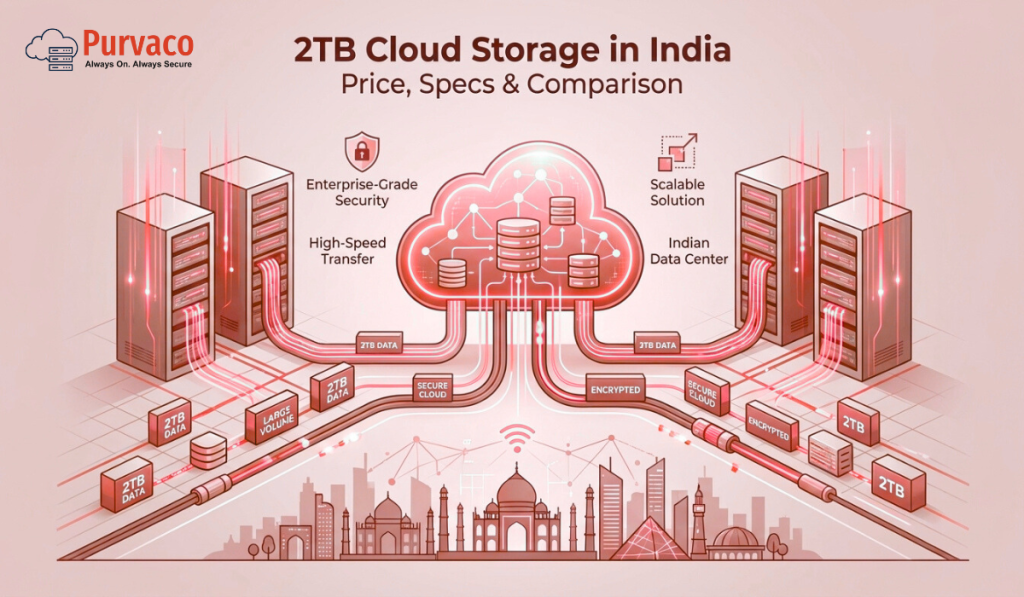
2TB Cloud Storage in India (2026) – Price, Specifications, Rates, and a Real Comparison
There was a time when 2TB sounded excessive. You would hear it and think,“Who needs that much storage?” But in 2026, that thought doesn’t last long. A few years of business data.High-resolution images and videos.Application backups.Accounting files.Logs.User uploads. Suddenly, 2TB doesn’t feel big at all.It feels… responsible. In India, businesses and individuals are generating more data than ever before. From startups storing customer data to professionals archiving years of work, 2TB cloud storage has quietly become the new baseline for serious digital operations. The challenge is not finding 2TB storage. The challenge is understanding: What you actually get for the price How pricing models differ Which specifications matter And why the cheapest option is often the most expensive in the long run This guide breaks down 2TB cloud storage pricing in India, including rates, specifications, comparison factors, and how to choose the right solution without regrets. Why 2TB Cloud Storage Is a Sweet Spot in 2026 Before diving into prices, it’s important to understand why 2TB has become so popular. For most users, 2TB sits in a perfect middle ground: More than enough for daily use Large enough for backups and archives Affordable compared to enterprise-scale storage In India especially, 2TB cloud storage is commonly used for: Business data backups Website and application storage Media archives Accounting and compliance records Team file sharing Disaster recovery copies It’s no longer a luxury tier.It’s a practical working size. What “2TB Cloud Storage” Actually Means This sounds obvious, but it’s one of the most misunderstood points. 2TB cloud storage does not mean the same thing across providers. Some offer: 2TB of object storageOthers offer: 2TB of block storageSome bundle: Storage + bandwidthOthers charge: Separately for everything So when comparing prices, you’re often comparing very different products. Types of 2TB Cloud Storage Available in India 1. Object Storage (Most Common) Object storage is used for: Backups Media files Static content Long-term data retention It’s scalable, durable, and cost-effective. Most “2TB cloud storage” plans in India fall into this category. 2. Block Storage (Performance-Focused) Block storage is typically attached to: Virtual machines Databases Applications It offers better performance but usually costs more. If you’re running workloads, not just storing files, this matters. 3. Cloud Backup Storage Some providers sell 2TB specifically as backup storage, optimized for: Snapshots Versioning Disaster recovery These plans often include automation but may limit direct file access. 2TB Cloud Storage Price in India (2026 Overview) Let’s talk numbers. In 2026, 2TB cloud storage pricing in India typically falls into these ranges: Entry-level / consumer plans: ₹800 – ₹1,500 per month Business-grade object storage: ₹1,500 – ₹3,000 per month Performance or managed storage: ₹3,000 – ₹6,000+ per month Why such a wide range? Because price depends on much more than raw storage size. Key Factors That Affect 2TB Cloud Storage Pricing 1. Storage Type Object storage is cheaper than block storage. If you don’t need high IOPS or low latency, paying for block storage is unnecessary. 2. Data Durability and Replication Some storage is: Single-regionOthers are: Multi-zone or multi-region Higher durability means higher cost, but also better protection. 3. Bandwidth and Egress Charges This is where many users get surprised. Some plans include: Free inbound data Limited outbound data Others charge: Per GB for downloads A cheap 2TB plan with high egress fees can become expensive very quickly. 4. Access Method Are you accessing data via: Web interface? API? Mounted storage? Advanced access methods often cost more. 5. Support and Management Low-cost plans usually mean: Self-service Limited support Business-grade plans include: Monitoring Assistance SLA Support is invisible until you need it. Typical Specifications of a 2TB Cloud Storage Plan While specifications vary, a solid 2TB cloud storage plan in India usually includes: 2TB usable storage High durability (often 99.9%+) Redundant storage across multiple nodes Secure access (encryption at rest and in transit) API or dashboard access Scalable upgrade options Higher-end plans may also include: Automated backups Versioning Snapshot support Monitoring and alerts Comparing 2TB Cloud Storage Options: What Really Matters Instead of comparing brand names, compare capabilities. Here’s how smart buyers evaluate options. Price vs Predictability A low monthly price looks attractive. But ask: Are there hidden charges? What happens if usage increases? Are outbound transfers billed separately? Predictable pricing is often more valuable than cheap pricing. Performance vs Purpose If you’re storing: Archives Backups Media You don’t need ultra-fast storage. If you’re running: Applications Databases Performance matters more than price. Security and Compliance In India, data protection and compliance are becoming stricter. Look for: Encryption Access controls Audit logs Security should not be optional. Scalability 2TB today might become 5TB next year. Choose a provider that allows easy scaling, not painful migrations. Who Should Choose 2TB Cloud Storage? Small Businesses Perfect for: Financial records CRM data Website assets Regular backups 2TB gives room to grow without immediate upgrades. Startups Startups often underestimate storage needs. Logs, user data, and media add up fast. 2TB provides breathing room. Professionals and Creators Designers, video editors, consultants, and developers benefit from: Centralized storage Easy access Backup protection Enterprises (as Secondary Storage) For enterprises, 2TB often serves as: Backup tier Archive storage Disaster recovery copy Why Many People Choose the Wrong 2TB Plan Most mistakes come from short-term thinking. Common issues include: Choosing the cheapest plan without reading limits Ignoring bandwidth costs Underestimating growth Overpaying for performance they don’t need Cloud storage decisions are not about today’s files. They’re about tomorrow’s operations. Managed vs Self-Service 2TB Cloud Storage Self-Service Storage Pros: Lower cost Full control Cons: No guidance You manage security and backups Managed Cloud Storage Pros: Monitoring Security handled Backup policies enforced Cons: Higher monthly cost For businesses, managed storage often saves money by avoiding mistakes. How Indian Businesses Are Using 2TB Cloud Storage in 2026 In practice, we see 2TB used for: Daily automated backups Application data offloading Media hosting Compliance archives Cross-team file sharing It’s rarely just “extra space.” It’s part of a larger reliability strategy. Choosing the Right 2TB Cloud Storage
How to Backup and Restore Tally Data (2026 Guide)
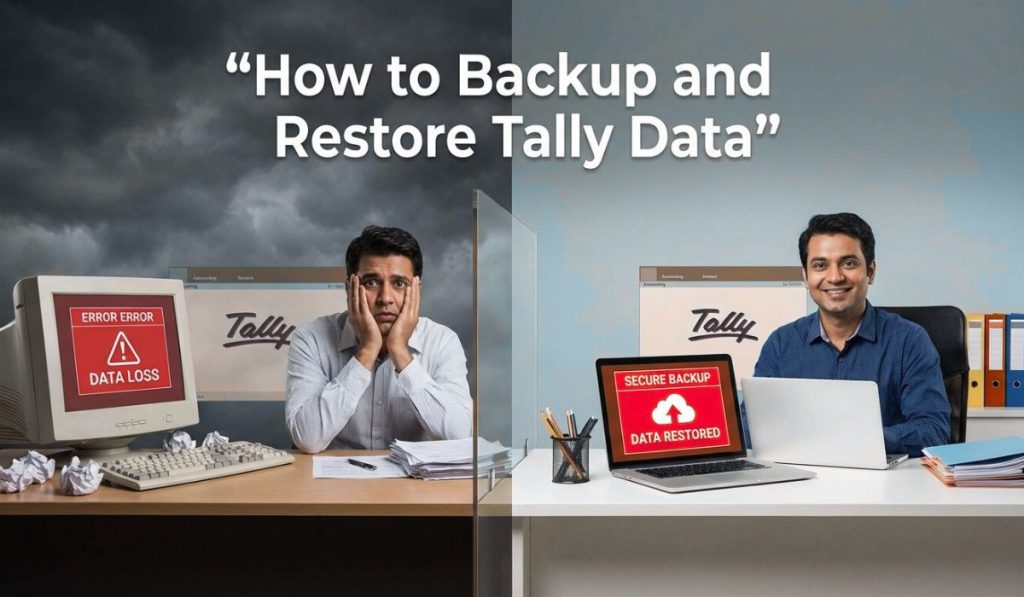
Every Tally user remembers this moment. You open Tally like you’ve done a thousand times before.You select the company.You press Enter. And instead of your data, you see an error. Or worse — nothing happens. Your heart drops. Invoices.Ledgers.GST filings.Years of financial records. All sitting inside one folder you assumed would always be there. This is not a rare story. In fact, most businesses only start caring about Tally backup and restore after something goes wrong. A system crash. A hard disk failure. A ransomware attack. An accidental delete by a staff member. By 2026, businesses are more digital than ever — but many still rely on fragile backup habits. This guide is written to change that. Not with fear.Not with jargon. But with clear, practical steps to backup and restore Tally data properly, so your accounting system supports growth instead of becoming a risk. Why Tally Data Is So Critical Tally is not just accounting software. For most Indian businesses, it is: The source of truth for financesThe backbone of GST complianceThe record of years of transactionsThe basis for audits and reporting Losing Tally data is not an inconvenience. It can mean: Missed filingsCompliance penaltiesBusiness disruptionLoss of trust That’s why backup is not an IT task. It’s a business responsibility. Understanding Where Tally Stores Data Before backing up Tally data, you must understand where it lives. Tally stores company data in a data folder, usually located at: C:\TallyPrime\Data Each company is stored as a separate folder with numeric names. Inside these folders are all your: LedgersVouchersInventory dataGST details If this folder is damaged, deleted, or encrypted, your business stops. Backup is simply creating a safe copy of this data — somewhere else. Restore is bringing it back when needed. Simple in concept. Critical in execution. Types of Tally Backups You Should Know Not all backups are equal. In 2026, businesses typically use a mix of these methods: Manual local backupsAutomatic backupsExternal storage backupsCloud backupsServer-based backups The safest setups use more than one. Method 1: Manual Backup in Tally (Basic but Important) Manual backup is the simplest method and the one most users know. How to Take Manual Backup in Tally Open Tally Select the company Press Alt + Y (Data) Choose Backup Select the destination folder Confirm backup Tally creates a copy of your company data in the selected location. Where to Save Manual Backups Never save backups on the same drive as Tally data. Good options include: External hard drivesUSB drivesNetwork storageAnother computer Manual backups are useful — but they depend on discipline. And discipline is unreliable under pressure. Method 2: Automatic Backup in Tally (Must-Have Feature) Automatic backup is one of the most important features in Tally — and also one of the most ignored. How to Enable Automatic Backup Open Tally Go to Alt + Y → Data → Configure Set Enable Auto Backup to Yes Choose backup location Set number of backups to retain Once enabled, Tally automatically creates backups every time you exit or at defined intervals. Why Auto Backup Is Essential People forget manual backups.Auto backup doesn’t. If a system crashes unexpectedly, auto backups often save the day. Method 3: External Drive Backup (Still Relevant in 2026) External drives are simple and effective. But only if used correctly. Best Practices Rotate drives regularlyKeep one copy offsiteEncrypt sensitive dataTest backups occasionally The biggest mistake businesses make is leaving the external drive permanently connected. If ransomware hits, it encrypts both the system and the backup. Method 4: Cloud Backup for Tally Data (The 2026 Standard) By 2026, cloud backup is no longer optional for growing businesses. Cloud backups provide: Offsite protectionAutomatic syncingVersion historyDisaster recovery Cloud backup can be done in two ways: Uploading Tally backups to cloud storageRunning Tally on cloud or server environments Backing Up Tally Data to Cloud Storage This involves syncing your Tally backup folder to services like: Google DriveOneDriveBusiness cloud storage When configured properly, every backup is automatically uploaded. Key Benefits Protection from hardware failureAccess from anywhereEasy recovery Common Mistakes Syncing live data folder instead of backup folderPoor internet configurationIgnoring version limits Cloud backups must be configured carefully to avoid corruption. Method 5: Tally on Cloud / Server Backup (Most Reliable) When Tally runs on a server or cloud environment, backups become more robust. Server-based setups typically include: Automated daily backupsOffsite replicationDisaster recovery copiesMonitoring This is why many businesses in 2026 are moving Tally to cloud or managed servers. Backup becomes part of infrastructure, not a manual habit. How to Restore Tally Data (Step-by-Step) Backup is useless if restore doesn’t work. Restoring Tally data is straightforward — but must be done carefully. Restoring from Manual or Auto Backup Open Tally Go to Alt + Y → Data → Restore Select backup location Choose company Confirm restore Tally recreates the company data from the backup. Restoring from External or Cloud Backup Copy backup folder to local system Ensure folder structure is intact Open Tally Restore using the standard process Never overwrite live data without verifying the backup first. Common Restore Errors and How to Avoid Them Some issues users face include: Incompatible Tally versionsCorrupted backup filesIncomplete folder copies Best practices: Use same or newer Tally versionKeep multiple backup copiesTest restore periodically Testing restore is as important as taking backup. How Often Should You Backup Tally Data? There is no single answer — but there is a safe answer. For most businesses: Daily automatic backupsWeekly offsite backupsMonthly archival backups High-volume businesses may need hourly backups. The right frequency depends on how much data you can afford to lose. For most businesses, the answer is: none. Security Considerations for Tally Backups Backup data contains sensitive financial information. In 2026, security matters more than ever. Protect backups with: EncryptionAccess controlsStrong passwordsRestricted sharing A stolen backup can be as damaging as lost data. Why Most Businesses Fail at Backup Strategy Not because they don’t care. But because backup is invisible when it works. No alerts.No dashboards.No daily reminders. Until the day it’s needed. That’s why