
Google Workspace vs. Microsoft 365 – A Real Decision Guide for Growing Businesses
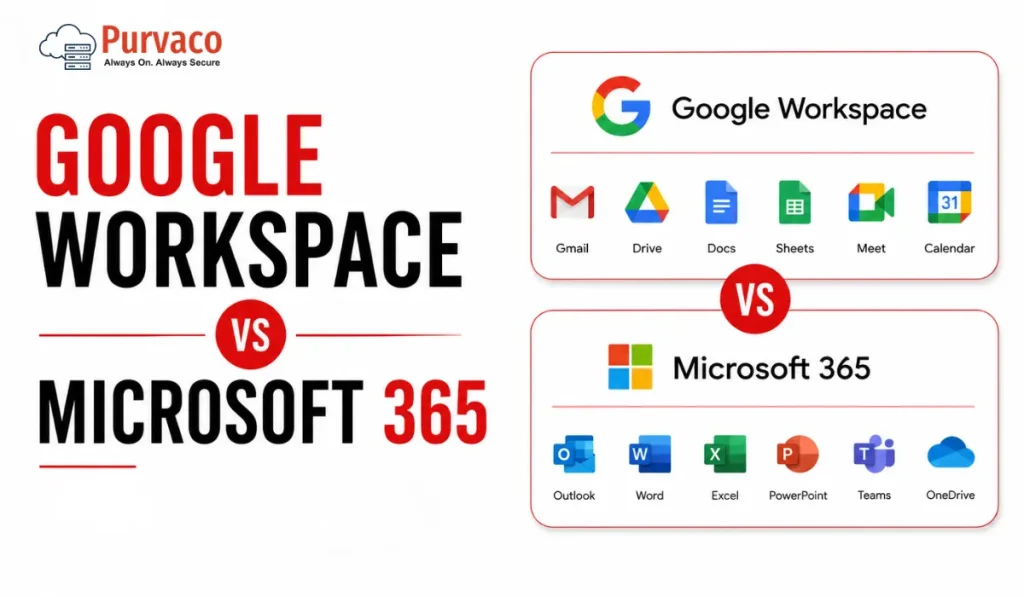
A 22-person logistics company once asked us to “just confirm” their choice of Google Workspace before they signed the contract. On paper, it made sense. Cheaper per-seat pricing, simple Gmail interface, and most of the team had used Gmail personally for years. Eight months later, their finance team was stuck. Their accountant needed Excel macros that didn’t translate to Google Sheets. Their client contracts required Word’s tracked changes feature because that’s what the client’s legal team used. And their old vendor invoices, all PDFs generated from Outlook templates, needed reformatting every time someone opened them in Docs. None of this showed up in a feature comparison. It showed up three months after go-live, when people were already used to their old habits and didn’t want to relearn anything twice. This is the pattern we see again and again. Businesses choose a productivity suite based on email and storage, because that’s what’s visible during the sales conversation. The real cost shows up later, in workflows nobody mapped out: how finance reconciles spreadsheets, how sales shares proposals with clients, how operations runs recurring meetings, how IT manages devices once the company crosses 30, 50, or 100 employees. Google Workspace and Microsoft 365 are both capable platforms. Neither is “better” in a vacuum. What matters is which one matches how your specific teams already work, and which one creates less friction as you scale. This guide walks through that decision the way we’d walk a client through it: not as a spec sheet, but as a set of operational tradeoffs you’ll live with for years. Quick Verdict Table Category Google Workspace Microsoft 365 Notes Ease of Use Simple, minimal learning curve Steeper initially, especially desktop apps Google wins for non-technical teams Collaboration Real-time, browser-first, very smooth Real-time via OneDrive/SharePoint, improved but historically clunkier Google still edges ahead for live co-editing Email Gmail interface, strong spam filtering, simple Outlook, more powerful rules, folders, and enterprise features Depends on team habits Storage Pooled storage across users (on most plans) Per-user OneDrive allocation plus SharePoint Microsoft offers more granular control Security Strong baseline, simpler to configure Deep, layered, but requires configuration expertise Microsoft wins for regulated industries Admin Controls Clean, accessible admin console Extremely powerful but complex (Entra ID, Intune, Purview) Microsoft has a steeper admin learning curve AI Features Gemini integrated across Docs, Gmail, Sheets Copilot integrated across Word, Excel, Outlook, Teams Both require add-on licensing for full AI access Pricing Logic Simple per-user tiers Per-user tiers, but upgrade paths are more complex Microsoft pricing has more “gotchas” Remote Work Strong, browser-native Strong, especially with Teams as a hub Roughly equal, different strengths Compliance Solid for SMB, less depth for heavy regulation Deeper compliance tooling (Purview, eDiscovery, retention policies) Microsoft preferred in finance, healthcare, legal Scalability Good up to mid-size; some friction at enterprise scale Built for enterprise scale from the start Microsoft scales more predictably Best Fit Startups, agencies, teams already in Google ecosystem Enterprises, regulated industries, Windows-heavy environments Context-dependent, not universal What Most Buyers Get Wrong Google Workspace Overview Actual strengths Google Workspace is genuinely fast to deploy. A small team can be sending email and collaborating on documents within a day, often without IT involvement. Real-time collaboration in Docs, Sheets, and Slides is still the benchmark — multiple people editing the same document with visible cursors and instant updates feels native, not bolted on. Gmail’s spam and phishing filtering is strong out of the box, which matters for smaller businesses without a dedicated security team. The admin console, while less powerful than Microsoft’s equivalent, is far easier for a generalist IT person — or even a founder — to navigate. Operational limitations Offline functionality, while improved, still isn’t as seamless as working in a desktop Office app. Teams that travel frequently or work in low-connectivity environments (field service, manufacturing floors, construction sites) sometimes find this frustrating. Complex spreadsheet work — large datasets, pivot tables with heavy formulas, macros — performs noticeably worse in Sheets than in Excel. If your finance or operations team lives in spreadsheets with thousands of rows and complex formulas, this is worth testing before committing. Compatibility with Microsoft file formats is good but not perfect. A Word document with specific formatting, tracked changes, or embedded objects can shift slightly when opened in Docs. For internal use this rarely matters. For client-facing documents — proposals, contracts, branded templates — small formatting shifts can look unprofessional. Who benefits most Startups under 50 people, digital agencies, and businesses where the team already lives in the Google ecosystem (Android phones, personal Gmail habits, Chrome as the default browser). Teams that prioritize speed of collaboration over deep document formatting control. Hidden considerations Pooled storage sounds generous until you have a few users storing large video files or design assets — it can be consumed faster than expected across the organization. Also, some third-party business tools (certain accounting software, legacy CRM plugins, niche industry tools) still build their integrations primarily for Outlook and Excel first, Google second. Microsoft 365 Overview Enterprise strengths Microsoft 365’s depth is its main selling point. Excel remains the standard for complex financial modeling, and nothing in Google Sheets fully replicates advanced macros, certain pivot table behaviors, or specialized financial functions used in accounting and finance teams. Teams has become the operational hub for many mid-size and large businesses — not just for meetings, but for persistent channels, file collaboration, and third-party app integration. SharePoint, while complex, gives IT teams granular control over document libraries, permissions, and retention that Google Drive doesn’t match at the same level of detail. Compliance tooling — Microsoft Purview for data classification, retention policies, eDiscovery, and audit logs — is built for industries where regulators ask detailed questions about data handling: legal, healthcare, financial services, government contractors. Real-world complexity This depth comes with administrative weight. Setting up conditional access policies, configuring Intune for device management, and managing licensing across different SKUs (E3 vs E5, Business Standard vs Business Premium) requires either a dedicated IT
10 Best VPS 7 Day Free Trial Providers in India (2026): Tested Options for Developers, Startups & Businesses
Why Most VPS Free Trials Disappoint Search “VPS free trial India” and the first page is full of providers promising instant servers, no card required, and generous credit. Most of these pages are written to rank, not to inform, and the gap between what’s advertised and what’s actually deployed becomes obvious about ten minutes into signup. The most common letdown isn’t the trial itself — it’s the mismatch between trial conditions and what a real evaluation needs. A 7-day window sounds generous until you realize half of it goes into account verification, KYC checks, or waiting for a support ticket to provision your server manually. By the time the VPS is actually live, three days are gone. Another pattern: the trial server is real, but it’s deliberately under-provisioned compared to the paid tier you’d actually buy. You test a 1 vCPU / 1GB RAM instance, decide it’s “good enough,” then discover the production-grade plan you need has different network limits, different storage type, or sits in a different data center entirely. What you tested isn’t what you’ll run. Then there’s the billing surprise. Several providers marketed as “no credit card” trials actually require card details upfront for identity verification, with auto-billing kicking in the moment the trial window closes — unless you cancel manually, in a dashboard that isn’t always easy to find. The buyers who get the most out of a trial period treat it like a short production rehearsal: they deploy their actual stack (not a blank Ubuntu install), test under realistic load, check backup and snapshot behavior, and contact support with a real technical question — not “hi, just checking in.” That’s the difference between a trial that informs a decision and one that’s just sat in a browser tab, ignored, until it expires. How We Evaluated Providers Each entry below was checked against five criteria: whether the provider is currently operating and serving customers, whether the trial or low-risk evaluation offer is documented on the provider’s own site (not just an aggregator), what infrastructure is actually provided during the trial versus the paid tier, what billing or verification is required, and what India-specific factors apply — data center presence, INR pricing, and support availability in Indian time zones. Where a provider doesn’t offer a strict “7 days,” we’ve noted the actual duration and explained why it still belongs on this list — usually because the trial mechanics (credit-based, instant provisioning, India data center) are more useful than a shorter window with worse infrastructure. Comparison Table Provider Trial Type Duration India Data Center Card Required Starting Price (Post-Trial) Purvaco Promotional VPS trial 7 days Yes No From ₹399/month Server Basket Free VPS trial 7 days Yes (multiple Indian cities) No From ₹1,799/month MilesWeb Free VPS trial 30 days Yes Yes (refundable) From ₹599/month DomainRacer Free trial on request 7 days (on approval) Yes (Mumbai, Delhi NCR) Sometimes From ₹699/month Kamatera $100 credit trial 30 days No (closest: Hong Kong, Tel Aviv) Yes From ~$4/month (~₹340) Hostinger Money-back guarantee 30-day refund window Yes Yes From ₹299/month HostArmada Money-back guarantee Up to 45-day refund window Yes (Mumbai, Chennai) Yes From ₹599/month Ultahost Promotional trial 7–14 days (varies) Limited Often From ~₹459/month Hostinger Cloud Trial via refund policy 30 days Yes Yes From ₹699/month IONOS Free VPS trial 30 days No (EU/US DCs) Yes (refunded) From ~₹500/month The Providers 1. Purvaco Short Verdict: A straightforward, India-aware VPS option with a genuine no-card 7-day trial window — best suited to developers and small teams who want to test a lightweight Linux setup before committing to a budget-tier plan. Why It Made This List: Purvaco’s trial doesn’t require card details at signup, which removes the most common friction point for first-time VPS users testing infrastructure for the first time. The trial environment mirrors the entry-level paid configuration closely enough that what you test is close to what you’d actually run. Trial Details: Infrastructure Snapshot: Hands-On Experience: Account creation is quick and doesn’t ask for unnecessary business details upfront. The dashboard is simple rather than feature-dense — this works well for someone deploying a single app or test environment, but users coming from more elaborate panels (cPanel, Plesk) may find it sparse at first. Provisioning typically completes within a few minutes of confirming the trial request. Deploying a basic LAMP or Node.js stack works without issues; anything requiring Docker or container orchestration will be tight on the 1GB RAM allocation. One limitation appears when you try to resize the instance mid-trial — upgrades require moving to a paid plan rather than adjusting in place. Best For: Developers testing a single small app, agencies evaluating hosting for a client’s low-traffic site, anyone who wants to avoid giving card details before deciding. Avoid If: You need to test a multi-container setup, you’re evaluating for a production workload with meaningful traffic from day one, or you specifically need Windows Server during the trial. Pros: Cons: Pricing After Trial: Entry-level VPS plans start from ₹399/month for similar specs to the trial instance, scaling up with CPU/RAM tiers. Operational Insight: Because the trial instance matches the cheapest paid tier almost exactly, what you see during the 7 days is a realistic preview of the entry plan — there’s no “trial is better than what you’ll actually buy” gap, which is more honest than most providers but also means the ceiling is lower if your project grows quickly. Score: 2. Server Basket Short Verdict: An India-based provider with a documented 7-day free VPS trial and full root access, useful for testing OS compatibility and basic application deployment before buying — but the paid tiers above the trial spec are positioned at higher price points than several competitors. Why It Made This List: Server Basket explicitly advertises a 7-day free trial with no credit card required, with full root access on Windows or Linux. It’s one of the few India-headquartered providers where this trial term is stated directly on the product page rather than buried in an FAQ. Trial
Top 10 Cloud ERP Solutions Providers in India for 2026

Most ERP failures in India are not caused by bad software. They start months earlier. A leadership team approves a demo, compares subscription pricing, signs implementation documents, and assumes the software will adapt to operations. Six months later:users still work in Excel,reports do not match finance numbers,performance slows during month-end closing,and IT starts hearing that “ERP is the problem.” Usually, ERP is not the problem. Deployment decisions are. Over the last decade, one pattern has repeated across manufacturing, retail, distribution, SaaS, and service businesses: companies spend too much time choosing features and too little time evaluating architecture, adoption, and operating cost. Cloud ERP changed infrastructure ownership—but it did not remove implementation risk. This guide evaluates Cloud ERP providers from an operating perspective, not from a product brochure. Cloud ERP adoption in India is entering a different phase. Businesses are no longer asking: “Which ERP has more modules?” They are asking: For most businesses, there is no universal best ERP. The right answer depends on business maturity, process complexity, and cloud readiness. Cloud ERP Comparison Table Provider Best For Deployment Speed Customization Scalability Pricing Model Implementation Complexity Infrastructure Dependency SAP S/4HANA Cloud Enterprise Moderate High Excellent Subscription High Medium Oracle NetSuite Mid-market Fast Medium High Subscription Medium Low Microsoft Dynamics 365 Growing enterprises Moderate High High Modular Medium Medium Oracle Fusion Cloud ERP Large organizations Moderate High Excellent Enterprise pricing High Medium Acumatica Mid-sized businesses Fast High High Consumption-based Medium Medium Odoo SMEs Fast Very High Medium Modular Medium High ERPNext Cost-conscious businesses Fast Very High Medium Open architecture Medium High Zoho ERP Ecosystem Small businesses Fast Medium Medium Subscription Low Low Infor CloudSuite Manufacturing Moderate Medium High Subscription High Medium Ramco ERP Indian enterprises Moderate Medium High Custom pricing Medium Medium Top 10 Cloud ERP Solutions Providers in India for 2026 1. SAP S/4HANA Cloud Positioning Built for organizations that already operate with structured processes and require deep financial and operational control. Best For What Businesses Usually Underestimate Companies often assume SAP complexity comes from software. Most complexity comes from process alignment. Teams trying to preserve every legacy workflow usually delay go-live. Strengths Limitations Typical Implementation Timeline 6–15 months Pricing Approach Subscription with implementation and consulting layers. Infrastructure Considerations Performance planning matters during: Compute sizing decisions affect adoption more than expected. Expert Insight One manufacturing deployment reduced reporting time by 60%, but user resistance delayed measurable gains by almost four months. Overall Recommendation Score 9.4/10 2. Oracle NetSuite Positioning One of the strongest choices for companies moving from spreadsheets and disconnected systems. Best For What Businesses Usually Underestimate NetSuite deployment appears simple initially. Integration planning often becomes the actual project. Strengths Limitations Typical Implementation Timeline 3–8 months Pricing Approach User-based subscription. Infrastructure Considerations Less infrastructure ownership than traditional ERP, but API and integration governance become important. Expert Insight Many teams adopt NetSuite quickly but later discover operational bottlenecks in external reporting pipelines. Overall Recommendation Score 9.2/10 3. Microsoft Dynamics 365 Positioning Balanced ERP for organizations already operating within Microsoft environments. Best For What Businesses Usually Underestimate Licensing structure. Businesses underestimate how module expansion changes operating cost. Strengths Limitations Typical Implementation Timeline 4–10 months Pricing Approach Modular subscription. Infrastructure Considerations Integration strategy with analytics and identity platforms should be designed early. Expert Insight Teams with mature process ownership usually see adoption faster than teams attempting ERP-driven process redesign. Overall Recommendation Score 9.1/10 4. Oracle Fusion Cloud ERP Positioning Enterprise-grade financial and operational control. Best For What Businesses Usually Underestimate Configuration decisions made during implementation become difficult to reverse later. Strengths Limitations Typical Implementation Timeline 6–12 months Pricing Approach Enterprise subscription. Infrastructure Considerations Cloud architecture planning remains important despite managed deployment. Expert Insight Organizations with weak reporting standards often struggle more than those with technical limitations. Overall Recommendation Score 9.0/10Top 10 Cloud ERP Solutions Providers in India for 2026 5. Acumatica Positioning Acumatica fits businesses that have moved beyond entry-level ERP but are not ready for enterprise-grade complexity. Best For What Businesses Usually Underestimate User growth. Many companies select ERP based on current employee count instead of operational growth over the next three years. Strengths Limitations Typical Implementation Timeline 3–6 months Pricing Approach Consumption-oriented licensing. Infrastructure Considerations Performance planning becomes important once reporting, inventory, and integration workloads increase simultaneously. Expert Insight One distribution deployment showed that operational bottlenecks appeared in warehouse integrations—not inside ERP itself. Overall Recommendation Score 8.9/10 6. Odoo Positioning A modular ERP platform that gives growing businesses room to build processes gradually. Best For What Businesses Usually Underestimate Customization discipline. The freedom to customize often leads to excessive process exceptions. Strengths Limitations Typical Implementation Timeline 1–4 months Pricing Approach Subscription and modular pricing. Infrastructure Considerations Hosting architecture directly affects user experience. Database optimization and resource planning become important as modules grow. Expert Insight Businesses that document workflows before deployment usually reduce customization requests significantly. Overall Recommendation Score 8.8/10 7. ERPNext Positioning ERPNext remains one of the strongest choices for companies seeking flexibility without enterprise licensing overhead. Best For What Businesses Usually Underestimate Open-source does not mean low operational ownership. Internal governance still matters. Strengths Limitations Typical Implementation Timeline 1–3 months Pricing Approach Open-source with hosting and support costs. Infrastructure Considerations Hosting decisions directly influence reliability. Backup policy, scaling design, and monitoring should not be treated as optional. Expert Insight Several teams reduced software spending but later increased infrastructure investment to support growth. Overall Recommendation Score 8.9/10 8. Zoho ERP Ecosystem Positioning Strong operational starting point for businesses standardizing fragmented processes. Best For What Businesses Usually Underestimate Process maturity. Software cannot replace missing operational discipline. Strengths Limitations Typical Implementation Timeline 2–6 weeks Pricing Approach Subscription-based. Infrastructure Considerations Integration architecture matters more than raw infrastructure scale. Expert Insight Organizations moving from spreadsheets often see immediate reporting improvement. Overall Recommendation Score 8.5/10 9. Infor CloudSuite Positioning Industry-focused ERP designed for operational depth. Best For What Businesses Usually Underestimate Industry fit creates more value than feature volume. Strengths Limitations Typical Implementation Timeline 5–10 months Pricing Approach Subscription. Infrastructure Considerations Operational analytics and
Looking for Cheap VPS India? Read This Before You Buy

A business owner is comparing two VPS plans. Plan A costs ₹299/month.Plan B costs ₹999/month. Both product pages look almost identical. SSD storage.Dedicated resources.Quick deployment.High uptime promises. The decision feels simple. Why spend more for what appears to be the same server? So the cheaper plan wins. For the first few weeks, everything looks fine. Then traffic starts growing. Pages begin loading slower during peak hours. Backups become an extra cost. Support replies take longer than expected. An upgrade that looked easy suddenly requires migration planning, downtime windows, and configuration changes. By month six, the business has spent more time managing infrastructure problems than building the website itself. This situation is more common than most buyers expect. The first invoice rarely reflects the actual cost of running a VPS. What matters is not what the server costs today—it is what operating that decision costs after growth begins. Buying VPS is less about saving ₹700 now and more about avoiding operational friction later. Cheap Infrastructure Is Not Always Cheap Operations A few years ago, most businesses searched for hosting the same way they bought utilities: compare price, check storage, and pick the lowest monthly plan. That buying behavior is changing. Today, websites are expected to load quickly, stay online during traffic spikes, support remote teams, integrate with multiple tools, and recover quickly when something goes wrong. Infrastructure decisions that once affected only IT now directly affect revenue, customer experience, and operational speed. That shift is one reason more businesses move from shared hosting to VPS. Shared hosting works well in the early stages. It keeps costs low and removes complexity. But growth creates different requirements. Traffic becomes less predictable. Applications become heavier. Teams need more control over deployments, security settings, backups, and performance tuning. VPS enters the conversation because it offers more control and dedicated resources without moving immediately into enterprise-grade infrastructure. But this is where many buyers make a costly assumption. They start searching for Cheap VPS India and compare plans only by monthly pricing. The problem is that “cheap” means different things depending on the workload. For a development server running internal testing, low monthly cost may be the right decision. For an ecommerce store processing orders every hour, a lower invoice can become expensive if slower response times reduce conversions or outages interrupt transactions. For an agency managing multiple client websites, support quality may matter more than saving a few hundred rupees each month. Most teams notice this only after growth begins. A small example illustrates the difference. A regional ecommerce business migrated from shared hosting to a low-cost VPS because the pricing looked attractive and the resource numbers appeared generous. Initial performance improved. Two months later, seasonal traffic increased and checkout pages slowed during peak periods. Investigation showed storage performance bottlenecks and limited upgrade flexibility. The business eventually migrated again—paying for setup, migration effort, testing time, and lost operational hours. The hosting bill stayed low. The operating cost did not. This is why experienced infrastructure teams rarely evaluate VPS by invoice alone. They look at total infrastructure cost: Because infrastructure decisions are rarely expensive on day one. They become expensive when growth exposes the shortcuts. That is what this article helps you avoid. Why “Cheap VPS India” Searches Can Be Misleading Search results and pricing pages are designed to make comparison easy. Monthly price.RAM.CPU.Storage. At first glance, this feels logical. Two providers offer 2 vCPU, 4 GB RAM, SSD storage, and similar uptime claims. One costs ₹349 per month and another costs ₹999. Most buyers assume they are comparing equivalent infrastructure. They usually are not. Hosting purchases often become expensive not because businesses buy too early or too late—but because they compare visible numbers while missing operational details. That gap becomes visible after the first growth phase. Entry Pricing vs Real Pricing Low introductory pricing is one of the most common patterns in hosting. A VPS advertised at ₹299/month may require: The renewal price may look very different. This is not necessarily a bad practice. Promotions help providers acquire customers. The issue starts when buyers build long-term cost expectations around temporary pricing. A server that appears cheaper in month one can become more expensive by month twelve once renewal rates, add-ons, backups, and upgrades are included. One mistake buyers make is calculating hosting cost only from the checkout page. Infrastructure decisions should be evaluated across at least six to twelve months. Resources Are Not Equal This is where most comparisons break. Two VPS plans can display identical resource numbers while behaving very differently. vCPU Does Not Always Mean Dedicated CPU Many VPS environments allocate virtual CPU resources differently. Some plans provide shared compute pools. Others reserve dedicated compute allocation. On paper: Provider A:2 vCPU Provider B:2 vCPU Looks identical. Operationally, they may perform very differently under sustained load. Shared environments can work perfectly for low and moderate traffic. But during peak periods, neighboring workloads may compete for available compute. This usually becomes visible when: Memory Allocation Has Context RAM numbers also create false confidence. 4 GB allocated memory sounds straightforward. But questions still matter: Applications do not experience infrastructure the way pricing pages describe it. They experience it through response times. Hidden Resource Limits The next layer of cost rarely appears in the headline. Storage Caps Storage size alone says very little. 100 GB storage can behave differently depending on: A website with moderate traffic may never hit capacity but still experience delays because of storage performance. Most teams notice this only after databases grow. Network Limits Bandwidth claims also need context. Questions buyers often forget: Traffic growth exposes these limits quickly. Overselling and Performance Variance Not every provider operates infrastructure the same way. Some environments intentionally maximize hardware utilization to keep pricing attractive. That approach can work efficiently when workloads remain balanced. But when density increases, consistency becomes harder. This is where low-cost infrastructure starts showing limits. You may see: Support quality becomes visible only during outages. Performance quality becomes visible only during growth. Until
Purvaco vs MilesWeb (2026): Which Hosting Provider Delivers Better Value for Businesses?
Choosing a hosting provider in 2026 is no longer a simple exercise in comparing monthly prices or checking who offers more SSD storage. Infrastructure decisions now influence application responsiveness, SEO performance, operational resilience, engineering velocity, security posture, and ultimately revenue. For founders, SMEs, CTOs, digital agencies, SaaS operators, and growing online businesses, the question is increasingly becoming: Which provider creates the lowest long-term operating cost while supporting growth? This comparison examines Purvaco vs MilesWeb through that lens. Rather than ranking features or highlighting promotional discounts, this analysis evaluates both providers using infrastructure principles, operational considerations, and business outcomes. At a high level: Neither approach is inherently better. The better decision depends on: Businesses that optimize purely for introductory pricing often discover hidden operational costs later. Businesses that optimize for infrastructure fit tend to experience fewer migrations, lower downtime exposure, and better digital performance over time. This article explains how to evaluate that difference. Why Hosting Comparisons Fail Businesses Most hosting comparisons create the wrong incentives. Search results are filled with articles comparing: Those metrics rarely determine infrastructure success. Hosting decisions should answer business questions: A business website today is often: Downtime, latency, and poor operational support directly impact revenue. Example Scenario A startup chooses low-cost hosting to save ₹40,000 annually. After six months: The cheaper host becomes the more expensive decision. This is why infrastructure evaluation must shift from monthly pricing → business value creation. Company Positioning Understanding positioning explains why providers make different architectural decisions. Purvaco Positioning Purvaco appears oriented toward businesses that want infrastructure plus operational assistance. Its positioning aligns with: The value proposition is less about entry-level affordability and more about reducing infrastructure management overhead. This approach generally appeals to: MilesWeb Positioning MilesWeb operates as a broad hosting provider serving multiple customer categories. Its portfolio typically spans: This structure gives customers more choice at entry level and broader pricing accessibility. This positioning often appeals to: Positioning Comparison Evaluation Area Purvaco MilesWeb Core Orientation Business Infrastructure Broad Hosting Market Customer Profile Growing Businesses General Market Managed Experience Higher emphasis Depends on plan Entry Accessibility Moderate Strong Infrastructure Guidance Higher consultative potential Self-service friendly Scale Planning Business-led Tier-led Expert Commentary Positioning is not marketing language. It influences: Businesses should select providers whose operating model matches internal capabilities. Infrastructure Architecture Comparison Hosting quality is rarely visible on landing pages. Architecture decisions determine real-world performance. Compute Layer Modern business hosting increasingly depends on virtualized and cloud-native environments. Questions businesses should ask: Infrastructure built for isolation generally creates more predictable application performance. Storage Architecture Storage impacts: Businesses should evaluate: Storage quality matters more than advertised storage quantity. Network Design Network architecture influences: Questions worth asking: Control & Operational Visibility Hosting maturity increases when customers gain operational clarity. Examples: Architecture Comparison Table Component Purvaco MilesWeb Managed Cloud Orientation Strong emphasis Available across plans Entry-Level Simplicity Moderate Strong Operational Guidance Higher Moderate Hosting Portfolio Breadth Focused Broad Growth Flexibility Business-centric Plan-centric Administration Overhead Lower potential Depends on deployment What Most Businesses Overlook Infrastructure complexity does not disappear. Someone always manages: The question is whether: your team manages it—or your provider helps absorb that operational burden. Performance Benchmark Framework Many hosting reviews publish benchmark numbers without context. Performance should never be measured from synthetic tests alone. A better evaluation framework includes four layers. Layer 1: Baseline Response Performance Measure: Goal: Consistent response—not isolated peak speed. Layer 2: Application Performance Evaluate: Applications fail before servers do. Layer 3: Load Behavior Measure: Traffic spikes reveal architecture quality. Layer 4: Operational Recovery Measure: Fast recovery often matters more than preventing every incident. Suggested Benchmark Matrix Metric Why It Matters Response Time User experience Uptime Revenue protection Recovery Speed Business continuity Scaling Growth readiness Operational Support Team productivity Monitoring Issue prevention Expert Commentary The fastest provider during testing is not always the best provider in production. The most valuable infrastructure creates: Pricing Analysis (Include Total Cost of Ownership) Price comparisons are often misleading. Businesses rarely pay the advertised price. They pay: Hosting + Maintenance + Support + Downtime + Migration + Engineering Time That is Total Cost of Ownership (TCO). Direct Cost Categories Infrastructure Costs Examples: Operational Costs Examples: Opportunity Costs Examples: Pricing Philosophy Comparison Cost Layer Purvaco MilesWeb Entry Pricing May not be lowest Often competitive Operational Inclusion Higher potential Plan dependent Scaling Economics Business-oriented Tier progression Support Value Potentially higher Depends on service level Long-Term Predictability Moderate–High Variable by usage Real Business Scenario 1: SaaS Startup Requirements: Decision logic: If engineering resources are limited, paying more for operational support may reduce overall cost. Real Business Scenario 2: Agency Hosting 30 Client Sites Requirements: Decision logic: Broader hosting portfolios can reduce upfront costs, while managed environments may reduce management effort. Real Business Scenario 3: Growing SME Requirements: Decision logic: TCO frequently becomes more important than plan pricing after year one. Decision Framework: Price vs Value Ask: If those answers are unclear, introductory pricing should not drive the decision. Managed Services Comparison As infrastructure becomes more sophisticated, the difference between hosting providers is increasingly determined by how much operational responsibility they absorb rather than the raw infrastructure they expose. Managed services should not be viewed as convenience. They should be evaluated as an operational multiplier. For many businesses, the cost of internal troubleshooting exceeds the cost difference between hosting plans. The practical question becomes: Who is responsible when something breaks? What Managed Hosting Actually Means Managed hosting can include: The exact scope varies by provider and plan. Businesses should validate deliverables instead of assuming identical definitions. Operational Ownership Comparison Capability Purvaco MilesWeb Infrastructure Guidance Higher consultative orientation Typically plan-driven Environment Management Strong business focus Varies by service Customer Self-Service Moderate Strong Migration Assistance Business dependent Service dependent Operational Support Higher emphasis Depends on tier Administrative Burden Potentially lower Variable Scenario: Internal Team vs External Support Imagine two growing companies. Company A chooses lower-cost hosting. Its developers spend: Company B uses a more managed environment. Its team spends more time: Over time, operational leverage becomes measurable. Expert Commentary Managed
Purvaco vs Hostinger India (2026) – Which Hosting Provider Delivers Better Value for Businesses?
Selecting a hosting provider in 2026 is no longer a simple decision between lower monthly pricing and higher storage allocations. For Indian startups, SMEs, SaaS businesses, agencies, and digital-first organizations, infrastructure decisions increasingly affect customer experience, operating margins, deployment speed, application stability, security posture, and long-term scalability. Yet most comparisons between hosting providers remain superficial. They compare: But rarely answer: This article compares Purvaco vs Hostinger India from a business and infrastructure perspective—not as a generic feature checklist. The goal is not to declare a universal winner. The goal is to help decision-makers select the right platform for their growth stage. Quick Comparison: Purvaco vs Hostinger India Category Purvaco Hostinger Primary Positioning Managed cloud & business infrastructure Consumer-focused hosting Typical Customer Startups, SMEs, ERP, SaaS Bloggers, small websites Infrastructure Model Managed cloud & VPS environments Shared hosting + VPS Support Orientation Infrastructure assistance Standard hosting support Scalability Approach Growth-oriented Plan-based upgrades Deployment Flexibility Business workloads General-purpose Best For Operational workloads Entry-level hosting Executive Summary Choose Purvaco if: Choose Hostinger if: Understanding the Positioning Difference One of the biggest mistakes buyers make is comparing providers that serve different market segments. Hosting providers optimize around customer profiles. Purvaco: Infrastructure for Growing Businesses Purvaco’s positioning aligns more closely with organizations that view hosting as operational infrastructure. Typical scenarios: The objective is not simply server provisioning. The objective is operational continuity. Business outcomes often prioritized: Hostinger: Accessibility and Cost Efficiency Hostinger has built strong market adoption through simplicity and affordability. Typical use cases: Its strength is lowering entry barriers. This model performs well for businesses that prioritize launch speed and lower initial operating expense. Pricing Analysis: Why Cheapest Rarely Means Lowest Cost Price comparisons in hosting are frequently misleading. Businesses should evaluate: Initial Cost Visible subscription price. Renewal Cost Long-term operating expense. Operational Cost Time spent managing systems. Opportunity Cost Revenue lost during instability. Scenario 1: Small Business Website Business: Decision Drivers: Likely Outcome:Entry-level hosting can remain cost-efficient. Scenario 2: Growing SaaS Platform Business: Decision Drivers: Likely Outcome:Infrastructure flexibility becomes increasingly important. Scenario 3: Multi-Client Agency Business: Decision Drivers: Likely Outcome:Operational efficiency outweighs lowest monthly pricing. Expert Commentary A ₹500 monthly saving becomes irrelevant if infrastructure limitations delay launches, increase outages, or require internal technical overhead. The better metric is: Total Cost of Ownership (TCO) Formula: TCO =Hosting +Support +Downtime +Maintenance +Scaling Cost Infrastructure Architecture Comparison The largest difference between providers often appears below the pricing page. Architecture determines long-term business outcomes. Shared Hosting Model Advantages: Trade-offs: Best for: VPS Architecture Advantages: Trade-offs: Best for: Managed Cloud Infrastructure Advantages: Trade-offs: Best for: Business Impact Framework Ask these questions before selecting: Traffic grows 5× Can infrastructure absorb growth? Team grows Can environments remain manageable? New applications launch Can deployment accelerate? Downtime occurs How quickly can recovery happen? These questions often determine ROI more than headline pricing. Architecture Decision Snapshot Business Stage Recommended Approach Blogger Shared Hosting Local Business Managed Hosting Startup VPS / Cloud Agency Managed Infrastructure SaaS Cloud Infrastructure ERP Dedicated Managed Environment Performance Framework: Measuring Business Outcomes Instead of Marketing Claims Performance is one of the most misunderstood areas in hosting comparisons. Most providers promote: But business buyers should evaluate performance differently. The objective is not to achieve the fastest homepage. The objective is to create a predictable operating environment. Below is a practical framework. 1. Response Time Consistency Average speed alone is misleading. Example: Server A: Server B: Most businesses should prefer Server B. Consistency creates: Questions to ask: 2. Database Performance For modern businesses, databases frequently become the first bottleneck. Critical workloads: Evaluation areas: Metric Why It Matters Query consistency Stable user experience Database isolation Reduced noisy neighbors Storage architecture Faster operations Backup efficiency Faster recovery 3. Concurrent User Capacity Traffic volume matters less than concurrency. Examples: 10,000 monthly visits ≠ high infrastructure demand. However: 300 simultaneous users can overwhelm poorly allocated environments. Evaluate: 4. Operational Performance Infrastructure should improve internal business operations. Measure: Expert Commentary Infrastructure decisions should optimize: Revenue per infrastructure hour—not benchmark screenshots. Support Experience Analysis: The Hidden Cost of Hosting Most businesses underestimate support until something fails. At scale, support becomes infrastructure. Compare Support Across Real Scenarios Scenario Infrastructure-Centric Approach Consumer Hosting Approach Website migration Guided Mostly standardized Server optimization Available Limited Emergency troubleshooting Higher involvement Ticket-led Scaling consultation More contextual Plan-based Architecture assistance Stronger focus General support Scenario: Ecommerce Campaign Failure Business Situation: Traffic suddenly increases. Questions: Response quality directly impacts: Scenario: ERP Downtime ERP outages create operational loss. Support evaluation should include: Security Comparison: Risk Reduction Over Feature Lists Security should not be evaluated as a checklist. The correct question is: How much business risk is reduced? Layer 1: Access Control Evaluate: Layer 2: Network Protection Review: Layer 3: Recovery Readiness Questions: Layer 4: Operational Security Business-focused practices: Security Decision Matrix Requirement Recommended Direction Personal Website Standard Hosting Agency VPS SaaS Managed Cloud ERP Dedicated Managed Environment Internal Systems Private Infrastructure Expert Commentary Most business failures are caused by: Misconfiguration + delayed response —not sophisticated attacks. Scalability Scenarios: What Happens When Growth Arrives? Scalability is where short-term decisions become expensive. Scenario 1 — Startup to Growth Stage Stage: Needs: Recommended: Scenario 2 — Agency Scaling to 100 Clients Needs: Recommended: Scenario 3 — SaaS Growth Needs: Questions: Scenario 4 — ERP Expansion Needs: Recommended: Infrastructure designed around continuity. Migration Experience: The Cost Nobody Calculates Migration is often treated as a one-time event. It rarely is. Poor migrations create: Migration Evaluation Checklist Discovery Planning Execution Stabilization Migration Risk Table Risk Business Impact DNS delays Traffic interruption Database mismatch Application failure Configuration gaps User issues Improper testing Lost conversions Decision Matrix: Which Provider Fits Your Business? Choose Purvaco If: ✓ Hosting affects operations✓ Support responsiveness matters✓ Planning long-term growth✓ Running business applications✓ Managing multiple environments✓ Scaling workloads Choose Hostinger If: ✓ Cost is primary factor✓ Hosting simpler websites✓ Comfortable with self-management✓ Early-stage deployment needs Final Verdict This comparison is not about selecting the most popular hosting provider. It is about selecting the infrastructure model that reduces
12 Best Cheap KVM VPS Hosting Providers in 2026 (Compared for Performance, Pricing & Scalability)
Cheap VPS hosting is rarely cheap. Most businesses discover this only after the second migration, the first unexpected outage, or the moment their application starts growing faster than their infrastructure. The industry still markets VPS hosting around three numbers—RAM, CPU, and monthly price. But those metrics explain almost nothing about operational quality. A $6 VPS and a $16 VPS can produce radically different outcomes despite appearing identical on paper. One may deliver consistent latency, predictable scaling, isolated compute resources, and dependable support. The other may deliver noisy neighbors, unstable I/O, throttled throughput, and hidden upgrade costs. That distinction matters more in 2026 than it did five years ago. Modern applications are no longer simple websites. Teams deploy: These environments require predictable virtualization. That is why KVM continues to dominate serious VPS infrastructure. Why KVM Still Dominates in 2026 KVM (Kernel-based Virtual Machine) transformed VPS hosting from partitioned resource sharing into hardware-level virtualization. Unlike lightweight container virtualization, KVM allocates dedicated virtual hardware environments. That means: For production workloads, these differences compound over time. KVM vs Traditional Shared VPS Capability Shared VPS KVM VPS Resource Isolation Limited Strong Dedicated Kernel No Yes Performance Stability Medium High Security Separation Moderate Strong Custom OS Support Limited Full Scalability Moderate High The practical result: Shared environments optimize provider economics. KVM optimizes customer outcomes. What Makes a KVM VPS Actually Worth Paying For? A low price is useful. A low total infrastructure cost is better. Infrastructure quality appears across four layers. Infrastructure Layer CPU Architecture Virtual cores matter less than generation quality. Questions that matter: Modern KVM environments increasingly rely on newer EPYC and Xeon platforms. NVMe Storage Architecture Not all NVMe behaves equally. Look for: Fast benchmarks do not always equal fast production. Network Throughput Network quality affects: Bandwidth alone is insufficient. Consistency matters. Hypervisor Optimization Good KVM infrastructure includes: Reliability Layer Infrastructure reliability depends on: Providers that publish operational standards generally mature faster. Developer Layer Developers increasingly expect: Hosting now competes with cloud experience. Growth Layer The question is not: Can you launch? The question is: Can you grow without rearchitecting? High Quality KVM vs Low Quality VPS Metric Low Quality VPS High Quality KVM CPU Stability Variable Consistent Storage Shared SSD Optimized NVMe Isolation Weak Strong Backups Limited Automated Scaling Manual Flexible Deployment Basic API Enabled How We Evaluated These Providers This comparison prioritizes operational outcomes. Weighted Evaluation Model Category Weight Performance 25% Value 20% Reliability 15% Scalability 15% Support 10% Security 10% Developer Tools 5% Performance (25%) Measured conceptually through: Value (20%) Value means: Performance delivered per dollar. Not lowest invoice. Reliability (15%) Operational trust. Scalability (15%) Upgrade economics. Support (10%) Response quality. Security (10%) Default protection. Developer Tools (5%) Automation capabilities. Quick Comparison Table Provider Starting Price KVM NVMe Locations Control Panel Managed Best For Purvaco Competitive Yes Yes Multi-region Modern Yes Business Growth Vultr Moderate Yes Yes Extensive Custom Partial Developers DigitalOcean Moderate KVM Based Yes Global Excellent Partial SaaS Linode Moderate Yes Yes Global Strong Partial Technical Teams Hetzner Low Yes Yes Europe Focus Basic No Cost Efficiency Contabo Low Yes SSD/NVMe Global Basic Limited Budget OVHcloud Moderate Yes Yes Global Strong Partial Enterprise Kamatera Flexible Yes Yes Global Advanced Optional Scaling Hostinger Low Yes Yes Broad Easy Yes SMB IONOS Moderate Yes Yes Global Managed Yes Small Business UpCloud Premium Yes MaxIOPS Global Advanced Partial Performance ScalaHosting Moderate Yes Yes Global Managed Yes Managed VPS Detailed Reviews 1. Purvaco Overview Purvaco positions itself in a segment that sits between commodity VPS hosting and enterprise cloud complexity. Rather than competing purely on the lowest entry pricing, the platform appears designed for organizations that want predictable virtualized infrastructure with managed operational support. This category has expanded in 2026 because businesses increasingly want VPS economics without building full internal DevOps capability. Purvaco’s positioning becomes relevant for: Infrastructure Analysis Purvaco’s approach emphasizes resource consistency over aggressive oversubscription. Areas that typically influence buyer outcomes include: A major advantage of KVM environments is that kernel isolation reduces cross-tenant unpredictability. For applications with sustained traffic rather than occasional spikes, this becomes more noticeable over time. Performance Discussion Performance should not be viewed as peak benchmark output. Operational performance includes: Purvaco appears better aligned with businesses prioritizing stable production environments rather than experimental infrastructure. Strengths Weaknesses Ideal Customers Best suited for: Pricing Position Purvaco competes more on total ownership cost than minimum invoice pricing. The difference often appears after growth. Verdict Purvaco is strongest when infrastructure reliability and operational support matter more than absolute lowest cost. Why Purvaco Is Emerging as a Strong KVM VPS Choice Cloud Architecture Many budget VPS environments optimize density. Purvaco appears designed around sustainable utilization. That distinction impacts: Dedicated Resource Allocation Dedicated virtual resource policies reduce workload volatility. For: this improves predictability. Enterprise Reliability Growing businesses increasingly evaluate: Infrastructure maturity becomes part of cost. Developer Experience Operational convenience increasingly matters. Important factors include: Managed Support Support changes economics. Strong support can reduce: Cost Efficiency Cheap monthly billing does not equal low infrastructure cost. Long-term efficiency includes: Growth Scenarios SaaS Startup Need:Rapid deployment. Value:Predictable scale. Ecommerce Need:Traffic consistency. Value:Reliable performance. Agency Need:Multi-client stability. Value:Operational simplicity. AI Workloads Need:Compute reliability. Value:Resource consistency. Purvaco vs Typical Cheap VPS Feature Purvaco Typical Cheap VPS KVM Isolation Strong Variable NVMe Performance Consistent Mixed Managed Support Included Focus Limited Growth Flexibility Strong Often Manual Deployment Simplicity High Medium 2. Vultr Overview Vultr built its reputation by simplifying infrastructure access for developers. Its strength lies in balancing global availability with relatively approachable pricing. Vultr performs especially well for: Infrastructure Analysis Strengths include: Global presence often reduces latency. Performance Discussion Vultr generally prioritizes deployment speed and developer accessibility. For many teams, the ecosystem becomes more valuable than raw benchmarks. Strengths Weaknesses Ideal Customers Pricing Position Moderately competitive. Verdict Excellent balance between usability and infrastructure flexibility. Purvaco Comparison Category Vultr Purvaco Speed Strong Strong Cost Moderate Balanced Support Moderate Higher Touch Scalability Strong Strong Simplicity High High 3. DigitalOcean Overview DigitalOcean remains one of the strongest examples of infrastructure
10 Leading AI Cloud Providers for Developers in 2026

Why AI Infrastructure Decisions Matter More in 2026 Cloud infrastructure used to be a procurement decision. Today, for AI teams, it is increasingly a product decision. In 2026, developers are no longer selecting cloud platforms solely based on compute availability, storage pricing, or deployment convenience. They are selecting environments that directly influence model quality, inference economics, release velocity, user experience, and long-term architectural flexibility. The shift is structural. Traditional cloud architecture evolved around applications serving predictable workloads. AI workloads behave differently. Training jobs consume massive GPU clusters in bursts. Inference workloads demand low latency under unpredictable traffic. Data pipelines continuously evolve. Model versions multiply. As a result, infrastructure decisions increasingly determine whether teams scale efficiently—or accumulate technical debt disguised as cloud convenience. Several forces are accelerating this transition: The leading AI cloud providers of 2026 are not simply data centers with GPUs. They are orchestration environments designed to reduce friction across model development, deployment, monitoring, scaling, and governance. This analysis evaluates ten providers shaping the next generation of AI infrastructure. How We Evaluated AI Cloud Providers Rather than ranking clouds by popularity, we evaluated them using practical developer criteria. Factor Why It Matters GPU Availability Access to modern accelerators affects iteration speed Inference Cost Efficiency Determines long-term AI economics Deployment Experience Impacts release cycles Multi-Region Support Reduces latency and improves resiliency Serverless AI Improves elasticity Kubernetes Compatibility Enables portability Developer Tooling Accelerates productivity Security & Compliance Critical for production workloads Documentation Quality Reduces operational friction Ecosystem Maturity Impacts integration depth The objective is not to declare a universal winner. The objective is to identify the right infrastructure for specific developer outcomes. 1. Amazon Web Services (AWS) Provider Overview AWS remains the broadest infrastructure platform in the market and continues expanding AI services across managed model deployment, GPU infrastructure, and enterprise integrations. Best For Large-scale AI platforms and enterprise production environments. Strengths Limitations Developer Experience Excellent once standardized, but initial setup remains complex. AI Infrastructure Highlights GPU clusters, managed model services, distributed training support. Pricing Philosophy Consumption flexibility with optimization incentives. Ideal Team Size Growth-stage startups to enterprise. Future Outlook AWS is expected to maintain leadership through ecosystem depth rather than specialization. 2. Google Cloud Provider Overview Google Cloud continues leveraging strengths in distributed systems, AI research, and developer tooling. Best For AI-first companies and ML-heavy products. Strengths Limitations Developer Experience Highly optimized for experimentation and deployment. AI Infrastructure Highlights Managed training, inference optimization, integrated AI workflows. Pricing Philosophy Performance-oriented consumption. Ideal Team Size Startups to mid-market engineering teams. Future Outlook Google remains highly competitive where AI is core to the product. 3. Microsoft Azure Provider Overview Azure has become one of the strongest AI cloud contenders through enterprise integration and hybrid infrastructure. Best For Organizations modernizing existing systems. Strengths Limitations Developer Experience Excellent for organizations already operating Microsoft environments. AI Infrastructure Highlights Enterprise AI deployment pipelines. Pricing Philosophy Integrated platform economics. Ideal Team Size Mid-market to enterprise. Future Outlook Azure’s strength remains enterprise AI transformation. 4. Oracle Cloud Infrastructure (OCI) Provider Overview OCI continues gaining traction among performance-sensitive AI workloads. Best For Cost-conscious teams needing strong GPU access. Strengths Limitations Developer Experience Efficient for focused workloads. AI Infrastructure Highlights GPU-centric infrastructure. Pricing Philosophy Performance per dollar. Ideal Team Size Scale-ups and infrastructure teams. Future Outlook OCI may continue expanding through specialized compute. 5. CoreWeave Provider Overview CoreWeave represents the rise of AI-native cloud architecture. Best For GPU-intensive AI development. Strengths Limitations Developer Experience Optimized for AI workloads. AI Infrastructure Highlights Accelerated GPU access. Pricing Philosophy Infrastructure efficiency. Ideal Team Size AI startups and research teams. Future Outlook Likely to remain influential in GPU-first infrastructure. 6. DigitalOcean Provider Overview DigitalOcean continues appealing to developers seeking simplicity. Best For Early-stage builders. Strengths Limitations Developer Experience Fast onboarding. AI Infrastructure Highlights Developer-oriented cloud workflows. Pricing Philosophy Simplicity over complexity. Ideal Team Size Solo developers and startups. Future Outlook Strong position in accessible AI infrastructure. 7. Lambda Provider Overview Lambda focuses heavily on AI compute accessibility. Best For Model training and experimentation. Strengths Limitations Developer Experience Minimal infrastructure overhead. AI Infrastructure Highlights Dedicated AI environments. Pricing Philosophy Compute efficiency. Ideal Team Size AI engineering teams. Future Outlook Likely to strengthen specialized AI positioning. 8. Vultr Provider Overview Vultr combines broad accessibility with increasingly capable compute options. Best For Developers deploying globally. Strengths Limitations Developer Experience Simple and efficient. AI Infrastructure Highlights Global infrastructure distribution. Pricing Philosophy Predictable consumption. Ideal Team Size Small to medium teams. Future Outlook Potential growth through edge and AI expansion. 9. Cloudflare Provider Overview Cloudflare is redefining cloud architecture through distributed edge infrastructure. Best For Low-latency inference. Strengths Limitations Developer Experience Fast deployment iteration. AI Infrastructure Highlights Inference at the edge. Pricing Philosophy Efficiency through distribution. Ideal Team Size Modern application teams. Future Outlook Edge AI positions Cloudflare strongly for inference growth. 10. Purvaco Provider Overview Purvaco positions itself as a modern developer-first infrastructure alternative focused on simplifying deployment and reducing operational friction. Best For Businesses seeking practical cloud adoption without unnecessary complexity. Strengths Limitations Developer Experience Designed to reduce friction for teams moving from traditional hosting. AI Infrastructure Highlights Infrastructure positioned for scalable application growth. Pricing Philosophy Efficiency and operational simplicity. Ideal Team Size Growing teams and digital businesses. Future Outlook As AI infrastructure expands beyond hyperscalers, emerging platforms focused on developer productivity may gain relevance. Emerging Trends Shaping AI Cloud in 2026 Inference Is Becoming Larger Than Training Training creates models. Inference creates recurring cost. Infrastructure optimization increasingly focuses on serving models efficiently. GPU Scheduling Innovation Cloud providers are moving toward dynamic allocation models to maximize utilization. Edge AI Expansion Applications increasingly execute inference closer to users. Sovereign Cloud Growth Regional compliance requirements are changing deployment decisions. Open-Weight Model Deployment Organizations want portability and ownership. Cost-Aware Architecture Efficiency becomes an engineering metric. AI Observability Monitoring model behavior becomes essential infrastructure. Build vs Buy vs Hybrid Infrastructure Scenario Recommendation Solo Developer Buy managed infrastructure Startup Hybrid approach Scale-Up Multi-cloud architecture Enterprise Hybrid with governance Decision Framework If your
8 Best Hostinger Alternatives in India (2026) – Complete Comparison for Speed, Pricing & Performance

Hostinger has become one of the most recognizable names in web hosting because of its low entry pricing, beginner-friendly dashboard, and broad hosting portfolio. For many bloggers, startups, and small businesses, it is often the first hosting platform they try. However, as websites grow, hosting requirements evolve. A website that handles a few hundred visitors each month has completely different infrastructure needs compared to an ecommerce store, SaaS platform, agency portfolio, or enterprise application. Many businesses eventually begin evaluating Hostinger alternatives due to: The good news is that India’s hosting market has matured significantly. Businesses now have access to cloud hosting, VPS environments, dedicated infrastructure, and managed solutions designed for growth. This guide compares the 8 best Hostinger alternatives in India in 2026 based on performance, pricing, scalability, uptime, support quality, and business suitability. Why Look for Hostinger Alternatives in India? Choosing hosting is not simply about finding the cheapest plan. Infrastructure decisions directly affect: 1. Traffic Growth Demands Better Infrastructure Shared environments work initially but can become restrictive during growth periods. Businesses often move to: 2. Server Location Matters Indian businesses benefit from lower latency when infrastructure serves users efficiently. Fast loading directly impacts: 3. Dedicated Resources Improve Stability Dedicated CPU, RAM, and storage allocation reduce noisy-neighbor problems common in shared hosting environments. 4. Uptime Expectations Continue to Increase Modern websites target: Downtime means lost revenue. 5. Better Support Saves Time As websites become critical business assets, access to technical support becomes increasingly valuable. 6. Long-Term Cost Efficiency Low introductory pricing sometimes increases significantly at renewal. Businesses should evaluate: How We Evaluated These Hosting Providers Our comparison framework included: Speed Server responsiveness and real-world loading performance. Indian Availability Regional optimization and accessibility. Uptime Operational consistency. Pricing Value beyond introductory offers. Scalability Ease of growth. Security Backups, SSL, isolation, monitoring. Customer Support Availability and quality. Ease of Migration Transfer process complexity. 8 Best Hostinger Alternatives in India (2026) 1. Purvaco Overview Purvaco positions itself as a business-focused infrastructure provider built for organizations that require stronger performance and scalability than entry-level hosting. Its emphasis is on cloud infrastructure, hosting reliability, and operational support. Hosting Types Available Key Features Pros ✔ Built for business workloads✔ Flexible scaling✔ Infrastructure-focused approach✔ Strong reliability positioning Cons ✘ Premium positioning compared to basic hosting Best For SMBs, agencies, ecommerce, SaaS. Pricing (Starting) Custom depending on infrastructure. Performance Summary Excellent for businesses moving beyond entry-level hosting. Rating 9.5/10 2. Bluehost Overview Bluehost remains a popular managed hosting choice for WordPress websites. Hosting Types Key Features Pros ✔ Beginner friendly✔ Reliable ecosystem Cons ✘ Higher renewals Best For WordPress websites. Pricing Entry-level pricing. Performance Summary Strong for content websites. Rating 8.8/10 3. SiteGround Overview SiteGround focuses heavily on managed hosting and performance optimization. Key Features Pros ✔ Excellent support✔ High stability Cons ✘ Premium pricing Best For Professional websites. Rating 9.2/10 4. Cloudways Overview Cloudways simplifies cloud infrastructure management. Hosting Types Key Features Pros ✔ Excellent scalability✔ Cloud flexibility Cons ✘ Learning curve Best For Agencies and developers. Rating 9.4/10 5. HostGator Overview HostGator remains one of the most recognized hosting providers. Features Pros ✔ Affordable entry✔ Established reputation Cons ✘ Mixed support experience Best For Small websites. Rating 8.5/10 6. A2 Hosting Overview A2 Hosting prioritizes speed and performance. Features Pros ✔ Fast infrastructure✔ Developer friendly Cons ✘ Premium tiers cost more Best For Performance-focused websites. Rating 9.1/10 7. ScalaHosting Overview ScalaHosting combines VPS hosting with managed capabilities. Features Pros ✔ Strong VPS offering✔ Good support Cons ✘ Fewer beginner features Best For Growing businesses. Rating 8.9/10 8. DigitalOcean Overview DigitalOcean targets developers and technical teams. Features Pros ✔ Flexible infrastructure✔ Developer ecosystem Cons ✘ Requires technical knowledge Best For Developers and SaaS. Rating 9.3/10 Comparison Table Provider Starting Price Hosting Types India-Friendly Performance Support Best For Purvaco Custom Cloud/VPS Excellent Excellent Excellent Businesses Bluehost Budget Shared/VPS Good Good Good WordPress SiteGround Mid Managed Good Excellent Excellent Professional Cloudways Mid Cloud Excellent Excellent Strong Agencies HostGator Budget Shared Good Good Moderate Beginners A2 Hosting Mid VPS Good Excellent Good Speed ScalaHosting Mid VPS Good Strong Strong SMB DigitalOcean Usage Cloud Excellent Excellent Technical Developers Which Hostinger Alternative Is Right for You? Best for Startups Bluehost Best for Ecommerce Purvaco Best for Agencies Cloudways Best for Developers DigitalOcean Best for High-Traffic Websites Purvaco Best for Enterprise Businesses Purvaco Migration Checklist Before Switching Hosting Backup Website Create full backups. Export Database Verify integrity. Prepare DNS Reduce TTL. Create Test Environment Validate functionality. Migrate SSL Maintain HTTPS. Run Performance Tests Benchmark before launch. Common Mistakes to Avoid Choosing Only by Price Cheap hosting becomes expensive later. Ignoring Scalability Plan for growth. No Backup Strategy Recovery matters. Weak Support Support quality affects uptime. Oversized Plans Avoid paying for unused resources. Conclusion Hostinger remains a solid entry point, but businesses with growing requirements should evaluate alternatives based on performance, reliability, scalability, and operational support. For startups, Bluehost offers simplicity. For agencies and cloud deployments, Cloudways delivers flexibility. For developers, DigitalOcean provides infrastructure control. For businesses that require dependable infrastructure and long-term growth capability, Purvaco presents a strong option with cloud-focused hosting solutions designed to support scaling workloads. Looking for hosting that grows with your business? Explore Purvaco’s infrastructure solutions and choose a platform built for speed, uptime, and scale. FAQs 1. Which is better than Hostinger in India? It depends. Purvaco, Cloudways, and SiteGround are strong alternatives depending on business goals. 2. Is cloud hosting better than shared hosting? Cloud hosting typically offers better scalability and stability. 3. Which hosting is best for WordPress? Bluehost and SiteGround remain popular options. 4. What is the fastest hosting provider in India? Performance depends on workload and infrastructure architecture. 5. Can I migrate from Hostinger without downtime? Yes, with proper DNS planning. 6. Is managed hosting worth it? For businesses prioritizing operational efficiency, managed hosting often delivers value. Purvaco TechnologyAt Purvaco, we help businesses build, host, secure, and scale their digital infrastructure with confidence. As a cloud and hosting company focused on performance, reliability,
Buy Best Virtual Dedicated Server (VDS) in India – Complete Guide for Businesses (2026)

Indian businesses are operating in a market where speed, uptime, security, and scalability directly influence revenue. A slow ecommerce store loses conversions. A SaaS platform with unstable infrastructure risks customer churn. Agencies managing multiple client environments cannot afford downtime. Even internal business applications now demand consistent performance. For years, shared hosting served as the starting point for businesses entering the digital landscape. But as workloads become heavier and customer expectations rise, shared environments increasingly create bottlenecks. That shift is driving more companies toward Virtual Dedicated Server (VDS) hosting. VDS has emerged as a practical middle ground between traditional VPS hosting and expensive dedicated physical servers. It delivers isolated computing resources, stronger performance consistency, and greater operational control—without the complexity and cost typically associated with fully dedicated infrastructure. In India, where digital transformation continues across startups, ecommerce, fintech, SaaS, healthcare, and enterprise sectors, choosing the right hosting infrastructure is becoming a strategic decision rather than a technical afterthought. This guide explains everything businesses need to know before buying the best Virtual Dedicated Server (VDS) in India in 2026. What Is a Virtual Dedicated Server (VDS)? A Virtual Dedicated Server (VDS) is a virtualized hosting environment that provides dedicated computing resources within a larger physical server infrastructure. Unlike shared hosting, where websites compete for CPU and memory, VDS assigns reserved resources to each environment. Think of a VDS as having your own apartment in a modern building. You share the building structure, but your utilities, space, and environment remain separate. A typical VDS environment includes: This isolation helps businesses achieve predictable performance even during traffic spikes. How Virtualization Makes VDS Possible Virtualization technology allows a single physical server to host multiple isolated environments. A software layer called a hypervisor divides hardware resources into multiple virtual machines. Each virtual server operates independently. That means one user’s activity does not directly impact another user’s allocated resources. Dedicated Resources vs Shared Resources Shared hosting: VDS hosting: For growing businesses, this distinction becomes critical. How Does VDS Hosting Work? Understanding VDS architecture helps businesses evaluate hosting providers more effectively. Hypervisor Layer The hypervisor creates and manages isolated virtual environments. Common responsibilities include: Resource Allocation Every VDS receives dedicated allocations including: This reduces resource contention. Virtual Environment Architecture Each VDS behaves like an independent server: Businesses gain flexibility without managing physical hardware. Performance Consistency Consistent performance matters more than peak benchmarks. Dedicated virtual environments reduce unpredictable slowdowns and improve service reliability. VDS vs VPS vs Dedicated Server Choosing the right hosting architecture depends on business maturity and workload requirements. Feature VPS VDS Dedicated Server CPU Allocation Shared Dedicated Fully Dedicated RAM Shared Pool Reserved Exclusive Storage Shared Reserved Exclusive Isolation Moderate High Complete Performance Variable Consistent Maximum Cost Low Medium High Scalability Excellent Excellent Moderate Management Complexity Medium Medium High Which Hosting Type Fits Your Business? Small Websites Start with VPS if workloads remain light. Ecommerce Businesses VDS offers reliable performance during traffic peaks. SaaS Companies VDS supports application stability and predictable scaling. Agencies Multiple client environments benefit from dedicated resource separation. Enterprise Workloads Dedicated servers may remain suitable for specialized compliance or performance demands. Top Benefits of Virtual Dedicated Server Hosting Dedicated Performance Applications receive consistent access to assigned resources. Improved Uptime Isolated environments reduce cascading failures. Better Security Server separation lowers exposure to neighboring workloads. Faster Website Loading Reserved CPU and NVMe storage improve responsiveness. Scalability Businesses can expand resources without rebuilding infrastructure. Root Access Teams gain complete administrative control. Cost Efficiency VDS delivers dedicated-like performance at lower operational cost. Custom Configurations Install preferred: Who Should Buy a VDS in India? Ecommerce Stores Seasonal sales demand predictable infrastructure. VDS supports: SaaS Startups Applications require: Digital Agencies Managing multiple client applications becomes easier with isolated environments. Developers Development and testing environments gain flexibility. High-Traffic Websites Publishing platforms benefit from controlled resource usage. Growing Businesses VDS supports growth without immediate migration to physical infrastructure. Key Features to Look for Before Buying a VDS Selecting the best VDS hosting provider in India requires evaluating technical fundamentals. NVMe SSD Storage Modern NVMe storage significantly reduces latency. Dedicated vCPU Allocation Ensure CPU allocation is guaranteed. DDoS Protection Traffic attacks should not disrupt availability. Control Panel Availability Look for intuitive server administration. Automated Backups Backup frequency matters. Monitoring Real-time infrastructure visibility improves reliability. High Bandwidth Avoid restrictive transfer limits. Server Locations Choose locations aligned with customer geography. Operating System Support Linux and Windows flexibility is valuable. Managed Support Managed VDS reduces operational overhead. Why Server Location Matters in India Infrastructure proximity affects user experience. Lower Latency Nearby servers reduce response time. Better Customer Experience Pages load faster. Improved Data Routing Regional optimization improves consistency. Performance at Scale National traffic benefits from local infrastructure presence. Businesses serving Indian users should prioritize infrastructure optimized for Indian connectivity. Performance & Security Best Practices Even premium hosting requires operational discipline. Deploy Firewalls Filter unwanted traffic. Keep Systems Updated Patch operating systems and software regularly. Use Access Controls Implement role-based permissions. Enable Monitoring Track CPU, memory, storage, and uptime. Maintain Backup Strategy Use automated backups with restoration testing. How to Choose the Best VDS Hosting Provider in India Use this checklist before purchasing. Infrastructure Quality Evaluate hardware generation. SLA Commitments Review uptime guarantees. Technical Support Check availability and response standards. Scalability Understand upgrade paths. Transparent Pricing Avoid hidden renewal costs. Security Review protection capabilities. Customer Experience Look at onboarding and management simplicity. Common Mistakes Businesses Make While Choosing Hosting Estimated VDS Pricing in India (2026) Actual pricing varies depending on storage, management, and hardware. Plan Type Typical Monthly Range Entry-Level VDS ₹2,500–₹6,000 Growth Business VDS ₹6,000–₹15,000 Enterprise VDS ₹15,000–₹50,000+ Factors affecting cost: The objective should be infrastructure efficiency rather than lowest cost. Why Businesses Choose Purvaco for VDS Hosting Businesses evaluating Virtual Dedicated Hosting often seek a provider that balances performance, reliability, and operational simplicity. Purvaco approaches infrastructure with a business-first perspective. Key strengths include: Rather than forcing businesses into oversized infrastructure, the focus remains on aligning server capacity with actual growth requirements. Explore Purvaco

