
12 Best Cheap Linux Dedicated Server Hosting Providers In India (2026)

Finding a reliable Linux Dedicated Server in India is no longer just about getting the lowest monthly price. Businesses today care about uptime, support quality, server performance, data center location, scalability, security, and how quickly issues get resolved when something breaks at 2 AM. The problem is that many hosting providers advertise “cheap dedicated servers,” but once you start using them, hidden costs appear everywhere — backup charges, bandwidth limits, poor hardware, unmanaged infrastructure, slow ticket replies, or outdated CPUs. This guide is designed to help Indian businesses, developers, agencies, startups, and growing companies choose the right provider without wasting money on the wrong infrastructure. Instead of generic marketing claims, we’ll look at: If you’re planning to host: …then choosing the right Linux Dedicated Hosting provider matters far more than most people realize. What Is a Linux Dedicated Server? A Linux dedicated server is a physical server entirely allocated to one customer, running a Linux-based operating system such as: Unlike shared hosting or VPS hosting, dedicated servers provide: Feature Shared Hosting VPS Hosting Linux Dedicated Server Dedicated CPU No Partial Yes Dedicated RAM No Virtualized Yes Root Access Limited Yes Full Performance Stability Medium Good Excellent Security Isolation Low Medium High Customization Limited Moderate Full Best For Small sites Medium apps Enterprise workloads Dedicated hosting becomes important once your business starts hitting resource limits or requires guaranteed performance. Why Indian Businesses Are Moving to Linux Dedicated Hosting Over the last few years, Indian companies have shifted heavily toward Linux infrastructure because of: Lower Licensing Costs Linux eliminates expensive Windows licensing fees, making it far more affordable for startups and SMEs. Better Performance Stability Linux servers generally consume fewer resources and handle heavy workloads efficiently. Strong Developer Ecosystem Most modern technologies run better on Linux: Better Security Control Linux environments offer stronger customization and security hardening capabilities. Ideal for Hosting Businesses Agencies, resellers, SaaS founders, and web developers often prefer Linux because of cPanel, WHM, virtualization support, and automation flexibility. How We Selected These Hosting Providers This list is based on practical business considerations, not affiliate hype. We evaluated providers based on: We also considered whether providers are suitable for Indian users specifically. Quick Comparison Table Provider Starting Price India Servers Managed Option Best For Purvaco Budget-Friendly Yes Yes SMEs & businesses Hostinger Affordable Limited No Beginners Bluehost Mid-range No Partial Basic hosting A2 Hosting Moderate No Yes Speed-focused users Liquid Web Premium No Fully Managed Enterprise workloads OVHcloud Very Cheap Limited No Developers Hetzner Low Cost No No Technical users DigitalOcean Bare Metal Moderate No Limited Cloud-native apps Go4Hosting India-Based Yes Yes Indian enterprises Serverwala Affordable Yes Yes Local dedicated hosting HostGator India Budget Yes Partial Small businesses YouStable Low Cost India Partial Growing websites 1. Purvaco For Indian businesses looking for affordable infrastructure without sacrificing reliability, Purvaco has become a strong option in the dedicated hosting market. What makes Purvaco different is that the platform focuses on practical business hosting rather than overselling unnecessary enterprise features. Best For Key Features Advantages Strong India-Focused Infrastructure Latency matters. Indian users accessing Indian-hosted applications generally experience faster response times compared to overseas servers. Better Cost-to-Performance Ratio Many international providers offer low base prices but charge heavily for bandwidth, support, or management. Purvaco’s pricing structure tends to be more straightforward. Suitable for Growing Businesses The platform works well for: Potential Limitations Recommended If You want affordable Linux dedicated hosting with Indian business relevance and practical support. 2. Hostinger Hostinger is known primarily for budget shared hosting, but its dedicated-like infrastructure offerings appeal to small businesses entering higher-performance hosting. Strengths Weaknesses Good For 3. Bluehost Bluehost remains popular because of its WordPress ecosystem and beginner accessibility. However, advanced Linux dedicated hosting users may eventually outgrow the platform. Key Features Pros Cons Best Use Case Businesses transitioning from shared hosting to dedicated infrastructure. 4. A2 Hosting A2 Hosting focuses heavily on speed optimization and developer-friendly hosting environments. Why Developers Like A2 Performance Focus A2 performs particularly well for: Downsides 5. Liquid Web Liquid Web is one of the strongest managed dedicated hosting providers globally. It is expensive compared to budget providers, but the infrastructure quality is excellent. Best For Features Biggest Advantage Their support team is highly respected in the hosting industry. Biggest Drawback Pricing is far above budget-focused Indian providers. 6. OVHcloud OVHcloud is extremely popular among developers looking for cheap dedicated servers with high raw hardware value. Why It’s Popular OVH often offers: But There’s a Catch OVH is not beginner-friendly. Support can be slower compared to managed Indian providers. Recommended For 7. Hetzner Hetzner is arguably one of the best value-for-money infrastructure companies globally. Its auction servers are especially popular among developers. Strengths Limitations Ideal For Technical users comfortable managing Linux environments independently. 8. DigitalOcean Bare Metal DigitalOcean is famous in the cloud ecosystem, and its bare-metal offerings appeal to modern developers. Excellent For Strong Developer Ecosystem DigitalOcean excels with: Weaknesses 9. Go4Hosting Go4Hosting is an Indian infrastructure provider focused on enterprise hosting solutions. Strong Indian Presence The company works extensively with: Benefits Downsides 10. Serverwala Serverwala has grown rapidly in India’s dedicated server market because of aggressive pricing and multiple infrastructure options. Popular For Advantages Limitations 11. HostGator India HostGator India remains popular among small businesses entering dedicated hosting. Key Strengths Limitations Advanced developers may find the environment restrictive compared to more infrastructure-focused providers. 12. YouStable YouStable is positioning itself aggressively in India’s budget hosting segment. Why Small Businesses Consider It Best For Not Ideal For Heavy enterprise applications or ultra-high-performance workloads. Dedicated Server Pricing in India Here’s a realistic pricing expectation for Linux dedicated servers in 2026: Server Type Expected Monthly Price Entry-Level Dedicated Server ₹5,000 – ₹9,000 Mid-Range Dedicated Hosting ₹10,000 – ₹25,000 Enterprise Infrastructure ₹30,000+ GPU Dedicated Servers ₹40,000+ Hidden Costs Many Businesses Ignore Cheap pricing can be misleading. Always check for: Sometimes a “cheap” server becomes expensive after add-ons. Linux Dedicated Server vs VPS Hosting Many businesses ask whether they really need dedicated hosting. Here’s the
12 Best Cheap Windows Dedicated Server Hosting Providers In India
Businesses that rely on Windows applications, MSSQL databases, ASP.NET projects, ERP systems, Tally deployments, or enterprise workloads eventually hit a point where shared hosting and VPS environments stop being enough. Performance bottlenecks start appearing. Remote access becomes unreliable. CPU spikes affect business operations. Security becomes harder to manage. That’s where a Windows Dedicated Hosting solution starts making sense. Unlike shared or virtualized environments, a dedicated Windows server gives your business isolated hardware resources, full administrative control, stable performance, and predictable uptime. For Indian businesses especially, latency, local support, GST billing, and India-based infrastructure can make a major difference in day-to-day operations. But here’s the problem: Most “cheap dedicated hosting” articles simply list providers without explaining: This guide takes a more practical approach. We’ll compare affordable Windows Dedicated Server providers based on: What Is Windows Dedicated Hosting? Windows Dedicated Hosting means you get an entire physical server running a Windows Server operating system exclusively for your business or application. Unlike shared hosting: Typical use cases include: Use Case Why Dedicated Servers Help Tally Prime Hosting Stable multi-user access ASP.NET Applications Better IIS performance MSSQL Databases Dedicated memory and storage ERP/CRM Software Consistent resource allocation RDP Workstations Smooth remote desktop experience Gaming Servers Lower latency and isolated performance Business Applications Better uptime and security control Who Actually Needs a Windows Dedicated Server? A lot of businesses overspend on dedicated servers too early. You probably need one if: You probably do NOT need one if: For many SMEs in India, a good VPS is still enough. Dedicated infrastructure becomes valuable once operational stability matters more than just monthly cost savings. Quick Comparison Table — Best Cheap Windows Dedicated Hosting Providers Provider Starting Price India-Friendly Windows License Best For Purvaco Budget-friendly Excellent Available SMEs & business hosting HostGator Mid-range Good Extra cost Small businesses Bluehost Mid-range Moderate Available Basic Windows workloads Go4hosting Affordable Excellent Included on some plans Indian enterprises OVHcloud Very cheap hardware Moderate Extra Developers Hetzner Extremely affordable Limited India focus Extra Technical users Liquid Web Expensive but reliable Good Included Managed enterprise hosting InterServer Affordable Moderate Extra Budget RDP setups AccuWeb Hosting Good pricing Good Included options ASP.NET hosting IONOS Competitive Moderate Extra Entry-level dedicated hosting Serverspace Flexible Moderate Usage-based Scalable deployments Hostwinds Budget-friendly Moderate Optional Small dedicated deployments 1. Purvaco For Indian businesses looking for affordable Windows Dedicated Hosting without dealing with international support delays, Purvaco positions itself well in the market. The biggest advantage is practicality. Instead of targeting only enterprise customers, Purvaco focuses on SMEs, agencies, accountants, hosting resellers, and growing businesses that need stable Windows infrastructure without enterprise-level pricing. Where Purvaco Stands Out Indian Business-Focused Infrastructure Many global providers offer excellent hardware but weak India-specific support. Purvaco understands local requirements better: That matters more than most businesses initially realize. Best Use Cases Purvaco works particularly well for: Pros Cons 2. HostGator HostGator remains popular because it balances ease of use with decent infrastructure. Its Windows Dedicated Hosting plans are generally suitable for businesses that: Good For Important Consideration HostGator’s cheapest dedicated plans can become expensive once you add: That’s common across many “cheap” providers. 3. Bluehost Bluehost is more commonly known for shared hosting, but its dedicated offerings are usable for businesses entering dedicated infrastructure for the first time. However, it’s not necessarily ideal for heavy enterprise Windows environments. Best For Limitation Bluehost is better at beginner hosting than specialized Windows infrastructure. If your business heavily depends on Windows server optimization, there are stronger options available. 4. Go4hosting Go4hosting has built a strong reputation in India for enterprise and managed hosting solutions. Unlike generic global providers, they understand Indian business deployments quite well. Strong Areas Ideal For Downsides Their pricing can increase significantly once you move beyond entry-level configurations. 5. OVHcloud OVHcloud is extremely popular among technical users because the hardware pricing is aggressive. You often get stronger CPU and RAM configurations compared to traditional hosting companies at similar price points. Why Developers Like OVHcloud But There’s a Catch Support is not beginner-friendly. OVHcloud works best if: For non-technical businesses, cheaper hardware can become expensive operationally. 6. Hetzner Hetzner is one of the best-value dedicated server providers globally. The price-to-performance ratio is genuinely difficult to beat. Strengths Weaknesses for Indian Businesses Hetzner is best for technically experienced businesses. 7. Liquid Web Liquid Web is not the cheapest provider on this list. But it deserves mention because many businesses searching for “cheap dedicated hosting” actually need reliability more than the absolute lowest price. Downtime costs money. Poor support costs money. Slow issue resolution costs money. Liquid Web Is Best For Why Businesses Pay More Their support quality is significantly better than many budget providers. For companies running revenue-generating applications, that difference matters. 8. InterServer InterServer has become popular for affordable Windows server deployments and RDP usage. Good For Limitations The platform is more budget-oriented than enterprise-oriented. Support and interface polish aren’t as strong as premium competitors. 9. AccuWeb Hosting AccuWeb has long specialized in Windows hosting environments. That specialization shows. Unlike providers that mainly focus on Linux infrastructure, AccuWeb is genuinely optimized for: Strong Point Their Windows ecosystem experience is better than many general-purpose hosting companies. Best For 10. IONOS IONOS offers competitively priced dedicated hosting with decent entry-level configurations. Suitable For Important Tradeoff Pricing may look cheap initially, but renewal pricing and add-ons should be evaluated carefully. Always calculate: before committing long-term. 11. Serverspace Serverspace focuses more on scalable cloud infrastructure but also supports Windows-based deployments effectively. Best Use Cases Good Feature Usage-based billing helps businesses avoid overcommitting early. That flexibility can be useful for growing startups. 12. Hostwinds Hostwinds offers affordable dedicated and VPS infrastructure with Windows support. Good For Potential Drawback Management quality varies depending on the plan tier. Businesses expecting enterprise-grade managed support should verify support scope carefully before purchase. Dedicated Server vs VPS — What Indian Businesses Often Get Wrong Many companies upgrade too early from VPS to dedicated infrastructure. Here’s a practical rule: Scenario Better Choice Small business website VPS Tally
12 Best Cheap Tally On Cloud Hosting Providers In India (2026)

Businesses across India are rapidly shifting their accounting infrastructure to the cloud. From CA firms and distributors to retail stores and multi-location enterprises, more companies now want secure remote access to Tally without depending on office desktops. Traditional systems create several operational problems: This is exactly why Tally cloud hosting has become one of the fastest-growing infrastructure solutions for Indian SMEs. With cloud-hosted Tally, businesses can securely access Tally Prime from anywhere using Remote Desktop technology while maintaining centralized accounting operations. In this guide, we’ll compare the best cheap tally cloud hosting India providers for 2026, including features, pricing considerations, security, support quality, and ideal use cases. What Is Tally Cloud Hosting? Tally cloud hosting means running Tally Prime or older Tally versions on a cloud-based Windows server instead of a local office computer. Instead of installing Tally on a single desktop: In simple terms, your Tally environment moves from your office computer to a professionally managed cloud infrastructure. This setup is especially useful for: Most tally hosting provider india services offer Windows Server environments because Tally works best within a Windows ecosystem. Benefits Of Tally On Cloud Work From Anywhere One of the biggest advantages of tally on cloud hosting is accessibility. Your accounting team can access Tally from: This flexibility became essential after remote work adoption increased across India. Multi-User Access Cloud-hosted Tally allows multiple employees to work simultaneously. Examples: All without transferring backups repeatedly. Better Data Security Most cloud providers include: This is generally safer than storing financial data on local office PCs. Daily Automated Backups Local systems often rely on manual backups. Cloud hosting providers typically automate: This reduces the risk of permanent accounting data loss. Reduced Hardware Costs Instead of investing in: Businesses can use cloud infrastructure with predictable monthly costs. Better Collaboration Tally cloud server india solutions help teams collaborate faster because everyone works inside the same centralized environment. No more: Scalability As businesses grow, cloud resources can scale easily. You can upgrade: Without purchasing new hardware. Key Features To Look For In Tally Cloud Hosting Choosing the wrong provider can create performance and security issues. Here are the most important factors to evaluate. Windows Server Support Tally works best on Windows environments. Choose providers specializing in Windows cloud infrastructure. SSD or NVMe Storage Fast storage improves: NVMe storage is preferable for larger workloads. India-Based Infrastructure Low latency matters significantly for Tally usage. Indian businesses should prioritize providers with: Automatic Backups Check whether the provider offers: Security Features Financial data requires strong protection. Look for: 24/7 Support Tally downtime directly affects operations. Support quality matters more than businesses initially realize. Tally Prime Compatibility Ensure the provider supports: Dedicated Resources Avoid overloaded shared environments. Dedicated resources improve: 12 Best Cheap Tally Cloud Hosting Providers In India 1. Purvaco Overview Purvaco is one of the strongest options for businesses looking for affordable and business-focused tally cloud server india solutions. The company focuses heavily on Windows hosting, cloud infrastructure, managed services, and remote desktop environments, making it particularly suitable for Tally deployments. Unlike hyperscale cloud providers, Purvaco offers more hands-on support for Indian businesses that may not have dedicated IT teams. Key Features Our Pricing Plan vCPU RAM Storage Bandwidth Network Speed Migration Monthly INR Cloud Hosting Plans – India Data Center Cloud Starter 2 vCPU 4GB 50GB HDD 2Gbps Fast Free ₹1099 ₹999* Buy Now Cloud Basic 4 vCPU 8GB 100GB HDD 3Gbps Fast Free ₹1499 ₹1399* Buy Now Cloud Business 6 vCPU 8GB 120GB HDD 3Gbps Fast Free ₹1799 ₹1699* Buy Now Cloud Pro 8 vCPU 16GB 150GB HDD 5Gbps Fast Free ₹2999 ₹2699* Buy Now Cloud Enterprise 16 vCPU 32GB 250GB HDD 10Gbps Fast Free ₹5999 ₹5499* Buy Now * Terms & Conditions Apply | ← Swipe left or right to view pricing → Purvaco generally positions itself competitively for SMEs and CA firms needing cost-effective hosting without enterprise-level complexity. Pros Cons Best For 2. Hostinger Overview Hostinger is widely known for affordable hosting services. While it is more popular in website hosting, businesses also use its VPS plans for Tally setups. Key Features Pricing Overview One of the cheaper entry-level options. Pros Cons Best For 3. MilesWeb Overview MilesWeb offers India-focused hosting solutions including Windows VPS services suitable for tally prime cloud hosting. Key Features Pricing Overview Moderately affordable for SMEs. Pros Cons Best For 4. Go4Hosting Overview Go4Hosting focuses on enterprise cloud and hosting services in India. Key Features Pricing Overview More enterprise-oriented compared to budget providers. Pros Cons Best For 5. InterServer Overview InterServer offers affordable VPS hosting options that can be configured for Tally. Key Features Pricing Overview Competitive international pricing. Pros Cons Best For 6. Cloudways Overview Cloudways is mainly known for managed cloud hosting but can also support Windows workloads through cloud integrations. Key Features Pricing Overview Can become expensive depending on infrastructure choices. Pros Cons Best For 7. Amazon Web Services Overview AWS is one of the largest cloud providers globally. Many enterprises run tally on aws environments. Key Features Pricing Overview Flexible but often expensive for smaller businesses. Pros Cons Best For 8. Microsoft Azure Overview Microsoft Azure is particularly strong for Windows workloads and enterprise cloud deployments. Key Features Pricing Overview Enterprise-level pricing structure. Pros Cons Best For 9. DigitalOcean Overview DigitalOcean is popular among developers and startups for cost-effective cloud servers. Key Features Pricing Overview Affordable entry pricing. Pros Cons Best For 10. ESDS Overview ESDS offers managed cloud and enterprise hosting services in India. Key Features Pricing Overview Mid-to-high range pricing. Pros Cons Best For 11. CtrlS Overview CtrlS is known for data center and managed cloud services in India. Key Features Pricing Overview Typically enterprise-grade pricing. Pros Cons Best For 12. GoDaddy Overview GoDaddy provides VPS hosting services that can technically support Tally installations. Key Features Pricing Overview Moderate pricing with add-on costs. Pros Cons Best For Tally Cloud Hosting vs Traditional Office Setup Feature Tally Cloud Hosting Traditional Office Setup Accessibility Access from anywhere Limited to office PCs Backup Automated
Windows Hosting vs Linux Hosting – The Complete Beginner’s Guide to Choosing the Right Web Hosting
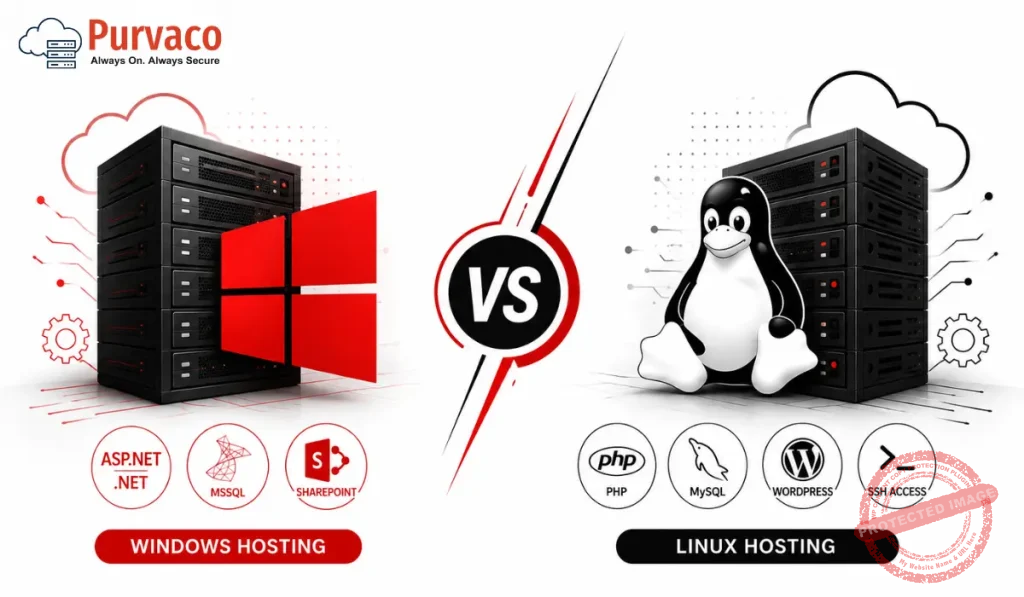
Imagine you are launching your first website. You have your domain name ready, your content is written, and you are very much excited to start. But then you open a hosting provider’s website and you see two options which are Windows Hosting and Linux Hosting. What is the difference? Which one should you choose? Will the wrong choice affect your website? Do not worry. You are not alone. Thousands of beginners face this exact confusion every single day. And the good news is this choice is not as complicated as it sounds. By the end of this guide, you will know exactly which hosting type is right for your website, your budget, and your goals. Whether you are starting a blog, building a business website, launching an online store, or developing a web application this guide will help you make a smart, confident decision. Let us dive in. What is Web Hosting? Before we compare Windows hosting vs Linux hosting, let us quickly understand what web hosting actually means. Web hosting is a service that lets you store your website files on a powerful computer which is called a server. This server is always connected to the internet, which means anyone in the world can visit your website anytime. To easily understand, think like this way- your website is like a house, and web hosting is the land it sits on. Without hosting, your website has no place to live on the internet. Now, as houses can be built on different types of land, your website can also be hosted on servers running different operating systems. The two most common options in the hosting industry are Windows Server and Linux Server. What is Windows Hosting? Windows Hosting means that your website files are stored on a server that runs Microsoft’s Windows Server operating system. Windows hosting is developed and maintained by Microsoft. It uses proprietary software that is why it typically costs more than Linux hosting. Hosting companies need to pay Microsoft for a Windows Server license and they pass that cost on to their customers. Windows hosting is the best option if your website or application uses Microsoft related technologies. For example, if you are building a web app using ASP.NET, running a Microsoft SQL Server (MSSQL) database, or using technologies like Microsoft Access then Windows hosting for ASP.NET is the right choice for you. What is Linux Hosting? Linux Hosting means that your website files are stored on a server running the Linux operating system. Linux is a free, open-source operating system which means that it is developed and maintained by a global community of developers and is available without any licensing fees. This is one of the main reasons Linux hosting is more affordable than Windows hosting. Hosting providers do not have to pay for the Linux operating system so that they can offer lower prices to their customers. Linux also comes in different versions called distributions. The most popular ones used in web hosting are Ubuntu, CentOS, and Debian. All of these are reliable, secure, and widely used by millions of websites around the world. Linux hosting is the most popular type of hosting in the world. In fact, the majority of websites on the internet run on Linux servers. It has become the industry standard for web hosting, and it powers everything from personal blogs to massive eCommerce websites. Linux hosting works great with technologies like PHP, Python, Ruby, Perl, and MySQL which are the building blocks of most popular web platforms such as WordPress, Joomla, Drupal, Laravel etc. Core Difference Between Windows Hosting and Linux Hosting Refer to this easy to read comparison table that summarizes the key differences between Windows and Linux hosting easily. Feature Windows Hosting Linux Hosting Operating System Windows Server Linux (Ubuntu, CentOS, Debian) Technology Support ASP.NET, .NET Core, MSSQL PHP, Python, Ruby, MySQL Cost Higher (licensing fees) Lower (open-source OS) Control Panel Plesk (common) cPanel (most popular) WordPress Support Works but not ideal Best choice for WordPress Performance Good for Windows apps Excellent for web hosting Security More targeted by attackers Highly secure, fewer risks Uptime / Stability Very good Excellent – industry standard File System NTFS (case-insensitive) EXT4 (case-sensitive) Remote Access RDP (Remote Desktop) SSH (Secure Shell) Best For ASP.NET, SharePoint, MS apps WordPress, PHP apps, blogs This table gives you a broad view of the hosting comparison. Now let us go deeper into each area so you can understand what these differences actually mean. Supported Technologies (Most Important Section) This is probably the single most important factor when choosing between Windows hosting and Linux hosting. The technology your website uses must match your server environment. Using the wrong hosting type is something like trying to run a Mac program on a Windows computer which is definitely not workable. Technologies Supported by Linux Hosting Linux hosting supports the following technologies natively and efficiently: • PHP – It is the most widely used server side scripting language for websites • Python – It is popular for web apps, machine learning projects, and Django frameworks • Ruby – It is used in Ruby on Rails web development • Perl – It is used for older web scripts and CGI applications • MySQL and MariaDB – It is the most popular open-source database systems • .htaccess files – It is a powerful configuration tool for URLs, redirects, and security Most of the world’s most popular web platforms such as WordPress, WooCommerce, Joomla, Drupal, Magento, and Laravel are built on PHP and MySQL. This means they run naturally on Linux hosting. If you want the best hosting for WordPress, Linux hosting is always the correct answer. Technologies Supported by Windows Hosting Windows hosting, on the other hand, supports these Microsoft specific technologies: • ASP.NET and ASP.NET Core • C# and VB.NET – popular programming languages in the
12 Best Windows Cloud Azure Services Provider In India 2026
The demand for Windows cloud infrastructure and Microsoft Azure services in India has increased steadily over the last few years. Businesses are moving away from traditional hosting environments and shifting toward managed cloud infrastructure that supports scalability, remote operations, application hosting, disaster recovery, and enterprise workloads. This shift is especially visible among SaaS startups, IT agencies, fintech companies, healthcare businesses, ecommerce brands, and enterprises running Windows-based applications. Choosing the right provider is important because Azure cloud environments involve more than virtual machines. Businesses also require: This guide covers the 12 Best Windows Cloud Azure Services Provider In India 2026 based on infrastructure quality, uptime, pricing, Azure management, support, and business use cases. Why Businesses in India Use Windows Azure Cloud Services Better Scalability Traditional servers often create limitations during traffic spikes or business expansion. Azure cloud infrastructure allows businesses to scale CPU, RAM, storage, and networking resources quickly. Indian startups use Azure for: Support for Windows-Based Applications Many Indian enterprises still rely heavily on: Azure integrates naturally with Microsoft ecosystems, making deployment easier. Data Backup and Disaster Recovery Businesses now prioritize: Azure cloud providers help companies maintain uptime during outages or infrastructure failures. Remote Workforce Infrastructure Remote Desktop Hosting and Windows VPS hosting have become common among: Managed Azure providers help businesses deploy secure remote work environments. Compliance and Security Azure offers enterprise-grade security features such as: This is important for finance, healthcare, and enterprise workloads. Key Features to Look for in an Azure Cloud Provider Managed Azure Support Many companies struggle with Azure management internally. A managed Azure cloud services provider should offer: Indian Data Centers Local infrastructure reduces latency for Indian users. Major locations include: Windows Server Expertise The provider should support: Uptime Guarantees Businesses should look for: Migration Assistance Azure migration services should include: Transparent Pricing Clear pricing matters for long-term budgeting. Look for: Comparison Table of Top Azure Providers in India Provider Best For Data Centers Managed Services Starting Pricing Purvaco SMEs & Agencies India Yes ₹3,500/month Microsoft Azure India Enterprises Pune, Chennai Partial Pay-as-you-go CtrlS Enterprise Infrastructure Mumbai, Hyderabad Yes Custom ESDS Government & Enterprise Nashik, Bengaluru Yes Custom Netmagic (NTT) Hybrid Cloud Mumbai, Chennai Yes Enterprise Pricing Sify Technologies Large Enterprises Pan India Yes Custom Go4Hosting SMB Cloud Hosting Noida Yes ₹2,999/month HostGator India Small Websites India Limited ₹899/month CloudOYE Managed VPS India Yes ₹2,500/month RackBank VPS & Dedicated Servers Indore Yes ₹1,999/month Tata Communications Enterprise Networking Pan India Yes Enterprise Pricing MilesWeb Budget Windows Hosting India Limited ₹649/month 12 Best Windows Cloud Azure Services Provider In India 2026 1. Purvaco Purvaco is emerging as a strong option for businesses searching for managed Windows cloud hosting and Azure infrastructure management in India. The company focuses on business hosting environments rather than low-cost shared hosting. Their services are designed for startups, agencies, SaaS companies, and growing businesses that require stable Windows cloud infrastructure. Main Services Data Center Locations Uptime and Support Purvaco provides infrastructure monitoring, managed support, and business-grade hosting assistance. Their support model is particularly useful for companies without in-house server administrators. Pricing Overview Typical managed Windows VPS hosting plans start around ₹3,500/month depending on: Best Use Cases Pros Cons 2. Microsoft Azure India Microsoft Azure remains the largest cloud platform for enterprises using Windows infrastructure. Azure India offers direct cloud services through Indian data centers. Main Services Data Centers Uptime and Support Microsoft offers enterprise SLAs with global infrastructure reliability. Pricing Pay-as-you-go billing with enterprise agreements available. Best Use Cases Pros Cons 3. CtrlS Datacenters CtrlS Datacenters is known for enterprise-grade infrastructure and managed cloud services. Main Services Data Centers Pricing Enterprise-oriented pricing models. Best Use Cases Pros Cons 4. ESDS Software Solution ESDS Software Solution focuses heavily on managed cloud and government infrastructure projects in India. Main Services Data Centers Pricing Custom infrastructure-based pricing. Best Use Cases Pros Cons 5. Netmagic (NTT) Netmagic is one of India’s well-known enterprise cloud infrastructure providers. Main Services Data Centers Pricing Custom enterprise pricing. Best Use Cases Pros Cons 6. Sify Technologies Sify Technologies provides enterprise cloud infrastructure across India. Main Services Data Centers Pan-India network infrastructure. Best Use Cases Pros Cons 7. Go4Hosting Go4Hosting offers managed cloud and Windows VPS hosting solutions for SMEs. Main Services Pricing Starts around ₹2,999/month. Best Use Cases Pros Cons 8. HostGator India HostGator India is widely known for affordable hosting services. Main Services Pricing Starts around ₹899/month. Best Use Cases Pros Cons 9. CloudOYE CloudOYE focuses on managed cloud hosting and VPS infrastructure. Main Services Pricing Starts around ₹2,500/month. Best Use Cases Pros Cons 10. RackBank RackBank is known for affordable VPS and dedicated server infrastructure. Main Services Data Centers Pricing Starts around ₹1,999/month. Best Use Cases Pros Cons 11. Tata Communications Tata Communications offers enterprise cloud and networking infrastructure. Main Services Best Use Cases Pros Cons 12. MilesWeb MilesWeb is a budget-friendly hosting company offering Windows hosting plans. Main Services Pricing Starts around ₹649/month. Best Use Cases Pros Cons Pricing Comparison Provider Entry Pricing Managed Support Enterprise Ready Purvaco ₹3,500/month Yes Yes Azure India Usage-based Partial Yes CtrlS Custom Yes Yes ESDS Custom Yes Yes Netmagic Custom Yes Yes Sify Custom Yes Yes Go4Hosting ₹2,999/month Yes Moderate HostGator India ₹899/month Limited No CloudOYE ₹2,500/month Yes Moderate RackBank ₹1,999/month Moderate Moderate Tata Communications Custom Yes Yes MilesWeb ₹649/month Limited No Windows Azure vs Traditional Hosting Feature Windows Azure Cloud Traditional Hosting Scalability High Limited Resource Allocation Dynamic Fixed Backup Systems Automated Manual Disaster Recovery Advanced Basic Remote Access Strong Limited High Availability Better Moderate Enterprise Integration Strong Limited Cost Flexibility Usage-based Fixed monthly Traditional hosting still works for small websites, but businesses running applications or remote teams usually benefit more from Azure cloud infrastructure. Best Azure Providers for Startups, Enterprises, and Agencies Best for Startups These providers offer manageable pricing and support assistance. Best for Enterprises These providers focus on large-scale deployments and compliance requirements. Best for Agencies and Developers These providers support Windows VPS hosting and flexible server environments. How to Choose the Right Azure Cloud Company
12 Best Cheap Web Hosting Providers in 2026

Hosting has never been more competitive. Prices have dropped, performance expectations have gone up, and buyers are no longer willing to accept slow load times just because they’re on a budget plan. That shift has pushed hosting companies to offer NVMe storage, free SSL, and better support even at entry-level pricing. But cheap hosting is still a gamble if you pick the wrong provider. Oversold shared servers, hidden renewal costs, poor uptime, and weak support have burned a lot of website owners. This article cuts through the noise and lists the best cheap web hosting providers in 2026 that actually deliver on their promises. Whether you’re launching a blog, building a client site, running a WooCommerce store, or scaling a startup, there’s an affordable option here that fits your needs. What is Web Hosting? When you build a website, you need two things: a domain name and a hosting account. A domain is your website’s address — like yoursite.com. A hosting account is the server space where your website’s files, databases, and emails actually live. When someone types your domain, their browser connects to your hosting server and loads your site. Shared hosting is the most common entry-level option. Multiple websites share one physical server. It’s cheap because resources are divided among many accounts. The downside is that if another site on the same server spikes in traffic, it can affect your performance. Cloud hosting uses a network of servers instead of one machine. If one server has issues, others take over. It’s more reliable and handles traffic spikes better than traditional shared hosting. VPS (Virtual Private Server) hosting gives you a dedicated slice of a server with guaranteed resources. It costs more than shared hosting but performs much more consistently, especially under load. For most beginners, shared hosting is the right starting point. As traffic and requirements grow, moving to cloud or VPS hosting makes sense. How We Selected These Hosting Providers Every provider on this list was evaluated across multiple criteria: Providers that scored well across most of these areas made the list. 12 Best Cheap Web Hosting Providers in 2026 1. Purvaco Overview Purvaco is a managed cloud hosting provider offering NVMe-based infrastructure built for businesses, agencies, startups, and high-traffic websites. It’s particularly well-positioned for Indian businesses looking for affordable cloud hosting with strong local support and performance. Starting Price: Plans start at competitive rates suited for Indian businesses and startups, with managed cloud options that rival providers charging significantly more. Hosting Types Available Key Features Performance Purvaco runs on NVMe storage, which is noticeably faster than standard SSD. This matters for WordPress sites, WooCommerce stores, and any site where database queries need to run quickly. Load times are consistently low even on entry-level plans. Uptime Purvaco maintains strong uptime backed by cloud infrastructure, which avoids the single-point-of-failure issue common in traditional shared hosting. Support Quality Support is available via live chat and ticket system. Response times are fast, and the team handles technical queries well — a step above generic script-reading support. Pros Cons Best For: Startups, agencies, Indian businesses, WordPress sites, growing eCommerce stores, developers wanting managed cloud without enterprise pricing Verdict: Purvaco stands out as one of the strongest affordable cloud hosting options in 2026, especially for businesses based in India or targeting Indian audiences. The combination of NVMe storage, managed infrastructure, cPanel, and real support makes it punch above its price point. 2. Hostinger Overview Hostinger is one of the most recognized budget hosting brands globally. It operates its own data centers across multiple continents and has built a large user base on the strength of low pricing and decent performance. Starting Price: From around $2.99/month (introductory) Hosting Types Available Key Features Performance Hostinger performs well for its price. Load times are solid, especially on their Business and Cloud plans. The entry-level single shared plan has resource restrictions that can show during traffic spikes. Uptime Consistent 99.9% uptime track record. Support Quality 24/7 live chat. Support quality is generally good but can vary by agent. Pros Cons Best For: Bloggers, beginners, budget-conscious small business owners Verdict: One of the best cheap hosting options for pure cost efficiency, but watch the renewal pricing carefully. 3. Bluehost Overview Bluehost is one of WordPress’s officially recommended hosting providers and has been a staple in the shared hosting market for years. It’s popular with beginners and bloggers in the US market. Starting Price: From around $2.95/month (introductory) Hosting Types Available Key Features Performance Average to good. Not the fastest on the market, but reliable for standard WordPress sites. Uptime Generally solid, around 99.9%. Support Quality 24/7 phone and live chat. Pros Cons Best For: WordPress beginners, personal blogs, small US-based business websites Verdict: A safe and familiar choice, particularly for WordPress beginners, but you’ll pay significantly more at renewal. 4. SiteGround Overview SiteGround is known for above-average performance and excellent support. It’s more expensive than most budget hosts but still falls in the affordable mid-range category with features that justify the price. Starting Price: From around $2.99/month (introductory) Hosting Types Available Key Features Performance One of the stronger performers in the shared hosting segment. SiteGround uses Google Cloud infrastructure on their cloud plans and has built a solid reputation for speed. Uptime Consistently above 99.99% — among the best in this category. Support Quality Excellent. Live chat, phone, and tickets with fast, knowledgeable agents. Pros Cons Best For: Businesses that prioritize performance and support, WordPress developers, WooCommerce stores Verdict: The best support quality in the budget hosting range. Worth the slightly higher price for business sites that can’t afford downtime. 5. A2 Hosting Overview A2 Hosting markets itself heavily on speed and has built a reputation around its Turbo servers, which use LiteSpeed web server and NVMe storage for above-average performance. Starting Price: From around $2.99/month (introductory) Hosting Types Available Key Features Performance Strong, particularly on Turbo plans. Standard plans are competitive but not exceptional. Uptime Solid — around 99.9% average. Support Quality 24/7 live chat,
12 Cloud Storage Alternatives in India (2026 Comparison Guide)

Most people rely on Google Drive or Dropbox… but are they really the best options in India? At first glance, they seem like obvious choices. They’re popular, easy to use, and come with decent free storage. But once you start using them seriously—whether for business, backups, or daily workflows—you begin to notice a few limitations that don’t get talked about enough. The first issue is storage limits. Free plans run out quickly, and upgrading often feels expensive, especially when pricing is listed in USD instead of INR. That leads to the second problem—pricing mismatch. What looks affordable globally can feel overpriced for Indian users after currency conversion and taxes. Then there’s privacy. Many users today are more aware of how their data is stored and accessed. Not all cloud storage providers offer the same level of encryption or control, which makes privacy-focused alternatives more appealing. Performance is another factor that’s often overlooked. Depending on server locations and routing, upload and download speeds in India can vary, especially during peak hours. That can slow down workflows, particularly for large files or team collaboration. So instead of relying on assumptions, I tested multiple cloud storage services across real-world scenarios—focusing on speed, pricing, usability, and security from an Indian user’s perspective. And the results were interesting. Some alternatives actually offer better speed, stronger privacy, and more practical pricing compared to mainstream options. One platform that stood out early was Purvaco—it’s not as widely known yet, but it delivers a surprisingly balanced experience for Indian users. In this guide, I’ll break down the best cloud storage alternatives in India for 2026, so you can choose what actually works—not just what’s popular. Quick Comparison Table (2026) Here’s a quick snapshot of the best cloud storage alternatives in India to help you make a fast decision: Provider Best For Free Storage Starting Price (INR) Security Rating Purvaco Performance + Value 10 GB ₹199/mo ⭐⭐⭐⭐⭐ 9.5/10 Google Drive Everyday Use 15 GB ₹130/mo ⭐⭐⭐⭐ 8.8/10 Dropbox Collaboration 2 GB ₹750/mo ⭐⭐⭐⭐ 8.5/10 Microsoft OneDrive Windows Users 5 GB ₹140/mo ⭐⭐⭐⭐ 8.7/10 pCloud Lifetime Plans 10 GB ₹350/mo ⭐⭐⭐⭐⭐ 9/10 Sync.com Privacy 5 GB ₹400/mo ⭐⭐⭐⭐⭐ 9.2/10 Icedrive Modern UI 10 GB ₹350/mo ⭐⭐⭐⭐ 8.9/10 MEGA Free Storage 20 GB ₹500/mo ⭐⭐⭐⭐⭐ 9/10 Box Enterprises 10 GB ₹900/mo ⭐⭐⭐⭐ 8.6/10 Zoho WorkDrive Indian Businesses 5 GB ₹220/mo ⭐⭐⭐⭐ 8.7/10 Tresorit High Security 3 GB ₹900/mo ⭐⭐⭐⭐⭐ 9.3/10 Internxt Privacy-first 10 GB ₹450/mo ⭐⭐⭐⭐⭐ 9/10 Why Look for Cloud Storage Alternatives in India? Cloud storage is everywhere—but the experience in India isn’t always as smooth as the marketing suggests. Popular tools like Google Drive and Dropbox work well in general, but there are a few practical reasons why many users start exploring alternatives. One of the biggest concerns today is data privacy. Most mainstream platforms store data on global servers and operate under international data policies. For individual users this may not feel urgent, but for businesses or sensitive files, lack of control over data location and encryption can become a serious consideration. This is why privacy-focused and region-aware alternatives are gaining attention. Then comes the issue of pricing mismatch. Many global providers charge in USD, which doesn’t always translate well for Indian users. After currency conversion, taxes, and auto-renewals, the cost can feel significantly higher than expected. What looks affordable on paper may not be the most cost-effective option long term. Speed is another underrated factor. Upload and download performance often depends on server location and network routing. Even with good internet, users in India may experience slower speeds when data centers are located far away. This becomes especially noticeable when handling large files, backups, or team collaboration. Finally, there’s the limitation of free storage tiers. While services like Google Drive offer a starting point, space runs out quickly with photos, videos, and work files. Upgrading is inevitable—but not all paid plans offer good value for Indian users. None of these issues make mainstream platforms unusable. But together, they explain why many people now look for cloud storage alternatives in India that offer better pricing alignment, improved performance, and stronger control over data. How We Tested Cloud Storage To make this comparison genuinely useful—not just a list of features—I tested each service under real-world conditions that reflect how people in India actually use cloud storage day to day. First, I focused on upload and download speeds. Files of different sizes (from small documents to large media files) were tested across Indian networks to measure consistency and latency. This helped identify which platforms feel fast in everyday use, not just in ideal conditions. Next was pricing comparison in INR. Instead of relying on advertised global pricing, I calculated actual costs after currency conversion and taxes. This gives a clearer picture of long-term affordability for Indian users, especially when comparing monthly and annual plans. For security, I evaluated the type of encryption used—whether it’s standard encryption or end-to-end / zero-knowledge encryption. This matters if you’re storing sensitive files and want full control over access. I also looked at ease of use, including dashboard design, file management, sharing options, and how intuitive the platform feels for beginners versus advanced users. A powerful tool isn’t useful if it’s difficult to navigate. Finally, I tested cross-device syncing across desktop, mobile, and browser environments. Reliable syncing ensures your files are always accessible and updated, whether you’re switching devices or collaborating with others. This approach ensures the comparison reflects actual usability, performance, and value, not just marketing claims. How We Tested Cloud Storage To keep this comparison grounded in real usage—not just feature lists—I tested each platform the way an average user in India would actually use cloud storage daily. First, I evaluated upload and download speeds using Indian network conditions. Files ranging from small documents to large media (100MB–2GB) were uploaded and downloaded multiple times at different hours. This helped measure not just peak performance, but consistency and latency—which matters more in real workflows than one-time speed tests. Next, I compared pricing in
Top 10 Cloud Service Providers in India (2026 Guide) — Why Smart Businesses Are Choosing Purvaco First

Cloud computing in India has moved far beyond being a “tech trend.” It’s now the backbone of how modern businesses operate. From early-stage startups building their first product to established companies scaling across multiple cities, more and more businesses are choosing cloud hosting India to stay fast, flexible, and competitive. The shift makes sense. Traditional servers are expensive to maintain, difficult to scale, and often slow when traffic suddenly spikes. Cloud platforms solve these problems by offering on-demand resources, better uptime, and the ability to grow without constantly upgrading hardware. Whether it’s an eCommerce store during a festive sale or a SaaS startup onboarding new users, cloud infrastructure makes scaling smoother. But here’s where things get complicated. While the benefits are clear, choosing the right cloud provider isn’t. Many businesses in India struggle with: What starts as a smart move to the cloud can quickly turn into overspending and unnecessary complexity. That’s exactly why this guide exists. In this article, we’ll break down the top 10 cloud service providers in India, explain what really matters when choosing one, and help you understand which option fits your business—whether you’re a startup, developer, or growing company looking for a cost-effective solution. What to Look for in a Cloud Provider Before you compare brands or pricing pages, it’s important to understand what actually matters in day-to-day usage. The right cloud provider isn’t just about features—it’s about how well it fits your workflow, budget, and growth plans. Here are the key factors you should evaluate: Pricing Transparency (Avoid Hidden Costs) Cloud pricing can be tricky. What looks affordable at first can become expensive once you factor in bandwidth, storage, backups, and scaling. 👉 Example: A startup may start with a low-cost plan, but after a traffic spike, unexpected bandwidth charges can double their monthly bill. Scalability (Handling Traffic Spikes) Your infrastructure should grow with your business. Whether you’re running a campaign or going viral, your server shouldn’t crash. 👉 Example: An eCommerce website during Diwali sales can see 5–10x traffic. Without scalable infrastructure, that surge can lead to slow loading or downtime. Performance & Latency (India-Based Servers Matter) Speed directly impacts user experience and SEO rankings. The closer your server is to your audience, the faster your website loads. 👉 Lower latency = faster response times for Indian users. Ease of Use (Dashboard Simplicity) Not every business has a dedicated DevOps team. A complicated interface can slow you down. 👉 If it takes hours just to deploy a server, productivity suffers. Support Quality (When Things Go Wrong) Even the best infrastructure can face issues. What matters is how quickly they’re resolved. 👉 Example: If your website goes down at midnight and support responds after 6 hours, that’s lost revenue you can’t recover. Top 10 Cloud Service Providers in India (2026 Guide) Choosing the right cloud provider isn’t about picking the biggest name—it’s about finding the right fit for your workload, budget, and technical comfort level. Below is a practical breakdown of the top cloud service providers in India, including where they shine and where they fall short. 1. Purvaco Purvaco focuses on delivering simple, high-performance cloud and VPS hosting solutions tailored for Indian users. Instead of overwhelming users with hundreds of features, it prioritizes speed, affordability, and ease of use. Best for: Startups, small businesses, developers looking for cheap cloud hosting India Our Pricing Plan vCPU RAM Storage Bandwidth Network Speed Migration Monthly INR Cloud Hosting Plans – India Data Center Cloud Starter 2 vCPU 4GB 50GB HDD 2Gbps Fast Free ₹1099 ₹999* Buy Now Cloud Basic 4 vCPU 8GB 100GB HDD 3Gbps Fast Free ₹1499 ₹1399* Buy Now Cloud Business 6 vCPU 8GB 120GB HDD 3Gbps Fast Free ₹1799 ₹1699* Buy Now Cloud Pro 8 vCPU 16GB 150GB HDD 5Gbps Fast Free ₹2999 ₹2699* Buy Now Cloud Enterprise 16 vCPU 32GB 250GB HDD 10Gbps Fast Free ₹5999 ₹5499* Buy Now * Terms & Conditions Apply | ← Swipe left or right to view pricing → Key strengths: Limitations: 👉 Ideal if you want reliable cloud hosting India without paying enterprise-level costs. 2. Amazon Web Services AWS is the global leader in cloud computing, offering over 200 services ranging from compute to AI and analytics. It’s widely used across startups and enterprises. Best for: Large-scale applications, enterprises, fast-growing startupsKey strengths: Limitations: 👉 Powerful but often overkill for small businesses. 3. Microsoft Azure Azure integrates seamlessly with Microsoft products like Windows Server, Office, and .NET, making it a natural choice for enterprises. Best for: Enterprises, Windows-based applicationsKey strengths: Limitations: 4. Google Cloud Platform Google Cloud is known for its data analytics, machine learning, and container-based infrastructure. Best for: Data-driven startups, AI/ML workloadsKey strengths: Limitations: 5. DigitalOcean DigitalOcean is popular for its simplicity and predictable pricing, especially among developers and small teams. Best for: Developers, startups, small applicationsKey strengths: Limitations: 6. Oracle Cloud Infrastructure OCI is built with enterprise workloads in mind, particularly databases and high-performance computing. Best for: Database-heavy applications, enterprisesKey strengths: Limitations: 7. IBM Cloud IBM Cloud focuses on hybrid cloud solutions and AI-powered enterprise applications. Best for: Large enterprises, regulated industriesKey strengths: Limitations: 8. Alibaba Cloud Alibaba Cloud is widely used in Asia and offers competitive pricing with strong performance. Best for: Businesses targeting Asian marketsKey strengths: Limitations: 9. Tata Communications Tata Communications offers cloud services with a strong focus on data security and compliance. Best for: Government, enterprises needing local complianceKey strengths: Limitations: 10. Reliance Jio Reliance Jio is rapidly expanding into cloud services, leveraging its massive infrastructure and pricing advantage. Best for: Startups and SMEs in IndiaKey strengths: Limitations: 11. ESDS Software Solution ESDS is an Indian cloud provider known for its affordable and customized cloud solutions. Best for: Budget-conscious businesses, SMEsKey strengths: Limitations: Each provider serves a different purpose. If you need cutting-edge features and global scale, hyperscalers like AWS or Azure make sense. But if your priority is affordability, simplicity, and performance within India, solutions like Purvaco or other local providers often deliver better value. The key is
12 Best Cheap Microsoft Azure Hosting Providers in India (2026)

Cloud hosting has become the backbone of modern businesses in India—but there’s a growing concern that many startups and small businesses can’t ignore anymore: rising cloud costs. While platforms like Microsoft Azure offer enterprise-grade infrastructure and global scalability, their pricing model—largely based on dollar billing—often turns into a financial strain for Indian users over time. What starts as a manageable monthly expense can quickly escalate as usage grows, leaving many businesses struggling to control their cloud budgets. This is especially challenging for startups, developers, and SMBs operating with tight margins. Azure’s flexible pricing sounds appealing initially, but hidden costs related to bandwidth, storage, and scaling can make it unpredictable. For businesses that don’t fully utilize enterprise-level resources, paying premium rates simply doesn’t make practical sense. As a result, there’s a clear shift in the market. More users are now actively looking for cheap microsoft Azure hosting providers in India or reliable alternatives that deliver similar performance without the heavy price tag. The goal is simple: find a solution that balances cost-efficiency with performance, uptime, and support—without compromising on essential features. In this guide, we’ve researched and compiled a list of the 12 best cheap Azure hosting providers in India, along with smart alternatives that offer better pricing flexibility for growing businesses. Whether you’re launching a new project or optimizing existing infrastructure, this comparison will help you make a more informed and cost-effective decision. What is Azure Hosting? Microsoft Azure hosting refers to running your website, application, or digital infrastructure on Microsoft’s global cloud network instead of a traditional physical server. Instead of buying hardware or managing servers manually, Azure lets you rent computing resources on demand, making it flexible and scalable. At its core, Azure provides several key services. You can deploy Virtual Machines (VMs)—similar to VPS hosting—where you get full control over a remote server. It also offers cloud storage for files, databases, and backups, along with networking services that help connect applications securely across different regions. These components work together to create a complete hosting environment without the need for physical infrastructure. Azure hosting is widely used for a variety of purposes. Developers use it to build and test applications, businesses host their websites and eCommerce platforms on it, and large enterprises rely on it for handling complex workloads, data processing, and global operations. In simple terms, Azure hosting gives you the power of a high-end server setup—without owning one—while allowing you to scale resources up or down based on your needs. Why Look for Cheap Azure Hosting in India? While Microsoft Azure is a powerful and reliable cloud platform, it isn’t always the most cost-effective option for every user—especially in the Indian market. Here’s why many businesses actively search for cheaper Azure hosting or alternatives: Dollar Pricing vs INR Users Azure pricing is primarily structured in US dollars. For Indian users, this creates a direct dependency on exchange rates, which can fluctuate and increase overall costs. What looks affordable initially can become expensive over time, especially for startups managing tight budgets in INR. Hidden Costs (Bandwidth, Storage, Scaling) Azure follows a pay-as-you-go model, which sounds flexible but often leads to unexpected charges. Costs for outbound bandwidth, additional storage, backups, and auto-scaling can quickly add up. Without careful monitoring, monthly bills can exceed initial estimates. Latency Issues (If Not Using India Region) Although Azure has data centers in India, not all services or configurations are optimized locally. If your application is hosted in a non-India region, it can lead to higher latency and slower load times for Indian users, affecting performance and user experience. Overkill for Small Projects Azure is designed with enterprise-scale workloads in mind. For small websites, basic applications, or early-stage startups, its advanced features can be unnecessary. In such cases, users end up paying for capabilities they don’t fully utilize. That’s why many users explore cheaper alternatives or optimized providers that offer a better balance between cost, performance, and simplicity. Why Purvaco is a Better Alternative For many users evaluating cloud hosting options, the biggest concern isn’t capability—it’s cost versus actual usage. While platforms like Microsoft Azure deliver powerful infrastructure, they often come with pricing structures that don’t align well with the needs of startups or small businesses. This is where Purvaco emerges as a practical alternative. One of the most noticeable advantages is cost efficiency. Azure’s pay-as-you-go model can become unpredictable with added charges for bandwidth, storage, and scaling. In contrast, Purvaco follows a simplified pricing approach, making it easier for businesses to plan and control expenses without worrying about hidden costs. Performance is another area where Purvaco holds strong value—especially for Indian users. With India-optimized servers, it delivers lower latency and faster load times, which directly improves user experience. For businesses targeting a local audience, this can make a meaningful difference compared to global cloud setups that may not always prioritize regional performance. Support is often an overlooked factor, but it becomes critical when issues arise. Large cloud providers typically rely on tiered or ticket-based support systems, which may not be ideal for smaller users. Purvaco, on the other hand, offers more accessible and responsive support, making it easier to resolve issues quickly. For most users—especially startups, developers, and agencies—Purvaco represents a cost-efficient choice that balances performance, simplicity, and reliability. It may not aim to replace enterprise-grade clouds entirely, but for everyday hosting needs, it provides exactly what’s required without unnecessary complexity. 12 Best Cheap Azure Hosting Providers in India Below is a curated mix of Azure-based platforms and cost-effective alternatives that Indian users commonly consider when balancing performance and budget. 1. Microsoft Azure Overview: Enterprise-grade cloud platform with global infrastructure and advanced scalability. Often used as a benchmark for performance. Key Features: Starting Price: ~$5–10/month (basic VM) Pros: Cons: Best For: Enterprises, large-scale apps 2. Amazon Web Services Overview: One of the largest cloud providers, offering flexible and scalable hosting similar to Azure. Key Features: Starting Price: ~$4–8/month Pros: Cons: Best For: Developers, scalable projects 3. Google Cloud Platform Overview: Known
12 Best Cheap Email Hosting Providers in India (2026)

If you’re running a business in India today—whether it’s a startup, agency, or even a freelance operation—your email isn’t just a communication tool. It’s your identity. Yet, many businesses still rely on free email services. It works… until it doesn’t. Emails land in spam, branding looks unprofessional, and control is limited. That’s where cheap email hosting in India comes in. The good news? You don’t need to spend thousands every month to get a reliable, secure, and professional email setup. There are several affordable providers offering strong uptime, good support, and features tailored for Indian businesses. In this guide, I’ll walk you through the 12 best cheap email hosting providers in India, along with practical insights to help you choose the right one. What is Email Hosting & Why Do Businesses in India Need It? Email hosting is a service that allows you to use custom domain-based email addresses like: yourname@yourcompany.com Instead of:yourcompany@gmail.com Why it matters: For Indian businesses, especially, local support and pricing flexibility make a big difference. Key Features to Look for in Email Hosting Before choosing a provider, focus on these essentials: 1. Uptime Reliability Look for at least 99.9% uptime. Downtime means missed opportunities. 2. Storage Space Depends on your usage. Start small, but ensure scalability. 3. Security 4. Ease of Use Clean dashboard, simple setup, and mobile access. 5. Customer Support 24/7 support is crucial—especially if your business depends on email. 6. Pricing Transparency Watch for renewal costs. Cheap plans sometimes double later. 7. Integration Compatibility with tools like Outlook, Gmail, and mobile apps. 12 Best Cheap Email Hosting Providers in India (2026) 1. Purvaco Purvaco is gaining traction as a budget-friendly yet performance-focused hosting provider in India. It’s particularly appealing for startups and small businesses that want reliable email hosting without inflated costs. What stands out is the balance between affordability and infrastructure. Unlike many low-cost providers, Purvaco focuses on low latency and stable delivery, which directly impacts email performance. It’s not overloaded with enterprise-level complexity, which makes it easier for beginners to manage. Key Highlights: Pros: Cons: Pricing: Starts around ₹49–₹99/month 2. Zoho Mail Zoho Mail is one of the most popular choices for affordable business email hosting in India. It’s especially strong if you want an ecosystem of tools alongside email. The free plan (for small teams) is a major advantage, though paid plans unlock better features like IMAP/POP access. Pros: Cons: Pricing: Free to ₹125/user/month 3. Google Workspace Google Workspace is the gold standard, but not exactly the cheapest. Still, many businesses consider it worth the investment. You get Gmail’s interface with your domain, plus tools like Docs, Meet, and Drive. Pros: Cons: Pricing: Starts around ₹136/user/month 4. Microsoft 365 Microsoft 365 is ideal if your workflow revolves around Outlook, Excel, and Teams. It offers enterprise-grade reliability with a familiar interface. Pros: Cons: Pricing: ₹125–₹500/user/month 5. Hostinger Hostinger offers one of the cheapest email hosting solutions globally, and it works well for Indian users too. It’s simple, clean, and reliable for basic needs. Pros: Cons: Pricing: Starts around ₹69/month 6. Bluehost Bluehost is widely used and often bundled with web hosting plans. If you’re already hosting a website, this becomes a cost-effective add-on. Pros: Cons: Pricing: Included with hosting plans 7. Namecheap Namecheap offers budget email hosting under its “Private Email” service. It’s a solid option for freelancers and small teams. Pros: Cons: Pricing: Starts around ₹80/month 8. GoDaddy GoDaddy is popular in India but often criticized for pricing after renewal. Still, its email hosting is beginner-friendly. Pros: Cons: Pricing: Starts around ₹99/month (intro) 9. BigRock BigRock is an India-focused hosting provider, making it appealing for local businesses. It offers decent performance and localized support. Pros: Cons: Pricing: ₹59–₹120/month 10. A2 Hosting A2 Hosting is known for speed and reliability. It’s slightly premium compared to budget options but delivers strong performance. Pros: Cons: Pricing: ₹150+/month 11. DreamHost DreamHost is a reliable US-based provider with simple email hosting. It’s best for users who prefer minimal configuration. Pros: Cons: Pricing: ₹130/month approx. 12. Fastmail Fastmail is a premium email-focused provider known for privacy and speed. Not the cheapest, but excellent for professionals. Pros: Cons: Pricing: ₹250+/month Full Comparison Table: Cheap Email Hosting Providers in India (2026) Provider Starting Price (₹/month) Storage Uptime Free Plan Best For Key Features Support Purvaco ₹49–₹99 5–25 GB 99.9% ❌ Startups & SMBs Low latency servers, simple UI, budget pricing 24/7 Zoho Mail Free / ₹59+ 5–50 GB 99.9% ✅ Small businesses Free plan, strong privacy, Zoho ecosystem 24/7 Google Workspace ₹136+ 30 GB+ 99.9% ❌ Professional teams Gmail interface, Docs, Drive integration 24/7 Microsoft 365 ₹125+ 50 GB 99.9% ❌ Enterprises Outlook + Office apps integration 24/7 Hostinger ₹29–₹69 10–50 GB 99.9% ❌ Budget users Cheapest plans, AI tools, email aliases Live chat Bluehost Included Varies 99.9% ❌ Website owners Free email with hosting, easy setup 24/7 Namecheap ₹70–₹100 2–10 GB 99.8% ❌ Freelancers Private Email service, low cost 24/7 GoDaddy ₹99+ 10–50 GB 99.9% ❌ Beginners Easy onboarding, strong brand 24/7 BigRock ₹59+ 5–25 GB 99.9% ❌ Indian SMBs Local support, affordable pricing 24/7 A2 Hosting ₹150+ 10–25 GB 99.9% ❌ Performance users High-speed servers, reliability 24/7 DreamHost ₹130+ 25 GB 99.9% ❌ Simple setups Clean UI, stable performance 24/7 Fastmail ₹250+ 5–100 GB 99.9% ❌ Privacy-focused users Fast, ad-free, secure email Email support How to Choose the Right Email Hosting in India Choosing the right provider isn’t about picking the cheapest—it’s about value. Ask yourself: Practical Tips: FAQs 1. What is the cheapest email hosting in India? Providers like Purvaco, Zoho Mail (free tier), and Hostinger offer the lowest pricing. 2. Is free email hosting good for business? It works for very small teams, but paid hosting offers better control and branding. 3. Which is better: Google Workspace or Zoho? Google Workspace is more powerful, while Zoho is more budget-friendly. 4. Can I migrate my emails later? Yes, most providers offer migration tools or support. 5. How much does email hosting cost in India?

