
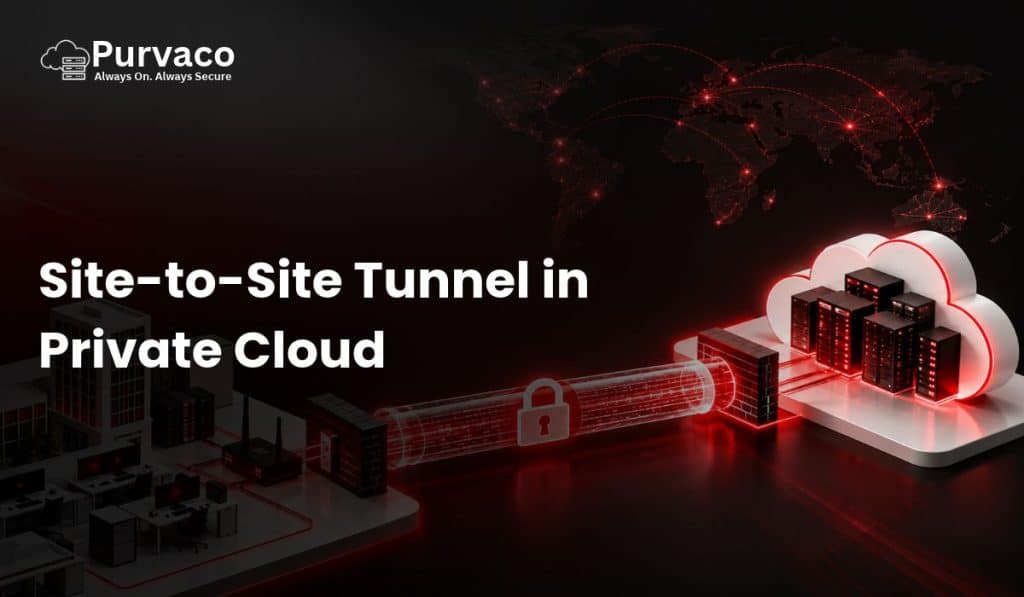
A Site-to-Site VPN tunnel in a private cloud creates an encrypted connection between an organization’s on-premises network and its private cloud infrastructure. Instead of exposing internal applications, databases, servers, or management interfaces directly to the public internet, the VPN establishes a secure network path between two private environments.
For businesses running applications across offices, data centers, branch locations, and private cloud environments, site-to-site connectivity is an important part of the network architecture. It allows users and systems in one network to communicate with resources in another network using private IP addressing while encryption protects traffic while it travels across an untrusted network.
A typical implementation connects an office firewall or router to a VPN gateway in the private cloud. Once the tunnel is established, authorized traffic can travel between the two networks.
For example:
Office Network → Internet → Encrypted VPN Tunnel → Private Cloud Network
This architecture is commonly used for ERP applications, databases, file servers, business applications, backup systems, monitoring platforms, Active Directory, and hybrid infrastructure.
What Is a Site-to-Site Tunnel?
A site-to-site tunnel is a persistent or on-demand encrypted connection between two networks.
Unlike a remote-access VPN, where an individual user connects to a corporate network, a site-to-site VPN connects entire networks.
For example:
Corporate Office
10.10.0.0/24
      |
      | Firewall / VPN Gateway
      |
   Internet
      |
      | Encrypted IPsec Tunnel
      |
      | Private Cloud VPN Gateway
      |
Private Cloud
10.20.0.0/16
In this example, a server at:
10.10.0.50
could communicate with a private cloud server at:
10.20.10.25
through the VPN tunnel.
The application does not necessarily need to know that the traffic is crossing the public internet. Routing determines that traffic destined for the private cloud subnet should be sent through the VPN gateway.
Why Use Site-to-Site VPN in a Private Cloud?
Private cloud environments are generally designed to isolate workloads and restrict unnecessary network exposure.
However, organizations still need connectivity between their existing infrastructure and cloud workloads.
Consider a company that already has:
- Active Directory
- DNS servers
- ERP systems
- File servers
- Database servers
- Office networks
- Internal applications
The company may want to move selected workloads to a private cloud without completely replacing its existing infrastructure.
A site-to-site VPN can provide the network connectivity required for this hybrid architecture.
Example
Suppose an organization has:
Office
192.168.10.0/24
Private Cloud
10.50.0.0/16
The company can establish a VPN tunnel between the office firewall and the private cloud VPN gateway.
After routing is configured:
192.168.10.0/24
        |
     Firewall
        |
   IPsec Tunnel
        |
 VPN Gateway
        |
10.50.0.0/16
Users in the office can access permitted private cloud resources without exposing those resources directly to the internet.
How Site-to-Site VPN Works
A site-to-site VPN normally uses a VPN protocol such as IPsec.
IPsec provides mechanisms for:
- Encryption
- Authentication
- Integrity
- Key exchange
- Secure packet transmission
The two VPN endpoints establish security parameters and authenticate each other.
A simplified process looks like this:
1. VPN Gateway A starts negotiation
              ↓
2. VPN Gateway B responds
              ↓
3. Authentication takes place
              ↓
4. Encryption parameters are negotiated
              ↓
5. IPsec Security Associations are established
              ↓
6. Encrypted traffic starts flowing
The exact negotiation depends on the VPN implementation.
For modern IPsec deployments, IKEv2 is commonly used for negotiating the security association.
Site-to-Site VPN Architecture in Private Cloud
A basic private cloud architecture may look like this:
                 Internet
                    |
          ---------------------
          |                   |
      Office ISP         Private Cloud ISP
          |                   |
     Firewall/VPN         VPN Gateway
          |                   |
          |      IPsec        |
          |===================|
                    |
             Private Network
                    |
          ---------------------
          |         |         |
        Web       App       Database
       Server    Server      Server
The VPN gateway acts as the secure entry point into the private cloud network.
The private cloud workloads should normally remain on private IP addresses unless there is a specific requirement for public exposure.
Components Required for a Site-to-Site Tunnel
A successful deployment typically requires several components.
1. On-Premises Firewall or Router
The organization’s existing firewall or router acts as one VPN endpoint.
Examples include enterprise firewall platforms, router-based VPN gateways, or dedicated security appliances.
The device should support the required VPN protocol and encryption configuration.
2. Private Cloud VPN Gateway
The second VPN endpoint resides in the private cloud environment.
This could be:
- A dedicated VPN appliance
- Virtual firewall
- Router
- Linux-based VPN server
- Network security appliance
The gateway receives VPN traffic and routes authorized packets toward private cloud workloads.
3. Private IP Addressing
Both networks require defined IP ranges.
For example:
Office:
192.168.10.0/24

Private Cloud:
10.50.0.0/16
The networks should not overlap.
Overlapping subnets can create routing ambiguity.
For example, if both locations use:
192.168.1.0/24
the VPN cannot reliably determine whether:
192.168.1.50
belongs to the office or the cloud.
Therefore, address planning should be completed before configuring the tunnel.
4. Routing
VPN encryption alone does not automatically make every network reachable.
Routes must tell each network where the remote subnet exists.
For example, the office router could contain:
Destination: 10.50.0.0/16
Gateway: VPN Tunnel
The private cloud network could contain:
Destination: 192.168.10.0/24
Gateway: VPN Gateway
This creates bidirectional routing.
IPsec Site-to-Site VPN
IPsec is one of the most widely used technologies for site-to-site VPN connections.
It operates at the network layer and can protect IP traffic between network endpoints.
An IPsec deployment generally involves two important phases.
Phase 1
Phase 1 establishes the secure management channel used to negotiate the VPN.
With IKEv2, peers authenticate and establish cryptographic parameters.
Typical configuration parameters can include:
- IKE version
- Encryption algorithm
- Integrity algorithm
- Diffie-Hellman group
- Authentication method
- Lifetime
Phase 2
Phase 2 establishes the parameters for protecting actual application traffic.
This includes:
- Encryption
- Integrity
- Traffic selectors
- Security associations
- Lifetime
The exact terminology varies between implementations.
Example IPsec Configuration
Suppose:
Office
Public IP: 203.0.113.10
Private Network: 192.168.10.0/24
Private Cloud
Public IP: 198.51.100.20
Private Network: 10.50.0.0/16
The VPN tunnel could conceptually be configured as:
Local Gateway:
203.0.113.10

Remote Gateway:
198.51.100.20

Local Network:
192.168.10.0/24

Remote Network:
10.50.0.0/16
The VPN gateways then negotiate the cryptographic parameters.
Once the tunnel is established, traffic between the defined networks can be encrypted.
Route-Based vs Policy-Based VPN
One important architectural decision is whether to use a route-based VPN or a policy-based VPN.
Policy-Based VPN
A policy-based VPN defines which traffic should enter the tunnel.
For example:
Source:
192.168.10.0/24

Destination:
10.50.0.0/16
Traffic matching the policy is encrypted.
This approach can be relatively straightforward for simple network environments.
However, it can become difficult to manage when the number of networks grows.
Route-Based VPN
A route-based VPN uses a tunnel interface.
Routing determines which traffic should use the VPN.
Conceptually:
Office
   |
   | Route
   ↓
Tunnel Interface
   |
   ↓
Private Cloud
This architecture can be more flexible for larger environments.
It can also work well with dynamic routing protocols and more complex cloud network architectures.
Site-to-Site VPN vs Remote-Access VPN
These two VPN types solve different problems.
| Feature | Site-to-Site VPN | Remote-Access VPN |
|---|---|---|
| Connection | Network to network | User to network |
| Users | Multiple users/devices | Individual users |
| Typical endpoint | Firewall/router | VPN client |
| Common use | Office to cloud | Employee remote access |
| Persistent connectivity | Usually yes | Often on demand |
| Centralized routing | Yes | Usually client-based |
For example, if ten employees need to access a private cloud application from home, a remote-access VPN may be appropriate.
If an entire office needs access to private cloud workloads, a site-to-site VPN is generally the more relevant architecture.
Security Considerations
Security should be considered at several layers rather than treating the VPN tunnel as the complete security solution.
Strong Encryption
Use modern cryptographic algorithms supported by both endpoints.
Avoid obsolete algorithms and weak configurations.
A typical modern IPsec deployment may use combinations based on:
- AES encryption
- SHA-2 integrity
- IKEv2
- Strong Diffie-Hellman groups
- Perfect Forward Secrecy where appropriate
The exact configuration should be based on the capabilities of both VPN endpoints and the organization’s security requirements.
Authentication
VPN gateways need to authenticate each other.
Common approaches include:
- Pre-shared keys
- Digital certificates
For larger enterprise environments, certificate-based authentication can provide better operational scalability than managing many shared secrets.
Firewall Rules
A VPN tunnel does not mean every system should communicate with every other system.
Firewall policies should restrict traffic.
For example:
Office → Application Server
ALLOW TCP 443

Office → Database Server
DENY

Application Server → Database Server
ALLOW TCP 3306

Office → SSH
DENY
The actual ports should depend on the applications being deployed.
Network Segmentation
Private cloud environments should be segmented according to application requirements.
A common architecture might include:
                 VPN Gateway
                     |
              Firewall Layer
                     |
       ----------------------------
       |            |             |
    Web Zone     App Zone     Database Zone
       |            |             |
    Servers      Servers       Databases
The VPN should not automatically provide unrestricted access to all segments.
For example, users connecting from an office network may only need access to an application subnet.
They may not need direct access to the database subnet.
NAT Considerations
Network Address Translation can complicate site-to-site VPN deployments.
In many cases, traffic between the connected private networks should be excluded from NAT.
For example:
Source:
192.168.10.0/24

Destination:
10.50.0.0/16

NAT:
No NAT
If traffic is unnecessarily translated, the VPN policy or routing configuration may no longer match the expected addresses.
This is why NAT exemption or equivalent configuration is commonly required in firewall-based VPN deployments.
DNS in a Private Cloud VPN
DNS is often overlooked during VPN deployment.
Connectivity can work correctly using IP addresses while applications fail because DNS names cannot be resolved.
For example:
erp.company.localmay resolve to:
10.50.20.10
The office clients need access to the appropriate DNS infrastructure.
A private cloud environment can use:
- Existing corporate DNS
- Private DNS servers
- Conditional forwarding
- DNS forwarding services
For example:
Office DNS
     |
     | VPN
     ↓
Private Cloud DNS
     |
     ↓
Private Cloud Applications
Proper DNS architecture makes hybrid environments significantly easier to operate.
High Availability for Site-to-Site VPN
A single VPN tunnel can become a single point of failure.
Consider:
Office Firewall
      |
      |
   VPN Tunnel
      |
Private Cloud
If the VPN gateway fails, connectivity is lost.
For critical applications, organizations may deploy redundant VPN gateways or multiple tunnels.
A more resilient architecture could look like:
                 Office
                /      \
               /        \
        VPN Tunnel 1   VPN Tunnel 2
             |            |
          Gateway A    Gateway B
               \        /
                Private Cloud
Redundancy can also involve:
- Multiple ISPs
- Multiple public IP addresses
- Redundant firewalls
- Multiple VPN gateways
- Dynamic routing
- Automatic failover
The exact design depends on availability requirements.
Monitoring a Site-to-Site VPN
Deploying the tunnel is only the beginning.
The VPN should be monitored continuously.
Important metrics include:
Tunnel Status
Determine whether the VPN is established.
Latency
Measure the round-trip time between networks.
Packet Loss
Packet loss can cause application performance problems.
Throughput
Monitor the amount of traffic crossing the VPN.
CPU and Memory
VPN gateways perform encryption and decryption, which can consume CPU resources.
Tunnel Flaps
Repeated disconnect/reconnect events may indicate:
- ISP instability
- MTU problems
- Configuration mismatches
- Authentication issues
- Firewall problems
- Device resource exhaustion
MTU and Fragmentation
MTU issues are common in VPN environments.
Encapsulation adds additional headers to packets.
Therefore, a packet that fits within a normal Ethernet frame may exceed the effective MTU after VPN encapsulation.
This can cause:
- Slow applications
- Broken connections
- Web pages partially loading
- Large file transfers failing
- TCP retransmissions
Network engineers may need to adjust:
- MTU
- MSS
- Fragmentation behavior
Testing should be performed with realistic application traffic rather than relying only on ping tests.
Common Site-to-Site VPN Problems
Several issues repeatedly appear during VPN deployments.
1. Incorrect Pre-Shared Key
If authentication credentials do not match, the VPN negotiation will fail.
2. Encryption Mismatch
For example:
Gateway A:
AES-256

Gateway B:
AES-128 only
If there is no compatible proposal, the tunnel cannot establish.
3. Incorrect Traffic Selectors
The local and remote networks must match the expected VPN configuration.
4. Missing Routes
The tunnel may show as established while application traffic cannot reach the destination because routing is missing.
5. Firewall Restrictions
The VPN can be operational while firewall rules block the required application ports.
6. Overlapping Networks
This is one of the more difficult architectural problems.
For example:
Office:
10.0.0.0/24

Cloud:
10.0.0.0/24
Both networks use the same address range.
Routing becomes ambiguous.
Network redesign or address translation may be required.
Site-to-Site VPN for Hybrid Cloud
Site-to-site VPN is particularly useful for hybrid cloud architectures.
A company might keep some systems on-premises while moving other workloads to a private cloud.
For example:
              Corporate Office
                    |
              Active Directory
                    |
               VPN Gateway
                    |
             Encrypted Tunnel
                    |
             Private Cloud
                    |
        -------------------------
        |           |           |
       ERP       Application   Database
The office may retain identity services while application workloads operate in the private cloud.
This allows organizations to transition infrastructure incrementally instead of moving everything simultaneously.
Site-to-Site VPN for Backup
Backup infrastructure is another important use case.
An organization may replicate backup data from an office or primary data center to a private cloud.
Example:
Primary Infrastructure
        |
        | Encrypted VPN
        ↓
Private Cloud Backup
        |
        ↓
Backup Repository
VPN connectivity can provide a protected path for backup traffic without exposing the backup repository directly to the internet.
However, organizations should still implement:
- Access controls
- Backup encryption
- Immutable backups where appropriate
- Authentication
- Monitoring
- Recovery testing
A VPN should not be considered a substitute for backup security.
Site-to-Site VPN for Disaster Recovery
Private cloud infrastructure can also serve as a disaster recovery environment.
A typical architecture could be:
Primary Data Center
        |
        | Site-to-Site VPN
        |
Private Cloud DR
        |
    Replicated
    Workloads
Data can be replicated to the private cloud environment according to the organization’s recovery objectives.
Two important metrics should be defined:
RPO — Recovery Point Objective
How much data loss is acceptable?
For example:
RPO = 15 minutes
means the organization targets a recovery point no older than approximately 15 minutes.
RTO — Recovery Time Objective
How quickly must services be restored?
For example:
RTO = 1 hour
means the target is to restore the service within approximately one hour.
VPN connectivity can be one component of the DR architecture, but replication, storage, compute capacity, DNS, application dependencies, and failover procedures also need to be designed.
Site-to-Site VPN for Remote Offices
Organizations with multiple offices can connect branch networks to centralized private cloud infrastructure.
Example:
Branch Office 1
       |
       | VPN
       |
       +----------------+
                        |
Branch Office 2         |      Private Cloud
       |                |           |
       | VPN            +-------- VPN Gateway
       |                            |
Branch Office 3                     |
                                    |
                              Internal Services
This model can centralize applications and infrastructure.
Instead of deploying a complete application stack at every branch, branches can securely access centralized services hosted in the private cloud.
Performance Considerations
VPN encryption introduces computational overhead.
Performance depends on factors such as:
- VPN gateway CPU
- Encryption algorithms
- Network bandwidth
- Packet size
- Number of concurrent connections
- ISP performance
- Firewall throughput
- Cloud infrastructure capacity
A 1 Gbps internet connection does not necessarily mean the VPN will deliver 1 Gbps of application throughput.
The VPN appliance must be capable of processing encrypted traffic at the required rate.
Benchmarking should therefore be performed before deploying a VPN for high-volume workloads.
Site-to-Site VPN vs Dedicated Private Connectivity
VPN is not the only option for connecting an organization to a private cloud.
Other approaches may include:
- MPLS
- Private circuits
- Ethernet services
- Carrier connectivity
- Dedicated interconnects
A VPN typically uses the public internet as its transport network while encrypting the traffic.
Dedicated connectivity can provide more predictable network characteristics but may involve higher costs and longer provisioning times.
For many organizations, VPN is a practical starting point, particularly when the traffic volume and latency requirements are moderate.
How to Plan a Site-to-Site VPN
Before configuration, document the network design.
Step 1: Identify Networks
Document:
Office subnet
Cloud subnet
Management subnet
Application subnet
Database subnet
Step 2: Check for Overlapping IPs
Make sure the networks use unique address ranges.
Step 3: Identify VPN Endpoints
Document the public IP addresses of both VPN gateways.
Step 4: Define Security Requirements
Choose:
- IKE version
- Authentication
- Encryption
- Integrity
- Key exchange parameters
- PFS requirements
- Lifetimes
Step 5: Define Routing
Determine which subnets should communicate.
Step 6: Define Firewall Policies
Allow only the required traffic.
Step 7: Configure DNS
Make sure private application names resolve correctly.
Step 8: Test
Test:
- Ping where appropriate
- TCP connectivity
- DNS resolution
- Application access
- File transfers
- Database connectivity
- Failover
Example Private Cloud Deployment
Consider a company using Purvaco private cloud infrastructure.
The organization has:
Corporate Office
192.168.100.0/24
Private cloud:
10.100.0.0/16Application subnet:
10.100.10.0/24Database subnet:
10.100.20.0/24The VPN gateway connects:
192.168.100.0/24
        |
        |
     IPsec VPN
        |
        |
10.100.0.0/16
Firewall rules can then restrict access.
For example:
Office → Application Subnet
TCP 443
ALLOW

Office → Database Subnet
DENY

Application Subnet → Database Subnet
Required DB Port
ALLOW
This creates a controlled communication path rather than giving the office unrestricted access to the entire cloud environment.
Best Practices for Site-to-Site VPN
A reliable private cloud VPN deployment should follow several practices.
Use Non-Overlapping Networks
Plan IP addressing before deployment.
Use Modern Cryptography
Avoid obsolete encryption and authentication algorithms.
Prefer Strong Authentication
Use certificates where operationally appropriate.
Restrict Firewall Access
Only allow required traffic.
Monitor the Tunnel
Track availability, latency, packet loss, and throughput.
Build Redundancy for Critical Workloads
Consider dual tunnels and redundant gateways.
Document Everything
Maintain documentation for:
- IP addresses
- VPN peers
- Encryption parameters
- Routes
- Firewall rules
- DNS
- Failover procedures
Test Failover
A redundant design is useful only if failover actually works.
Review Logs
VPN and firewall logs can provide valuable information during troubleshooting.
Conclusion
A site-to-site tunnel in a private cloud provides a secure networking mechanism for connecting on-premises infrastructure, branch offices, data centers, and private cloud workloads.
The basic architecture is straightforward:
On-Premises Network
        |
   VPN Gateway
        |
   Encrypted Tunnel
        |
Private Cloud Gateway
        |
 Private Cloud Network
        |
 Applications / Databases
However, a production-grade implementation requires more than simply establishing a VPN tunnel. Network addressing, routing, firewall policies, DNS, encryption, authentication, monitoring, redundancy, and application requirements all need to be considered.
For organizations adopting private cloud infrastructure, site-to-site VPN can provide the network foundation required to connect existing environments with cloud-hosted workloads while keeping applications and internal services on private networks.
Purvaco can design private cloud network architectures around business requirements such as hybrid connectivity, application hosting, disaster recovery, backup infrastructure, private networking, and controlled access between corporate and cloud environments. The appropriate architecture depends on workload requirements, bandwidth, latency, security controls, availability objectives, and existing network infrastructure.
Frequently Asked Questions
1. What is a site-to-site VPN in private cloud?
A site-to-site VPN connects an organization’s network to a private cloud network through an encrypted tunnel. It allows authorized systems in both environments to communicate securely.
2. Is site-to-site VPN secure?
A properly configured VPN can provide encrypted communication over an untrusted network. Security still depends on strong cryptography, authentication, firewall policies, routing, endpoint security, and proper access controls.
3. Which protocol is commonly used for site-to-site VPN?
IPsec is widely used for site-to-site VPN deployments. IKEv2 is commonly used for negotiating IPsec security associations.
4. Can a site-to-site VPN connect multiple offices?
Yes. Multiple offices can establish individual VPN tunnels to a central private cloud environment, or a more scalable network architecture can be used depending on the number of locations.
5. Can VPN be used for private cloud backups?
Yes. VPN connectivity can provide an encrypted network path between backup infrastructure and private cloud storage or backup servers.
6. Does a VPN replace a firewall?
No. A VPN provides secure connectivity, while firewall policies control which traffic is allowed. Both are important components of network security.
7. Can site-to-site VPN support disaster recovery?
Yes. It can provide connectivity between primary infrastructure and disaster recovery infrastructure, although a complete DR design also requires replication, storage, compute, DNS, application dependencies, monitoring, and tested recovery procedures.

At Purvaco, we help businesses build, host, secure, and scale their digital infrastructure with confidence. As a cloud and hosting company focused on performance, reliability, and business growth, Purvaco delivers enterprise-grade solutions including cloud hosting, VPS hosting, dedicated servers, managed infrastructure, cybersecurity, disaster recovery, and application hosting.
Driven by a customer-first approach and backed by expert support, Purvaco works with startups, SMEs, and enterprises to simplify infrastructure management and accelerate digital transformation. Our mission is to provide secure, scalable, and high-performance hosting environments that keep businesses always connected, always secure, and ready for growth.