
Site-to-Site Tunnel in Private Cloud: Architecture, Configuration, Security, and Use Cases
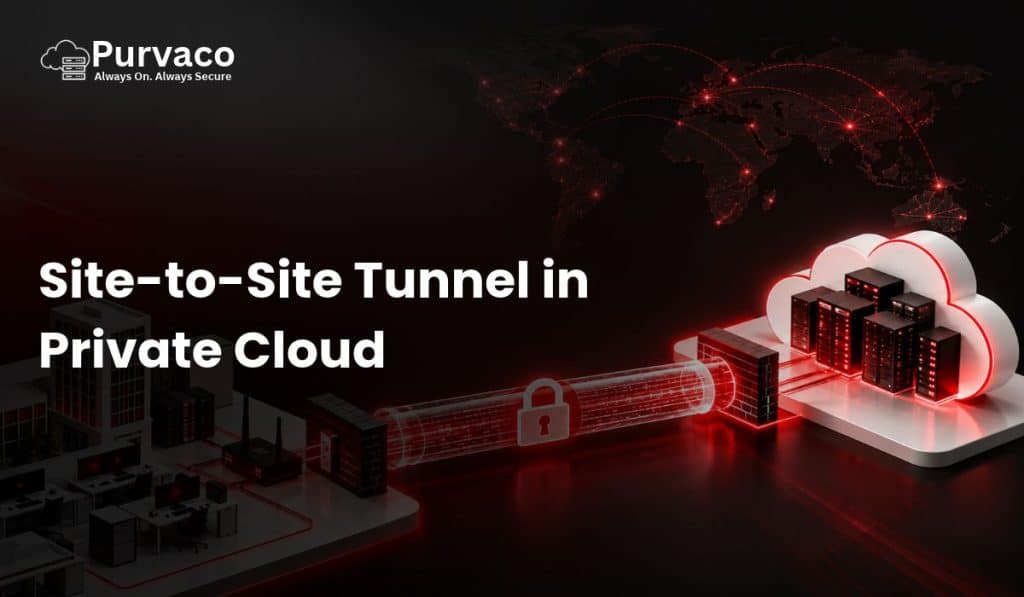
A Site-to-Site VPN tunnel in a private cloud creates an encrypted connection between an organization’s on-premises network and its private cloud infrastructure. Instead of exposing internal applications, databases, servers, or management interfaces directly to the public internet, the VPN establishes a secure network path between two private environments. For businesses running applications across offices, data centers, branch locations, and private cloud environments, site-to-site connectivity is an important part of the network architecture. It allows users and systems in one network to communicate with resources in another network using private IP addressing while encryption protects traffic while it travels across an untrusted network. A typical implementation connects an office firewall or router to a VPN gateway in the private cloud. Once the tunnel is established, authorized traffic can travel between the two networks. For example: Office Network → Internet → Encrypted VPN Tunnel → Private Cloud Network This architecture is commonly used for ERP applications, databases, file servers, business applications, backup systems, monitoring platforms, Active Directory, and hybrid infrastructure. What Is a Site-to-Site Tunnel? A site-to-site tunnel is a persistent or on-demand encrypted connection between two networks. Unlike a remote-access VPN, where an individual user connects to a corporate network, a site-to-site VPN connects entire networks. For example: In this example, a server at: 10.10.0.50 could communicate with a private cloud server at: 10.20.10.25 through the VPN tunnel. The application does not necessarily need to know that the traffic is crossing the public internet. Routing determines that traffic destined for the private cloud subnet should be sent through the VPN gateway. Why Use Site-to-Site VPN in a Private Cloud? Private cloud environments are generally designed to isolate workloads and restrict unnecessary network exposure. However, organizations still need connectivity between their existing infrastructure and cloud workloads. Consider a company that already has: The company may want to move selected workloads to a private cloud without completely replacing its existing infrastructure. A site-to-site VPN can provide the network connectivity required for this hybrid architecture. Example Suppose an organization has: Office 192.168.10.0/24 Private Cloud 10.50.0.0/16 The company can establish a VPN tunnel between the office firewall and the private cloud VPN gateway. After routing is configured: Users in the office can access permitted private cloud resources without exposing those resources directly to the internet. How Site-to-Site VPN Works A site-to-site VPN normally uses a VPN protocol such as IPsec. IPsec provides mechanisms for: The two VPN endpoints establish security parameters and authenticate each other. A simplified process looks like this: The exact negotiation depends on the VPN implementation. For modern IPsec deployments, IKEv2 is commonly used for negotiating the security association. Site-to-Site VPN Architecture in Private Cloud A basic private cloud architecture may look like this: Internet | ——————— | | Office ISP Private Cloud ISP | | Firewall/VPN VPN Gateway | | | IPsec | |===================| | Private Network | ——————— | | | Web App Database Server Server Server The VPN gateway acts as the secure entry point into the private cloud network. The private cloud workloads should normally remain on private IP addresses unless there is a specific requirement for public exposure. Components Required for a Site-to-Site Tunnel A successful deployment typically requires several components. 1. On-Premises Firewall or Router The organization’s existing firewall or router acts as one VPN endpoint. Examples include enterprise firewall platforms, router-based VPN gateways, or dedicated security appliances. The device should support the required VPN protocol and encryption configuration. 2. Private Cloud VPN Gateway The second VPN endpoint resides in the private cloud environment. This could be: The gateway receives VPN traffic and routes authorized packets toward private cloud workloads. 3. Private IP Addressing Both networks require defined IP ranges. For example: The networks should not overlap. Overlapping subnets can create routing ambiguity. For example, if both locations use: 192.168.1.0/24 the VPN cannot reliably determine whether: 192.168.1.50 belongs to the office or the cloud. Therefore, address planning should be completed before configuring the tunnel. 4. Routing VPN encryption alone does not automatically make every network reachable. Routes must tell each network where the remote subnet exists. For example, the office router could contain: The private cloud network could contain: This creates bidirectional routing. IPsec Site-to-Site VPN IPsec is one of the most widely used technologies for site-to-site VPN connections. It operates at the network layer and can protect IP traffic between network endpoints. An IPsec deployment generally involves two important phases. Phase 1 Phase 1 establishes the secure management channel used to negotiate the VPN. With IKEv2, peers authenticate and establish cryptographic parameters. Typical configuration parameters can include: Phase 2 Phase 2 establishes the parameters for protecting actual application traffic. This includes: The exact terminology varies between implementations. Example IPsec Configuration Suppose: Office Private Cloud The VPN tunnel could conceptually be configured as: The VPN gateways then negotiate the cryptographic parameters. Once the tunnel is established, traffic between the defined networks can be encrypted. Route-Based vs Policy-Based VPN One important architectural decision is whether to use a route-based VPN or a policy-based VPN. Policy-Based VPN A policy-based VPN defines which traffic should enter the tunnel. For example: Traffic matching the policy is encrypted. This approach can be relatively straightforward for simple network environments. However, it can become difficult to manage when the number of networks grows. Route-Based VPN A route-based VPN uses a tunnel interface. Routing determines which traffic should use the VPN. Conceptually: This architecture can be more flexible for larger environments. It can also work well with dynamic routing protocols and more complex cloud network architectures. Site-to-Site VPN vs Remote-Access VPN These two VPN types solve different problems. Feature Site-to-Site VPN Remote-Access VPN Connection Network to network User to network Users Multiple users/devices Individual users Typical endpoint Firewall/router VPN client Common use Office to cloud Employee remote access Persistent connectivity Usually yes Often on demand Centralized routing Yes Usually client-based For example, if ten employees need to access a private cloud application from home, a remote-access VPN may be appropriate. If an entire
How Hackers Use Public Data to Target You (Real Examples)
Most people think hacking requires advanced coding skills, complex malware, or direct system breaches. In reality, a large percentage of successful cyberattacks begin with something far simpler—publicly available information. Today, your personal data exists across multiple platforms: social media profiles, government records, and data broker websites. Individually, each piece of information may seem harmless. But when combined, they create a detailed profile that attackers can exploit with alarming precision. Hackers no longer need to “break in” the traditional way. Instead, they analyze, connect, and weaponize data that is already out there. In this article, you’ll learn how attackers use public data, explore real-world attack scenarios, and understand how platforms like FamilyTreeNow contribute to this ecosystem. More importantly, you’ll learn how to protect yourself before your information becomes a target. The New Age of Hacking: Data-Driven Attacks Modern cyberattacks are less about brute force and more about intelligence gathering. This approach is known as OSINT (Open-Source Intelligence). What is OSINT? OSINT refers to collecting information from publicly available sources such as: Hackers use OSINT to build a complete digital profile of a target before launching an attack. Why This Works So Well Because the data is: This makes it incredibly valuable for attackers planning targeted campaigns. Where Hackers Get Your Data To understand the threat, you need to know where your data is coming from. 1. Public Records Government databases often include: While these records are meant for transparency, they can be misused when aggregated. 2. Social Media Platforms Platforms like Facebook, LinkedIn, and Instagram provide a goldmine of personal data. Hackers can learn: Even small details—like a birthday post or office celebration—can be used strategically. 3. Data Broker Websites This is where things become more structured. Websites like FamilyTreeNow collect data from multiple sources and compile it into a single profile. These profiles may include: For a hacker, this eliminates the need to search multiple sources manually. How Hackers Combine This Data Individually, each data source is limited. But when combined, they create a complete identity map. Example Data Combination Now the attacker knows: This allows them to craft highly targeted attacks. Real Examples of Data-Driven Attacks Let’s break down how this actually happens. Example 1: Spear Phishing Attack Step 1: Data Collection A hacker finds your profile on LinkedIn: They check your Instagram: They use FamilyTreeNow: Step 2: Attack Execution You receive an email: “Hi, we need urgent approval for a payment. Please review attached invoice.” Because the attacker knows your role, the email feels legitimate. Result: You open the attachment → malware installs → system compromised. Example 2: SIM Swap Attack Step 1: Data Gathering From data brokers: From social media: Step 2: Impersonation Attacker contacts telecom provider pretending to be you. They provide: Result: They gain control of your phone number → intercept OTPs → access bank accounts. Example 3: Business Email Compromise (BEC) Step 1: Research From LinkedIn: From public data: Step 2: Impersonation Attacker sends email posing as CEO: “Transfer funds urgently to this account.” Result: Employee trusts the request → transfers money → financial loss. Example 4: Physical Security Risk Step 1: Data Collection From social media: From data brokers: Step 2: Exploitation Attacker knows: Result: Increased risk of burglary or physical intrusion. Why Data Broker Sites Increase Risk Platforms like Family Tree Now don’t create new data—they centralize existing data. This creates three major risks: 1. Convenience for Attackers Instead of searching multiple databases, attackers get everything in one place. 2. Faster Target Profiling Profiles can be built in minutes instead of hours. 3. Wider Accessibility Anyone—not just skilled hackers—can access this data. The Psychology Behind These Attacks These attacks succeed because they feel personal and believable. When attackers use: …it lowers your suspicion. This is called trust exploitation. The more accurate the data, the more convincing the attack. Warning Signs You Might Be a Target Watch for: If something feels “too specific,” it probably is. How to Protect Yourself Now the critical part—defense. 1. Remove Your Data from Broker Sites Start with platforms like FamilyTreeNow. This reduces your exposure significantly. 2. Limit Social Media Sharing Avoid posting: 3. Strengthen Authentication Use: Even if attackers have your data, they can’t easily access your accounts. 4. Be Skeptical of Communication Always verify: Never act on urgency without confirmation. 5. Monitor Your Digital Footprint Regularly: Role of Secure Infrastructure (Purvaco Perspective) While personal vigilance is critical, businesses also need strong infrastructure. Cloud providers like Purvaco play a role in: Why This Matters If your business stores user data: Secure cloud environments ensure that even if public data exists, private data remains protected. The Bigger Picture: Your Digital Identity Your identity is no longer just physical—it’s digital. It exists across: Hackers don’t need to break systems if they can simply analyze what’s already exposed. Conclusion Hacking today is less about code and more about information. The more data available about you, the easier it becomes for attackers to craft precise, convincing, and effective attacks. Platforms like FamilyTreeNow highlight a larger issue—the accessibility of personal data in the digital age. The solution is not panic, but action. Because in modern cybersecurity, your first line of defense is not software—it’s awareness. Purvaco TechnologyAt Purvaco, we help businesses build, host, secure, and scale their digital infrastructure with confidence. As a cloud and hosting company focused on performance, reliability, and business growth, Purvaco delivers enterprise-grade solutions including cloud hosting, VPS hosting, dedicated servers, managed infrastructure, cybersecurity, disaster recovery, and application hosting. Driven by a customer-first approach and backed by expert support, Purvaco works with startups, SMEs, and enterprises to simplify infrastructure management and accelerate digital transformation. Our mission is to provide secure, scalable, and high-performance hosting environments that keep businesses always connected, always secure, and ready for growth. www.purvaco.com
Top 10 Cybersecurity Practices for Cloud-Based Businesses

It was 7:42 a.m. when Rina, an IT manager at a small logistics company in Mumbai, received a frantic call. “Everything’s down,” her colleague said, breathless. “The emails, the dashboard, even our cloud files… they’re gone.” The team thought it was a server glitch. It wasn’t. Someone — somewhere — had broken into their cloud system overnight. Within minutes, invoices were encrypted. Files renamed. And then came the ransom note: Pay 3 BTC to get your data back. Rina sat frozen. She had trusted their cloud provider. They had passwords, firewalls, antivirus — the usual. But she hadn’t realized that in the world of cybersecurity, “usual” is never enough. That day changed everything. She didn’t just rebuild her systems — she rebuilt her mindset. And what she learned became a survival manual for many other businesses later. Today, we’ll unpack those lessons — the Top 10 Cybersecurity Practices every cloud-based business must adopt in 2025 and beyond.Because the cloud can be your greatest asset… or your biggest risk, depending on how you protect it. 1. Treat Security as a Culture, Not a Checklist Most companies talk about security like it’s an annual audit — a box to tick. Install antivirus, update passwords, move on. But security isn’t a one-time thing. It’s a mindset that starts with people, not tools. Train your employees. Hold quarterly awareness sessions. Teach them to spot phishing emails and fake login pages. Because most breaches don’t start with hackers — they start with human mistakes. The weakest link in any system isn’t software. It’s trust without verification. When Purvaco helps companies design secure infrastructures, the first step isn’t technology. It’s people. Culture is your firewall. 2. Enable Multi-Factor Authentication Everywhere Passwords are like locks on paper doors — easy to break, easier to forget. That’s where Multi-Factor Authentication (MFA) becomes your silent guardian. It’s the “double-check” that stops unauthorized users even if they’ve stolen your password. MFA can be as simple as a one-time code, fingerprint, or hardware key. Every major cloud platform supports it — but too many businesses skip it because it’s “inconvenient.” Here’s the truth: A few extra seconds during login are nothing compared to days of downtime after a breach. Make MFA mandatory for all users, especially for admin accounts and remote access. 3. Encrypt Everything — Both in Transit and at Rest Data in the cloud travels constantly — between users, apps, and storage nodes. If you don’t encrypt it, you might as well broadcast it. Encryption turns readable data into gibberish that only authorized systems can decode. It protects files during transfer (in transit) and while stored (at rest). Modern tools like Acronis Backup Solutions, integrated with Purvaco infrastructure, use AES-256 encryption — the same standard used by global banks. That means even if someone intercepts your data, all they’ll see is a scrambled mess of numbers. Encryption isn’t paranoia — it’s privacy. 4. Update and Patch Regularly Think of your cloud systems like a house. Every app, plugin, or integration is a door or window. When updates are ignored, those doors stay open. Hackers love outdated systems — they know where to look, what vulnerabilities to exploit, and how to sneak in unnoticed. Set up automated patch management. Keep every server, OS, and application up to date. And if you’re using managed cloud hosting from Purvaco, you already have this layer handled — our monitoring systems automatically patch known vulnerabilities before they’re exploited. Because prevention is always cheaper than cure. 5. Limit Access — Everyone Doesn’t Need the Keys In one company we worked with, an intern accidentally deleted 2GB of production data while testing an analytics tool. Not because of bad intent — just unrestricted access. The lesson? Access control isn’t about trust — it’s about protection. Adopt the principle of least privilege: Give users only what they need to perform their roles, nothing more. Use role-based access control (RBAC). Revoke credentials when employees leave. And always monitor who logs in, from where, and when. In cybersecurity, transparency isn’t optional — it’s essential. 6. Backup Like Your Business Depends on It (Because It Does) Data loss isn’t just about hackers — it’s about power failures, human errors, or system crashes. Yet many businesses treat backups like optional insurance. That’s a mistake. Acronis Backup Solutions, integrated through Purvaco, provides real-time, automated cloud backups that can restore your data in minutes — not days. Use the 3-2-1 rule: 3 copies of data 2 different formats 1 offsite or cloud copy And most importantly — test your backups. Because an untested backup is just a digital illusion. 7. Monitor Activity and Set Real-Time Alerts What you don’t see can hurt you. Hackers don’t always announce themselves — sometimes they linger for months, collecting data quietly. By the time you notice, it’s too late. Real-time monitoring tools track unusual logins, file access, and data transfers. They can detect anomalies and send alerts before a breach becomes catastrophic. At Purvaco, our managed hosting platforms include AI-driven monitoring — spotting unusual activity patterns faster than any human could. Because in cybersecurity, visibility equals power. 8. Secure Your Endpoints In a remote-first world, every laptop, tablet, or phone connected to your cloud is a potential entry point. It’s like leaving dozens of unlocked doors into your office. You need endpoint security — antivirus, firewalls, and device-level encryption. Ensure that remote users connect through secure VPNs. Block unauthorized USB devices. And always enforce strong device authentication. Your cloud is only as strong as the devices connected to it. 9. Prepare for the Worst — Build a Response Plan When a breach happens, panic shouldn’t be your first response — process should be. A cyber incident response plan defines what happens next: Who is contacted, what data is isolated, and how systems are restored. Test this plan quarterly. Run simulations. Make sure every department knows its role — from IT to HR to communications. Think of it like a fire drill for your business. You hope

