
2TB Cloud Storage in India (2026) – Price, Specifications, Rates, and a Real Comparison
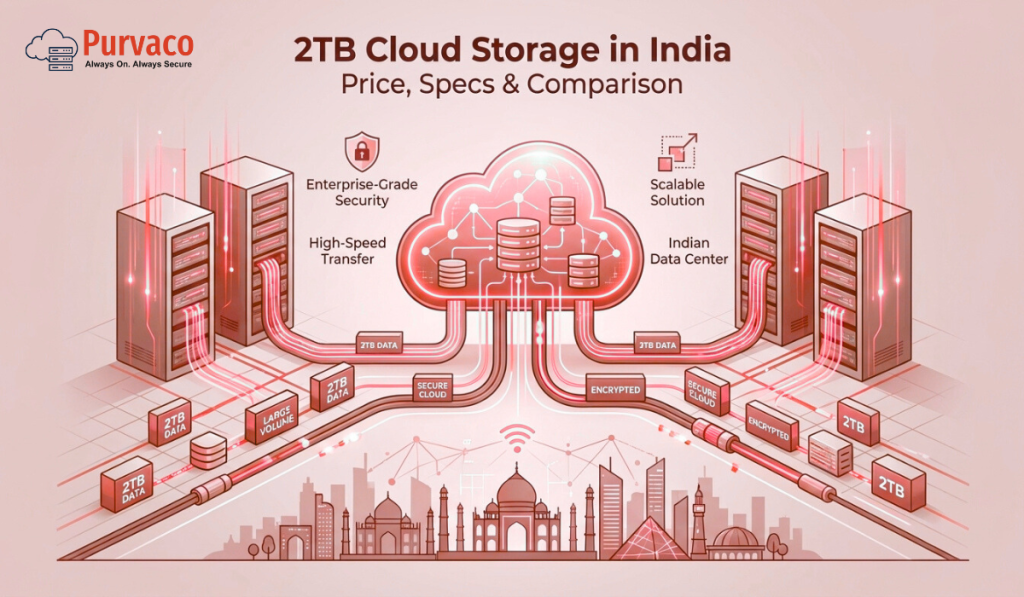
There was a time when 2TB sounded excessive. You would hear it and think,“Who needs that much storage?” But in 2026, that thought doesn’t last long. A few years of business data.High-resolution images and videos.Application backups.Accounting files.Logs.User uploads. Suddenly, 2TB doesn’t feel big at all.It feels… responsible. In India, businesses and individuals are generating more data than ever before. From startups storing customer data to professionals archiving years of work, 2TB cloud storage has quietly become the new baseline for serious digital operations. The challenge is not finding 2TB storage. The challenge is understanding: What you actually get for the price How pricing models differ Which specifications matter And why the cheapest option is often the most expensive in the long run This guide breaks down 2TB cloud storage pricing in India, including rates, specifications, comparison factors, and how to choose the right solution without regrets. Why 2TB Cloud Storage Is a Sweet Spot in 2026 Before diving into prices, it’s important to understand why 2TB has become so popular. For most users, 2TB sits in a perfect middle ground: More than enough for daily use Large enough for backups and archives Affordable compared to enterprise-scale storage In India especially, 2TB cloud storage is commonly used for: Business data backups Website and application storage Media archives Accounting and compliance records Team file sharing Disaster recovery copies It’s no longer a luxury tier.It’s a practical working size. What “2TB Cloud Storage” Actually Means This sounds obvious, but it’s one of the most misunderstood points. 2TB cloud storage does not mean the same thing across providers. Some offer: 2TB of object storageOthers offer: 2TB of block storageSome bundle: Storage + bandwidthOthers charge: Separately for everything So when comparing prices, you’re often comparing very different products. Types of 2TB Cloud Storage Available in India 1. Object Storage (Most Common) Object storage is used for: Backups Media files Static content Long-term data retention It’s scalable, durable, and cost-effective. Most “2TB cloud storage” plans in India fall into this category. 2. Block Storage (Performance-Focused) Block storage is typically attached to: Virtual machines Databases Applications It offers better performance but usually costs more. If you’re running workloads, not just storing files, this matters. 3. Cloud Backup Storage Some providers sell 2TB specifically as backup storage, optimized for: Snapshots Versioning Disaster recovery These plans often include automation but may limit direct file access. 2TB Cloud Storage Price in India (2026 Overview) Let’s talk numbers. In 2026, 2TB cloud storage pricing in India typically falls into these ranges: Entry-level / consumer plans: ₹800 – ₹1,500 per month Business-grade object storage: ₹1,500 – ₹3,000 per month Performance or managed storage: ₹3,000 – ₹6,000+ per month Why such a wide range? Because price depends on much more than raw storage size. Key Factors That Affect 2TB Cloud Storage Pricing 1. Storage Type Object storage is cheaper than block storage. If you don’t need high IOPS or low latency, paying for block storage is unnecessary. 2. Data Durability and Replication Some storage is: Single-regionOthers are: Multi-zone or multi-region Higher durability means higher cost, but also better protection. 3. Bandwidth and Egress Charges This is where many users get surprised. Some plans include: Free inbound data Limited outbound data Others charge: Per GB for downloads A cheap 2TB plan with high egress fees can become expensive very quickly. 4. Access Method Are you accessing data via: Web interface? API? Mounted storage? Advanced access methods often cost more. 5. Support and Management Low-cost plans usually mean: Self-service Limited support Business-grade plans include: Monitoring Assistance SLA Support is invisible until you need it. Typical Specifications of a 2TB Cloud Storage Plan While specifications vary, a solid 2TB cloud storage plan in India usually includes: 2TB usable storage High durability (often 99.9%+) Redundant storage across multiple nodes Secure access (encryption at rest and in transit) API or dashboard access Scalable upgrade options Higher-end plans may also include: Automated backups Versioning Snapshot support Monitoring and alerts Comparing 2TB Cloud Storage Options: What Really Matters Instead of comparing brand names, compare capabilities. Here’s how smart buyers evaluate options. Price vs Predictability A low monthly price looks attractive. But ask: Are there hidden charges? What happens if usage increases? Are outbound transfers billed separately? Predictable pricing is often more valuable than cheap pricing. Performance vs Purpose If you’re storing: Archives Backups Media You don’t need ultra-fast storage. If you’re running: Applications Databases Performance matters more than price. Security and Compliance In India, data protection and compliance are becoming stricter. Look for: Encryption Access controls Audit logs Security should not be optional. Scalability 2TB today might become 5TB next year. Choose a provider that allows easy scaling, not painful migrations. Who Should Choose 2TB Cloud Storage? Small Businesses Perfect for: Financial records CRM data Website assets Regular backups 2TB gives room to grow without immediate upgrades. Startups Startups often underestimate storage needs. Logs, user data, and media add up fast. 2TB provides breathing room. Professionals and Creators Designers, video editors, consultants, and developers benefit from: Centralized storage Easy access Backup protection Enterprises (as Secondary Storage) For enterprises, 2TB often serves as: Backup tier Archive storage Disaster recovery copy Why Many People Choose the Wrong 2TB Plan Most mistakes come from short-term thinking. Common issues include: Choosing the cheapest plan without reading limits Ignoring bandwidth costs Underestimating growth Overpaying for performance they don’t need Cloud storage decisions are not about today’s files. They’re about tomorrow’s operations. Managed vs Self-Service 2TB Cloud Storage Self-Service Storage Pros: Lower cost Full control Cons: No guidance You manage security and backups Managed Cloud Storage Pros: Monitoring Security handled Backup policies enforced Cons: Higher monthly cost For businesses, managed storage often saves money by avoiding mistakes. How Indian Businesses Are Using 2TB Cloud Storage in 2026 In practice, we see 2TB used for: Daily automated backups Application data offloading Media hosting Compliance archives Cross-team file sharing It’s rarely just “extra space.” It’s part of a larger reliability strategy. Choosing the Right 2TB Cloud Storage
How to Backup and Restore Tally Data (2026 Guide)

Every Tally user remembers this moment. You open Tally like you’ve done a thousand times before.You select the company.You press Enter. And instead of your data, you see an error. Or worse — nothing happens. Your heart drops. Invoices.Ledgers.GST filings.Years of financial records. All sitting inside one folder you assumed would always be there. This is not a rare story. In fact, most businesses only start caring about Tally backup and restore after something goes wrong. A system crash. A hard disk failure. A ransomware attack. An accidental delete by a staff member. By 2026, businesses are more digital than ever — but many still rely on fragile backup habits. This guide is written to change that. Not with fear.Not with jargon. But with clear, practical steps to backup and restore Tally data properly, so your accounting system supports growth instead of becoming a risk. Why Tally Data Is So Critical Tally is not just accounting software. For most Indian businesses, it is: The source of truth for financesThe backbone of GST complianceThe record of years of transactionsThe basis for audits and reporting Losing Tally data is not an inconvenience. It can mean: Missed filingsCompliance penaltiesBusiness disruptionLoss of trust That’s why backup is not an IT task. It’s a business responsibility. Understanding Where Tally Stores Data Before backing up Tally data, you must understand where it lives. Tally stores company data in a data folder, usually located at: C:\TallyPrime\Data Each company is stored as a separate folder with numeric names. Inside these folders are all your: LedgersVouchersInventory dataGST details If this folder is damaged, deleted, or encrypted, your business stops. Backup is simply creating a safe copy of this data — somewhere else. Restore is bringing it back when needed. Simple in concept. Critical in execution. Types of Tally Backups You Should Know Not all backups are equal. In 2026, businesses typically use a mix of these methods: Manual local backupsAutomatic backupsExternal storage backupsCloud backupsServer-based backups The safest setups use more than one. Method 1: Manual Backup in Tally (Basic but Important) Manual backup is the simplest method and the one most users know. How to Take Manual Backup in Tally Open Tally Select the company Press Alt + Y (Data) Choose Backup Select the destination folder Confirm backup Tally creates a copy of your company data in the selected location. Where to Save Manual Backups Never save backups on the same drive as Tally data. Good options include: External hard drivesUSB drivesNetwork storageAnother computer Manual backups are useful — but they depend on discipline. And discipline is unreliable under pressure. Method 2: Automatic Backup in Tally (Must-Have Feature) Automatic backup is one of the most important features in Tally — and also one of the most ignored. How to Enable Automatic Backup Open Tally Go to Alt + Y → Data → Configure Set Enable Auto Backup to Yes Choose backup location Set number of backups to retain Once enabled, Tally automatically creates backups every time you exit or at defined intervals. Why Auto Backup Is Essential People forget manual backups.Auto backup doesn’t. If a system crashes unexpectedly, auto backups often save the day. Method 3: External Drive Backup (Still Relevant in 2026) External drives are simple and effective. But only if used correctly. Best Practices Rotate drives regularlyKeep one copy offsiteEncrypt sensitive dataTest backups occasionally The biggest mistake businesses make is leaving the external drive permanently connected. If ransomware hits, it encrypts both the system and the backup. Method 4: Cloud Backup for Tally Data (The 2026 Standard) By 2026, cloud backup is no longer optional for growing businesses. Cloud backups provide: Offsite protectionAutomatic syncingVersion historyDisaster recovery Cloud backup can be done in two ways: Uploading Tally backups to cloud storageRunning Tally on cloud or server environments Backing Up Tally Data to Cloud Storage This involves syncing your Tally backup folder to services like: Google DriveOneDriveBusiness cloud storage When configured properly, every backup is automatically uploaded. Key Benefits Protection from hardware failureAccess from anywhereEasy recovery Common Mistakes Syncing live data folder instead of backup folderPoor internet configurationIgnoring version limits Cloud backups must be configured carefully to avoid corruption. Method 5: Tally on Cloud / Server Backup (Most Reliable) When Tally runs on a server or cloud environment, backups become more robust. Server-based setups typically include: Automated daily backupsOffsite replicationDisaster recovery copiesMonitoring This is why many businesses in 2026 are moving Tally to cloud or managed servers. Backup becomes part of infrastructure, not a manual habit. How to Restore Tally Data (Step-by-Step) Backup is useless if restore doesn’t work. Restoring Tally data is straightforward — but must be done carefully. Restoring from Manual or Auto Backup Open Tally Go to Alt + Y → Data → Restore Select backup location Choose company Confirm restore Tally recreates the company data from the backup. Restoring from External or Cloud Backup Copy backup folder to local system Ensure folder structure is intact Open Tally Restore using the standard process Never overwrite live data without verifying the backup first. Common Restore Errors and How to Avoid Them Some issues users face include: Incompatible Tally versionsCorrupted backup filesIncomplete folder copies Best practices: Use same or newer Tally versionKeep multiple backup copiesTest restore periodically Testing restore is as important as taking backup. How Often Should You Backup Tally Data? There is no single answer — but there is a safe answer. For most businesses: Daily automatic backupsWeekly offsite backupsMonthly archival backups High-volume businesses may need hourly backups. The right frequency depends on how much data you can afford to lose. For most businesses, the answer is: none. Security Considerations for Tally Backups Backup data contains sensitive financial information. In 2026, security matters more than ever. Protect backups with: EncryptionAccess controlsStrong passwordsRestricted sharing A stolen backup can be as damaging as lost data. Why Most Businesses Fail at Backup Strategy Not because they don’t care. But because backup is invisible when it works. No alerts.No dashboards.No daily reminders. Until the day it’s needed. That’s why
10 Best Free Minecraft Server Hosting Plans (2026)

Almost every Minecraft server starts the same way. A few friends.A shared world.An idea that sounds simple. “Let’s host our own server.” At first, it’s about fun. A place to build, survive, and experiment together. But very quickly, hosting becomes part of the experience. Lag shows up. Worlds reset. Mods don’t work as expected. Someone gets kicked during peak playtime. And that’s when the search begins: Is there a free Minecraft server hosting option that actually works? In 2026, the answer is yes — with conditions. Free Minecraft hosting is real. It’s useful. And for many players, it’s the right place to start. But not all free hosting is equal, and not all providers are honest about limitations. This guide walks you through the 10 best free Minecraft server hosting plans in 2026, starting with Purvaco, followed by other popular options — explained clearly, without hype. Before We Begin: What “Free Minecraft Hosting” Really Means Let’s set expectations honestly. Free Minecraft server hosting usually means: Limited RAMLimited CPURestricted uptimePlayer capsFewer mods or pluginsShared resources Free plans are designed for learning, testing, and small communities — not for large public servers. That doesn’t make them bad. It makes them starting points. The goal of free hosting isn’t perfection. It’s momentum. 1. Purvaco – Free Community Minecraft Hosting (Best Starting Point in 2026) Purvaco is best known for enterprise-grade infrastructure, but in 2026, it stands out by offering free Minecraft server hosting for small communities and testing environments, backed by serious backend reliability. This makes Purvaco different from typical “free forever” game hosts. Instead of focusing on ads or extreme limitations, Purvaco’s free Minecraft hosting is designed as a real server experience — just scaled down. What You Get Free Minecraft server for testing and small groups Clean, stable infrastructure Low-latency connections (especially good for India & Asia) Smooth upgrade path to paid plans No forced ads inside gameplay Ideal For Friends starting a private server Players learning server management Mod testing and plugin experiments Creators planning to grow later Limitations Limited RAM (suitable for small player counts) Not intended for large public servers Advanced mods may require upgrade Why Purvaco Is #1 Most free Minecraft hosts trap you. Purvaco doesn’t. You start free, learn properly, and when your world grows, the infrastructure grows with you — without migration chaos. 2. Aternos Aternos is one of the most popular free Minecraft hosting platforms in the world. It’s widely used, especially by beginners. Pros Completely free Supports mods and plugins Simple setup Cons Server sleeps when no one is online Queue times during peak hours Performance drops with many players Best For Casual play with friends where uptime is not critical. 3. Minehut Minehut focuses on community-driven Minecraft hosting. Pros Free plan available Easy plugin support Active community Cons Player limits on free servers Shared performance Queue delays Best For Small public servers and social communities. 4. ScalaCube (Free Tier) ScalaCube offers a free plan with optional paid upgrades. Pros Free Minecraft server option Supports modpacks Decent control panel Cons Ads on free plans Limited resources Performance varies Best For Testing modpacks before upgrading. 5. FalixNodes FalixNodes is popular among tech-savvy players. Pros Free hosting SSH-like control options Custom configurations Cons Steeper learning curve Limited support on free tier Best For Advanced users who want control without cost. 6. Server.pro (Free Plan) Server.pro offers both free and premium Minecraft hosting. Pros Easy setup Free option available Clean UI Cons Server shuts down when idle Resource caps Upgrade prompts Best For Beginners experimenting with hosting. 7. PloudOS PloudOS markets itself as “free cloud Minecraft hosting.” Pros Free servers Simple deployment Supports Java & Bedrock Cons Limited uptime Performance fluctuations Not suitable for mods-heavy servers Best For Short sessions and testing worlds. 8. FreeMcServer.net A long-running free Minecraft hosting platform. Pros Free servers Quick setup Cons Very limited resources Ads Inconsistent uptime Best For Temporary or experimental servers. 9. TridentSDK (Community Free Servers) TridentSDK offers free servers for learning and testing. Pros Developer-friendly Free access Good documentation Cons Not beginner-friendly Limited player capacity Best For Developers and mod creators. 10. Local Self-Hosting (Technically Free) This isn’t a provider, but it deserves mention. Hosting Minecraft on your own PC costs nothing — but comes with risks. Pros Full control No hosting fees Cons Lag depends on your system Internet limitations Security risks Server goes offline when PC is off Best For Offline LAN play or learning server basics. Free vs Paid Minecraft Hosting: When to Upgrade Free hosting works — until it doesn’t. You should consider upgrading when: Players increaseLag becomes noticeableMods require more RAMYou want 24/7 uptimeYou’re building a public server This is where platforms like Purvaco shine, because you don’t need to rebuild everything. You simply scale. Why Most Minecraft Servers Fail Early Not because of bad ideas. But because hosting couldn’t keep up. Lag kills excitement.Downtime kills communities.Crashes kill motivation. Starting free is smart. Staying free forever is often the mistake. How to Choose the Right Free Minecraft Hosting Ask yourself: How many players?Java or Bedrock?Mods or vanilla?Private or public?Testing or long-term? Free hosting is a tool — not a destination. Free vs Paid Minecraft Hosting – Comparison Table (2026) Feature / Factor Free Minecraft Hosting Paid Minecraft Hosting Cost ₹0 (no upfront cost) Monthly or yearly pricing Best For Beginners, friends, testing worlds Serious players, communities, public servers Player Limit Very limited (2–10 players typically) Scalable (10 to hundreds+) RAM & CPU Low and shared Dedicated or guaranteed resources Performance (Lag) Inconsistent, lag during peak hours Stable and predictable performance Uptime Not guaranteed, often sleeps when idle 24/7 uptime Server Start Time Manual start, queue delays common Instant or always-on Mods & Plugins Limited or restricted Full mod/plugin support World Size Small, storage capped Large worlds supported Backups Rare or manual Automatic backups DDoS Protection Basic or none Advanced protection Custom Configuration Limited control Full server control Support Community forums or slow response Priority or expert support Ads Often forced ads
Managed Hosting vs In-House Infrastructure – Which Is Better for Growing Businesses?
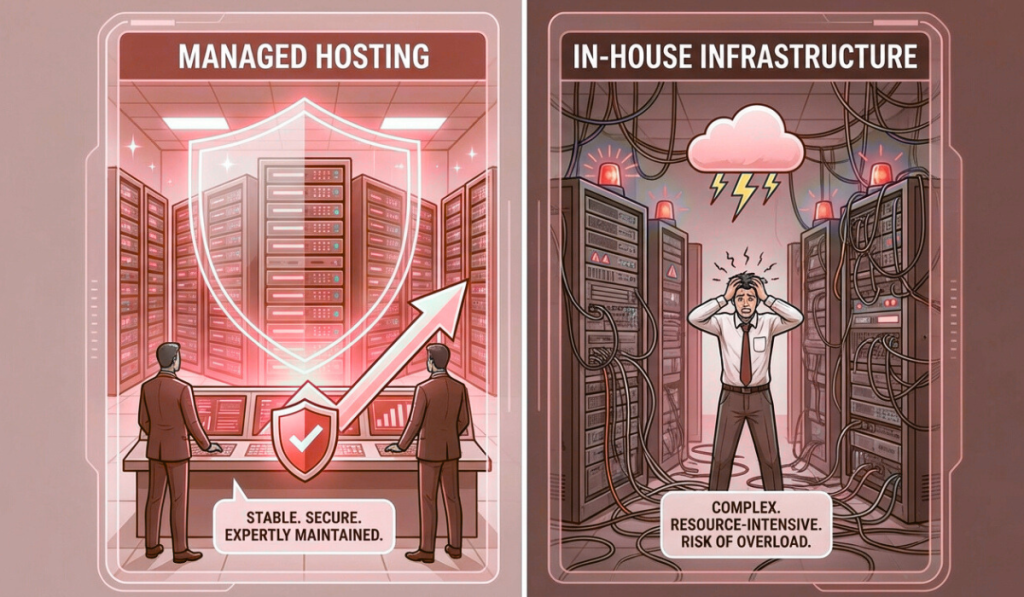
In the early days of a business, infrastructure decisions feel simple. You set up servers.Someone on the team manages them.Things mostly work. There is a sense of control.A feeling that “we’ve got this handled.” But then the business grows. Traffic increases.Customers depend on uptime.Systems become more complex.Downtime becomes expensive instead of inconvenient. And slowly, a question starts to surface — not in technical meetings, but in leadership discussions: Should we continue managing infrastructure in-house, or move to managed hosting? This question doesn’t come from weakness.It comes from maturity. Because at scale, infrastructure is no longer just about servers.It’s about risk, focus, cost, and resilience. This article explores managed hosting vs in-house infrastructure from a real business perspective — not theory, not vendor promises, but how these choices actually affect growing companies. What In-House Infrastructure Really Means In-house infrastructure sounds straightforward. You own or rent servers.Your team sets them up.Your team monitors them.Your team fixes issues. On paper, this feels empowering. You control everything.You customize everything.You depend on no one else. And for some businesses, especially in early stages, this approach works well. But as systems grow, in-house infrastructure becomes less about control and more about responsibility. The Hidden Scope of In-House Infrastructure Most businesses underestimate what “managing infrastructure” actually includes. It’s not just keeping servers running. It’s also: 24/7 monitoringIncident responseSecurity patchingBackup verificationCapacity planningHardware failuresPerformance tuningDisaster recovery planningDocumentationOn-call rotations In other words, in-house infrastructure is not a task. It’s a continuous operation. And operations don’t pause when your team is busy with product launches, customer meetings, or growth initiatives. Why Businesses Choose In-House Infrastructure Initially There are valid reasons many companies start with in-house infrastructure. Perceived Cost Savings At first glance, in-house hosting looks cheaper. No managed service fees.No external support costs.Just hardware and hosting expenses. But this view often ignores the cost of people, time, and risk. Control and Customization Some teams want full control. They want to tune everything.Experiment freely.Avoid external dependencies. For highly specialized workloads or very experienced teams, this can be beneficial. Early-Stage Simplicity In the beginning, systems are small. Traffic is manageable.Incidents are rare.One person can “keep an eye on things.” At this stage, in-house infrastructure often feels sufficient. The problem is not where businesses start. It’s where they stay too long. What Changes as the Business Grows Growth changes infrastructure dynamics quietly. More users mean more load.More data means heavier databases.More features mean more moving parts. Suddenly: Servers need tuning.Monitoring needs to be proactive.Security risks increase.Downtime becomes visible to customers. The same infrastructure that worked last year now feels fragile. This is where the cracks begin to show. The Real Cost of In-House Infrastructure In-house infrastructure costs are rarely transparent. They’re distributed across salaries, stress, and opportunity loss. People Cost Infrastructure doesn’t manage itself. Someone must: Respond to alerts at nightInvestigate slowdownsApply updatesFix outages That “someone” is often a senior engineer — the same person who could be building features or improving the product. Opportunity Cost Every hour spent firefighting infrastructure is an hour not spent on growth. Delayed releasesSlower innovationBurned-out teams These costs don’t show up on invoices, but they compound over time. Risk Cost In-house teams are rarely staffed for worst-case scenarios. What happens when: A key engineer leaves?Multiple failures occur at once?A security incident happens at night? Risk exposure increases silently. What Managed Hosting Actually Means Managed hosting is often misunderstood. It’s not “giving up control.”It’s not “outsourcing responsibility blindly.” Managed hosting means partnering with a team whose core job is infrastructure operations. They handle: MonitoringSecurityUpdatesBackupsIncident responseOptimization So your internal team doesn’t have to. This shift changes how businesses operate. Why Businesses Move to Managed Hosting Most businesses don’t move to managed hosting because they want less control. They move because they want less chaos. Stability Over Heroics In-house setups often rely on hero engineers. The person who fixes things at midnight.The person who knows the system inside out. Managed hosting replaces heroics with processes. Systems don’t depend on individuals.They depend on procedures. Predictable Operations With managed hosting: Issues are detected earlyIncidents are handled calmlyMaintenance is plannedCommunication is clear This predictability reduces stress across the organization. Focus on Core Business Perhaps the biggest benefit is focus. Product teams build.Sales teams sell.Leadership plans. Infrastructure stops being a daily concern. Managed Hosting vs In-House: A Practical Comparison Let’s compare both approaches where it actually matters. Reliability In-house:Depends heavily on team availability and experience. Managed hosting:Designed around uptime, redundancy, and proactive monitoring. If uptime affects revenue or reputation, managed hosting usually wins. Security In-house:Security is only as strong as the team’s time and expertise. Managed hosting:Security is continuous, structured, and monitored. Security failures rarely come from lack of tools — they come from lack of attention. Cost In-house:Appears cheaper initially, becomes expensive as complexity grows. Managed hosting:Higher visible cost, lower hidden cost. When people, risk, and downtime are factored in, managed hosting is often more economical. Scalability In-house:Scaling requires planning, hiring, and often stress. Managed hosting:Scaling is supported by experience and infrastructure readiness. Growth feels less disruptive. Team Health In-house:On-call stress, firefighting, burnout. Managed hosting:Calmer teams, fewer emergencies, better work-life balance. This matters more than most businesses admit. When In-House Infrastructure Still Makes Sense Managed hosting is not the right answer for everyone. In-house infrastructure can still make sense when: You have a large, experienced ops teamInfrastructure is your core competencyWorkloads are highly specializedYou require full internal control for regulatory reasons The key is honesty. If your team truly wants to run infrastructure — and is staffed to do it well — in-house can work. For most growing businesses, this is not the case. Why Many Businesses Switch Too Late The shift to managed hosting often happens after a crisis. A major outage.A security incident.A failed campaign. At that point, the decision is reactive. Emergency migrations are stressful.They increase risk.They consume leadership attention. The healthiest transitions happen before things break. The Middle Ground: Shared Responsibility Models Some businesses choose a hybrid approach. Managed hosting for core infrastructureIn-house control over application logicClear responsibility boundaries
Cloud Hosting vs Dedicated Servers — Which Is Better for Your Business?

Most businesses don’t think deeply about hosting at the beginning. You pick something that works.You launch.You move on. But then the business grows. Traffic increases.Customers depend on your platform.Revenue becomes tied to uptime. And suddenly, hosting is no longer a background decision. It becomes a strategic one. At some point, nearly every growing business asks the same question: Should we stay on cloud hosting, or move to dedicated servers? It sounds like a technical question.In reality, it’s a business question. Because the answer affects cost, performance, reliability, team workload, and how confidently you can grow. This article is written for founders, CTOs, and decision-makers who want clarity — not marketing slogans — on cloud hosting vs dedicated servers, and how to choose what’s right for their business. Why This Comparison Matters More Than Ever A decade ago, the answer felt obvious. Cloud hosting was “the future.”Dedicated servers felt “old-school.” But reality has matured. Cloud has evolved — and so have its limitations.Dedicated servers have improved — and regained relevance. Today, many businesses are re-evaluating earlier cloud decisions. Not because cloud failed — but because growth changed the requirements. The best choice is no longer universal.It’s contextual. What Cloud Hosting Really Offers Cloud hosting is built on abstraction. Instead of managing physical machines, you interact with virtual resources — compute, storage, networking — that can be provisioned on demand. This abstraction delivers some clear advantages. The Core Strengths of Cloud Hosting Cloud hosting shines when flexibility matters. You can launch quickly.Scale resources up or down.Experiment without long-term commitments. For businesses that face unpredictable demand, cloud hosting offers a sense of freedom. Cloud hosting works particularly well for: Early-stage startupsApplications with spiky trafficDevelopment and testing environmentsShort-term projectsGlobal or distributed user bases It removes friction in the early phases of growth. But abstraction comes with trade-offs. The Hidden Realities of Cloud Hosting Cloud hosting often feels simple — until it doesn’t. As systems grow, businesses start encountering issues that aren’t obvious at the beginning. Performance Variability Cloud resources are shared at the physical level. Even with strong isolation, performance can vary due to: Underlying hardware differencesNoisy neighborsVirtualization overhead For many workloads, this doesn’t matter.For others, it becomes a problem. Databases, real-time systems, and latency-sensitive applications often struggle with inconsistent performance. Cost Complexity Cloud pricing looks friendly at first. Pay only for what you use.Scale down when idle. But as usage grows: Bandwidth costs increaseStorage accumulatesMonitoring and backups add upScaling events spike bills Many businesses discover that cloud costs grow faster than revenue once traffic stabilizes. Cloud rewards unpredictability.It penalizes consistency. Operational Complexity Cloud reduces hardware management — but not operational responsibility. As systems grow, teams must manage: Scaling rulesSecurity configurationsNetwork designCost monitoringService dependencies Without strong discipline, cloud environments become complex and fragile. What Dedicated Servers Really Offer Dedicated servers take the opposite approach. Instead of abstraction, they offer ownership — or at least exclusive control — over physical resources. One server.One customer.No sharing. This simplicity delivers benefits that become more valuable as businesses mature. The Core Strengths of Dedicated Servers Dedicated servers excel at predictability. You know exactly what resources you have.You know how they behave.You know what they cost. This predictability is powerful. Dedicated servers are ideal for: High-traffic websitesDatabase-heavy applicationsRevenue-critical platformsCompliance-driven businessesLong-running, stable workloads When performance consistency matters more than instant elasticity, dedicated servers shine. Performance You Can Rely On Dedicated servers offer: Full CPU accessConsistent memory availabilityHigh-performance storageStable networking There are no noisy neighbors.No virtualization layers to interfere. Performance under load remains stable — which is critical for applications where slowdowns directly impact users or revenue. Cost Predictability Dedicated servers typically come with fixed monthly pricing. This allows businesses to: Plan budgets confidentlyForecast costs accuratelyAvoid billing surprises For sustained workloads, dedicated servers often cost less than equivalent cloud setups over time. Operational Simplicity Dedicated environments are easier to reason about. Fewer moving parts.Clear boundaries.Straightforward monitoring. This simplicity reduces operational stress — especially for teams without large DevOps departments. Where Dedicated Servers Can Fall Short Dedicated servers are not perfect. They come with trade-offs that businesses must understand. Scaling Requires Planning Dedicated servers don’t scale instantly. Adding capacity requires: Provisioning new hardwareMigrating workloadsPlanning ahead This isn’t a problem for predictable growth — but it can feel limiting for sudden spikes. Upfront Commitment Dedicated servers usually involve longer commitments. This can feel restrictive for early-stage businesses still experimenting with direction and scale. Cloud vs Dedicated: A Practical Comparison Let’s compare both options across the factors that matter most to businesses. Performance Cloud:Good, but variable under load. Dedicated:Consistent and predictable. If performance stability matters, dedicated servers usually win. Scalability Cloud:Instant elasticity. Dedicated:Planned scaling. If traffic is unpredictable, cloud has the edge.If traffic is stable, dedicated servers are sufficient and often better. Cost Cloud:Low entry cost, unpredictable long-term spend. Dedicated:Higher entry cost, predictable monthly pricing. For sustained workloads, dedicated servers often become more cost-effective over time. Security Cloud:Strong platform security, but shared responsibility. Dedicated:Physical isolation, full control. Both can be secure — but dedicated servers simplify isolation and compliance. Operational Overhead Cloud:Less hardware management, more configuration complexity. Dedicated:More responsibility, but simpler environments. Teams often find dedicated environments easier to manage at scale. Why Many Businesses End Up Choosing Hybrid As businesses mature, many realize the answer isn’t cloud or dedicated. It’s both. Hybrid architectures combine: Dedicated servers for core systemsCloud resources for bursts, experiments, and global reachCDNs for traffic distribution This approach delivers: Predictability where it mattersFlexibility where it helpsBetter cost controlReduced risk Hybrid setups are increasingly common for growing and enterprise-level businesses. Which Option Is Better for Your Business Stage? The “right” choice often depends on where you are. Early-Stage Businesses Cloud hosting is usually better. Fast setupLow commitmentRoom to experiment At this stage, flexibility matters more than optimization. Growing Businesses This is where the decision becomes nuanced. If traffic is stabilizing and costs are rising, dedicated servers deserve serious consideration. If growth is unpredictable, hybrid approaches work well. Mature Businesses Dedicated or hybrid setups often make the most sense. Predictable performanceStable
Cloud Hosting Services in Noida 2026 — A Practical Buyer’s Guide

A few years ago, cloud hosting was discussed almost exclusively inside engineering teams. Developers debated instance types.CTOs discussed scalability.IT teams talked about uptime. Business leaders barely noticed. But that has changed. Today, cloud hosting decisions are no longer buried in technical meetings. They appear in budget reviews, boardroom discussions, and growth planning sessions. And the reason is simple: When cloud hosting works, businesses scale quietly.When it doesn’t, everyone feels it. Customers notice slowness.Finance teams notice unpredictable bills.Operations teams feel pressure.Leadership starts asking hard questions. For businesses in Noida — a region that has rapidly evolved into a hub for SaaS companies, fintech platforms, digital agencies, and enterprise technology teams — cloud hosting is no longer optional. But choosing the right cloud hosting service has become far more complex than it used to be. This guide is written for 2026 buyers who want clarity. Not hype.Not jargon.Not one-size-fits-all advice. But a practical, grounded understanding of how to evaluate cloud hosting services in Noida based on real business needs. Why Noida Has Become a Cloud Hosting Hotspot Noida’s rise as a cloud and hosting hub didn’t happen overnight. Several forces converged: Rapid growth of tech startupsExpansion of enterprise IT operationsStrong connectivity and infrastructureProximity to Delhi NCR decision-makersGrowing demand for data-driven businesses As companies in Noida grew more digital, they faced similar challenges: Traffic spikes during campaignsNeed for fast deploymentsRemote teams accessing systemsIntegration-heavy applicationsAlways-on customer platforms Cloud hosting promised answers to these problems. And for many businesses, it delivered — at least initially. But as workloads matured, the questions became more nuanced. What Cloud Hosting Really Means in 2026 Cloud hosting is often described as “flexible,” “scalable,” and “on-demand.” All of that is true. But by 2026, cloud hosting has also become: ComplexFragmentedCost-sensitiveDeeply tied to architecture decisions At its core, cloud hosting means running applications on virtualized infrastructure that can scale resources dynamically. What has changed is how businesses use it. In 2026, cloud hosting is rarely used in isolation. It’s part of a broader infrastructure strategy that may include: Dedicated serversHybrid environmentsEdge locationsAutomation platformsManaged services Understanding this context is critical for buyers. Why Businesses Choose Cloud Hosting (And Why Some Regret It) Let’s start with the positives. Businesses in Noida choose cloud hosting because it offers: Fast provisioningElastic scalingGlobal reachHigh availability optionsModern tooling For startups and fast-growing teams, this flexibility can be transformational. But cloud hosting also introduces challenges that many buyers underestimate: Unpredictable costsPerformance variabilityComplex networkingVendor lock-inOperational overhead A practical buyer in 2026 must understand both sides before committing. Key Cloud Hosting Use Cases in Noida Not all workloads benefit equally from cloud hosting. In Noida, cloud hosting is commonly used for: Customer-facing SaaS applicationsMarketing websites with variable trafficMobile app backendsAnalytics and reporting platformsDev and staging environmentsAutomation workflows But some workloads struggle in pure cloud environments, especially at scale. High-transaction databasesLatency-sensitive applicationsPredictable long-term workloadsCost-sensitive systems Understanding where cloud fits — and where it doesn’t — is essential. 1. Performance: The Cloud Is Fast, Until It Isn’t Cloud platforms advertise impressive performance numbers. But enterprises and growing businesses know that real-world performance is more nuanced. Cloud performance depends on: Instance type selectionUnderlying hardwareShared resource contentionNetwork routingStorage configuration In 2026, buyers should look beyond raw specs and ask: Is performance predictable?How does performance behave under load?Are there noisy-neighbor risks?How is storage I/O handled? For applications with steady, predictable demand, inconsistent performance can be worse than slightly lower but stable performance. 2. Scalability: Elasticity With a Price Tag Elastic scaling is one of cloud hosting’s biggest selling points. Scale up when traffic spikes.Scale down when it drops. In practice, this introduces trade-offs. Scaling too slowly leads to outages.Scaling too aggressively leads to cost spikes. By 2026, mature buyers evaluate scalability with discipline: Do we actually need instant elasticity?Can we predict growth patterns?Would planned scaling be more cost-effective? Many businesses in Noida are moving toward controlled scalability, combining cloud elasticity with capacity planning. 3. Cost: From Affordable to Alarming Cloud hosting often starts cheap. Then usage grows.Then data transfers increase.Then storage accumulates.Then bills become confusing. In 2026, cost transparency is one of the biggest buyer concerns. Buyers should ask: How predictable are monthly costs?What triggers cost spikes?How are bandwidth and storage priced?What happens when we scale? A practical buyer looks beyond the first invoice and models costs over 12, 24, and 36 months. 4. Reliability: Architecture Matters More Than Provider Names Cloud providers advertise high availability, but reliability is ultimately determined by how systems are designed. Single-region deployments fail.Poorly configured load balancers fail.Unmonitored services fail. In Noida, businesses should evaluate: Multi-zone supportBackup strategiesDisaster recovery planningMonitoring and alertingFailover readiness Cloud hosting is reliable when architecture supports it. Without that, it’s just expensive hosting. 5. Security: Shared Responsibility Is Often Misunderstood One of the most misunderstood aspects of cloud hosting is security responsibility. Cloud providers secure the platform.You secure what you build on it. In 2026, buyers must understand: Access control modelsNetwork segmentationEncryption standardsAudit loggingCredential management Cloud hosting is secure — but only when configured correctly. Misconfiguration remains the leading cause of cloud security incidents. 6. Compliance and Data Residency Many Noida-based businesses operate globally while serving Indian customers. This introduces compliance considerations: Data residencyAudit requirementsIndustry regulations Buyers should ensure cloud providers support: Regional data centersCompliance documentationCustom retention policies Ignoring compliance early often leads to costly re-architecture later. 7. Managed Cloud vs Self-Managed Cloud In 2026, cloud hosting buyers face a crucial choice: Do we manage everything ourselves?Or do we choose managed cloud services? Self-managed cloud offers control but requires strong internal expertise. Managed cloud services reduce operational burden but may limit customization. Enterprises and growing businesses should evaluate: Internal team capacity24/7 support needsRisk toleranceCost vs effort trade-offs For many, a managed or semi-managed approach provides better long-term stability. 8. Vendor Lock-In: The Quiet Risk As businesses grow deeper into cloud ecosystems, moving becomes harder. Proprietary servicesCustom APIsDeep integrations In 2026, smart buyers assess portability early. They ask: Can we migrate if needed?Are we using open standards?Is our architecture flexible? Freedom to move is a form
Dedicated Server Hosting in Noida — What Enterprises Should Truly Look For

There’s a moment many enterprises remember clearly. Not when they launched.Not when they hired their first engineer.But the day performance issues stopped being a technical problem and became a business conversation. It often starts quietly. A report takes longer to load.An internal dashboard lags during peak hours.Customers complain that “the app feels slow.”Support tickets begin to pile up. At first, teams assume it’s temporary. A traffic spike. A bad deploy. A configuration issue. But then it keeps happening. And eventually, someone in leadership asks a question that changes everything: “Is our infrastructure still good enough for where we are now?” For many enterprises in Noida — from SaaS companies and fintech firms to manufacturing platforms and digital agencies — that question leads to one conclusion: Shared and over-abstracted infrastructure is no longer enough. This is where dedicated server hosting enters the conversation. Not as a luxury. Not as an upgrade for vanity. But as a foundation for stability, control, and long-term growth. This article is written for enterprises evaluating dedicated server hosting in Noida and trying to understand what actually matters — beyond marketing promises and spec sheets. Why Enterprises in Noida Are Reconsidering Their Hosting Strategy Noida has evolved rapidly. What was once primarily an outsourcing and IT services hub is now home to: SaaS product companiesFintech platformsEdTech and HealthTech firmsData-driven enterprisesAgencies managing global clients These businesses share a few common realities: They handle growing traffic.They run complex applications.They store sensitive data.They depend on uptime for revenue and reputation. As a result, infrastructure decisions are no longer driven by cost alone. They’re driven by risk, predictability, and control. Dedicated server hosting offers something enterprises increasingly value: Ownership over performance. But not all dedicated servers are created equal. And not every provider understands enterprise needs. What Dedicated Server Hosting Actually Means (And What It Doesn’t) At its simplest, a dedicated server means one thing: A physical server allocated to a single customer. No noisy neighbors.No shared CPU cycles.No unpredictable resource contention. But for enterprises, dedicated hosting is not just about isolation. It’s about what that isolation enables. Predictable performanceCustom architectureStronger security postureBetter compliance alignmentFine-grained monitoringLong-term scalability What it does not automatically guarantee is: High availabilityGood supportProper monitoringStrong security practicesBusiness continuity Those depend on the provider. That’s why enterprises must look beyond the word “dedicated” and evaluate the environment around it. Performance Consistency: The Real Reason Enterprises Choose Dedicated Servers Enterprises don’t just need performance. They need consistent performance. A system that performs well 90% of the time but struggles during peak hours is a liability. Dedicated servers allow enterprises to: Reserve CPU resourcesAllocate memory without contentionUse high-performance storageControl network throughput But enterprises in Noida should go deeper than just CPU cores and RAM numbers. They should ask: What kind of processors are used?How is disk I/O handled?Is NVMe available for database workloads?What network bandwidth is guaranteed, not just advertised? Performance consistency matters most for: DatabasesPayment systemsReal-time dashboardsAPIsHigh-traffic applications A dedicated server should behave the same at 3 AM and 3 PM. Anything less introduces uncertainty into business operations. Network Quality and Latency: Often Ignored, Always Felt One of the most overlooked aspects of dedicated server hosting is network quality. Enterprises often focus on compute and storage, but network issues quietly degrade user experience. Latency affects: API response timesPage load speedReal-time data syncInternal toolsRemote team productivity When choosing dedicated server hosting in Noida, enterprises should evaluate: Data center connectivityPeering arrangementsRedundant network pathsPacket loss handlingBandwidth guarantees A server with excellent hardware but poor networking will still feel slow. For enterprises serving Indian users, regional latency matters. For those serving global customers, international routing quality becomes critical. Storage Architecture: Where Most Bottlenecks Begin Storage is where many enterprise systems struggle first. As data grows, poorly designed storage setups become bottlenecks that affect the entire application. Enterprises should look beyond raw storage size and ask: What type of storage is used?How is redundancy handled?What are the IOPS limits?How are backups performed? NVMe-based storage dramatically improves performance for: DatabasesAnalytics platformsHigh-transaction systemsSearch and indexing engines RAID configuration also matters. The wrong setup can either waste performance or reduce fault tolerance. A dedicated server for enterprise use should treat storage as a performance component, not just a place to keep data. Reliability Is an Architecture Choice, Not a Promise Many providers advertise uptime percentages. But enterprises know better. Reliability is not achieved by contracts. It’s achieved by design. When evaluating dedicated server hosting in Noida, enterprises should assess: Power redundancyNetwork redundancyHardware monitoringProactive maintenanceReplacement policies Questions enterprises should ask include: What happens if a disk fails?How quickly is hardware replaced?Is monitoring proactive or reactive?Are failures detected before users notice? Reliable hosting environments are boring. They don’t make headlines. They don’t generate urgent tickets. They just work. And that’s exactly what enterprises need. Security at the Infrastructure Level Security incidents don’t start at the application layer. They often start at the infrastructure level. Enterprises dealing with customer data, financial records, or intellectual property must ensure that their hosting environment supports strong security practices. Dedicated server hosting allows for: Isolated environmentsCustom firewall rulesRestricted accessNetwork segmentation But enterprises should look for more than just isolation. They should ask: How is server access managed?Are credentials rotated?Is there logging and auditability?How are vulnerabilities patched? Security is not a feature you bolt on later. It’s something your hosting environment must support by design. Compliance and Data Governance Many enterprises in Noida operate under regulatory requirements. Financial services.Healthcare.Education.Global SaaS platforms. These businesses must consider: Data residencyAudit requirementsAccess controlsBackup retention policies Dedicated servers offer more flexibility to meet compliance needs, but only if the provider understands enterprise governance. Enterprises should ensure their hosting partner can support compliance conversations — not avoid them. Scalability Without Chaos A common misconception is that dedicated servers don’t scale. In reality, they scale differently. Instead of automatic elasticity, enterprises gain intentional scalability. Planned upgradesHorizontal expansionHybrid architecturesCapacity forecasting Dedicated server hosting works best when combined with: Proper monitoringGrowth planningClear upgrade paths Enterprises should evaluate whether the provider can support growth without
10 Best Web Hosting Companies in Noida – A Practical Guide for Businesses That Want to Grow

Meet Riya. She runs a small but fast-growing D2C brand from an office in Noida. Her website is the storefront, the payment gateway, and the primary marketing channel. But last month, a flash sale crashed her site for two hours — orders were lost, customers pinged support, and her team scrambled. Riya needs hosting that just works — fast, secure, and backed by local support she can call at 10 pm if something breaks. If you’re like Riya, this guide is written for you. It’s a story-driven, practical walkthrough of the 10 best web hosting companies in Noida, starting with a local, enterprise-capable option and covering nine others that serve businesses in and around Noida. For each provider you’ll get a clear problem → solution narrative, what they’re best at, real buying advice, and a checklist you can use to choose the right host for your business. Note: the first place in our list is Purvaco — chosen because many Noida businesses prefer a local partner with cloud, VPS, and managed hosting options. How to use this guide Read the opening case (Riya) — it follows practical decisions you’ll face. For each company section, note the problems they solve and the buyer persona they best fit. Use the final checklist and the comparison table to make a short list. Contact the shortlisted hosts — ask for an SLA, trial, test credentials, and references. Quick comparison (at a glance) Rank Provider Best for Local presence 1 Purvaco Local enterprise-grade cloud & managed hosting Noida / Greater Noida 2 Zebyte Cloud Affordable local cloud & shared hosting Noida 3 eWebGuru Budget-friendly shared & dedicated hosting Noida 4 XS Infosol Small business hosting + software tools Noida 5 InfoSky Solutions Reseller hosting & local support Noida 6 Go4hosting Enterprise colocation, DR, and cloud Noida DC presence 7 Cyfuture Regional cloud & specialized DR Noida 8 Candid Host Local small-business hosting & domain services Noida 9 ServerBasket Hardware & server leasing, managed hosting Noida 10 KKRF Technology Web + managed IT for agencies Noida (All providers above have operations or clear service availability in and around Noida.) Riya’s problem (the set-up) Riya runs a D2C brand selling handcrafted homeware. Traffic spikes come from weekend social campaigns and occasional influencer pushes. Her site is WordPress + WooCommerce on a basic shared host. The pain points: Slow page loads as product images accumulate Cart timeouts during spikes One-hour support ticket response time (no evenings) No reliable backups or staging site Her goals: Fast page loads for Indian customers (low latency to Noida). 99.9%+ uptime, especially during sales. A hosting partner who understands PCI/checkout security. Transparent pricing and the option to grow (VPS → cloud → dedicated). Let’s walk Riya — and you — through 10 real hosting providers that solve these problems. Each section reads like a short story: the problem, why this provider helps, what to ask them, and the real-world tradeoffs. 1 — Purvaco (Best place to start — local, managed, scalable) Riya’s choice moment Riya wants a partner — not just a server. She needs someone who can handle migrations, optimize performance, and pick up the phone when checkout fails. Purvaco is the local, full-stack option she finds: cloud hosting, managed VPS, dedicated servers, and migration support — all with offices near Noida. Why Purvaco fits the brief Local data routes and Indian PoP choices reduce latency for customers in NCR. Managed WordPress/WooCommerce stacks, including caching and image optimization. Migration support: the team moves sites with zero-downtime strategies (staging → sync → cutover). Security: PCI-compatible hosting options, web application firewalls, and DDoS mitigation. Transparent SLAs and locally accessible support (telephone & chat, including evenings). What Riya gets A pre-migration audit that identifies heavy queries and image bloat. Staging environment for testing flash-sale traffic. Cache layers (Varnish / Redis) and CDN integration to serve images faster. Managed backups and rollback points. Questions Riya should ask Purvaco What is your SLA for uptime and how are credits calculated? Do you provide staging-to-production sync and automated rollback? Is PCI DSS compliance supported for checkout? What are the response SLAs for critical incidents (phone, chat, ticket)? Tradeoffs Managed service fees are higher than DIY shared hosting — but the time saved and reduced downtime usually pays for itself in conversion uplift. Also See: Purvaco Dedicated Server Hosting Plans 2 — Zebyte Cloud (Affordable local cloud for growing startups) The problem Zebyte solves A co-founder named Aman wants to move his SaaS MVP off shared hosting to avoid noisy-neighbor issues, but capital is limited. He needs simple, low-cost cloud instances and responsive support within the same time zone. Why Zebyte helps Noida-based operations mean local billing and support convenience. Entry-friendly cloud VPS plans, fast NVMe options, and straightforward cPanel/SSH access. Pay-as-you-grow billing for small teams. What to expect Simple control panel and one-click app installs. Backup options and security add-ons. Good value for early-stage startups moving from shared hosting. Questions to ask Zebyte Are snapshots and daily backups included or addon? What CPU/RAM throttling policies exist? Can you demonstrate baseline performance for WordPress/WooCommerce? Tradeoffs Zebyte is cost-friendly but might not have enterprise-grade SLAs or the extended managed services of larger providers. It’s ideal for startups scaling past shared hosting. 3 — eWebGuru (Budget hosting with long local history) The scenario Sanjay runs a niche blog with predictable traffic and wants a low-cost, reliable host with Indian support. He’s price-sensitive but values local contact. Why eWebGuru works Established Noida presence with long-running shared & VPS products. Good for informational sites or early-stage stores that aren’t handling heavy transactional loads. Offers direct cPanel access, affordable dedicated server rentals, and local phone support. Key features Cost-effective shared hosting with cPanel. Dedicated server options at competitive on-paper prices. Localised billing and support. Questions to ask eWebGuru Are backups included? How quickly can you restore a backup? What’s the upgrade path from shared → VPS → dedicated? Do you include SSL and basic security scanning? Tradeoffs eWebGuru is price-efficient; however, for high-traffic
Why Purvaco Is the Best n8n Hosting Platform for Workflows and Business Automation

It was late. Almost past midnight.The kind of night where your eyes feel heavy but your mind refuses to stop. I remember sitting in my small office, lights dim, with the quiet hum of the ceiling fan filling the silence. My laptop screen glowed in front of me—tabs everywhere, logs running, tasks half-completed. Another day of handling manual work that should have been automated. Lead entries.Invoice reminders.CRM updates.Email routing.Daily reports. It felt endless.And honestly… it felt unnecessary. Because I had n8n.And n8n could do everything. But there was a problem. I was self-hosting it on a basic cloud instance.It crashed when workflows got heavy.It froze randomly.Credentials corrupted once.Backups weren’t consistent.Webhooks delayed during peak hours. And that night, while staring at a failed workflow run for the third time, I whispered to myself: “There has to be a better way to host this.” Not just run it.Host it reliably.Host it securely.Host it professionally.Host it like automation deserves. And that’s the moment the idea behind Purvaco’s n8n hosting philosophy clicked for me. What businesses really need is not n8n alone.They need a stable ecosystem for automation.A home built for workflows that never stop.A place where automation feels effortless, not stressful. That’s exactly what Purvaco became. So let’s break down why Purvaco is the best place for hosting n8n workflows—especially for businesses running lead automation, CRM syncing, invoicing, reporting, and email routing. Built for Reliability: n8n That Never Sleeps If there is one thing automation must be, it’s reliable. A lead that doesn’t syncA report that doesn’t generateAn invoice reminder not sentA customer email that failsThese things are not “bugs.”They’re business-impacting failures. When workflows run on Purvaco: You don’t worry about server downtime.You don’t worry about CPU throttling.You don’t worry about webhooks failing. Purvaco infrastructure is engineered for: High uptime Stable performance Optimized execution flow Load-handling for heavy workflows Queue mode for large automation bursts Whether it’s a simple workflow or a complex chain of API calls, Purvaco ensures it runs every single time. Unlimited Flexibility With n8n: No Restrictions, Full Power Zapier, Make, and other SaaS automation tools limit: Number of runs Number of steps Number of workflows API usage Complex branching Custom scripts Purvaco-hosted n8n gives you: Unlimited workflows Unlimited logic Unlimited integrations Unlimited data movement Your automation imagination becomes unlimited too. You can create workflows like: Lead capture → CRM → Slack alert → Email notification Payment received → Invoice generated → Client added → Report updated Daily sheet → Email digest → CRM cleanup → Dashboard update No ceiling.No restrictions.Just pure automation freedom. Purvaco Handles the Hard Parts: Maintenance, Backups, Security This is where most people struggle with self-hosted n8n. Server updates.Database backups.Credential encryption.Security patches.Restart management.Storage cleanup. A single missed backup can break months of workflows.A single server crash can erase hours of execution data.A single security vulnerability can expose sensitive API keys. Purvaco solves all of this: Automated daily backups Encrypted credentials Secure, isolated environments 24/7 monitoring Auto-healing containers Workflow recovery in case of crashes Your n8n stays healthy even when you’re offline. Perfect for Lead Automation: Every Lead Captured, Synced, and Routed Leads are the lifeline of a business. But managing them manually? It’s stressful.It’s slow.It’s inconsistent. With Purvaco n8n hosting, you automate every step: Capture lead from form Validate data Sync to CRM Assign to sales rep Send welcome email Notify the team Add tags, labels, or segments Everything happens instantly, reliably, and repeatedly. Even if your business handles hundreds of leads per day, Purvaco keeps workflows smooth. CRM Sync Without Failures or Delays CRM syncing is one of the most failure-prone automation tasks. APIs break.Connections timeout.Rate limits hit.Data mismatches occur. Purvaco handles this beautifully: Stable IPs for CRM whitelisting Automatic retries on API failures Error logging for debugging Scalable queue mode for high-volume syncs Whether you use: HubSpot Zoho Salesforce Pipedrive Custom CRM Purvaco ensures every customer, every update, every field syncs perfectly. Invoices & Payments Automated Without Worry A surprising amount of businesses still send invoices manually. And then wonder why payments get delayed. Purvaco n8n workflows let you automate: Invoice creation Payment reminders Receipt emails Failed payment alerts Accounting entries Monthly billing cycles With stable hosting, these workflows never skip a beat. Because if invoices fail, revenue fails.Purvaco ensures they don’t. Reporting Made Effortless: Daily, Weekly, Monthly Dashboards Reporting used to be the task everyone avoided. Download CSV.Clean data.Merge sheets.Email summaries. None of that anymore. With Purvaco hosting: Automated data collection Dashboard updates Email summaries Slack or WhatsApp daily reports Real-time stats When automation runs properly, your business gets clarity.When hosted on Purvaco, that clarity is consistent. Email Routing & Notification Systems That Always Deliver Emails are the backbone of business automation: Alerts Reminders Notifications Approvals Status updates But if your hosting is unstable, emails don’t send, workflows break, and teams feel the impact. Purvaco ensures: Instant email execution Retry logic Failover support Stable SMTP integrations Low-latency routing Your email flows stay alive and dependable. Faster n8n Workflows Through Optimized Hardware Purvaco doesn’t run n8n on generic servers. It runs on: Optimized CPU for workflow execution High I/O environments Isolated memory pools Fast container-level boot times High-throughput networking This reduces: Workflow lag Node execution delays Webhook latency High-load failures Your automation becomes smoother, faster, and more scalable. Purvaco Understands Automation as a Responsibility, Not a Feature Automation isn’t just technology.It’s trust. When you rely on workflows for: Lead captureBillingCommunicationOperations A single failure feels like a broken promise. Purvaco treats automation like a mission-critical component of your business. Because it is. That mindset is what sets Purvaco apart from generic hosting providers. Lessons Learned From That Midnight Crisis That night, staring at my failing automation flows, frustrated and exhausted, I realized one thing: Automation needs a home that respects it. A place where workflows don’t crash.Where credentials are safe.Where performance doesn’t drop randomly.Where reliability is guaranteed. Purvaco became that place.A home for automation.A home for system builders.A home for businesses that rely on workflows to grow. And that realization changed everything. Conclusion: Build
How Bandwidth, Throughput & Latency Shape Real-World Performance

There’s a moment from a few years ago I still think about. I was sitting in a freezing server room at 1:30 a.m., wrapped in a jacket that was too thin for the air-conditioning blasting through the vents. The hum of server fans filled the silence. You know that sound — steady, mechanical, almost hypnotic. I had been there for hours, staring at performance graphs on my laptop, trying to understand why a client’s application kept slowing down every evening during peak traffic. CPU usage? Normal.RAM? Barely half used.Disk I/O? Healthy. Yet users were complaining constantly: “It’s lagging.”“Pages are taking forever.”“Everything freezes during checkout.” The technical team was frustrated.The marketing team was panicking.The founder looked exhausted. And there I was, sitting in that cold room, watching packets crawl painfully across the network graph like they were wading through mud. That night, something clicked for me: Servers don’t slow down because they’re weak. They slow down because data can’t move fast enough. Bandwidth.Throughput.Latency. The silent trio that decides whether your app feels fast, sluggish, or completely unusable. Most founders never think about these things.Most engineers underestimate them.Most teams blame the wrong problems. But everything — absolutely everything — in server performance comes back to how efficiently data enters, moves through, and exits your system. This blog is a deep, human-style dive into how bandwidth, throughput, and latency shape server performance. And along the way, I’ll share the lessons that cold night taught me. Let’s begin. Bandwidth: The Highway Size If data were cars, bandwidth would be the number of lanes on the highway. A 1 Gbps NIC means your server has a 1-lane highway capable of moving a certain volume of traffic per second. A 10 Gbps NIC gives you ten lanes. A bonded NIC setup? Even more. People often ask: “Isn’t 1 Gbps enough?” Sometimes yes. Many times, no. Here’s the reality: If your traffic spikes If your app handles large files If your server streams data If your database syncs across nodes If multiple services fight for bandwidth …you will hit congestion. And congestion doesn’t just slow down the heaviest requests.It slows down everything. Think of it like rush hour traffic. Even a small breakdown in one lane affects all the others. That’s what poor bandwidth does to your server. Throughput: The Real Speed Your Server Achieves This is where many people get confused. Bandwidth is the capacity.Throughput is the actual speed. You might have a: 1 Gbps NIC Connected to a 1 Gbps switch On a 1 Gbps network Yet still see only 200 Mbps throughput. Why? Because real-world performance is affected by: Packet loss Congestion NIC driver inefficiencies CPU bottlenecks Application overhead Protocol limitations Poor architecture Throughput tells you: “How fast can data REALLY move?” I’ve seen servers with 10 Gbps NICs perform worse than ancient 100 Mbps setups — simply because throughput wasn’t optimized. Throughput is the heart rate of your application.It tells you how strong your data flow is — not what it should be on paper. Latency: The Invisible Delay That Kills Performance Latency is not about speed.It’s about responsiveness. A server with high bandwidth but high latency?Feels slow. A server with low bandwidth but low latency?Feels snappy. Latency is the time it takes for a packet to: Leave your server Reach the destination Come back with confirmation It’s the “lag” users feel. Latency issues show up as: Click delays Slow page loads Timeout errors Jitter in voice/video Delayed database queries Latency comes from: Distance Routing hops Queueing delays Kernel processing NIC buffering Low latency = smoother experience.High latency = angry customers. Packet Flow: The Journey Your Data Takes Every packet that moves through your server experiences a journey. Step 1: Packet enters via NIC NIC reads the electrical/optical signal and processes it. Step 2: NIC hands packet to kernel Kernel processes metadata and queues it. Step 3: Kernel passes packet to application Your app reads, parses, and acts on the data. Step 4: Response packet flows back App → Kernel → NIC → Network → Client If ANY step is slow, everything becomes slow. A congested NIC = slow data intake.A busy kernel = slow routing.A saturated CPU = slow packet processing.A poorly optimized app = slow response creation. This is why server optimization is so critical.Packets don’t lie.They tell you exactly where the bottleneck is. NIC Speeds: The Unsung Heroes of Performance Network Interface Cards (NICs) are often ignored — until they become the bottleneck. NIC speeds determine how quickly your server can: Receive requests Send responses Sync data Communicate with databases Handle microservices A 1 Gbps NIC struggles under: High-traffic APIs Large file uploads Streaming workloads E-commerce traffic spikes Multi-service architectures Enterprises prefer: 10 Gbps 25 Gbps 40 Gbps NIC bonding for redundancy and higher throughput A single NIC upgrade can transform server performance overnight. Real-World Impact: What Users Actually Feel Here’s the big truth: Users don’t see bandwidth, throughput, or latency — they see your app being fast or slow. Bandwidth shortage feels like: Pages loading slowly Video buffering Slow downloads Throughput limits feel like: Random delays Congested performance Backend bottlenecks High latency feels like: Clicks lagging Forms taking too long Slow login responses Your infrastructure shapes the emotional experience of your user. And that matters far more than most people admit. When Bandwidth Lies to You One night, during another investigation, we saw the NIC graph at only 30% usage.Yet users were complaining of a “slow” site. We discovered: The bandwidth wasn’t the issue.The packet retransmissions were. When packets get lost, the server sends them again.This reduces throughput dramatically. So yes — your NIC may not be maxed out…But your application still feels painfully slow. That day I understood: Looking at bandwidth alone is like diagnosing a fever without checking why it exists. How These Elements Work Together This is where the magic happens. Bandwidth = potential The maximum lane size available. Throughput = reality How much traffic your system actually handles. Latency = responsiveness How quickly your