
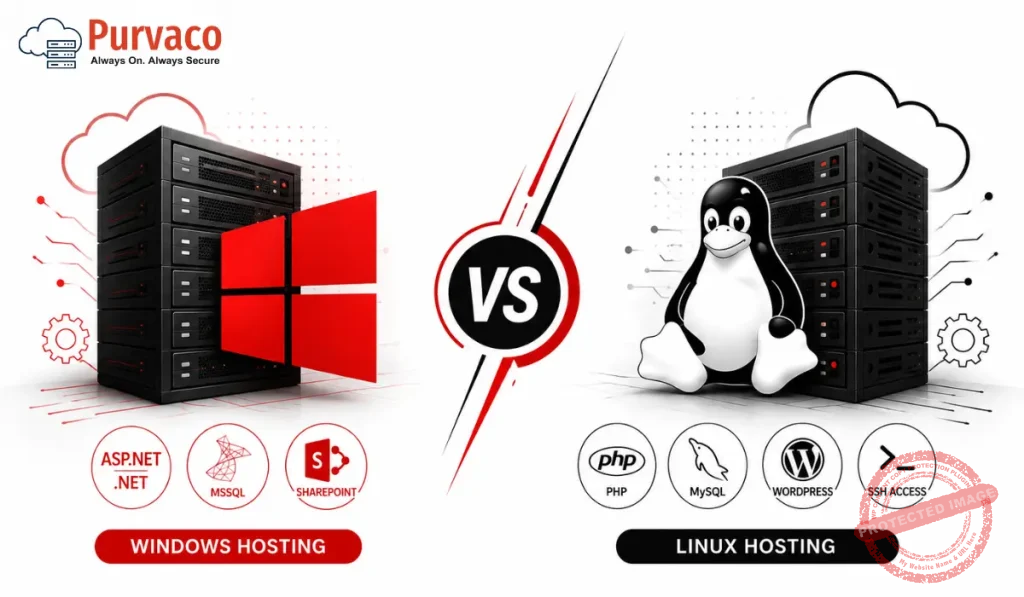
Imagine you are launching your first website. You have your domain name ready, your content is written, and you are very much excited to start. But then you open a hosting provider’s website and you see two options which are Windows Hosting and Linux Hosting.
What is the difference? Which one should you choose? Will the wrong choice affect your website?
Do not worry. You are not alone. Thousands of beginners face this exact confusion every single day. And the good news is this choice is not as complicated as it sounds. By the end of this guide, you will know exactly which hosting type is right for your website, your budget, and your goals.
Whether you are starting a blog, building a business website, launching an online store, or developing a web application this guide will help you make a smart, confident decision. Let us dive in.
What is Web Hosting?
Before we compare Windows hosting vs Linux hosting, let us quickly understand what web hosting actually means.
Web hosting is a service that lets you store your website files on a powerful computer which is called a server. This server is always connected to the internet, which means anyone in the world can visit your website anytime.
To easily understand, think like this way- your website is like a house, and web hosting is the land it sits on. Without hosting, your website has no place to live on the internet.
Now, as houses can be built on different types of land, your website can also be hosted on servers running different operating systems. The two most common options in the hosting industry are Windows Server and Linux Server.
What is Windows Hosting?
Windows Hosting means that your website files are stored on a server that runs Microsoft’s Windows Server operating system.
Windows hosting is developed and maintained by Microsoft. It uses proprietary software that is why it typically costs more than Linux hosting. Hosting companies need to pay Microsoft for a Windows Server license and they pass that cost on to their customers.
Windows hosting is the best option if your website or application uses Microsoft related technologies. For example, if you are building a web app using ASP.NET, running a Microsoft SQL Server (MSSQL) database, or using technologies like Microsoft Access then Windows hosting for ASP.NET is the right choice for you.
What is Linux Hosting?
Linux Hosting means that your website files are stored on a server running the Linux operating system. Linux is a free, open-source operating system which means that it is developed and maintained by a global community of developers and is available without any licensing fees.
This is one of the main reasons Linux hosting is more affordable than Windows hosting. Hosting providers do not have to pay for the Linux operating system so that they can offer lower prices to their customers.
Linux also comes in different versions called distributions. The most popular ones used in web hosting are Ubuntu, CentOS, and Debian. All of these are reliable, secure, and widely used by millions of websites around the world.
Linux hosting is the most popular type of hosting in the world. In fact, the majority of websites on the internet run on Linux servers. It has become the industry standard for web hosting, and it powers everything from personal blogs to massive eCommerce websites.
Linux hosting works great with technologies like PHP, Python, Ruby, Perl, and MySQL which are the building blocks of most popular web platforms such as WordPress, Joomla, Drupal, Laravel etc.
Core Difference Between Windows Hosting and Linux Hosting
Refer to this easy to read comparison table that summarizes the key differences between Windows and Linux hosting easily.
| Feature | Windows Hosting | Linux Hosting |
| Operating System | Windows Server | Linux (Ubuntu, CentOS, Debian) |
| Technology Support | ASP.NET, .NET Core, MSSQL | PHP, Python, Ruby, MySQL |
| Cost | Higher (licensing fees) | Lower (open-source OS) |
| Control Panel | Plesk (common) | cPanel (most popular) |
| WordPress Support | Works but not ideal | Best choice for WordPress |
| Performance | Good for Windows apps | Excellent for web hosting |
| Security | More targeted by attackers | Highly secure, fewer risks |
| Uptime / Stability | Very good | Excellent – industry standard |
| File System | NTFS (case-insensitive) | EXT4 (case-sensitive) |
| Remote Access | RDP (Remote Desktop) | SSH (Secure Shell) |
| Best For | ASP.NET, SharePoint, MS apps | WordPress, PHP apps, blogs |
This table gives you a broad view of the hosting comparison. Now let us go deeper into each area so you can understand what these differences actually mean.
Supported Technologies (Most Important Section)
This is probably the single most important factor when choosing between Windows hosting and Linux hosting. The technology your website uses must match your server environment. Using the wrong hosting type is something like trying to run a Mac program on a Windows computer which is definitely not workable.
Technologies Supported by Linux Hosting
Linux hosting supports the following technologies natively and efficiently:
• PHP – It is the most widely used server side scripting language for websites
• Python – It is popular for web apps, machine learning projects, and Django frameworks
• Ruby – It is used in Ruby on Rails web development
• Perl – It is used for older web scripts and CGI applications
• MySQL and MariaDB – It is the most popular open-source database systems
• .htaccess files – It is a powerful configuration tool for URLs, redirects, and security
Most of the world’s most popular web platforms such as WordPress, WooCommerce, Joomla, Drupal, Magento, and Laravel are built on PHP and MySQL. This means they run naturally on Linux hosting. If you want the best hosting for WordPress, Linux hosting is always the correct answer.
Technologies Supported by Windows Hosting
Windows hosting, on the other hand, supports these Microsoft specific technologies:
• ASP.NET and ASP.NET Core
• C# and VB.NET – popular programming languages in the Microsoft ecosystem
• MSSQL (Microsoft SQL Server) – Microsoft’s powerful enterprise database
• Microsoft Access – simple database system used in smaller business applications
• Remote Desktop Protocol (RDP) – lets you connect to the server like a normal desktop computer
• SharePoint – Microsoft’s collaboration and content management platform
If your developer tells you that your website or application is built using ASP.NET, C#, or .NET Core then Windows hosting for ASP.NET is what you need. There is no alternative for this type of development in the Linux environment (unless you use .NET Core, which now supports Linux too, but traditional ASP.NET Web Forms still require Windows).
Database Difference (MySQL vs MSSQL)
At databases, your website stores all its important information such as user accounts, blog posts, product listings, orders, and more. The type of database your website uses is closely attached to whether you need Windows or Linux hosting.
Linux hosting primarily uses MySQL while Windows hosting uses MSSQL (Microsoft SQL Server). Here is a detailed comparison:
| Feature | MySQL (Linux) | MSSQL (Windows) |
| Cost | Free / Open-Source | Paid (Microsoft License) |
| Performance | Excellent for web apps | Great for enterprise apps |
| Compatibility | WordPress, PHP, Python | ASP.NET, C#, .NET apps |
| Ease of Use | Easy, widely documented | Moderate, enterprise focused |
| Scalability | Excellent | Excellent |
| Hosting Support | All Linux hosts, many Windows | Windows hosting only |
| Popular Tools | phpMyAdmin | SQL Server Management Studio |
| Community | Massive global community | Large, enterprise-focused |
In simple terms: if your website uses MySQL, go with Linux hosting. If it uses MSSQL, you need Windows hosting. For 90% of beginner users, bloggers, and small business owners , MySQL and Linux is the right combination.
Control Panel Differences
A control panel is the dashboard you use to manage your hosting account. It lets you do various things like create email accounts, install WordPress, manage files, check your website statistics, and set up databases . And all of this can be accessed without having technical Know-how.
Linux hosting almost always comes with cPanel which is the world’s most popular web hosting control panel. cPanel is well-known for its clean, intuitive interface, and it is incredibly beginner friendly.
Windows hosting most commonly uses Plesk as its control panel. Plesk is also a solid, user friendly control panel, but it is more commonly associated with Windows environments.
Both cPanel and Plesk let you do all the essential hosting tasks. However, cPanel has a much larger user base, which means there are far more tutorials, guides, and community support resources available online. This gives Linux hosting a small but noticeable edge for beginners.
Performance Comparison
When we talk about performance in web hosting, we are looking at some particular things like how fast your website loads, how stable the server is, and how well it handles a lot of visitors at once.
Linux is widely considered to be more efficient and lightweight than Windows when it comes to web hosting. Linux servers use fewer system resources, which means more of the server’s power can be dedicated to running your website fast. This is one of the reasons why Linux vs Windows server comparisons almost always show Linux as the winner for general web hosting performance.
Windows servers, on the other hand, perform excellently when running Microsoft specific applications. If you are running a complex ASP.NET web application or a SharePoint portal, Windows hosting gives you the best performance for those specific technologies.
For a standard blog, portfolio website, or eCommerce store running WordPress or a PHP-based platform, Linux hosting will almost always be faster and more efficient. It is also worth noting that many of the world’s largest and most popular websites including Google, Facebook, and Wikipedia run on Linux servers.
Security Comparison
Security is something every website owner should take seriously. Hackers target websites of all sizes, and a compromised website can cause serious damage to your business and reputation.
Linux has a reputation for being highly secure. Because Linux is open source, thousands of security experts around the world can review its code and fix vulnerabilities quickly. Linux also has strict permission structures built into the operating system, which makes it harder for unauthorized users to gain access.
Windows servers have historically been more targeted by malware, viruses, and cyberattacks because Windows is more widely used as a desktop operating system, and attackers tend to write malware for the most common platforms.
For most users ,Linux hosting provides a more naturally secure environment. With Linux hosting, you are less likely to encounter issues with viruses and common server level attacks without needing advanced technical knowledge to maintain security.
Pricing and Cost Difference
Let us talk about money because budget matters, especially if you are just starting out.
Linux hosting is almost always cheaper than Windows hosting. The reason is simple: Linux is an open source operating system, which means hosting companies do not have to pay any licensing fees to use it. They can pass those savings on to their customers in the form of lower prices.
Windows hosting, on the other hand, requires hosting companies to pay for a Microsoft Windows Server license. These licenses can be quite expensive, and that cost is reflected in higher hosting prices for customers.
A basic Linux shared hosting plan might cost anywhere from a dollar to five dollars per month, while a comparable Windows shared hosting plan could cost two to three times more.
Of course, if your website genuinely requires Windows specific technologies, the extra cost is justified. But if you have a choice then Linux hosting gives you more features for less money.
Ease of Use (Beginner Friendly?)
You might be wondering: which hosting type is easier to use if I am a complete beginner with no technical background?
The honest answer is that both Linux and Windows hosting can be beginner-friendly as long as you have a good control panel and a quality hosting provider. However, Linux hosting with cPanel has a slight edge because cPanel is so widely used and so well documented.
When you Google something like ‘how to install WordPress on hosting’ or ‘how to create an email account on cPanel’ then you will find thousands of tutorials, YouTube videos, and help articles. Almost all of them will be about Linux hosting with cPanel. This makes troubleshooting and learning much easier. Windows hosting with Plesk is also quite user-friendly and Plesk has improved greatly in recent years.
Compatibility with WordPress
WordPress is the world’s most popular website platform. It powers more than 40% of all websites on the internet from personal blogs to major news sites and large eCommerce stores.
The clear winner here is Linux hosting. WordPress is built using PHP and uses MySQL as its database. Both of these technologies are native to Linux hosting. This means WordPress runs naturally, efficiently, and smoothly on Linux servers.
WordPress itself officially recommends Linux hosting as the best environment for its platform. Most WordPress hosting providers offer Linux-based hosting plans specifically optimized for WordPress.
WordPress can also run on Windows hosting, and it will technically work. However, you may encounter some minor compatibility issues, especially with certain plugins and themes that rely on Linux-specific features like .htaccess files. For this reason, if your goal is to run a WordPress website, Linux hosting is always the recommended choice.
Best Use Cases (When to Choose What)
Now let us look at which hosting type suits which kind of website. This table makes it very easy to decide.
| Website / Use Case | Best Hosting | Reason |
| WordPress Blog | Linux Hosting | PHP + MySQL, native environment |
| eCommerce (WooCommerce) | Linux Hosting | Optimized PHP performance |
| ASP.NET Web Application | Windows Hosting | Requires .NET framework |
| Corporate Intranet (SharePoint) | Windows Hosting | Microsoft ecosystem dependency |
| PHP-Based Apps (Laravel) | Linux Hosting | Linux is native for PHP |
| Python / Django Apps | Linux Hosting | Best Python runtime support |
| C# / .NET Core Apps | Windows Hosting | Full .NET integration |
| Personal Portfolio | Linux Hosting | Affordable and flexible |
| Business Website (PHP CMS) | Linux Hosting | Joomla, Drupal run best on Linux |
| Microsoft Access Database App | Windows Hosting | Requires Windows environment |
As you can see from the table, Linux hosting is the right choice for the vast majority of websites. Windows hosting is a specialized option for websites that specifically require Microsoft technologies.
Advantages and Disadvantages
Linux Hosting – Advantages
• Very affordable due to no licensing fees
• Excellent performance and stability for web hosting
• Best support for WordPress, PHP, and MySQL
• Highly secure with strong open-source community support
• cPanel is beginner-friendly with massive community resources
• Widely available from almost every hosting provider worldwide
Linux Hosting – Disadvantages
• Does not natively support ASP.NET or .NET Web Forms
• Cannot run MSSQL (Microsoft SQL Server)
• No support for Microsoft-specific desktop software
Windows Hosting – Advantages
• Required for ASP.NET and Microsoft .NET applications
• Full support for MSSQL databases
• Compatible with Microsoft SharePoint and Access
• RDP access gives full desktop-style control of the server
• Familiar environment for developers used to Microsoft technologies
Windows Hosting – Disadvantages
• More expensive due to Microsoft licensing costs
• Uses more server resources compared to Linux
• More commonly targeted by malware and cyber threats
• Smaller community of tutorials for non-developer users
Which Hosting is Better for Blogging?
If you are a blogger, Linux hosting is absolutely the right choice for you.
Here is why: the most popular blogging platform in the world is WordPress.org (the self-hosted version), and WordPress runs best on Linux hosting. When you sign up for a Linux hosting plan, you can typically install WordPress with just one click using a tool like Softaculous in cPanel.
Linux hosting is also more affordable, which is important if you are just starting your blog and are not yet generating income from it. You get a reliable, fast, secure server at a very reasonable price.
The Linux hosting benefits for bloggers are clear: lower cost, one click WordPress installation, excellent uptime, and a massive community of support resources. For bloggers, Linux hosting is the obvious choice.
Which Hosting is Better for Business Websites?
For most small to medium-sized business websites, Linux hosting is still the better choice. Most business websites are built on platforms like WordPress, Joomla, or Drupal and all of which run best on Linux.
However, if your business uses Microsoft tools internally such as SharePoint for collaboration, MSSQL for your database, or ASP.NET for your web applications then Windows hosting is the right fit. Many larger enterprises and corporate environments run Microsoft ecosystems and therefore require Windows hosting.
The key question to ask yourself is: what technology was my website built with? If the answer is PHP and MySQL then Linux hosting is the answer. If the answer is ASP.NET and MSSQL then Windows hosting is what you need.
SEO Impact: Does Hosting OS Matter?
This is a question many website owners have: does the operating system of my hosting server affect my website’s search engine rankings on Google?
The direct answer is: the operating system itself does not directly impact SEO. Google does not rank websites based on whether they run on Windows or Linux servers. What Google cares about is website speed, uptime, user experience, mobile-friendliness, and content quality.
However, there is an indirect connection. Linux hosting tends to be faster and more stable for most websites, which means better site speed and uptime both of which are known SEO ranking factors. A faster website provides a better user experience, and Google rewards that.
If your website frequently goes down or loads slowly because of server issues, it will negatively affect your SEO. For this reason, choosing a reliable, high-performance hosting environment which for most websites means Linux hosting does indirectly help your SEO performance.
In short: choose the hosting type that gives your website the best performance. For most websites, that is Linux hosting, and better performance means better SEO results over time.
Common Myths About Windows vs Linux Hosting
Myth 1: Linux hosting is only for programmers and technical experts. – This is completely false. Linux hosting with cPanel is extremely beginner-friendly. You do not need to know any Linux commands to manage a cPanel hosting account. Everything is done through a visual interface.
Myth 2: Windows hosting is better because Windows is more popular. – Windows is popular as a desktop operating system, but in the web hosting world, Linux dominates by a massive margin. Over 70% of web servers worldwide run Linux.
Myth 3: You need Windows hosting to run a Windows-built website. – The operating system of your personal computer has nothing to do with your hosting. You can build a website on a Windows PC and host it on a Linux server without any issues.
Myth 4: Linux hosting is not as secure as Windows. – The opposite is generally true. Linux has a strong security track record and is less frequently targeted by mass malware attacks.
Myth 5: You cannot switch hosting types later. – You can migrate your website between hosting types, though it may require some technical work. It is always best to start with the right hosting type from the beginning.
How to Choose the Right Hosting for Your Website (Decision Guide)
Here is a simple decision guide you can follow to choose the right hosting for your website:
Step 1: Identify your website’s technology. Ask your developer (or check your CMS documentation) which programming language and database your website uses. PHP + MySQL = Linux. ASP.NET + MSSQL = Windows.
Step 2: Check your platform. Are you using WordPress, Joomla, or Drupal? Then Linux hosting is your answer. Are you using an ASP.NET or .NET Core application? Then Windows hosting is required.
Step 3: Consider your budget. If you are on a tight budget and do not have specific technology requirements, Linux hosting offers the best value for money.
Step 4: Think about your future needs. If you plan to grow your website significantly, Linux hosting scales well and is supported by a massive ecosystem of tools and technologies.
Step 5: Ask your hosting provider. If you are still unsure, contact the support team of a reputable hosting provider and describe your website. They can recommend the right hosting environment for you.
Final Verdict (Conclusion)
After this deep and detailed hosting comparison, the conclusion is quite clear for most users.
Linux hosting is the winner for the majority of websites. It is more affordable, more widely supported, more secure for general use, and the best environment for WordPress and PHP-based websites. The Linux hosting benefits you in aspects such as lower cost, cPanel ease of use, excellent performance, and massive community support which makes it the top choice for bloggers, small businesses, freelancers, eCommerce stores, and developers building PHP applications.
Windows hosting, on the other hand, is the right specialized choice for developers and businesses that rely on Microsoft technologies. If you are building with ASP.NET, C#, MSSQL, or SharePoint then Windows hosting for ASP.NET is not just a preference, it becomes a requirement.
Here is our final recommendation by user type:
• Bloggers and content creators: Choose Linux hosting with WordPress
• eCommerce website owners: Choose Linux hosting (WooCommerce, Magento, OpenCart)
• ASP.NET developers: Choose Windows hosting
• Small business owners (PHP website): Choose Linux hosting
• Corporate enterprises using Microsoft tools: Choose Windows hosting
• Beginners with no technical background: Start with Linux hosting
The bottom line: when in doubt, start with Linux hosting. It is the safer, more affordable, and more widely supported choice for the vast majority of websites.
Frequently Asked Questions (FAQs)
Q1. Can I run WordPress on Windows hosting?
Yes, WordPress can technically run on Windows hosting. However, WordPress is optimized for Linux hosting with PHP and MySQL. You may encounter minor compatibility issues with some plugins and themes on Windows hosting. For the best WordPress experience, always choose Linux hosting. It is the officially recommended environment and the best hosting for WordPress.
Q2. Is Linux hosting safe for beginners?
Absolutely. Linux hosting is very beginner-friendly, especially when it comes with cPanel. You do not need to know anything about the Linux operating system itself. Everything is managed through a visual dashboard. Linux hosting is also very secure, which means beginners are protected without needing advanced technical knowledge.
Q3. Why is Linux hosting cheaper than Windows hosting?
Linux is an open-source operating system, which means it is free to use. Hosting companies do not have to pay any licensing fees for Linux, so they can offer lower prices to customers. Windows Server, on the other hand, requires a paid Microsoft license, and that cost is passed on to customers in the form of higher hosting prices.
Q4. What is the main difference between cPanel and Plesk?
cPanel is the control panel most commonly used with Linux hosting. Plesk is commonly used with Windows hosting but also supports Linux. Both allow you to manage your hosting account, create email accounts, install software, and manage files. cPanel has a larger user base and more community resources, while Plesk is slightly more modern in design and also works well on Windows servers.
Q5. Can I switch from Windows hosting to Linux hosting later?
Yes, it is possible to migrate from Windows hosting to Linux hosting. However, the process can be complex depending on the technology your website uses. If your website is built on PHP and MySQL, migration is straightforward. If it uses ASP.NET or MSSQL, migration would require significant code changes. It is always better to choose the right hosting type from the beginning to avoid the hassle of migration later.
Q6. Does the hosting operating system affect my website’s speed?
The operating system does contribute to server speed. Linux is generally considered more lightweight and resource-efficient than Windows for web hosting purposes, which can lead to faster response times for PHP-based websites. Windows servers perform best when running Microsoft-specific applications. For general websites and WordPress, Linux hosting tends to deliver better speed and performance.
Q7. Which hosting is better for an eCommerce website?
For most eCommerce websites built on platforms like WooCommerce, Magento, PrestaShop, or OpenCart Linux hosting is the better choice. These platforms are built on PHP and MySQL and are optimized for Linux environments. Linux hosting also tends to be faster and more cost-effective, which helps eCommerce businesses keep their costs down while delivering a smooth shopping experience to customers.
Q8. What does ‘case-sensitive file system’ mean for Linux hosting?
Linux hosting uses a case-sensitive file system. This means that ‘Image.jpg’ and ‘image.jpg’ are treated as two completely different files. Windows hosting is case-insensitive, meaning both names point to the same file. This difference is important for developers. If you develop your website on a Windows computer and upload it to a Linux server, you may encounter broken images or links if your file names use inconsistent capitalization.
Q9. Is shared hosting the same as Linux hosting?
Not exactly, but there is an important connection. Shared hosting is a type of hosting where multiple websites share the same server resources. Linux hosting refers to the operating system running on the server. Most shared hosting plans worldwide run on Linux servers. So when you sign up for shared hosting from most providers, you are automatically getting Linux hosting unless you specifically request or pay for Windows hosting.
Q10. Which hosting should I choose if I have no technical knowledge?
If you are a complete beginner with no technical background, Linux hosting with cPanel is your best starting point. It is affordable, beginner-friendly, and widely supported. cPanel makes it easy to install WordPress with a single click, manage your files, set up email accounts, and much more all without needing any coding or technical skills. The vast majority of tutorials and guides available online are for Linux hosting with cPanel, making it very easy to find help when you need it.

At Purvaco, we help businesses build, host, secure, and scale their digital infrastructure with confidence. As a cloud and hosting company focused on performance, reliability, and business growth, Purvaco delivers enterprise-grade solutions including cloud hosting, VPS hosting, dedicated servers, managed infrastructure, cybersecurity, disaster recovery, and application hosting.
Driven by a customer-first approach and backed by expert support, Purvaco works with startups, SMEs, and enterprises to simplify infrastructure management and accelerate digital transformation. Our mission is to provide secure, scalable, and high-performance hosting environments that keep businesses always connected, always secure, and ready for growth.

