
Best Cloud Hosting Providers in India (2026) – Top 20 Compared
India’s digital infrastructure is growing at an unprecedented pace, and choosing the right cloud hosting provider can directly influence your business success. From startups launching SaaS platforms to enterprises scaling AI-driven applications, cloud hosting has become the backbone of modern online operations. In simple terms, cloud hosting is a type of web hosting that uses multiple interconnected servers instead of a single physical server. This distributed architecture ensures better reliability, faster performance, and improved uptime. Unlike traditional hosting, where your website depends on one machine, cloud hosting spreads resources across a network—minimizing downtime and maximizing efficiency. The demand for cloud hosting in India has surged in recent years, driven by several key factors. The rapid rise of AI-based applications, SaaS businesses, eCommerce platforms, and digital-first startups has created a strong need for scalable and flexible infrastructure. Additionally, government initiatives like Digital India and increased internet penetration have accelerated the adoption of cloud technologies across industries. One of the biggest advantages of cloud hosting is its scalability—you can increase or decrease resources instantly based on traffic demand. It also offers high uptime (often 99.9% or more), ensuring your website or application remains accessible at all times. Combined with enhanced performance, global server networks, and built-in security features, cloud hosting is now the preferred choice for businesses that cannot afford downtime or slow loading speeds. In this article, we will compare the top 20 cloud hosting providers in India for April 2026, evaluating them based on performance, pricing, features, and reliability. Whether you’re a beginner, developer, or enterprise user, this guide will help you make an informed decision. If you’re looking for a solution that combines affordability, performance, and dedicated support tailored for Indian businesses, Purvaco Cloud Hosting positions itself as a strong contender—offering reliable infrastructure designed to scale with your growth. What is Cloud Hosting? Cloud hosting is a modern web hosting solution that uses a network of interconnected servers to store and manage websites, applications, and data. In simple (non-technical) terms, instead of relying on a single physical server, your website runs on multiple servers working together—ensuring better speed, reliability, and uptime. From a technical perspective, cloud hosting operates on a virtualized infrastructure, where computing resources such as CPU, RAM, and storage are distributed across multiple physical machines. These resources are dynamically allocated based on demand, allowing websites and applications to scale seamlessly without being limited by a single server’s capacity. How Cloud Hosting Differs from Traditional Hosting Traditional hosting—such as shared or dedicated hosting—relies on a single physical server. If that server experiences downtime, performance issues, or hardware failure, your website may go offline or slow down significantly. In contrast, cloud hosting eliminates this single point of failure by distributing workloads across multiple servers. For example, if one server in a cloud network fails, another automatically takes over, ensuring continuous uptime and zero disruption. This makes cloud hosting significantly more reliable and resilient than traditional hosting models. Distributed Infrastructure Explained At the core of cloud hosting is a distributed infrastructure. This means your website data is not stored in one location but across several servers, often located in different data centers. These servers work together as a unified system, sharing resources and balancing workloads efficiently. This distributed approach enables: Faster content delivery High availability Better fault tolerance Seamless scalability during traffic spikes Key Components of Cloud Hosting 1. VirtualizationVirtualization technology allows multiple virtual servers to run on a single physical server. Each virtual environment operates independently, giving users dedicated resources without needing physical hardware. 2. Data CentersCloud hosting providers use multiple data centers—often spread across regions (including India)—to store and manage data. This ensures redundancy, faster access speeds, and compliance with data localization requirements. 3. Load BalancingLoad balancing distributes incoming traffic across multiple servers to prevent overload on any single machine. This ensures consistent performance, even during high-traffic periods, and improves overall system stability. Cloud Hosting vs VPS vs Dedicated Servers Choosing the right hosting infrastructure is a strategic decision that directly impacts performance, scalability, and cost efficiency. The three most common options—Cloud Hosting, VPS (Virtual Private Server), and Dedicated Servers—each serve different business needs. Understanding their differences helps you align your hosting environment with your growth stage and technical requirements. Comparison Table Feature Cloud Hosting VPS Hosting Dedicated Server Scalability High Medium Low Cost Flexible Fixed Expensive Performance High Medium Very High Reliability Very High Medium High Resource Type Shared Network Partitioned Fully Dedicated Cloud Hosting Cloud hosting leverages a network of interconnected servers, allowing resources to scale dynamically based on demand. This means if your website experiences a sudden traffic spike, additional resources are instantly allocated without downtime. Best for: Startups, SaaS platforms, eCommerce websites, and growing businesses. Cloud hosting is ideal for startups because it offers: Pay-as-you-go pricing Instant scalability High uptime (no single point of failure) For example, a startup launching an AI-based SaaS product can scale infrastructure automatically as users grow, without worrying about server limitations. VPS Hosting VPS (Virtual Private Server) hosting provides a virtualized environment within a single physical server. While resources are isolated, they are still limited to the capacity of that machine. Best for: Agencies, developers, and medium-sized businesses. VPS hosting is suitable when: You need more control than shared hosting You have predictable traffic levels You want a balance between cost and performance Digital agencies managing multiple client websites often prefer VPS because it offers stability and control without the high cost of dedicated servers. Dedicated Servers Dedicated hosting gives you an entire physical server exclusively for your use. This provides maximum performance, security, and customization—but at a significantly higher cost. Best for: Enterprises, high-traffic platforms, and resource-intensive applications. Dedicated servers are ideal when: You require full control over hardware You handle large-scale databases or enterprise applications Security and compliance are critical For example, large enterprises running financial systems or high-traffic platforms benefit from dedicated servers due to their unmatched performance and isolation. Use Case Summary Startups → Cloud Hosting (scalable, cost-efficient, flexible) Agencies → VPS Hosting (controlled
10 Best Cheap VPS Hosting Providers in Delhi

Delhi businesses now handle more traffic, larger product catalogs, higher ad spending, and faster customer response expectations than they did a few years ago. Shared hosting often struggles once websites start receiving steady traffic or running resource-heavy applications. Cheap VPS Hosting in Delhi gives businesses dedicated resources without the high cost of a dedicated server. It improves loading speed, uptime stability, and backend control. Many Delhi startups, agencies, bloggers, and eCommerce stores now move to VPS hosting once their websites outgrow shared hosting plans. Low latency also matters for Indian users. A VPS setup with good network routing and SSD or NVMe storage improves website response time for users across Delhi NCR and other Indian cities. This guide compares affordable VPS Server Delhi providers based on pricing, storage, support quality, performance, and practical use cases. What is VPS Hosting? VPS stands for Virtual Private Server. A VPS splits one physical server into multiple virtual servers. Each virtual server gets dedicated RAM, CPU resources, storage, and operating system access. Shared hosting places hundreds of websites on the same environment. If one website consumes high resources, others slow down. VPS hosting avoids that issue because your allocated resources stay separate. Most VPS providers use virtualization technology such as KVM or VMware to create isolated environments. Users get root access, custom software installation, and better server control compared to shared hosting. VPS hosting works well for: Why Businesses in Delhi Choose VPS Hosting Faster website speed Delhi businesses compete in crowded online markets. Slow websites increase bounce rates and reduce conversions. VPS hosting improves performance because users receive dedicated RAM and CPU resources. NVMe storage also reduces database response times. Better uptime Traffic spikes during sales campaigns, festive offers, or ad campaigns can overload shared hosting servers. VPS hosting handles traffic more consistently and reduces sudden downtime. Dedicated resources Businesses running CRMs, billing systems, inventory tools, or custom applications often need guaranteed server resources. A VPS environment gives more predictable performance. Useful for agencies and eCommerce stores Digital agencies often host multiple client websites under one VPS server. eCommerce stores also benefit from VPS hosting because checkout pages, payment systems, and product databases require stable performance. Forex and trading hosting Forex traders frequently use VPS hosting for MT4 and MT5 platforms. Stable uptime and low latency help maintain uninterrupted trading operations. Better data privacy and control VPS hosting gives root access and custom configuration options. Businesses can install firewalls, security tools, and custom server software based on their requirements. How We Selected These VPS Hosting Providers We compared providers using practical business requirements instead of marketing claims. Main evaluation factors included: We also considered whether the provider works well for Indian businesses, developers, agencies, and high traffic websites. 10 Best Cheap VPS Hosting Providers in Delhi Provider Starting Price RAM Storage Managed/Unmanaged Best For Purvaco ₹499/month 2 GB NVMe SSD Managed Indian businesses Hostinger ₹549/month 4 GB NVMe SSD Managed Beginners DigitalOcean $4/month 512 MB SSD Unmanaged Developers Kamatera $4/month 1 GB SSD Both Custom cloud servers Bluehost ₹1,499/month 2 GB SSD Managed WordPress sites A2 Hosting $2.99/month 1 GB SSD Managed Speed-focused hosting ScalaHosting $14.95/month 2 GB SSD Managed Agencies Vultr $5/month 1 GB SSD Unmanaged Developers Linode $5/month 1 GB SSD Unmanaged Linux users MilesWeb ₹699/month 2 GB SSD Managed Indian startups 1. Purvaco Company overview Purvaco focuses on managed cloud hosting and VPS infrastructure for Indian businesses, startups, agencies, and growing online projects. The company positions itself around cloud-based VPS hosting with performance-focused configurations. It fits businesses that want affordable managed cloud VPS hosting without handling server maintenance manually. Starting pricing Plans generally start around ₹499 to ₹799 per month depending on resources and management options. Key features Server performance Purvaco uses NVMe-based infrastructure which improves database response speed and website loading times. The platform works well for WooCommerce stores, agency hosting, and high traffic business websites. Pros Cons Best for Support quality Support response is generally fast for server deployment and migration requests. Control panel options Operating system support Short verdict Purvaco works well for Indian businesses that need managed cloud VPS hosting with NVMe storage and affordable pricing. It fits users who want server performance without handling complex server administration. 2. Hostinger Company overview Hostinger remains one of the most popular budget VPS hosting providers globally. It focuses heavily on affordability and beginner-friendly hosting. Starting pricing Around ₹549 per month during promotional periods. Key features Server performance Hostinger VPS plans perform well for blogs, WordPress sites, and lightweight applications. Pros Cons Best for Support quality 24/7 live chat support is available. Control panel options Operating system support Short verdict Hostinger is a practical option for beginners entering the VPS hosting market. 3. DigitalOcean Company overview DigitalOcean targets developers and cloud application users. It provides flexible cloud VPS infrastructure called Droplets. Starting pricing Starts around $4 per month. Key features Server performance Performance remains stable for Linux applications, web apps, and development environments. Pros Cons Best for Support quality Ticket support is available. Premium support costs extra. Control panel options Mostly command-line management. Operating system support Short verdict DigitalOcean fits developers comfortable with Linux server management. 4. Kamatera Company overview Kamatera provides customizable cloud VPS hosting with flexible resource allocation. Starting pricing Around $4 per month. Key features Server performance Performance depends on selected server resources. The platform handles scalable cloud workloads well. Pros Cons Best for Support quality 24/7 support is available. Control panel options Operating system support Short verdict Kamatera works well for users needing custom VPS configurations. 5. Bluehost Company overview Bluehost focuses heavily on WordPress hosting and beginner business hosting solutions. Starting pricing Around ₹1,499 per month. Key features Server performance Good for WordPress sites and medium-sized business websites. Pros Cons Best for Support quality 24/7 support through chat and phone. Control panel options Operating system support Short verdict Bluehost fits users who prefer a familiar hosting environment for WordPress projects. 6. A2 Hosting Company overview A2 Hosting focuses on speed-oriented hosting plans with
10 Best Dedicated Server Hosting Providers in Delhi

Businesses in Delhi use dedicated servers for workloads that need stable performance, stronger security, and full hardware control. Shared hosting struggles when traffic grows. VPS hosting works for medium workloads, but large eCommerce stores, SaaS platforms, gaming servers, enterprise applications, and media-heavy websites often require dedicated infrastructure. A dedicated server gives one customer complete access to the machine’s CPU, RAM, storage, and bandwidth. No neighboring accounts consume resources. This improves consistency during traffic spikes and reduces performance fluctuations. Delhi has become a large market for enterprise hosting and bare metal infrastructure. Agencies manage hundreds of client websites. SaaS startups run applications with real-time traffic. Financial companies handle sensitive customer data. Gaming communities host multiplayer servers with low-latency requirements. Security is another reason businesses move toward dedicated hosting. Dedicated environments provide stronger isolation, custom firewall configuration, root access, RAID storage setups, and advanced server monitoring. Many businesses also prefer managed dedicated server Delhi providers because server administration requires Linux knowledge, patch management, backup handling, and cybersecurity maintenance. The market includes global infrastructure companies such as AWS and OVHcloud alongside business-focused providers like Liquid Web and Purvaco. Some platforms focus on enterprise scalability, while others target developers, agencies, or budget-conscious startups. This guide compares the Best Dedicated Server Provider in Delhi based on hardware quality, pricing, support, scalability, uptime, and real-world hosting reliability. What Is Dedicated Server Hosting? Dedicated server hosting provides an entire physical server to one customer. Unlike shared hosting, where multiple users share the same resources, dedicated hosting allocates CPU cores, RAM, storage, and bandwidth to a single account. Businesses receive full root access and complete control over the operating system, applications, and server configuration. Shared hosting works for small websites with low traffic. VPS hosting creates virtual partitions on one physical machine. Dedicated hosting removes virtualization limits by giving direct hardware access. This setup improves: Dedicated servers often use enterprise hardware such as Intel Xeon or AMD EPYC processors with ECC RAM, RAID storage, and high-bandwidth networking. Businesses running resource-heavy applications usually upgrade when VPS infrastructure becomes unstable during traffic spikes or database loads. Common use cases include: Dedicated hosting also allows custom operating system deployment. Businesses can install Linux dedicated server Delhi environments like Ubuntu, AlmaLinux, Debian, or CentOS. Windows dedicated server Delhi plans support ASP.NET applications, Microsoft SQL Server, and enterprise Windows workloads. Security improves because resources remain isolated from other users. Companies can implement custom firewall rules, advanced DDoS protection, VPN access, intrusion detection systems, and server monitoring tools. Dedicated hosting costs more than shared hosting or VPS environments, but it provides significantly better performance and operational control. What Makes a Good Dedicated Server Provider? Dedicated hosting quality depends heavily on hardware reliability, network infrastructure, and support response speed. Uptime reliability comes first. Most enterprise dedicated hosting Delhi providers guarantee 99.9% uptime or higher. Downtime affects customer access, SEO rankings, revenue, and application stability. Hardware quality matters because dedicated servers handle demanding workloads continuously. Enterprise providers usually deploy Intel Xeon or AMD EPYC processors with ECC memory for stability under heavy usage. Storage type affects performance significantly. Traditional HDD storage works for backups and archive systems but performs slower for databases and high-concurrency applications. SSD storage improves read and write speeds. NVMe SSD storage performs even faster, especially for applications with heavy database activity. Bandwidth allocation also matters. Some providers include unmetered bandwidth, while others charge separately after usage limits. Streaming platforms, gaming servers, and media-heavy websites should review bandwidth policies carefully. Support quality becomes critical during outages or security incidents. Businesses running production workloads often prefer providers with 24/7 technical support, server monitoring, hardware replacement guarantees, and emergency response teams. Managed and unmanaged hosting create another major difference. Managed dedicated server Delhi plans include: Unmanaged hosting provides full server access but requires technical expertise for maintenance and security management. DDoS protection is essential for public-facing applications and gaming servers. Strong providers include network filtering, traffic mitigation, and firewall protection. Backup systems also matter. Enterprise hosting providers usually offer snapshot backups, RAID configuration, and offsite backup storage. Data center standards affect reliability. Tier III and Tier IV facilities generally provide better redundancy, cooling systems, and power backup. Pricing transparency is another important factor. Some providers advertise low entry prices but charge extra for backups, support, IP addresses, or remote management tools. The Best Dedicated Server Provider in Delhi depends on workload requirements, technical skill level, and long-term infrastructure planning. 10 Best Dedicated Server Providers in Delhi #1 Purvaco Purvaco focuses on managed hosting and business server infrastructure for Indian companies. The company provides dedicated servers for agencies, eCommerce stores, SaaS startups, and enterprise workloads. Hardware options include Intel Xeon processors, SSD and NVMe storage, RAID configuration, dedicated IPs, and Linux or Windows deployment. Performance is stable for medium and high-traffic business applications. Managed server maintenance and local support make it attractive for businesses without internal server administrators. Pricing generally starts around ₹7,000 to ₹15,000 monthly depending on server specifications and management requirements. Best for: Pros: Cons: 2. Bluehost Bluehost provides dedicated hosting focused mainly on websites and business applications. The company offers Intel Xeon-based servers with SSD storage, root access, cPanel support, and RAID storage protection. Performance works well for medium-sized websites, reseller hosting, and WordPress applications. Pricing generally starts around $90 to $140 monthly. Best for: Pros: Cons: 3. HostGator HostGator remains popular among businesses looking for affordable dedicated hosting with managed support options. Dedicated servers include Intel Xeon hardware, DDR4 RAM, SSD storage, root access, and DDoS protection. Performance is reliable for hosting multiple websites and business applications. Pricing usually starts around $100 monthly. Best for: Pros: Cons: 4. A2 Hosting A2 Hosting focuses heavily on performance-oriented hosting. The company provides Turbo servers with NVMe storage, Intel Xeon processors, and high-speed networking. Performance is strong for WordPress, WooCommerce, and database-heavy applications. Pricing usually starts around $105 monthly. Best for: Pros: Cons: 5. Liquid Web Liquid Web targets enterprise hosting and managed dedicated infrastructure. The company offers premium dedicated servers with Intel Xeon
10 Best Cloud Server Hosting Providers in Delhi

Delhi has become one of India’s largest markets for cloud infrastructure. Startups, digital agencies, SaaS companies, eCommerce stores, and enterprise businesses now rely on cloud hosting for speed, uptime, and scalability. Traditional shared hosting struggles during traffic spikes. Local businesses also need faster loading times for users across Delhi NCR, including Noida, Gurugram, Ghaziabad, and Faridabad. Cloud servers solve many of these problems through scalable resources, SSD storage, and distributed infrastructure. A growing number of businesses now prefer managed cloud hosting Delhi providers because server maintenance takes time and technical expertise. Agencies managing multiple client websites need stable uptime and quick deployment. SaaS companies require scalable CPU and RAM allocation. eCommerce stores need better performance during seasonal traffic. Local support also matters. Many Delhi businesses prefer providers that offer Indian billing, faster support communication, and nearby data center access. Lower latency can improve website response time for regional traffic. The market now includes global providers like AWS and Google Cloud alongside budget-focused platforms such as Hostinger and DigitalOcean. Some companies focus on enterprise infrastructure, while others target developers, startups, or small businesses. This guide compares the Best Cloud Server Provider in Delhi based on pricing, support quality, scalability, uptime, and real-world usability. What Makes a Good Cloud Server Provider? Cloud hosting performance depends on more than server specifications. A provider may advertise high CPU resources, but poor support or unstable infrastructure can still create downtime problems. Uptime is one of the first things businesses should check. Most reliable cloud providers maintain a 99.9% uptime guarantee or higher. Frequent outages affect SEO rankings, customer trust, and revenue. Scalability also matters. Businesses should be able to increase RAM, storage, or CPU without migrating the entire server. This becomes important for growing SaaS platforms, online stores, and high-traffic blogs. Storage technology affects speed significantly. NVMe SSD storage performs faster than older SATA drives, especially for database-heavy applications like WordPress, Magento, and CRM systems. Support quality separates average providers from reliable ones. Some platforms only provide ticket support. Others include live chat, phone support, server monitoring, and managed maintenance. Pricing transparency matters because cloud hosting costs can rise quickly. Some enterprise providers charge separately for backups, bandwidth, firewall usage, and snapshots. Small businesses should review the complete pricing structure before choosing a cloud server company in Delhi. Data center reliability affects both uptime and performance. Providers with Tier III or Tier IV infrastructure usually offer better redundancy, cooling systems, and power backup. Backup and cybersecurity tools are equally important. Daily backups, DDoS protection, malware scanning, and firewall management reduce operational risks. Businesses handling customer information should pay attention to compliance and security policies. Managed and unmanaged hosting create another major difference. Managed cloud hosting Delhi services handle server maintenance, updates, patching, monitoring, and security. This works well for agencies and business owners without Linux administration experience. Unmanaged servers provide full root access and lower pricing, but the customer handles updates, troubleshooting, and server security. The best provider depends on technical skill level, workload requirements, and operational budget. 10 Best Cloud Server Providers in Delhi #1 Purvaco Purvaco focuses on managed cloud hosting and business cloud infrastructure in India. The company targets startups, agencies, and growing online businesses that need local support and scalable hosting. Key features include NVMe SSD storage, managed backups, Linux and Windows hosting, server monitoring, and enterprise firewall protection. The company also provides VPS cloud server Delhi solutions with scalable resources. Performance is stable for medium-sized business websites, WooCommerce stores, and agency hosting environments. Local routing can improve latency for Indian traffic. Pricing generally starts from around ₹999 to ₹2,500 per month depending on server configuration and management level. Support quality is one of the stronger areas. Businesses that prefer direct communication often choose smaller managed providers over enterprise cloud platforms. Best for: Pros: Cons: 2. Amazon Web Services (AWS) AWS is one of the largest cloud infrastructure providers globally. Many enterprise businesses, SaaS companies, and large applications use AWS because of its scalability and service ecosystem. AWS offers EC2 cloud servers, object storage, database hosting, Kubernetes deployment, CDN services, and advanced cybersecurity tools. Performance is excellent when configured properly. AWS Mumbai region helps Indian businesses reduce latency across the country. Pricing follows a pay-as-you-go structure. Small servers can start around ₹700 to ₹1,200 monthly, but enterprise usage scales much higher. AWS support quality depends on the support plan. Premium support costs extra. Best for: Pros: Cons: 3. Google Cloud Google Cloud provides cloud computing infrastructure with strong networking and AI integration. It is popular among developers and analytics-heavy businesses. Google Cloud offers Compute Engine VPS instances, Kubernetes hosting, managed databases, and cloud storage. The platform performs well for application hosting and scalable workloads. Google’s network routing is usually fast across India. Pricing starts around ₹800 to ₹1,500 monthly for entry-level virtual machines. Support quality is decent, though beginners may find the interface technical. Best for: Pros: Cons: 4. Microsoft Azure Microsoft Azure remains popular among enterprises already using Microsoft products such as Windows Server, Office 365, SQL Server, and Active Directory. Azure supports Windows and Linux cloud hosting, hybrid cloud deployment, AI tools, and enterprise networking. Performance is reliable for enterprise applications and business software hosting. Pricing varies heavily depending on configuration and enterprise licensing. Best for: Pros: Cons: 5. DigitalOcean DigitalOcean became popular because of its simple cloud dashboard and predictable pricing. Many startups and developers use it for application deployment. The company offers cloud droplets, managed Kubernetes, databases, object storage, and backups. Server deployment is fast and beginner-friendly. Performance is good for WordPress hosting, SaaS products, and lightweight applications. Pricing starts around $4 to $6 monthly for basic droplets. Best for: Pros: Cons: 6. Hostinger Hostinger provides affordable cloud hosting and VPS services for small businesses and website owners. The company focuses heavily on budget hosting. Entry-level plans include SSD storage, free SSL, backups, and control panel access. Performance is suitable for blogs, small business websites, and startup projects. Pricing for cheap cloud hosting Delhi users often
Best 20 Dedicated Server Hosting Providers in India (2026 Updated List)

In today time, where milliseconds can impact revenue and user experience defines brand loyalty, choosing the right hosting infrastructure is no longer optional—it’s strategic. This is where dedicated server hosting emerges as a critical solution for businesses that demand uncompromising performance, security, and control. Unlike shared or VPS hosting, a dedicated server provides an entire physical machine exclusively for your workloads, eliminating resource contention and ensuring consistent, high-level performance. India, in particular, has witnessed a massive surge in demand for dedicated hosting solutions. With the rapid growth of startups, SaaS platforms, gaming ecosystems, and forex trading businesses, the need for reliable, low-latency infrastructure has never been higher. As digital adoption accelerates across sectors, companies are moving beyond entry-level hosting toward more robust, scalable environments that can handle traffic spikes, sensitive data, and mission-critical applications. While VPS hosting offers a virtualized slice of resources and shared hosting pools multiple users on the same server, both come with inherent limitations—performance bottlenecks, limited customization, and potential security risks. Dedicated servers, on the other hand, provide full root access, isolated environments, superior processing power, and enterprise-grade security, making them the preferred choice for serious digital operations. But who exactly should consider dedicated hosting? If you’re running a high-traffic e-commerce platform, a SaaS product, a real-time gaming server, or a latency-sensitive forex trading system, dedicated servers are not just beneficial—they are essential. Even digital agencies and growing enterprises handling multiple client workloads can significantly benefit from the reliability and scalability that dedicated infrastructure offers. In this guide, we’ll explore the top dedicated server hosting providers in India, helping you make a data-driven decision based on performance, pricing, and real-world usability. What is Dedicated Server Hosting? Dedicated server hosting is a premium hosting solution where an entire physical server is allocated to a single user or organization. Unlike shared hosting or VPS environments, where resources are divided among multiple users, a dedicated server ensures that all computing power—CPU, RAM, storage, and bandwidth—is exclusively reserved for your workloads. This architecture eliminates the risk of “noisy neighbors” impacting performance, making it one of the most reliable hosting options available. At its core, dedicated hosting operates on bare metal infrastructure, meaning there is no virtualization layer abstracting resources (unless you choose to implement one). This gives businesses complete control over how the server is configured, optimized, and secured. One of the key advantages here is full root access, allowing administrators to install custom software, configure operating systems, manage security protocols, and fine-tune performance settings based on specific requirements. Another defining characteristic is zero resource sharing. Since the server is not shared with other tenants, you benefit from predictable performance, enhanced security isolation, and consistent uptime. This is particularly important for applications that require stable environments and cannot tolerate fluctuations caused by other users. Dedicated servers are widely used in high-performance and mission-critical scenarios. Common use cases include hosting large-scale e-commerce platforms, running SaaS applications, managing high-traffic websites, deploying game servers, and operating latency-sensitive systems like forex trading platforms. They are also ideal for enterprises that handle sensitive data and require strict compliance and security controls. In essence, dedicated server hosting provides the highest level of performance, control, and reliability, making it the go-to choice for businesses that have outgrown shared or virtualized hosting environments. Benefits of Dedicated Server Hosting When businesses transition from shared or VPS environments to dedicated servers, the difference is not incremental—it’s transformative. Dedicated hosting delivers enterprise-grade capabilities that directly impact performance, security, and operational control. Below are the key benefits explained in detail: Performance & Speed Performance is the most immediate and noticeable advantage of dedicated server hosting. Since all server resources—CPU cores, RAM, disk I/O, and bandwidth—are exclusively allocated to a single user, there is zero resource contention. This ensures consistent response times, faster processing, and the ability to handle high concurrent traffic without degradation. For high-demand applications such as e-commerce platforms, SaaS tools, and gaming servers, this translates into low latency, faster load times, and improved user experience. Unlike shared hosting, where performance fluctuates based on other users’ activity, dedicated servers provide predictable and stable performance under all conditions. Security & Isolation Security is a critical concern, especially for businesses handling sensitive customer data, financial transactions, or proprietary systems. Dedicated servers offer complete isolation, meaning your environment is not exposed to vulnerabilities caused by other users on the same machine. With full control over firewall configurations, intrusion detection systems, and access policies, businesses can implement enterprise-grade security frameworks. This level of isolation significantly reduces risks such as malware spread, unauthorized access, and data breaches—common concerns in shared environments. Additionally, dedicated hosting is better suited for compliance requirements such as GDPR, PCI-DSS, and data localization laws, which are increasingly relevant in India’s digital ecosystem. Full Customization One of the most powerful advantages of dedicated hosting is complete customization. With full root or administrative access, users can configure the server exactly according to their needs—right from choosing the operating system (Linux or Windows) to installing specific software stacks, control panels, and security tools. This flexibility allows businesses to optimize their infrastructure for specific workloads, whether it’s running containerized applications, deploying custom APIs, or managing complex databases. Unlike VPS or shared hosting, where configurations are often restricted, dedicated servers provide total control over the environment. Scalability While dedicated servers are physical machines, modern hosting providers offer scalable configurations that can grow with your business. You can upgrade RAM, storage (SSD/NVMe), bandwidth, and even CPU capabilities as your requirements evolve. This makes dedicated hosting ideal for businesses experiencing rapid growth or seasonal traffic spikes. Instead of migrating to a completely new environment, you can scale vertically within the same infrastructure, ensuring continuity and minimizing downtime. Managed vs Unmanaged Flexibility Dedicated hosting offers flexibility in how you manage your server: Managed Dedicated Servers: Ideal for businesses that prefer a hands-off approach. The hosting provider takes care of server setup, maintenance, updates, security patches, and monitoring. This is perfect for non-technical teams or companies focusing on core business
Chrome Net Internals DNS – How to Clear DNS Cache & Fix Chrome Errors (2026 Guide)
If you’ve ever encountered frustrating browser errors like DNS_PROBE_FINISHED_NXDOMAIN, ERR_NAME_NOT_RESOLVED, or websites simply not loading in Google Chrome, the issue is often related to DNS caching. Fortunately, Chrome provides a hidden yet powerful tool called Chrome Net Internals DNS, which allows you to clear DNS cache and troubleshoot network-related issues directly from your browser. In this complete guide, you will learn: What Chrome Net Internals DNS is How DNS caching works in Chrome Step-by-step methods to clear DNS cache Common DNS errors and how to fix them Advanced troubleshooting techniques By the end, you’ll be able to fix most Chrome DNS issues within minutes. What is Chrome Net Internals DNS? Chrome Net Internals DNS is a built-in diagnostic interface in Google Chrome that provides detailed insights into DNS resolution and network activity. You can access it by entering: chrome://net-internals/#dns into the Chrome address bar. This tool allows you to: View DNS cache entries Clear host cache Debug DNS issues Monitor domain resolution Unlike system-level DNS tools, this works specifically at the browser level, meaning it only affects Chrome. What is DNS and Why It Matters? DNS (Domain Name System) acts as the internet’s phonebook. When you type a website like: example.com DNS translates it into an IP address like: 192.168.1.1 Without DNS, you would have to remember IP addresses for every website. What is DNS Cache? DNS cache is temporary storage where Chrome saves domain-to-IP mappings to speed up browsing. Example: First visit → DNS lookup required Next visit → loaded from cache Benefits of DNS Cache Faster website loading Reduced DNS queries Improved browsing experience Problems with DNS Cache However, DNS cache can also cause issues: Outdated IP addresses Website migrations Corrupted cache entries DNS misconfiguration 👉 This leads to errors and broken websites. Why You Should Clear DNS Cache in Chrome Clearing DNS cache helps resolve many common issues. Common Situations Website Not Loading Even if the site is working, Chrome may use outdated DNS. Wrong Website Loading Cached DNS may point to an incorrect IP. Slow Browsing DNS delays can slow page load time. DNS Errors Common errors include: DNS_PROBE_FINISHED_NXDOMAIN ERR_NAME_NOT_RESOLVED ERR_CONNECTION_TIMED_OUT How to Clear DNS Cache in Chrome (Step-by-Step) Follow these steps carefully: Step 1: Open Chrome Net Internals DNS Type in address bar: chrome://net-internals/#dns Step 2: Clear Host Cache Click: 👉 “Clear host cache” Step 3: Flush Socket Pools Now go to: chrome://net-internals/#sockets Click: 👉 “Flush socket pools” Step 4: Restart Chrome Close and reopen Chrome for best results. Step 5: (Optional) Flush System DNS Windows: ipconfig /flushdns Mac: sudo dscacheutil -flushcache Linux: sudo systemd-resolve –flush-caches What Happens After Clearing DNS Cache? After clearing cache: Chrome removes stored DNS entries New DNS lookup is performed Websites load with updated IP Benefits Fixes DNS errors Loads correct websites Improves performance Common DNS Errors & Fixes DNS_PROBE_FINISHED_NXDOMAIN Cause: Domain not found DNS server issue Fix: Clear DNS cache Check domain spelling Change DNS server ERR_NAME_NOT_RESOLVED Cause: DNS lookup failure Fix: Flush DNS Restart router ERR_CONNECTION_TIMED_OUT Cause: Slow or unreachable DNS Fix: Use faster DNS (8.8.8.8) ERR_CACHE_MISS Cause: Corrupted cache Fix: Clear browser cache + DNS Chrome DNS Cache vs System DNS Cache Feature Chrome DNS System DNS Scope Browser only Entire OS Speed Faster Slower Clear Method Net Internals CMD Always clear both for best results. Advanced Troubleshooting Change DNS Server Use: Google DNS → 8.8.8.8 Cloudflare → 1.1.1.1 Disable Extensions Some extensions interfere with DNS. Reset Chrome Fixes internal issues. Check Internet Connection Ensure stable connectivity. Security Benefits of Clearing DNS Cache Clearing DNS cache also improves security. Prevent DNS Spoofing Removes malicious entries. Avoid Redirect Attacks Stops fake DNS mappings. Improve Privacy Clears browsing traces. When You Should NOT Clear DNS Cache Not needed daily Can slow first load Only for troubleshooting Chrome Net Internals DNS Not Working? In newer Chrome versions: Tool is partially deprecated Some features moved Alternatives System DNS flush Chrome DevTools Third-party tools FAQs ❓ What is chrome://net-internals/#dns? A Chrome tool to manage DNS cache. ❓ Is it safe? Yes, completely safe. ❓ How often should I clear DNS? Only when facing issues. ❓ Does it affect internet? No, only browser cache. ❓ Can I use it on mobile? Limited support. Conclusion Chrome Net Internals DNS is a powerful troubleshooting tool that can help you fix DNS-related errors quickly and efficiently. Whether you’re dealing with slow browsing, incorrect website loading, or DNS errors, clearing the DNS cache is often the simplest and most effective solution. By following the steps in this guide, you can resolve most Chrome DNS issues in just a few minutes. 👉 Use the tool above and fix your DNS issues instantly. Purvaco TechnologyAt Purvaco, we help businesses build, host, secure, and scale their digital infrastructure with confidence. As a cloud and hosting company focused on performance, reliability, and business growth, Purvaco delivers enterprise-grade solutions including cloud hosting, VPS hosting, dedicated servers, managed infrastructure, cybersecurity, disaster recovery, and application hosting. Driven by a customer-first approach and backed by expert support, Purvaco works with startups, SMEs, and enterprises to simplify infrastructure management and accelerate digital transformation. Our mission is to provide secure, scalable, and high-performance hosting environments that keep businesses always connected, always secure, and ready for growth. www.purvaco.com
How to Configure the Hosts File on a Windows Server (Complete Step-by-Step Guide for 2026)
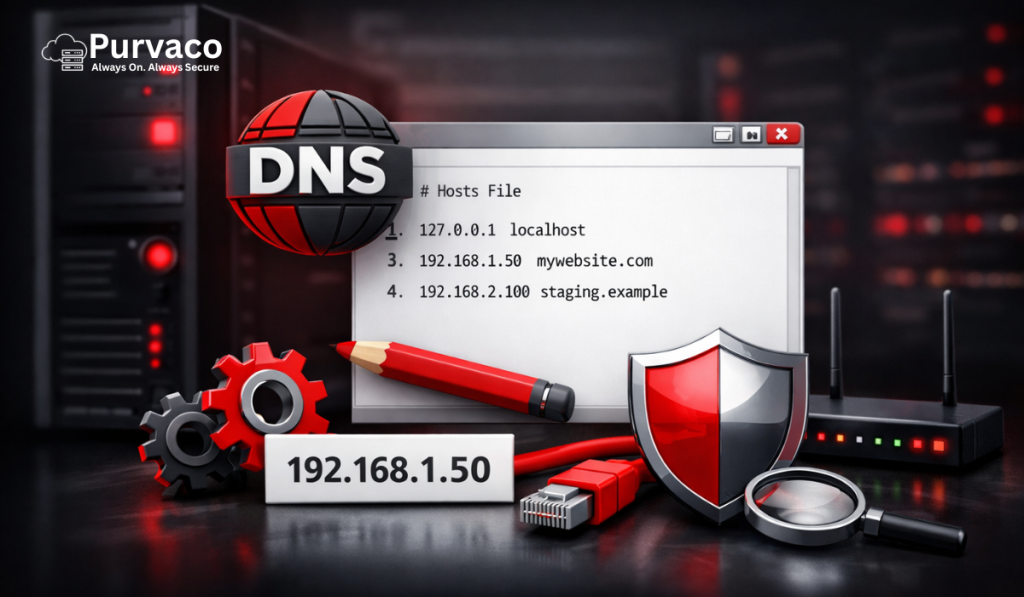
In modern IT infrastructure, where speed, control, and uptime are critical, system administrators and developers often need a way to manage domain resolution instantly without waiting for global DNS propagation. This is where the hosts file becomes an essential tool. Whether you are deploying a new website, migrating servers, testing applications, or securing your environment, understanding how to configure the hosts file on a Windows Server gives you a significant operational advantage. DNS (Domain Name System) is designed to translate human-readable domain names into IP addresses, but it relies on distributed servers and caching mechanisms, which can introduce delays. These delays can slow down deployments, complicate testing, and create inconsistencies across environments. The hosts file bypasses all of that by allowing you to define domain-to-IP mappings locally on a server. For businesses, developers, and hosting users, especially those working with VPS or dedicated infrastructure, mastering this simple yet powerful configuration can streamline workflows, reduce downtime, and improve troubleshooting efficiency. In high-performance hosting environments such as those provided by Purvaco, the hosts file is frequently used for staging environments, migration validation, and internal routing. This guide provides a complete, step-by-step walkthrough of configuring the hosts file on a Windows Server, along with best practices, advanced use cases, and troubleshooting techniques. What is the Hosts File? The hosts file is a plain text file used by the operating system to map hostnames (domain names) to IP addresses. It acts as a local DNS resolver, meaning it is checked before any external DNS queries are made. When you enter a domain name into a browser or attempt to connect to a server, the system follows a sequence: Check the hosts file for a matching entry If not found, query configured DNS servers Resolve the domain to an IP address Because the hosts file is checked first, it has the ability to override DNS results entirely. The basic syntax of the hosts file is straightforward: IP_address domain_name For example: 192.168.1.1 example.com This entry forces the system to resolve “example.com” to the specified IP address, regardless of what public DNS records say. You can think of the hosts file as a local phonebook stored on your server. Instead of asking a global directory (DNS), your system checks its own records first. Why Configure the Hosts File on Windows Server? Configuring the hosts file is not just a technical exercise—it has real-world applications across development, system administration, and business operations. One of the most common use cases is website testing before DNS propagation. When migrating a website to a new server, DNS changes can take hours or even days to fully propagate across the internet. By editing the hosts file, you can point your local system to the new server instantly and verify everything is working before making the change public. Another important use case is zero-downtime migration. Businesses cannot afford downtime, especially in eCommerce or SaaS environments. By using the hosts file, administrators can validate the new server setup while users continue accessing the old server, ensuring a seamless transition. The hosts file is also used for blocking malicious or unwanted domains. By mapping a domain to localhost (127.0.0.1), you effectively prevent the system from accessing it. This is often used in security hardening and content filtering. In development environments, teams frequently use the hosts file to create custom domain mappings for local or staging servers. This allows developers to simulate real-world environments without affecting live DNS records. Enterprises use hosts file configurations for internal routing, especially in closed networks where internal services need to be resolved without external DNS. For hosting users, particularly those using VPS or dedicated servers, the hosts file becomes a critical tool for debugging, testing, and optimizing performance. Where is the Hosts File Located in Windows Server? On Windows Server systems, the hosts file is located in the following directory: C:\Windows\System32\drivers\etc\hosts This file does not have a file extension, which sometimes confuses users when attempting to open it. It is a protected system file, meaning administrative privileges are required to modify it. This location remains consistent across different versions of Windows Server, including Windows Server 2016, 2019, and 2022. Because the file resides in a system directory, it is protected by User Account Control (UAC), ensuring that only authorized users can make changes. Prerequisites Before Editing the Hosts File Before modifying the hosts file, there are several prerequisites and precautions to consider. First, you must have administrative privileges. Without elevated permissions, you will not be able to save changes to the file. Second, it is strongly recommended to create a backup of the hosts file before editing. Even a small mistake can lead to connectivity issues, and having a backup allows you to quickly restore the original configuration. Third, you should understand the syntax of the file. Incorrect formatting, such as missing spaces or invalid IP addresses, can cause resolution failures. Finally, be aware of the potential risks. Misconfigured entries can redirect traffic incorrectly, disrupt services, or create security vulnerabilities. Step-by-Step Guide to Configure Hosts File on Windows Server Configuring the hosts file involves several precise steps. Following them carefully ensures that your changes are applied correctly. Step 1: Open Notepad as Administrator Click on the Start menu and search for “Notepad.” Right-click on it and select “Run as administrator.” This step is essential because the hosts file is a protected system file. If you do not run Notepad with elevated privileges, you will not be able to save your changes. Step 2: Navigate to the Hosts File In Notepad, click on “File” and then “Open.” Navigate to the directory: C:\Windows\System32\drivers\etc\ By default, Notepad shows only text documents. Change the file type dropdown to “All Files” so that the hosts file becomes visible. Select the “hosts” file and open it. Step 3: Edit the Hosts File Once the file is open, you will see existing entries, including comments and the default localhost mapping. To add a new entry, simply write: IP_address domain_name For example: 192.168.1.50 mywebsite.com Ensure there is
VPS vs Dedicated Server – What’s the Difference & Which Should You Choose in 2026?

The digital ecosystem in 2026 is evolving faster than ever. From SaaS startups and AI-driven platforms to high-traffic eCommerce websites and media portals, businesses today rely heavily on robust hosting infrastructure to deliver performance, uptime, and seamless user experiences. As online competition intensifies, choosing the right server environment is no longer a technical luxury—it is a strategic necessity. One of the most common dilemmas businesses face is deciding between a Virtual Private Server (VPS) and a Dedicated Server. At first glance, both appear to offer powerful hosting capabilities compared to shared hosting, but the underlying architecture, performance characteristics, and scalability potential are fundamentally different. This confusion often leads businesses to make suboptimal decisions that impact performance and long-term growth. Choosing the wrong hosting solution can result in serious consequences. Websites may suffer from frequent downtime, slow loading speeds during peak traffic, and increased vulnerability to security threats. These issues not only affect user experience but also damage brand credibility and search engine rankings. This is where Purvaco positions itself as a reliable hosting partner. With performance-focused infrastructure and scalable solutions, Purvaco helps businesses navigate these decisions effectively, ensuring they choose the right environment based on their specific needs. In this comprehensive guide, you will learn the core differences between VPS and Dedicated servers, their performance benchmarks, cost implications, security considerations, and real-world use cases. By the end, you will have a clear decision-making framework to choose the ideal hosting solution for your business. What is a VPS (Virtual Private Server)? A Virtual Private Server (VPS) is a hosting environment that bridges the gap between shared hosting and dedicated servers. It leverages virtualization technology to divide a single physical server into multiple independent virtual machines, each functioning as its own server. Definition Technically, a VPS is created using a hypervisor such as KVM or VMware, which allocates dedicated portions of CPU, RAM, and storage to each virtual instance. Although multiple VPS instances share the same physical hardware, each operates in isolation with its own operating system and resources. How VPS Works The architecture of a VPS involves three layers. At the base is the physical server hardware. Above it sits the hypervisor, which is responsible for creating and managing virtual machines. Each virtual machine is then assigned its own resources and behaves like an independent server environment. This means users can install software, configure settings, and run applications without interfering with other users on the same machine. Key Features of VPS One of the defining features of VPS hosting is root access, which allows users to fully control their server environment. This is particularly beneficial for developers and businesses that require custom configurations. Another important aspect is isolation. While the hardware is shared, each VPS operates independently, reducing the risks associated with shared hosting environments. Additionally, VPS hosting offers scalability, allowing users to upgrade resources as their requirements grow. From a cost perspective, VPS is significantly more affordable than dedicated servers, making it an attractive option for growing businesses. Types of VPS There are two primary types of VPS hosting: managed and unmanaged. Managed VPS is ideal for users who prefer not to handle server maintenance, as the hosting provider takes care of updates, security, and monitoring. Unmanaged VPS, on the other hand, offers complete control but requires technical expertise to manage the server environment. Advantages of VPS VPS hosting is affordable, flexible, and provides better performance compared to shared hosting. It is particularly suitable for websites experiencing moderate traffic growth. Limitations of VPS Despite its advantages, VPS still operates on shared hardware. This means performance can fluctuate if other virtual machines consume excessive resources. Additionally, there is a limit to how much a VPS can scale, making it less suitable for extremely high-demand workloads. What is a Dedicated Server? A Dedicated Server represents the highest level of hosting performance and control. Unlike VPS hosting, a dedicated server provides an entire physical machine exclusively for a single user. Definition A dedicated server is a single-tenant environment where all hardware resources—CPU, RAM, storage, and bandwidth—are allocated to one user. There is no sharing of resources, which ensures consistent performance. How Dedicated Servers Work In a dedicated setup, the user has complete control over both hardware and software configurations. This allows businesses to optimize the server environment for specific workloads, whether it is a high-traffic website or a resource-intensive application. Key Features Dedicated servers offer full administrative access, enabling deep customization at both the software and hardware levels. Users can select specific hardware configurations, including processors, storage types, and networking capabilities. The performance of dedicated servers is unmatched, as there is no resource contention. Additionally, security is significantly enhanced due to the absence of other users on the server. Types of Dedicated Servers Dedicated servers can be categorized into managed, unmanaged, and bare metal servers. Managed servers include support and maintenance, while unmanaged servers provide full control. Bare metal servers are physical machines provisioned without a virtualization layer, offering maximum performance. Advantages Dedicated servers deliver superior performance, complete customization, and maximum security. They are ideal for mission-critical applications and high-traffic environments. Limitations The primary drawbacks of dedicated servers are cost and complexity. They require a higher investment and often demand technical expertise to manage effectively. Additionally, scaling typically involves upgrading hardware, which can be time-consuming. VPS vs Dedicated Server: Core Differences Understanding the differences between VPS and dedicated servers requires a deeper look at their architecture and operational behavior. Resource Allocation In a VPS environment, resources are virtually partitioned from a shared physical server. While each VPS has allocated resources, the underlying hardware is still shared. This can lead to CPU throttling and I/O contention during peak usage. In contrast, a dedicated server provides full access to all physical resources, eliminating any possibility of resource competition. Performance VPS performance is generally reliable but can vary depending on the load on the host machine. If neighboring virtual machines consume excessive resources, performance may degrade. Dedicated servers offer consistent and predictable performance, making them
Best Hosting for Agencies in 2026 – Complete Guide to Scale Client Websites Without Limits

The digital economy has led to a massive rise in agencies across industries—web development firms, digital marketing agencies, SaaS startups, and creative studios. As businesses increasingly rely on online presence, agencies are now responsible for managing not just one website, but dozens or even hundreds of client projects simultaneously. While acquiring clients is a major milestone, managing them efficiently is where the real challenge begins. Agencies often struggle with handling multiple websites, ensuring consistent performance, maintaining uptime, and securing sensitive client data. These challenges become more complex as the agency grows. One of the most overlooked but critical factors in this equation is hosting. Many agencies rely on traditional hosting solutions that are not designed for multi-client environments. This leads to slow loading speeds, server crashes during traffic spikes, and frequent downtime—all of which negatively impact client satisfaction and retention. This is where the concept of hosting for agencies comes into play. Unlike standard hosting, agency-focused hosting is designed to handle multiple websites, scale resources dynamically, and provide centralized management. In this article, you will learn how to choose the best hosting for agencies, understand different hosting types, identify essential features, and discover how to scale your agency without infrastructure limitations. What is Hosting for Agencies? Hosting for agencies is a specialized hosting solution built to support businesses that manage multiple client websites under a single infrastructure. It is designed to simplify operations while ensuring performance, security, and scalability. Unlike regular hosting, which typically supports a limited number of websites, agency hosting is optimized for multi-site environments. It provides tools and features that allow agencies to efficiently manage client websites from a centralized dashboard. How It Differs from Normal Hosting Traditional hosting is built for individual users or small businesses with limited requirements. It often lacks scalability, centralized control, and advanced security features. Agency hosting, on the other hand, focuses on: Managing multiple websites simultaneously Providing isolated environments for each client Allowing role-based access for teams and clients Offering scalable resources as the agency grows Key Use Cases Web Development Agencies:These agencies build and maintain websites for clients. They need hosting that allows easy deployment, staging, and updates across multiple projects. Digital Marketing Agencies:Marketing agencies handle landing pages, SEO campaigns, and traffic-heavy websites. They require fast, reliable hosting to ensure performance and conversion optimization. SaaS and Product Agencies:These businesses run applications that require high uptime, scalability, and secure infrastructure. Agency hosting helps them manage both products and client environments effectively. Why Agencies Need Specialized Hosting Agencies operate at a scale and complexity that standard hosting simply cannot handle. As the number of clients grows, so do the technical challenges. Managing Multiple Websites Agencies often manage anywhere between 10 to 100+ websites. Without a centralized system, handling updates, backups, and monitoring becomes inefficient and time-consuming. Specialized hosting provides a unified dashboard that simplifies management. Client Expectations: Speed and Uptime Clients expect their websites to load quickly and remain accessible at all times. Even minor downtime can damage trust and result in lost revenue. High-performance hosting ensures fast loading speeds and consistent uptime. Security Risks Across Multiple Sites When multiple websites are hosted on the same server without proper isolation, a single vulnerability can affect all sites. Agency hosting minimizes this risk by providing account-level isolation and advanced security features. Scaling Without Downtime As agencies grow, they need hosting that can handle increased traffic and additional clients without performance issues. Scalable infrastructure ensures seamless growth. Real Scenario Imagine an agency managing 50 client websites on shared hosting. During peak traffic, the server becomes overloaded, causing multiple websites to crash simultaneously. Clients experience downtime, leading to complaints and potential loss of business. This situation highlights why agencies need hosting built specifically for scale and reliability. Types of Hosting for Agencies Choosing the right hosting type is essential for agency success. Each option comes with its own advantages and limitations. Shared Hosting (Why it Fails) Shared hosting is the most affordable option, where multiple websites share the same server resources. While it may work for beginners, it is not suitable for agencies. The main issue with shared hosting is resource limitation. Since multiple websites compete for CPU, RAM, and bandwidth, performance becomes unpredictable. Additionally, it lacks scalability, making it impossible to handle traffic spikes effectively. VPS Hosting VPS hosting provides a virtualized environment with dedicated resources. It offers better performance and control compared to shared hosting. For small agencies, VPS can be a good starting point. However, it still has limitations in terms of scalability. As traffic grows, upgrading resources can become complex and costly. Cloud Hosting (Recommended) Cloud hosting is the most advanced solution for agencies. It distributes resources across multiple servers, ensuring high availability and scalability. With cloud hosting, agencies can handle traffic spikes effortlessly. Resources can be scaled dynamically, ensuring consistent performance even during peak loads. Reseller Hosting Reseller hosting allows agencies to sell hosting services under their own brand. This is ideal for agencies looking to create an additional revenue stream. However, reseller hosting often limits control over infrastructure, which can impact performance optimization. Dedicated Servers Dedicated servers provide full control over a physical server. They offer maximum performance and customization options. This option is best suited for large agencies with high traffic and technical expertise. However, it comes with higher costs and requires ongoing management. Comparison Table Hosting Type Best For Scalability Cost Risk Shared Beginners Low Low High VPS Small agencies Medium Medium Medium Cloud Growing agencies High Flexible Low Reseller Selling hosting Medium Medium Medium Dedicated Large agencies High High Low Key Features to Look for in Agency Hosting Selecting the right hosting involves evaluating features that directly impact efficiency and performance. Multi-Site Management A centralized dashboard allows agencies to manage multiple websites efficiently. This reduces operational complexity and saves time. White Label Hosting White-label hosting enables agencies to offer hosting services under their own brand. This builds trust and creates additional revenue opportunities. Performance & Speed Performance is critical for user experience and SEO. High-speed
How to Choose WordPress Hosting for High-Traffic Sites (Complete 2026 Guide)

WordPress powers more than 40% of websites globally, from small blogs to enterprise-level platforms handling millions of monthly visitors. While starting a WordPress site is relatively easy, scaling it to handle high traffic is where most website owners face serious challenges. If your website receives thousands—or even hundreds of thousands—of visitors per day, your hosting environment becomes the backbone of your success. The wrong hosting choice can lead to slow load times, frequent downtime, poor user experience, and ultimately, lost revenue and damaged SEO rankings. High-traffic websites require more than just basic hosting. They demand performance optimization, scalability, advanced security, and consistent uptime. Unfortunately, many businesses continue using low-cost hosting solutions that simply cannot handle growth. In this comprehensive guide, you will learn exactly how to choose the right WordPress hosting for high-traffic sites. We will break down hosting types, critical performance factors, technical architecture, and practical decision-making strategies to ensure your website runs smoothly—even during traffic spikes. What is High-Traffic WordPress Hosting? High-traffic WordPress hosting refers to a hosting infrastructure specifically designed to handle large volumes of concurrent users, requests, and data processing without performance degradation. What qualifies as high traffic? While definitions vary, a website is generally considered high traffic if it receives: 10,000+ visitors per day 100,000+ monthly visits High concurrent users (e.g., 500+ active sessions at once) Why standard hosting fails Most basic hosting plans—especially shared hosting—are not built for scale. They suffer from: Limited CPU and RAM allocation Resource throttling Shared environments with unpredictable performance No auto-scaling capabilities As traffic increases, these limitations cause slow response times, server crashes, and degraded user experience. Types of WordPress Hosting Explained Understanding different hosting types is critical before making a decision. 1. Shared Hosting Shared hosting is the most affordable option, where multiple websites share the same server resources. Pros: Low cost Easy setup Cons: Poor performance under load Resource limitations Not suitable for high traffic Not recommended for growing or high-traffic websites. 2. VPS (Virtual Private Server) Hosting VPS hosting provides dedicated virtual resources within a shared physical server. Pros: Better performance than shared hosting Dedicated CPU and RAM More control Cons: Limited scalability Requires technical management Suitable for moderate traffic but may struggle during spikes. 3. Cloud Hosting (Recommended) Cloud hosting uses multiple servers working together, allowing resources to scale dynamically. Pros: Auto-scaling capabilities High uptime Load balancing Flexible pricing Cons: Slightly higher cost than shared hosting Best choice for high-traffic WordPress sites. 4. Dedicated Servers A dedicated server provides full access to an entire physical machine. Pros: Maximum performance Full control Cons: Expensive Limited scalability compared to cloud Ideal for enterprise-level applications. 5. Managed WordPress Hosting Managed hosting providers optimize infrastructure specifically for WordPress. Pros: Performance tuning Automatic updates Security enhancements Cons: Higher cost Limited customization Great for businesses wanting a hands-off experience. Key Factors to Consider for High-Traffic WordPress Hosting This is the most critical section when selecting your hosting. 1. Performance (Speed Optimization) Website speed directly impacts user experience and SEO rankings. Key components: Storage: NVMe SSD is significantly faster than traditional SSD Web Server: LiteSpeed or NGINX outperforms Apache PHP Version: PHP 8.x improves execution speed Caching: Redis or Memcached reduces database load A high-performance stack ensures your website loads in under 2 seconds—even under heavy traffic. 2. Scalability Scalability determines whether your hosting can grow with your traffic. Vertical Scaling: Increasing CPU/RAM Horizontal Scaling: Adding more servers Auto-scaling: Dynamic resource allocation Without scalability, your site will crash during traffic spikes. 3. Uptime Guarantee Downtime equals lost revenue. Look for: Minimum 99.9% uptime guarantee SLA-backed uptime commitments Real-time monitoring systems For high-traffic sites, even 1% downtime can mean thousands of lost users. 4. Security Features High-traffic sites are prime targets for attacks. Essential security features include: Free SSL certificates DDoS protection Web Application Firewall (WAF) Malware scanning and removal Automated security patches 5. Server Location Server proximity affects latency. Choose servers close to your audience For Indian traffic, India-based data centers reduce load time Use CDN for global reach 6. Backup & Disaster Recovery Data loss can be catastrophic. Look for: Daily automatic backups One-click restore Offsite backup storage 7. Traffic Handling Capacity Not all hosting plans handle concurrency well. Check for: Maximum concurrent users supported Request handling capability Bandwidth limits 8. Support Quality Technical issues require immediate resolution. Choose hosting with: 24/7 expert support WordPress-specific knowledge Fast response times Why Shared Hosting Fails at Scale Shared hosting is often marketed as an affordable solution, but it becomes a bottleneck for growing websites. Key limitations: Resource sharing with hundreds of websites “Noisy neighbor” effect Limited CPU usage No scalability Real-world scenario: Imagine your blog goes viral after a social media post. Within minutes, thousands of users visit your site. Instead of benefiting from the traffic surge, your server crashes. Result: Lost traffic Poor user experience SEO ranking drop Performance Benchmarks You Should Check Before choosing hosting, evaluate these metrics: TTFB (Time to First Byte): Should be under 200ms Page Load Time: Ideally under 2 seconds Server Response Time: Consistent under load Stress Test Results: Ability to handle spikes Best Tech Stack for High-Traffic WordPress A high-performance WordPress setup requires the right technology stack. Recommended architecture: Web Server: LiteSpeed or NGINX Database: MariaDB or optimized MySQL Caching: Page caching Object caching (Redis) CDN: Cloudflare or similar PHP: PHP-FPM tuning This combination ensures optimal performance and scalability. Cost vs Performance: Finding the Right Balance Many businesses prioritize cost over performance—this is a mistake. Cheap hosting leads to: Slow websites Frequent downtime Lost conversions Think in ROI terms: Faster site = better SEO Better SEO = more traffic More traffic = higher revenue Investing in quality hosting pays for itself. Signs You Need to Upgrade Your Hosting If you notice any of the following, it’s time to upgrade: Slow loading speed Frequent downtime High bounce rate Server errors (502, 504) Crashes during traffic spikes Why Cloud Hosting is Best for High-Traffic Sites Cloud hosting is the most advanced and reliable solution for scaling WordPress